It is currently Sun Aug 09, 2026 11:40 pm


All times are UTC - 5 hours [ DST ]


Post new topic Reply to topic  [ 13 posts ] 
Author Message
 Post subject: Path Helper
PostPosted: Fri Oct 17, 2025 9:25 am  (#1) 
Offline
GimpChat Member
User avatar

Joined: Aug 08, 2016
Posts: 2855
Location: East Midlands of England
I really enjoy working with paths - perhaps it is because my drawing skills are so limited.

Some people find it difficult to get started with paths so this collection, in pdf format, of tips and bits and pieces of information may be of some use.

Attachment:
Path_Info.pdf [948.88 KiB]
Downloaded 208 times


Added some help for scaling paths:

Attachment:
Scaling-Example.pdf [977.92 KiB]
Downloaded 151 times


I started it so long ago that I cannot remember where some of the resources came from - possibly Ofnuts or Tim or even from the official Gimp site; I am extremely grateful to whoever made them available.

A little doodle - made with 2 paths each with four points.

Image

_________________
Image
"Let no one steal your dreams."
Paul Cookson

Custom Font Links
2.10 Tools
Character Paths
White Bases


Last edited by Skinnyhouse on Tue Nov 04, 2025 8:13 am, edited 1 time in total.

Share on Facebook Share on Twitter Share on Orkut Share on Digg Share on MySpace Share on Delicious Share on Technorati
Top
 Post subject: Re: Path Helper
PostPosted: Fri Oct 17, 2025 11:40 am  (#2) 
Offline
GimpChat Member
User avatar

Joined: Mar 01, 2014
Posts: 14115
Location: Spain, Aragón
Thank you so much Skinnyhouse. A great tutorial and it is really helpful. :clap :tyspin

_________________
Image

Gimp 2.10.30(samj) portable _ OS Windows 10 Home_ 64bits
Don’t be afraid to start over. It’s a new chance to rebuild what you want.


Top
 Post subject: Re: Path Helper
PostPosted: Fri Oct 17, 2025 12:56 pm  (#3) 
Offline
GimpChat Member

Joined: Mar 14, 2023
Posts: 608
Location: Turkiye
:coolthup Thank you Master :coolthup


Top
 Post subject: Re: Path Helper
PostPosted: Fri Oct 17, 2025 1:43 pm  (#4) 
Offline
Administrator
User avatar

Joined: Aug 10, 2012
Posts: 14147
Location: Native to NYC living in Arizona, Gimp 2.8 - 3.0, Win 11 PC.
Thanks for sharing this with us Skinnyhouse!
:jumpclap :clap :jumpclap

It's good to see paths getting the attention they deserve,
your doodle is a perfect example of how creative they can be.
The PDF looks like a really handy resource too!

Added to our tutorial index.
Gimp Chat Tutorials Index

_________________
Image
"A wise man learns more from a foolish question than a fool can learn from a wise answer"
Image


Top
 Post subject: Re: Path Helper
PostPosted: Fri Oct 17, 2025 3:03 pm  (#5) 
Offline
GimpChat Member

Joined: Apr 09, 2018
Posts: 1888
Location: France
Thank you Skinnyhouse. :coolthup

_________________
Les parfums, les couleurs et les sons se répondent.Baudelaire (Les fleurs du mal)
2.10.36/(Samj) Gimp 2.10.38 OS Windows 10 Home 64 bits


Top
 Post subject: Re: Path Helper
PostPosted: Sat Oct 18, 2025 1:38 am  (#6) 
Offline
GimpChat Member

Joined: Apr 11, 2024
Posts: 306
Thanks a lot Skinnyhouse.


Top
 Post subject: Re: Path Helper
PostPosted: Sat Oct 18, 2025 12:49 pm  (#7) 
Offline
GimpChat Member
User avatar

Joined: Jul 04, 2019
Posts: 282
Location: Lake Havasu City, Arizona, USA
Nicely done, Skinnyhouse. Thanks for your help.

_________________
Charles


Top
 Post subject: Re: Path Helper
PostPosted: Sun Oct 19, 2025 2:36 am  (#8) 
Offline
GimpChat Member
User avatar

Joined: Aug 08, 2016
Posts: 2855
Location: East Midlands of England
Thanks for all the positive feedback :bigthup - thought it could be a case of teaching grandmother to suck eggs but if it helps, it helps (as they say).
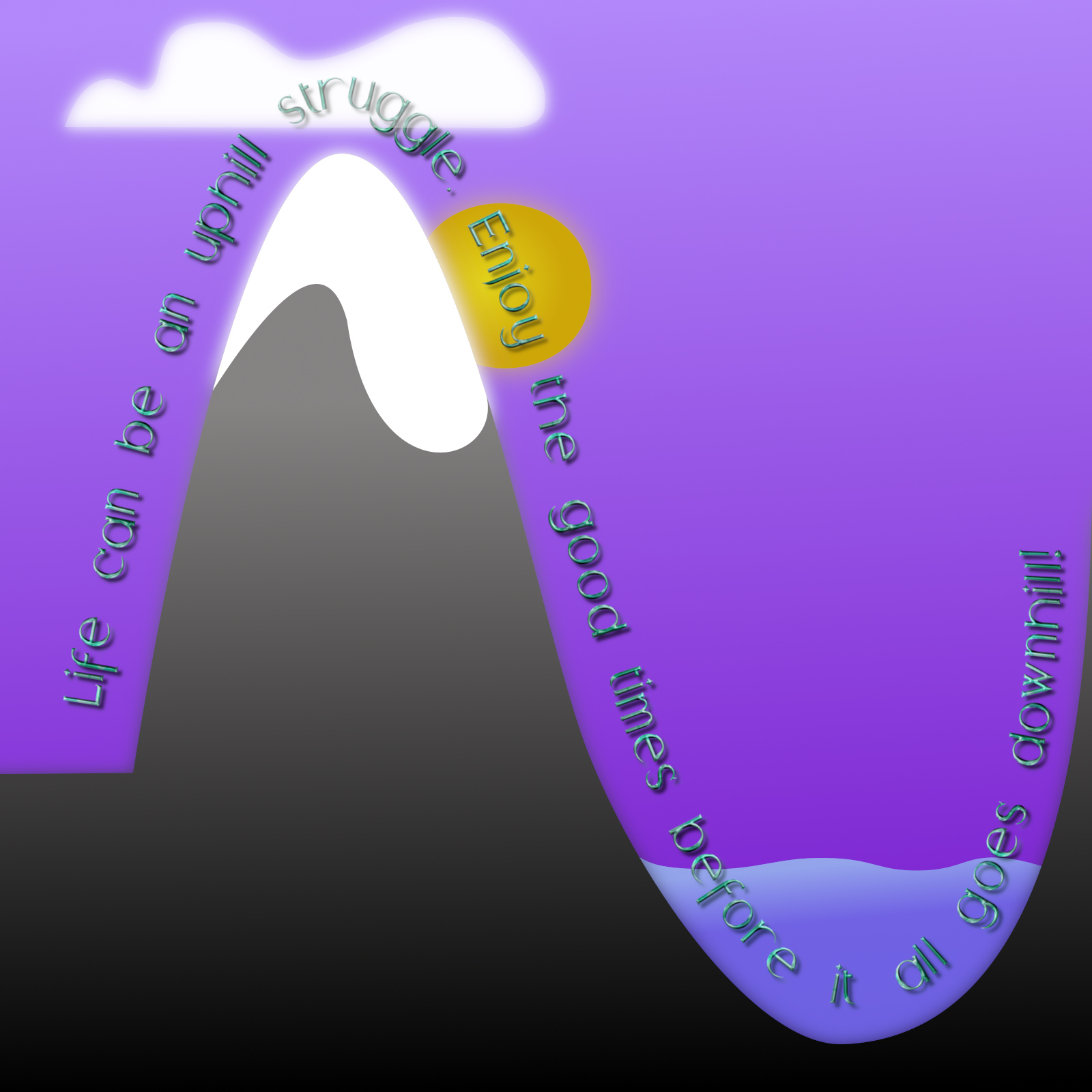
Just to conclude here is a more complex image that began with the text of course (or at least a version of the text).
Everything was created from a path - the download contains the xcf file with all the paths and layers so you can see how I set about it.

Attachment:
UphillStruggle.7z [2.88 MiB]
Downloaded 153 times


Image

_________________
Image
"Let no one steal your dreams."
Paul Cookson

Custom Font Links
2.10 Tools
Character Paths
White Bases


Top
 Post subject: Re: Path Helper
PostPosted: Mon Oct 20, 2025 10:48 am  (#9) 
Offline
GimpChat Member
User avatar

Joined: May 17, 2014
Posts: 1568
Thanks for the tutorial, skinnyhouse.
It's a great help :tyspin

_________________
Ella's gallery - YouTube


Top
 Post subject: Re: Path Helper
PostPosted: Tue Nov 04, 2025 8:15 am  (#10) 
Offline
GimpChat Member
User avatar

Joined: Aug 08, 2016
Posts: 2855
Location: East Midlands of England
Thank you Ella. I have added some help for scaling paths to the first post that you may find useful.

:bigthup

_________________
Image
"Let no one steal your dreams."
Paul Cookson

Custom Font Links
2.10 Tools
Character Paths
White Bases


Top
 Post subject: Re: Path Helper
PostPosted: Wed Nov 05, 2025 4:08 am  (#11) 
Offline
GimpChat Member
User avatar

Joined: Dec 09, 2018
Posts: 736
Nice tutorials Skinnyhouse :tyspin

Attachment:
arches2.jpg
arches2.jpg [ 300.3 KiB | Viewed 6170 times ]


Top
 Post subject: Re: Path Helper
PostPosted: Thu Nov 06, 2025 4:39 am  (#12) 
Offline
GimpChat Member
User avatar

Joined: May 17, 2014
Posts: 1568
Thanks again, Skinnyhouse :yr

_________________
Ella's gallery - YouTube


Top
 Post subject: Re: Path Helper
PostPosted: Thu Nov 06, 2025 10:05 am  (#13) 
Offline
GimpChat Member
User avatar

Joined: Mar 01, 2014
Posts: 14115
Location: Spain, Aragón
Thank you so much, Skinnyhouse. :yr

_________________
Image

Gimp 2.10.30(samj) portable _ OS Windows 10 Home_ 64bits
Don’t be afraid to start over. It’s a new chance to rebuild what you want.


Top
Post new topic Reply to topic  [ 13 posts ] 

All times are UTC - 5 hours [ DST ]


* Login  


Powered by phpBB3 © phpBB Group