It is currently Sat Aug 15, 2026 2:36 am


All times are UTC - 5 hours [ DST ]


Post new topic Reply to topic  [ 46 posts ]  Go to page 1, 2, 3  Next
Author Message
 Post subject: From a photo to a painting (quick)
PostPosted: Sat Jan 12, 2019 10:49 am  (#1) 
Offline
GimpChat Member
User avatar

Joined: Jan 20, 2013
Posts: 14831
Location: roma, italy
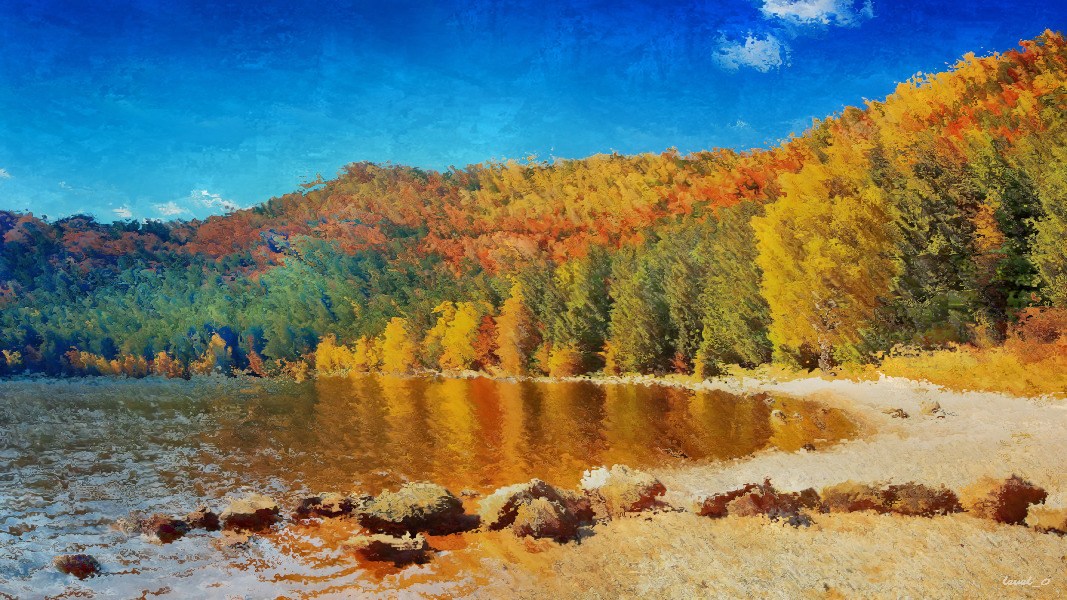
I found a simple sequence to let a photo look like a painting.

Hence I decided to post here a small tutorial, for those interested in such kind of manipulation.

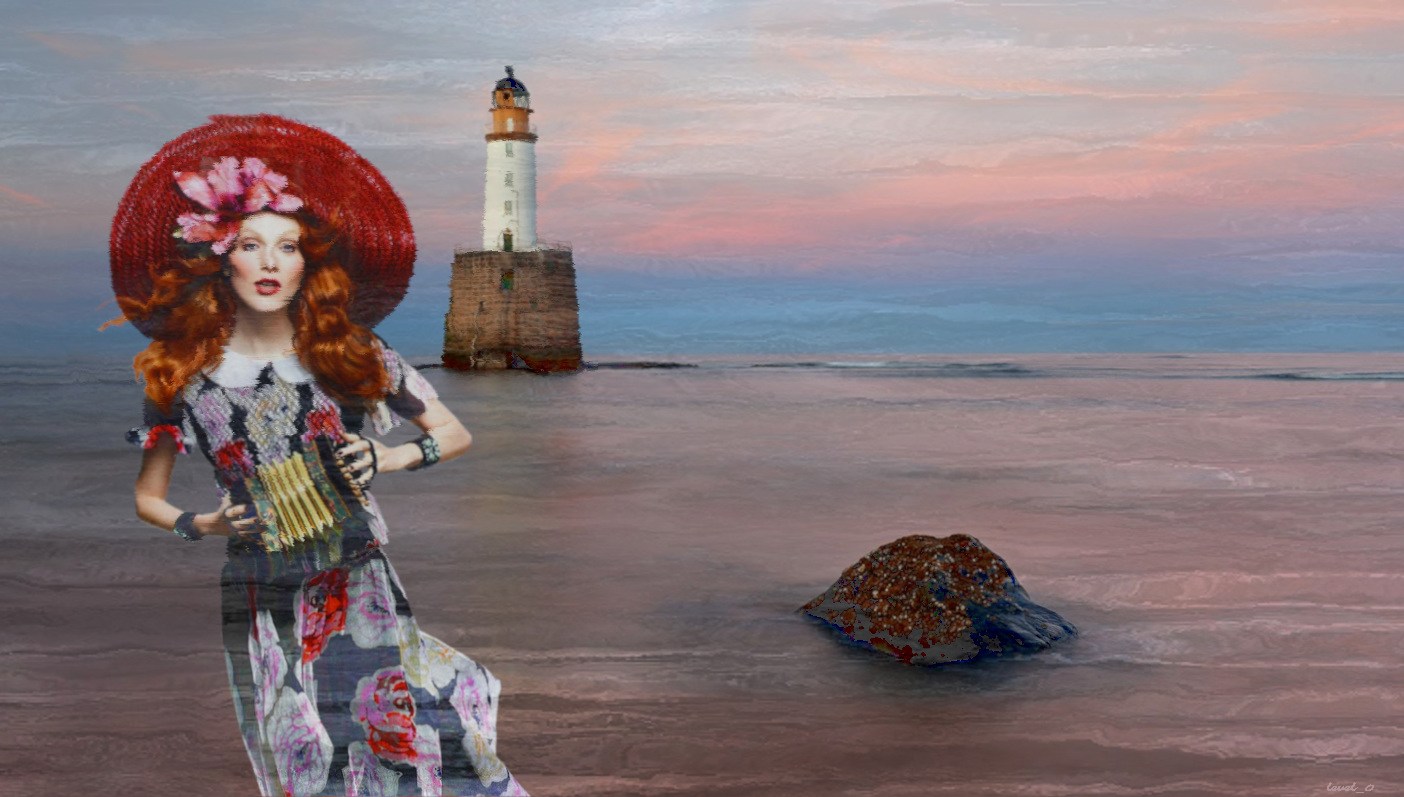
You need to have a pattern which could be "seen" as a texture of a painting; I post here an example.

1.Open your source image (source layer)
2.Add a new layer below, same dimension
3.Fill the layer with the chosen pattern (pattern layer)
4.On the "source layer" run the gimp filter Filters/Map/Displace
5.Set the "pattern layer" as Aux input and Aux2 input
6.Set the Horizontal displacement to a small value (the Vertical displacement changes automatically as well)
7.The position of the map below the source let you control the effect (play with the value above)
8.Now move the "pattern layer" on top of the "source layer"
9.Set the layer mode to LAYER_MODE_HSV_VALUE
10.Set the opacity to around 35.0

That's it.

Attached source, pattern and outcome.

source image (from Deviant Art)
Attachment:
costume__amber_fall___2018_by_aquilina_das_dcwmfgg-pre.jpg
costume__amber_fall___2018_by_aquilina_das_dcwmfgg-pre.jpg [ 208.88 KiB | Viewed 16661 times ]


chosen pattern (from one of the many created for my painting "simulations")
Attachment:
SampleTexture.jpg
SampleTexture.jpg [ 41.09 KiB | Viewed 16661 times ]


Outcome (playing with the parameters of the steps can be personalized, that's my choice).
Attachment:
Outcome.jpg
Outcome.jpg [ 434.54 KiB | Viewed 16661 times ]

_________________
"Where am I ?"


Share on Facebook Share on Twitter Share on Orkut Share on Digg Share on MySpace Share on Delicious Share on Technorati
Top
 Post subject: Re: From a photo to a painting (quick)
PostPosted: Sat Jan 12, 2019 11:06 am  (#2) 
Offline
GimpChat Member

Joined: May 12, 2015
Posts: 4693
I see that the "painting" look is determined by the pattern used and the strength of it's use. I like it. Will play with as soon as I can get to my computer.


Top
 Post subject: Re: From a photo to a painting (quick)
PostPosted: Sat Jan 12, 2019 11:08 am  (#3) 
Offline
GimpChat Member
User avatar

Joined: Jan 20, 2013
Posts: 14831
Location: roma, italy
Yes, Pat, you may get a lot of different nice outcomes. Sometimes also "surprising".

_________________
"Where am I ?"


Top
 Post subject: Re: From a photo to a painting (quick)
PostPosted: Sat Jan 12, 2019 11:41 am  (#4) 
Offline
GimpChat Member
User avatar

Joined: Jan 20, 2013
Posts: 14831
Location: roma, italy
Example using an "impasto" texture.
Attachment:
UsingImpastoTexture.jpg
UsingImpastoTexture.jpg [ 1.22 MiB | Viewed 16646 times ]


(it could be better…)

_________________
"Where am I ?"


Top
 Post subject: Re: From a photo to a painting (quick)
PostPosted: Sat Jan 12, 2019 11:49 am  (#5) 
Offline
GimpChat Member
User avatar

Joined: Jan 20, 2013
Posts: 14831
Location: roma, italy
Using an "abstract" texture.
Attachment:
UsingAnAbstractTexture.jpg
UsingAnAbstractTexture.jpg [ 1.05 MiB | Viewed 16642 times ]

_________________
"Where am I ?"


Top
 Post subject: Re: From a photo to a painting (quick)
PostPosted: Sat Jan 12, 2019 11:50 am  (#6) 
Offline
GimpChat Member
User avatar

Joined: Jan 20, 2013
Posts: 14831
Location: roma, italy
Just play….

_________________
"Where am I ?"


Top
 Post subject: Re: From a photo to a painting (quick)
PostPosted: Sat Jan 12, 2019 2:59 pm  (#7) 
Offline
GimpChat Member
User avatar

Joined: Jan 20, 2013
Posts: 14831
Location: roma, italy
Another play for "Abstract".
Attachment:
AbstractPaintTexture.jpg
AbstractPaintTexture.jpg [ 1001.65 KiB | Viewed 16606 times ]


funny...

_________________
"Where am I ?"


Top
 Post subject: Re: From a photo to a painting (quick)
PostPosted: Sun Jan 13, 2019 4:13 am  (#8) 
Offline
GimpChat Member
User avatar

Joined: Jan 20, 2013
Posts: 14831
Location: roma, italy
Using one of the patterns prepared for my VanGogh simulation, plus a screen mode applied to a dupl inverted texture.
Attachment:
d7updc5-b523791b-86c1-4614-acce-55dcd33559ea, photo-to-painting.jpg
d7updc5-b523791b-86c1-4614-acce-55dcd33559ea, photo-to-painting.jpg [ 270 KiB | Viewed 16579 times ]

_________________
"Where am I ?"


Top
 Post subject: Re: From a photo to a painting (quick)
PostPosted: Sun Jan 13, 2019 4:17 am  (#9) 
Offline
GimpChat Member
User avatar

Joined: Jan 20, 2013
Posts: 14831
Location: roma, italy
...and applying a colour change (warmer).
Attachment:
d7updc5-b523791b-86c1-4614-acce-55dcd33559ea, photo-to-painting_PP-colorchange.jpg
d7updc5-b523791b-86c1-4614-acce-55dcd33559ea, photo-to-painting_PP-colorchange.jpg [ 304.54 KiB | Viewed 16579 times ]

_________________
"Where am I ?"


Top
 Post subject: Re: From a photo to a painting (quick)
PostPosted: Sun Jan 13, 2019 4:20 am  (#10) 
Offline
GimpChat Member
User avatar

Joined: Jan 20, 2013
Posts: 14831
Location: roma, italy
...or in the opposite direction.
Attachment:
d7updc5-b523791b-86c1-4614-acce-55dcd33559ea, photo-to-painting_PP-colorchange-2.jpg
d7updc5-b523791b-86c1-4614-acce-55dcd33559ea, photo-to-painting_PP-colorchange-2.jpg [ 293.85 KiB | Viewed 16578 times ]

_________________
"Where am I ?"


Top
 Post subject: Re: From a photo to a painting (quick)
PostPosted: Sun Jan 13, 2019 8:54 am  (#11) 
Offline
GimpChat Member
User avatar

Joined: Jan 20, 2013
Posts: 14831
Location: roma, italy
Same source, pattern of bricks.
Let's call it "Dream On a Wall".
Attachment:
DreamOnAWall.jpg
DreamOnAWall.jpg [ 627.83 KiB | Viewed 10340 times ]

_________________
"Where am I ?"


Top
 Post subject: Re: From a photo to a painting (quick)
PostPosted: Sun Jan 13, 2019 12:36 pm  (#12) 
Offline
GimpChat Member
User avatar

Joined: Mar 01, 2014
Posts: 14128
Location: Spain, Aragón
My first results, :)
Thanks a lot for your tutorial to get the right effects. :tyspin


Attachments:
winter_alley_dap_deviant_DN_Painting simulation.jpg
winter_alley_dap_deviant_DN_Painting simulation.jpg [ 1.56 MiB | Viewed 10334 times ]
abstract-beautiful-beauty-236465_DN_Painting simulaton.jpg
abstract-beautiful-beauty-236465_DN_Painting simulaton.jpg [ 1.79 MiB | Viewed 10334 times ]
cc0793cf5c265fbb0e16b511fe638eb5_DN_PaintingSimulation.jpg
cc0793cf5c265fbb0e16b511fe638eb5_DN_PaintingSimulation.jpg [ 707.21 KiB | Viewed 10334 times ]

_________________
Image

Gimp 2.10.30(samj) portable _ OS Windows 10 Home_ 64bits
Don’t be afraid to start over. It’s a new chance to rebuild what you want.
Top
 Post subject: Re: From a photo to a painting (quick)
PostPosted: Sun Jan 13, 2019 12:48 pm  (#13) 
Offline
GimpChat Member
User avatar

Joined: Jan 20, 2013
Posts: 14831
Location: roma, italy
Excellent! The Flower is really fantastic.
The Winter alley is pregnant of atmoshere.
Very glad that a simple procedure can obtain such beautiful outcomes.

_________________
"Where am I ?"


Top
 Post subject: Re: From a photo to a painting (quick)
PostPosted: Sun Jan 13, 2019 1:10 pm  (#14) 
Offline
GimpChat Member

Joined: Apr 09, 2018
Posts: 1888
Location: France
Ella Image and dinasset Image

thank you dinasset
my shy tests :oops:

Image

Image

_________________
Les parfums, les couleurs et les sons se répondent.Baudelaire (Les fleurs du mal)
2.10.36/(Samj) Gimp 2.10.38 OS Windows 10 Home 64 bits


Top
 Post subject: Re: From a photo to a painting (quick)
PostPosted: Sun Jan 13, 2019 1:24 pm  (#15) 
Offline
GimpChat Member
User avatar

Joined: Jan 20, 2013
Posts: 14831
Location: roma, italy
Very good, level_0! Thanks for sharing.

_________________
"Where am I ?"


Top
 Post subject: Re: From a photo to a painting (quick)
PostPosted: Sun Jan 13, 2019 3:03 pm  (#16) 
Offline
GimpChat Member
User avatar

Joined: May 17, 2014
Posts: 1568
level_0 wrote:
Ella [ Image ] and dinasset [ Image ]


level_0, there's an Ella and an Issabella, sometimes a bit confusing :)


My "Buonanotte"


Attachment:
Tree_displace_map.jpg
Tree_displace_map.jpg [ 186.29 KiB | Viewed 10319 times ]

_________________
Ella's gallery - YouTube


Top
 Post subject: Re: From a photo to a painting (quick)
PostPosted: Sun Jan 13, 2019 3:14 pm  (#17) 
Offline
GimpChat Member
User avatar

Joined: Jan 20, 2013
Posts: 14831
Location: roma, italy
Thanks Ella !

_________________
"Where am I ?"


Top
 Post subject: Re: From a photo to a painting (quick)
PostPosted: Sun Jan 13, 2019 3:33 pm  (#18) 
Offline
GimpChat Member
User avatar

Joined: Mar 01, 2014
Posts: 14128
Location: Spain, Aragón
Very nice results, level_0 and Ella. :yes
My buonanotte, too. :)


Attachments:
adorable-animal-cat-1741205_DN_paintingEffect.jpg
adorable-animal-cat-1741205_DN_paintingEffect.jpg [ 1.01 MiB | Viewed 10314 times ]
7247e34062bfc8a0d21920b1ff16c96b_DN_PaintingEffect.jpg
7247e34062bfc8a0d21920b1ff16c96b_DN_PaintingEffect.jpg [ 572.46 KiB | Viewed 10314 times ]
080f268c00bb74fafb4bbef1661204b9_DN_PaintingEffect.jpg
080f268c00bb74fafb4bbef1661204b9_DN_PaintingEffect.jpg [ 721.66 KiB | Viewed 10314 times ]

_________________
Image

Gimp 2.10.30(samj) portable _ OS Windows 10 Home_ 64bits
Don’t be afraid to start over. It’s a new chance to rebuild what you want.
Top
 Post subject: Re: From a photo to a painting (quick)
PostPosted: Sun Jan 13, 2019 11:38 pm  (#19) 
Offline
GimpChat Member

Joined: May 12, 2015
Posts: 4693
Such nice images by all! This looks like a lot of fun!
Attachment:
DN_PhotoToPainting.Pissarro New.RosesBooks.JPG
DN_PhotoToPainting.Pissarro New.RosesBooks.JPG [ 517.62 KiB | Viewed 10307 times ]
Attachment:
DN_PhotoToPainting.Impasto 11.Stone Bldg. Mountain.JPG
DN_PhotoToPainting.Impasto 11.Stone Bldg. Mountain.JPG [ 801.05 KiB | Viewed 10307 times ]
Attachment:
DN_PhotoToPainting.Monet New.Landscape.JPG
DN_PhotoToPainting.Monet New.Landscape.JPG [ 656.31 KiB | Viewed 10307 times ]


Top
 Post subject: Re: From a photo to a painting (quick)
PostPosted: Mon Jan 14, 2019 12:19 am  (#20) 
Offline
GimpChat Member
User avatar

Joined: Jan 20, 2013
Posts: 14831
Location: roma, italy
Wow, it's really true what I heard many time in the past:
The simpler the better !
Some fantastic outcomes here.

_________________
"Where am I ?"


Top
Post new topic Reply to topic  [ 46 posts ]  Go to page 1, 2, 3  Next

All times are UTC - 5 hours [ DST ]


* Login  


Powered by phpBB3 © phpBB Group