It is currently Fri Oct 09, 2026 2:33 pm


All times are UTC - 5 hours [ DST ]


Post new topic Reply to topic  [ 6 posts ] 
Author Message
 Post subject: Help With Gimp & GMIC Filters
PostPosted: Mon Nov 08, 2021 1:26 pm  (#1) 
Offline
New Member

Joined: Nov 08, 2021
Posts: 3
Whenever I try to apply a filter (cartoon) either the gimp or gmic filter once I select apply the image turns black its the same shape just all detail is removed and filled with black.

Can someone please help me understand what I am doing to cause this?

This program is not very user friendly for a beginner with very little knowledge beyond some mobile phone design apps.


Share on Facebook Share on Twitter Share on Orkut Share on Digg Share on MySpace Share on Delicious Share on Technorati
Top
 Post subject: Re: Help With Gimp & GMIC Filters
PostPosted: Mon Nov 08, 2021 3:50 pm  (#2) 
Offline
GimpChat Member
User avatar

Joined: Nov 04, 2015
Posts: 1480
If you check the G'MIC search box you will see 3 different cartoon filters in G'MIC. Try PhotoComix Wild Cartoonizer.

Two little arrows box in top right corner return any filter to the default values.


Top
 Post subject: Re: Help With Gimp & GMIC Filters
PostPosted: Mon Nov 08, 2021 6:32 pm  (#3) 
Offline
New Member

Joined: Nov 08, 2021
Posts: 3
thanks will try them,,,,,,,the issue I have had is once applying the filter the image blacks out, hope this resolves that issue.


Top
 Post subject: Re: Help With Gimp & GMIC Filters
PostPosted: Tue Nov 09, 2021 1:27 am  (#4) 
Offline
Global Moderator
User avatar

Joined: Apr 01, 2012
Posts: 8479
Location: On the other side of your screen
Without seeing your image - the only thing I can think of is you haven't got it in the correct mode. Is your image in RGB?
Check top menu - Image>Mode> . Which of the three is it?

_________________
Image
Free Fun Photo Editing & resources
Poems from the Lord
Gimp Newby
Gimp version 3.2.6 and GMIC-Qt 4.0.2 OS :- Windows 10 Home 64


Top
 Post subject: Re: Help With Gimp & GMIC Filters
PostPosted: Tue Nov 09, 2021 2:16 am  (#5) 
Offline
GimpChat Member
User avatar

Joined: May 24, 2021
Posts: 859
Location: SEA - South East Asia
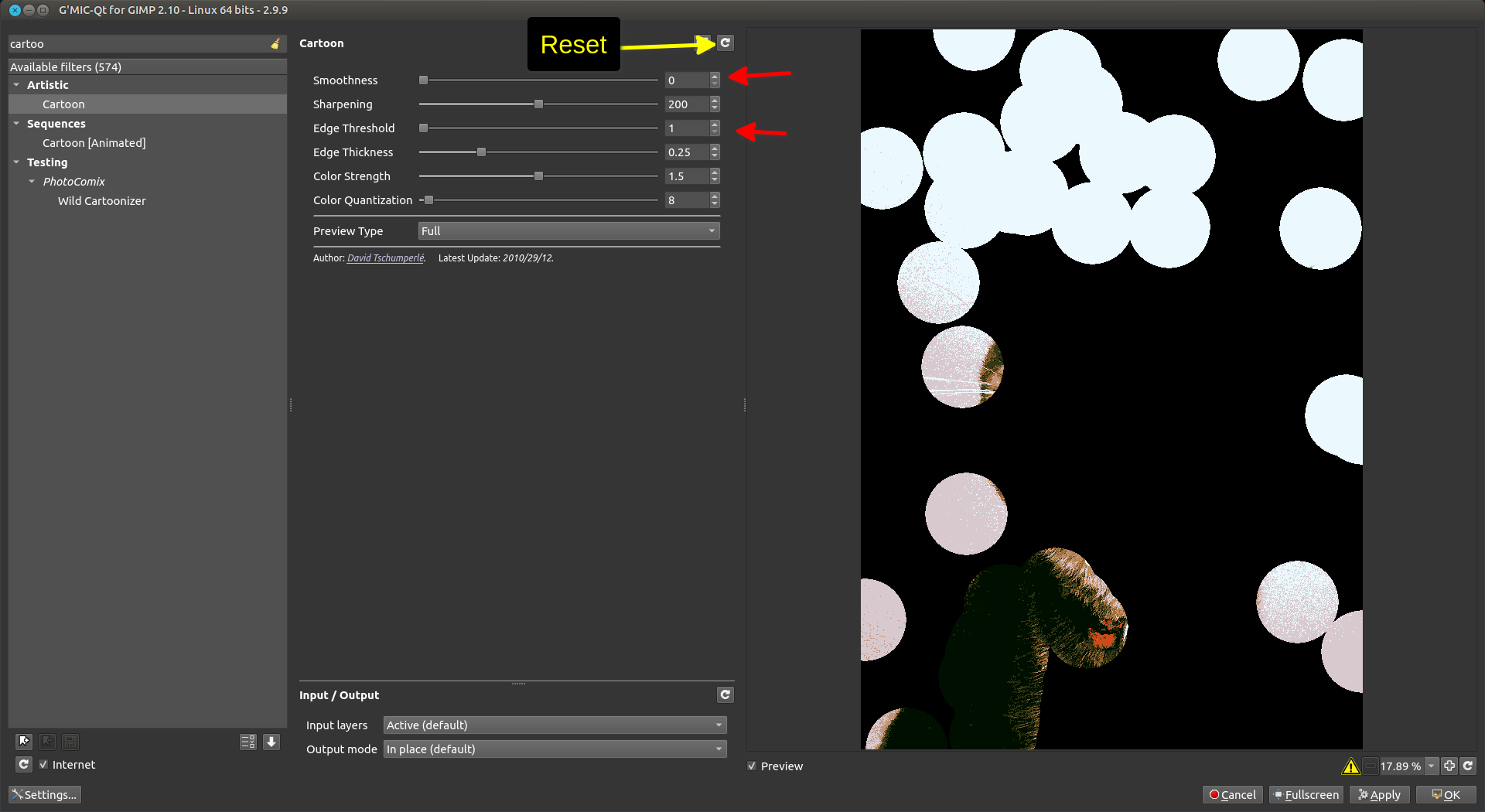
Does it do something like this? (see screenshot)
If so, the setting where the red arrows are pointing to are the faulty settings, to reset click where the yellow arrow is pointing the icon out
Attachment:
screenshot_20211109-151219.png
screenshot_20211109-151219.png [ 140.25 KiB | Viewed 7029 times ]


sallyanne wrote:
Without seeing your image - the only thing I can think of is you haven't got it in the correct mode. Is your image in RGB?
Check top menu - Image>Mode> . Which of the three is it?

I can't agree more with @sallyanne with both her suggestions
In all case we need to see your image.
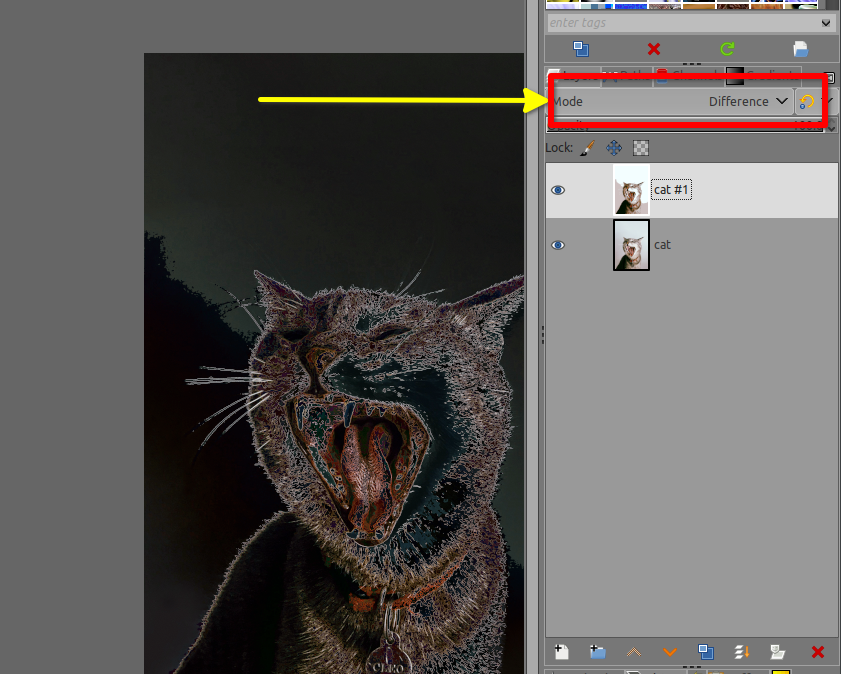
Also if you have duplicated your layer, take a look at the layer Mode
Attachment:
screenshot_20211109-152039.png
screenshot_20211109-152039.png [ 488.01 KiB | Viewed 7029 times ]

_________________
Patrice


Top
 Post subject: Re: Help With Gimp & GMIC Filters
PostPosted: Tue Nov 09, 2021 7:17 am  (#6) 
Offline
New Member

Joined: Nov 08, 2021
Posts: 3
Thanks everyone, long day at work yesterday, I will try these suggestions if still having any issue I will post a picture.

Thanks again!


Top
Post new topic Reply to topic  [ 6 posts ] 

All times are UTC - 5 hours [ DST ]


* Login  


Powered by phpBB3 © phpBB Group