It is currently Sat Aug 08, 2026 8:26 am


All times are UTC - 5 hours [ DST ]


Post new topic Reply to topic  [ 6 posts ] 
Author Message
 Post subject: Did this to show someone it could be done in Gimp
PostPosted: Sun Jan 19, 2025 2:45 am  (#1) 
Offline
Global Moderator
User avatar

Joined: Apr 01, 2012
Posts: 8452
Location: On the other side of your screen
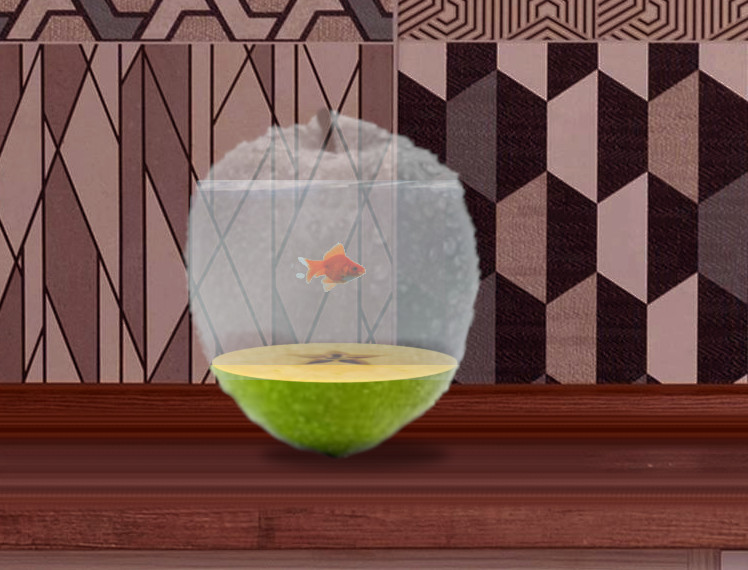
https://www.youtube.com/watch?v=TO2DzSJHxgg&t=96s&ab_channel=SmartGraphics
Image
As usual I used all creative commons graphics.
Pretty sure someone has done it here before - better. I did a tutorial with it too


Attachments:
Fish Bowl Tutorial.pdf [339.08 KiB]
Downloaded 53 times

_________________
Image
Free Fun Photo Editing & resources
Poems from the Lord
Gimp Newby
Gimp version 3.2.4 and GMIC-Qt 4.0.2 OS :- Windows 10 Home 64
Share on Facebook Share on Twitter Share on Orkut Share on Digg Share on MySpace Share on Delicious Share on Technorati
Top
 Post subject: Re: Did this to show someone it could be done in Gimp
PostPosted: Sun Jan 19, 2025 2:01 pm  (#2) 
Offline
Global Moderator
User avatar

Joined: Oct 02, 2014
Posts: 5013
Location: Sydney Australia
Hi Sallyanne,

Yes Ella did this before in Gimp from Photoshop tut (post #219) and challenged me to do my own GIMP version (post #224) - see viewtopic.php?f=11&t=10426&hilit=My+Island&start=220

_________________
Image

Respect should be offered freely but hard earned


Top
 Post subject: Re: Did this to show someone it could be done in Gimp
PostPosted: Sun Jan 19, 2025 8:46 pm  (#3) 
Offline
Global Moderator
User avatar

Joined: Apr 01, 2012
Posts: 8452
Location: On the other side of your screen
Do you have a tut for it - in Gimp. Even yours looks better

_________________
Image
Free Fun Photo Editing & resources
Poems from the Lord
Gimp Newby
Gimp version 3.2.4 and GMIC-Qt 4.0.2 OS :- Windows 10 Home 64


Top
 Post subject: Re: Did this to show someone it could be done in Gimp
PostPosted: Sun Jan 19, 2025 9:02 pm  (#4) 
Offline
Global Moderator
User avatar

Joined: Oct 02, 2014
Posts: 5013
Location: Sydney Australia
Sorry, no tutorial I'm afraid. If I remember correctly I just used things that I know about in GIMP and one of my apple brushes.

_________________
Image

Respect should be offered freely but hard earned


Top
 Post subject: Re: Did this to show someone it could be done in Gimp
PostPosted: Sun Jan 19, 2025 10:35 pm  (#5) 
Offline
Global Moderator
User avatar

Joined: Apr 01, 2012
Posts: 8452
Location: On the other side of your screen
Pity, we need more gimp tutorials out there especially to show people that things that PS can do can be done with gimp if not better.. Mine didn't turn out as good and I cannot make video tutorials

_________________
Image
Free Fun Photo Editing & resources
Poems from the Lord
Gimp Newby
Gimp version 3.2.4 and GMIC-Qt 4.0.2 OS :- Windows 10 Home 64


Top
 Post subject: Re: Did this to show someone it could be done in Gimp
PostPosted: Mon Jan 20, 2025 1:09 am  (#6) 
Offline
GimpChat Member
User avatar

Joined: Apr 25, 2011
Posts: 121
Location: Taiwan
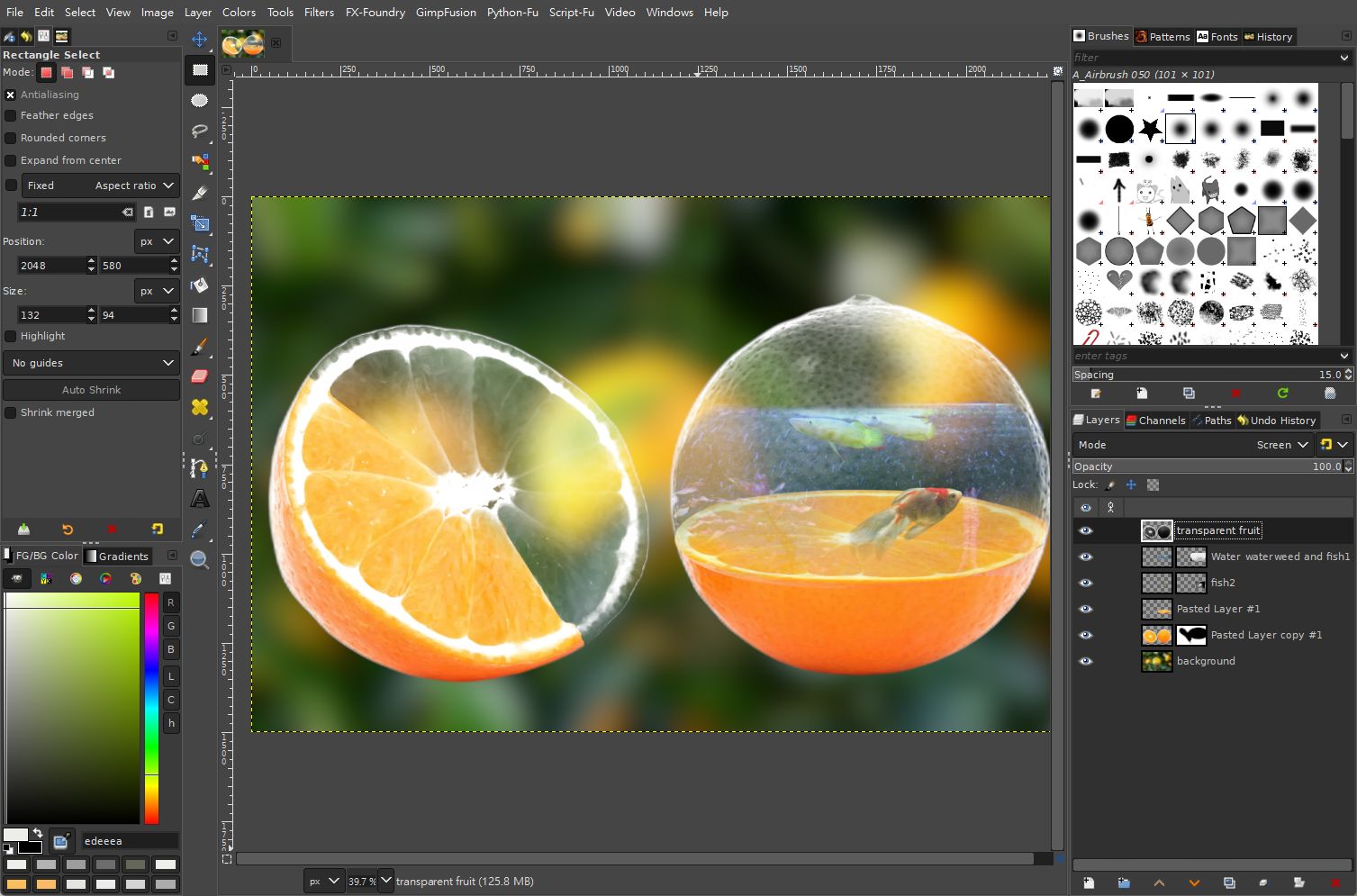
My try
Image

key step, transparent fruit layer
1. set its mode to screen
2. colors -> desaturate -> desaturate
3. colors -> Levels

_________________
Sorry for my poor English, I use Google Translate.
There may be something wrong, Please understand.

GIMP 2.10.38 rev1 portable+GAP+G'MIC+nufraw+Beautify+MathMap+...


Top
Post new topic Reply to topic  [ 6 posts ] 

All times are UTC - 5 hours [ DST ]


* Login  


Powered by phpBB3 © phpBB Group