It is currently Wed Aug 12, 2026 5:33 am


All times are UTC - 5 hours [ DST ]


Post new topic Reply to topic  [ 66 posts ]  Go to page 1, 2, 3, 4  Next
Author Message
 Post subject: Graphic Boost Preset Gallery
PostPosted: Mon Feb 07, 2011 11:57 pm  (#1) 
Offline
GimpChat Member

Joined: Apr 12, 2010
Posts: 5870
Ok finally i may connect ,
Graphic Boost can create very different effects, to illustrate some and offer some starting point to experiment i created some presets

i tested all with the same group of images, obviously what created as beaty retouch filter for Lions may have a devastating effect on a the smooth skin of a nice model , and vice versa


DARK DRAMA
------------------------------------------------------------
Old Car

Image
GRaphic Boost Preset _Dark Drama by PhotoComiX, on Flickr


Attachment:
Background copy.png
Background copy.png [ 949.19 KiB | Viewed 4173 times ]


From

No bad on the MEERKAT
before

Image
Meerkat at North Carolina Zoo by jimbowen0306, on Flickr

after

Image
GRaphic Boost Preset _Dark Drama by PhotoComiX, on Flickr

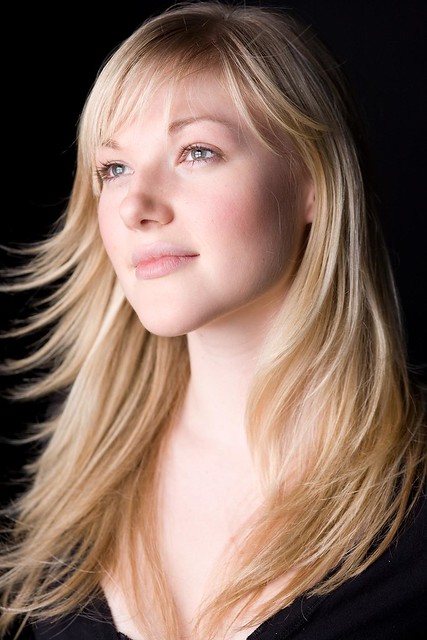
Mixed result with a nice model...seen at original size the effect on the skin is devastating scaling down the image the effect soften

Original

Image
Stay Golden by inorman88, on Flickr

After

Image
GRaphic Boost Preset _Dark Drama by PhotoComiX, on Flickr

here a different model and coreography

Image
GRaphic Boost Preset _Dark Drama by PhotoComiX, on Flickr

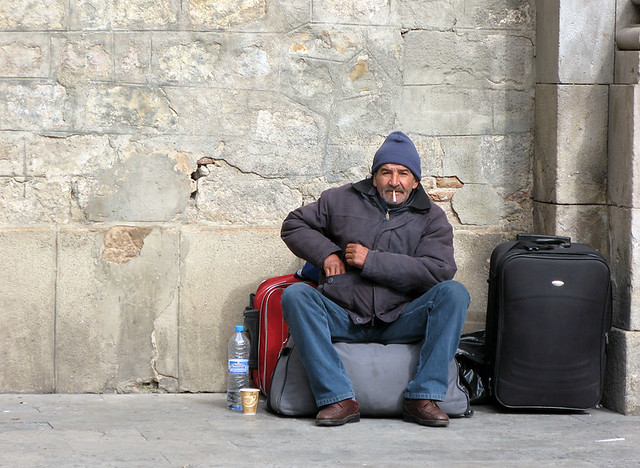
Before

Image
Plaza de la Mercè, Barri Gòtic / Spain, Barcelona by flydime, on Flickr

Tested also on hinge-back shrimps

Image
GRaphic Boost Preset _Dark Drama by PhotoComiX, on Flickr

Original

Image

#####################################################
the preset

{GB-Dark Drama}{Graphic_Boost}{gimp_boost1}{gimp_boost1}{1.9802}{1.36364}{0.727273}{16.8317}{1}{0.254545}{0.842178}{5.36364}{0}{2}{0.963636}{0}{0.536364}{0.818182}{1.54545}

_________________
My 3D Gallery on Deviantart http://photocomix2.deviantart.com/
Main gallery http://www.flickriver.com/photos/photocomix-mandala/
Mandala and simmetry http://www.flickriver.com/photos/photocomix_mandala/

Image

Mrs Wilbress


Share on Facebook Share on Twitter Share on Orkut Share on Digg Share on MySpace Share on Delicious Share on Technorati
Top
 Post subject: Re: Graphic Boost Preset Gallery
PostPosted: Tue Feb 08, 2011 12:26 am  (#2) 
Offline
GimpChat Member

Joined: Apr 12, 2010
Posts: 5870
WILDLIFE POETRY

Image
gmic Graphic Boost test _wildlife poetry by PhotoComiX, on Flickr

Image
gmic Graphic Boost test _wildlife poetry by PhotoComiX, on Flickr

Image
gmic Graphic Boost test _wildlife poetry by PhotoComiX, on Flickr

Before

Image
DSC00169-S.jpg by { pranav }, on Flickr

Image
gmic Graphic Boost test _wildlife poetry by PhotoComiX, on Flickr

Image
gmic Graphic Boost test _wildlife poetry by PhotoComiX, on Flickr

Image
gmic Graphic Boost test _wildlife poetry by PhotoComiX, on Flickr


Before

Image
IMG_1077 by Dey, on Flickr

A tip
all examples here were edited only with the preset
Anyway after running the preset you may try duplicate the layer and set the duplicate to multiply to boost contrast and obtain darker colors

#################################################

{GB wildlife poetry}{Graphic_Boost}{gimp_boost1}{gimp_boost1}{1.9802}{1.36364}{0.727273}{16.8317}{1}{0.60396}{0.842178}{2.13636}{1}{4}{1}{1}{0.536364}{0.818182}{1.54545}

_________________
My 3D Gallery on Deviantart http://photocomix2.deviantart.com/
Main gallery http://www.flickriver.com/photos/photocomix-mandala/
Mandala and simmetry http://www.flickriver.com/photos/photocomix_mandala/

Image

Mrs Wilbress


Top
 Post subject: Re: Graphic Boost Preset Gallery
PostPosted: Tue Feb 08, 2011 12:29 am  (#3) 
Offline
GimpChat Member
User avatar

Joined: Sep 24, 2010
Posts: 12829
Congrats on getting your speed back PC. Like this preset and have used it more then a few times already. :)

_________________
Lyle

Psalm 109:8

Image


Top
 Post subject: Re: Graphic Boost Preset Gallery
PostPosted: Tue Feb 08, 2011 12:50 am  (#4) 
Offline
Global Moderator
User avatar

Joined: May 16, 2010
Posts: 16158
Yes it is great to see you back PC!
Grabbed them both, thanks. :tyspin

How about Dark Drama Animal Poetry?
Dark Drama top layer set to overlay
Animal Poetry bottom layer

Image

_________________
Image


Top
 Post subject: Re: Graphic Boost Preset Gallery
PostPosted: Tue Feb 08, 2011 1:03 am  (#5) 
Offline
GimpChat Member

Joined: Apr 12, 2010
Posts: 5870
Thank not sure of what i already posted i started again here to post all

@ Rod

cool

here GB _ Skin Horrifier

The name came from the devastating effect he had on the skin of the first model, (not posted here) but that never happened again , at least not so dramaticallly

anyway use with care with close up expecially of woman...


Image
[G'MIC] GB-Skin Horrifier ; -gimp_boost1 1.25,1.5,0.15,14,1,0.5,0.45,2.22727,1,0,1,0,0.5,0.45,0.78#7 by PhotoComiX, on Flickr

at original size you may see that the effect on the skin is no gentle as may seem looking the thumb below

Image
[G'MIC] GB-Skin Horrifier ; -gimp_boost1 1.25,1.5,0.15,14,1,0.5,0.45,2.22727,1,0,1,0,0.5,0.45,0.78#6 by PhotoComiX, on Flickr

Unfortunaly the preset didn't pass well the the Presidential test

<a href="http://www.flickr.com/photos/photocomix-mandala/5426849101/" title="[G'MIC] GB-Skin Horrifier ; -gimp_boost1 1.25,1.5,0.15,14,1,0.5,0.45,2.22727,1,0,1,0,0.5,0.45,0.78#5 by PhotoComiX, on Flickr"><img src="http://farm6.static.flickr.com/5014/5426849101_3813486494.jpg" width="500" height="420" alt="[G'MIC] GB-Skin Horrifier ; -gimp_boost1 1.25,1.5,0.15,14,1,0.5,0.45,2.22727,1,0,1,0,0.5,0.45,0.78#5" /></a>

But on the other hand good result from hobos..

Image
[G'MIC] GB-Skin Horrifier ; -gimp_boost1 1.25,1.5,0.15,14,1,0.5,0.45,2.22727,1,0,1,0,0.5,0.45,0.78#1 by PhotoComiX, on Flickr

....and Lions

Image
[G'MIC] GB-Skin Horrifier ; -gimp_boost1 1.25,1.5,0.15,14,1,0.5,0.45,2.22727,1,0,1,0,0.5,0.45,0.78#2 by PhotoComiX, on Flickr

and is no bad for Indian hurban shoots...

Image
[G'MIC] GB-Skin Horrifier ; -gimp_boost1 1.25,1.5,0.15,14,1,0.5,0.45,2.22727,1,0,1,0,0.5,0.45,0.78#4 by PhotoComiX, on Flickr

...old car

Image
[G'MIC] GB-Skin Horrifier ; -gimp_boost1 1.25,1.5,0.15,14,1,0.5,0.45,2.22727,1,0,1,0,0.5,0.45,0.78#3 by PhotoComiX, on Flickr

no problem from hinge-back shrimp face's skin

Image
[G'MIC] GB-Skin Horrifier ; -gimp_boost1 1.25,1.5,0.15,14,1,0.5,0.45,2.22727,1,0,1,0,0.5,0.45,0.78 by PhotoComiX, on Flickr
------------------------------------------------------------------------------------------------------
{GB-Skin Horrifier}{Graphic_Boost}{gimp_boost1}{gimp_boost1}{1.25}{1.5}{0.15}{14}{1}{0.5}{0.45}{2.22727}{1}{0}{1}{0}{0.5}{0.45}{0.78}

_________________
My 3D Gallery on Deviantart http://photocomix2.deviantart.com/
Main gallery http://www.flickriver.com/photos/photocomix-mandala/
Mandala and simmetry http://www.flickriver.com/photos/photocomix_mandala/

Image

Mrs Wilbress


Top
 Post subject: Re: Graphic Boost Preset Gallery
PostPosted: Tue Feb 08, 2011 4:03 am  (#6) 
Offline
Retired Staff
User avatar

Joined: May 22, 2008
Posts: 6946
Location: Somewhere in GIMP
This is so neat and such fun.
Before
Image


After
Image

_________________
Image
World War IV will be fought with sticks and stones. - Albert Einstein


Top
 Post subject: Re: Graphic Boost Preset Gallery
PostPosted: Tue Feb 08, 2011 6:22 am  (#7) 
Offline
GimpChat Member
User avatar

Joined: Oct 29, 2010
Posts: 711
Location: Netherlands
Hi PC,
This is the first time I saw graphic boost.
I searched but couldn't find anything on where to find the script.
I do have G'MIC installed but it doesn't have this.
Could you please post a link and instructions on how to install?
Many thanks in advance.
Gerard.

Edit: Found the tut by mahvin how to add scripts to G'MIC in ubuntu.
Although I use Gentoo Linux it's linux too.

_________________
Gentoo Linux always up-to-date.
Kernel-3.17.4 Python-2.7.8/3.3.5
Gimp-2.8.14

I use Linux only.
And Virtualbox with Win 7


Last edited by gerard82 on Tue Feb 08, 2011 6:52 am, edited 1 time in total.

Top
 Post subject: Re: Graphic Boost Preset Gallery
PostPosted: Tue Feb 08, 2011 6:40 am  (#8) 
Offline
GimpChat Member
User avatar

Joined: Apr 07, 2010
Posts: 14182
gerard82. This may help until PC comes on line.
http://www.flickr.com/groups/gmic/discu ... 372068491/

_________________
Image


Top
 Post subject: Re: Graphic Boost Preset Gallery
PostPosted: Tue Feb 08, 2011 6:44 am  (#9) 
Offline
Global Moderator
User avatar

Joined: May 16, 2010
Posts: 16158
@gerard82 - you may have to install GMIC 1.4.8
http://www.flickr.com/groups/gmic/discu ... 763559209/

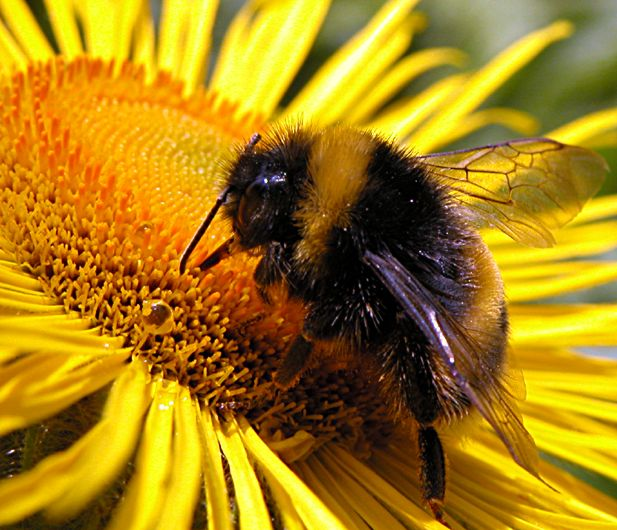
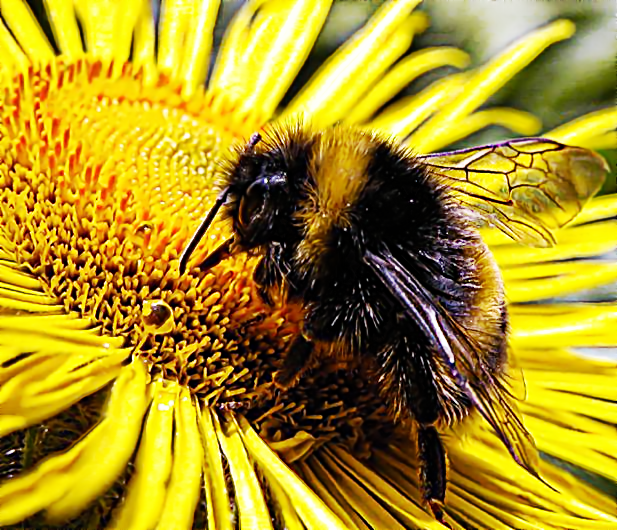
@O - Wow look at the detail that came out in those bumblebee wings!
Very nice.

@PC - Can you possibly give a tutorial on saving presets in GMIC using the scripts made for it?
Thanks!

_________________
Image


Top
 Post subject: Re: Graphic Boost Preset Gallery
PostPosted: Tue Feb 08, 2011 6:56 am  (#10) 
Offline
GimpChat Member

Joined: Apr 12, 2010
Posts: 5870
Graphic Boost should be in the last version of gmic (gmic has a new version almost any week...) anyway i posted the code also here viewtopic.php?f=9&t=981&start=0

about install new filter and preset is explaned here viewtopic.php?f=9&t=978&start=0

@ROD
sure !

_________________
My 3D Gallery on Deviantart http://photocomix2.deviantart.com/
Main gallery http://www.flickriver.com/photos/photocomix-mandala/
Mandala and simmetry http://www.flickriver.com/photos/photocomix_mandala/

Image

Mrs Wilbress


Top
 Post subject: Re: Graphic Boost Preset Gallery
PostPosted: Tue Feb 08, 2011 10:19 am  (#11) 
Offline
GimpChat Member
User avatar

Joined: Oct 29, 2010
Posts: 711
Location: Netherlands
Thanks all.
I d/led G'MIC-1.4.8.1 from Rod's link and compiled it.
I had to install "openVC" first before it wanted to install (dependency).
I installed it in the global Gimp plugin directory.
Anyway it works like a charm!

I am working on adding textures in Sculpture Generator.
I want to finish that first before exploring Graphic Boost.
Thanks again and long live Gimp Chat.
Gerard.

_________________
Gentoo Linux always up-to-date.
Kernel-3.17.4 Python-2.7.8/3.3.5
Gimp-2.8.14

I use Linux only.
And Virtualbox with Win 7


Top
 Post subject: Re: Graphic Boost Preset Gallery
PostPosted: Tue Feb 08, 2011 10:47 am  (#12) 
Offline
GimpChat Member
User avatar

Joined: Jul 04, 2010
Posts: 2253
Location: Retired Moderator Slowly Returning to the Living.
Wildlife Poetry is suhweeeeeeeeeet!


Attachments:
Colorful Frames Wildlife Poetry.jpg
Colorful Frames Wildlife Poetry.jpg [ 444.22 KiB | Viewed 2469 times ]

_________________
Artists aren't crazy! We're eccentric! ~G.M. Ross

Image

My Sigs = My Photos
Check out my work at http://www.flickr.com/photos/photomastergreg.
Top
 Post subject: Re: Graphic Boost Preset Gallery
PostPosted: Tue Feb 08, 2011 2:33 pm  (#13) 
Offline
GimpChat Member

Joined: Apr 12, 2010
Posts: 5870
:paint SOFT COLOR_BURN

the originals are always the same and are all in the first message.
No any other pre or post edit only the effect of the preset

Image
[G'MIC] GB-soft Color burn ; -gimp_boost1 1.9802,2.9703,2.0198,16.8317,1,0.5,0.782178,2.22727,1,2,0.281818,1,0.5,0.628713,1.73267#1 by PhotoComiX, on Flickr

Close Up
notice t

Image
[G'MIC] GB-soft Color burn ; -gimp_boost1 1.9802,2.9703,2.0198,16.8317,1,0.5,0.782178,2.22727,1,2,0.281818,1,0.5,0.628713,1.73267#6 by PhotoComiX, on Flickr

Image
[G'MIC] GB-soft Color burn ; -gimp_boost1 1.9802,2.9703,2.0198,16.8317,1,0.5,0.782178,2.22727,1,2,0.281818,1,0.5,0.628713,1.73267#4 by PhotoComiX, on Flickr

Image
[url=http://www.flickr.com/photos/photocomix-mandala/5428832530/][G'MIC] GB-soft Color burn ; -gimp_boost1 1.9802,2.9703,2.0198,16.8317,1,0.5,0.782178,2.22727,1,2,0.281818,1,0.5,0.62871
3,1.73267[/url] by PhotoComiX, on Flickr

Image
[G'MIC] GB-soft Color burn ; -gimp_boost1 1.9802,2.9703,2.0198,16.8317,1,0.5,0.782178,2.22727,1,2,0.281818,1,0.5,0.628713,1.73267#3 by PhotoComiX, on Flickr

_____________________________________________________________
PRESET

{GB-soft Color burn}{Graphic_Boost}{gimp_boost1}{gimp_boost1}{1.9802}{2.9703}{2.0198}{16.8317}{1}{0.5}{0.782178}{2.22727}{1}{2}{0.281818}{1}{0.5}{0.628713}{1.73267}


Image
[G'MIC] GB-soft Color burn ; -gimp_boost1 1.9802,2.9703,2.0198,16.8317,1,0.5,0.782178,2.22727,1,2,0.281818,1,0.5,0.628713,1.73267#7 by PhotoComiX, on Flickr


Image
[G'MIC] GB-soft Color burn ; -gimp_boost1 1.9802,2.9703,2.0198,16.8317,1,0.5,0.782178,2.22727,1,2,0.281818,1,0.5,0.628713,1.73267#2 by PhotoComiX, on Flickr

____________________________________________________________

:wh THE PRESET :wh

{GB-soft Color burn}{Graphic_Boost}{gimp_boost1}{gimp_boost1}{1.9802}{2.9703}{2.0198}{16.8317}{1}{0.5}{0.782178}{2.22727}{1}{2}{0.281818}{1}{0.5}{0.628713}{1.73267}

___________________________________________________________

_________________
My 3D Gallery on Deviantart http://photocomix2.deviantart.com/
Main gallery http://www.flickriver.com/photos/photocomix-mandala/
Mandala and simmetry http://www.flickriver.com/photos/photocomix_mandala/

Image

Mrs Wilbress


Top
 Post subject: Re: Graphic Boost Preset Gallery
PostPosted: Wed Feb 09, 2011 4:51 am  (#14) 
Offline
Global Moderator
User avatar

Joined: May 16, 2010
Posts: 16158
Yet another awesome preset PC! :)
Thanks for sharing it.

_________________
Image


Top
 Post subject: Re: Graphic Boost Preset Gallery
PostPosted: Wed Feb 09, 2011 3:48 pm  (#15) 
Offline
Retired Staff
User avatar

Joined: May 22, 2008
Posts: 6946
Location: Somewhere in GIMP
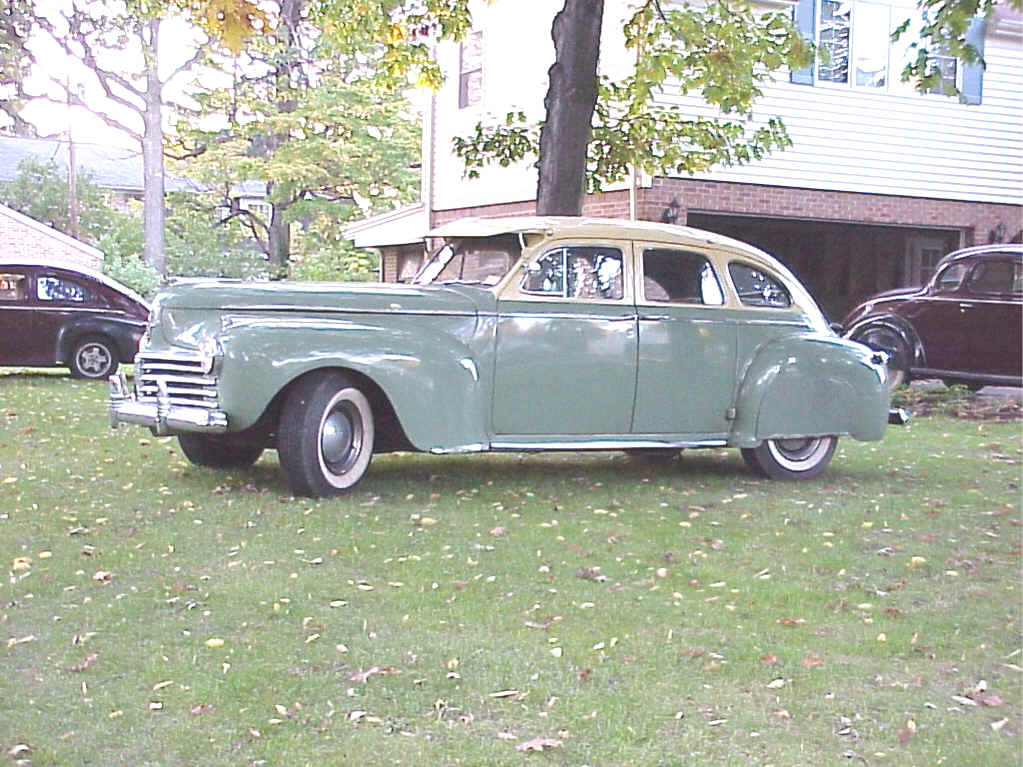
Original image here.

Image

_________________
Image
World War IV will be fought with sticks and stones. - Albert Einstein


Top
 Post subject: Re: Graphic Boost Preset Gallery
PostPosted: Wed Feb 09, 2011 4:02 pm  (#16) 
Offline
GimpChat Member
User avatar

Joined: Oct 06, 2010
Posts: 4050
I like this, O. Good picture, too. Is it one of yours (or family's) or found on the internet?

_________________
"In order to attain the impossible, one must attempt the absurd."
~ Miguel de Cervantes


Top
 Post subject: Re: Graphic Boost Preset Gallery
PostPosted: Wed Feb 09, 2011 4:10 pm  (#17) 
Offline
Retired Staff
User avatar

Joined: May 22, 2008
Posts: 6946
Location: Somewhere in GIMP
Found on Internet.

Trying to figure out where the Soft Color Burn preset is. It's either not showing up or hiding somewhere in gmic.

_________________
Image
World War IV will be fought with sticks and stones. - Albert Einstein


Top
 Post subject: Re: Graphic Boost Preset Gallery
PostPosted: Wed Feb 09, 2011 4:36 pm  (#18) 
Offline
GimpChat Member
User avatar

Joined: Oct 06, 2010
Posts: 4050
Layers - Color Burn

_________________
"In order to attain the impossible, one must attempt the absurd."
~ Miguel de Cervantes


Top
 Post subject: Re: Graphic Boost Preset Gallery
PostPosted: Wed Feb 09, 2011 4:44 pm  (#19) 
Offline
Retired Staff
User avatar

Joined: May 22, 2008
Posts: 6946
Location: Somewhere in GIMP
Thanks, mahv. I need a catalog with everything in gmic and the paths in it so I know where to look.

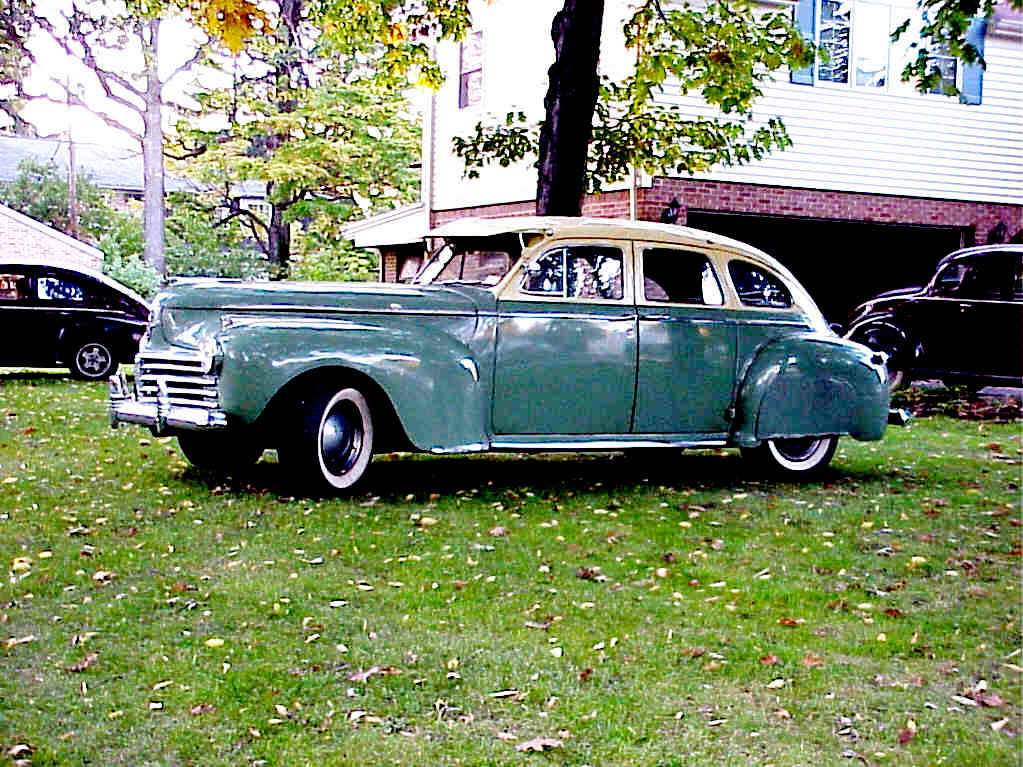
It did a really nice job on that '41 Chrysler. Original image here. It brought out the colors in it.

Image

_________________
Image
World War IV will be fought with sticks and stones. - Albert Einstein


Top
 Post subject: Re: Graphic Boost Preset Gallery
PostPosted: Wed Feb 09, 2011 4:51 pm  (#20) 
Offline
GimpChat Member
User avatar

Joined: Oct 06, 2010
Posts: 4050
It sure did, didn't it? I would recommend adding another layer of the original image and hard light mode to bring it back to a regular light. Burn tends to darken it, still looks nice though. Turn the hard light layer off after you add it, and you'll see the difference.

Scratch that. It brightened it too much. Bleh. It really looks fine as it is, I was just trying to find a way to bring out the car's detail in the middle of all that new color.

_________________
"In order to attain the impossible, one must attempt the absurd."
~ Miguel de Cervantes


Top
Post new topic Reply to topic  [ 66 posts ]  Go to page 1, 2, 3, 4  Next

All times are UTC - 5 hours [ DST ]


* Login  


Powered by phpBB3 © phpBB Group