It is currently Sun Aug 23, 2026 11:24 pm


All times are UTC - 5 hours [ DST ]


Post new topic Reply to topic  [ 7 posts ] 
Author Message
 Post subject: Messing around with my "Chewed Text" filter.
PostPosted: Sat Sep 09, 2017 8:49 am  (#1) 
Offline
Global Moderator
User avatar

Joined: May 16, 2010
Posts: 16167
Image

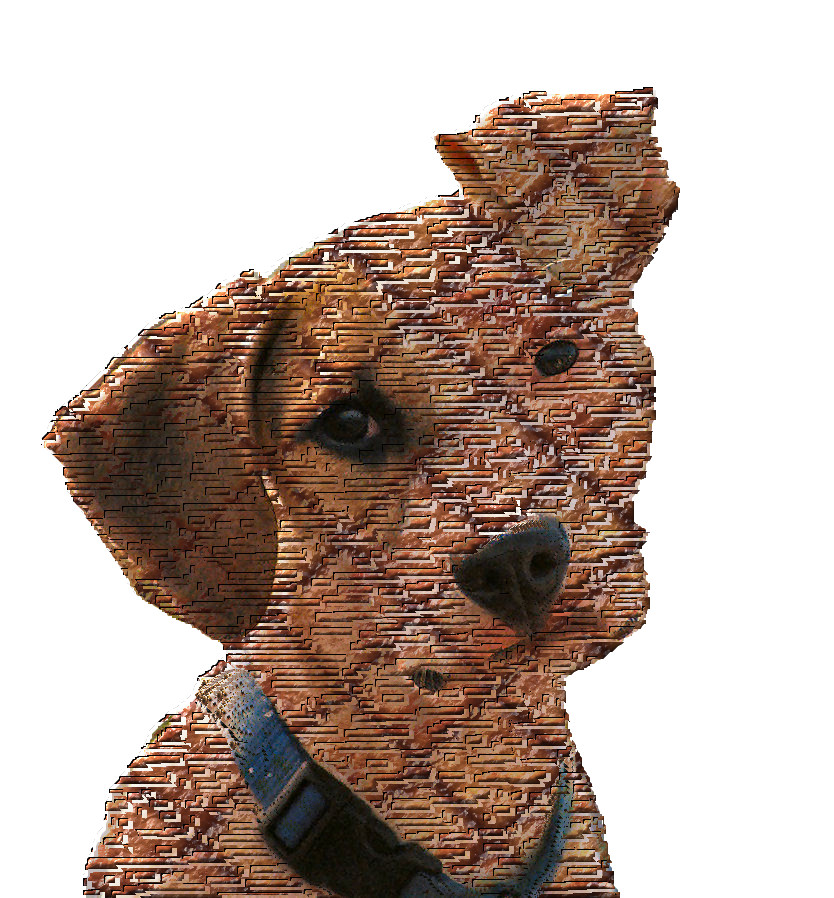
1) Open image - Add Alpha Channel
2) Use the free selection tool :freesel to select an area you want the effect on.
3) Select>Invert and delete outside area.
4) Edit>Copy Visible - Edit>Paste as new image.
5) Go to Rod>Alpha To Logo>Chewed Text Effect - run with defaults.
Get the filter here - viewtopic.php?f=9&t=13418 (read the entire thread)
Be sure to follow the install directions including the required pattern downloads. The mask and the burger pattern.
6) Now just copy the image you pasted and paste it as a new layer in the effected layers at the top. Set LAYER MODE to "DARKEN-ONLY".

XCF Work space File attached.
Attachment:
chewed-text_Puppy-ear-up.zip [5.85 MiB]
Downloaded 256 times


Remember you can use ANY pattern with transparent areas with this filter. AND it does NOT have to be text you use it on. You just need any image with some transparency.

_________________
Image


Share on Facebook Share on Twitter Share on Orkut Share on Digg Share on MySpace Share on Delicious Share on Technorati
Top
 Post subject: Re: Messing around with my "Chewed Text" filter.
PostPosted: Sat Sep 09, 2017 9:10 am  (#2) 
Offline
Global Moderator
User avatar

Joined: May 16, 2010
Posts: 16167
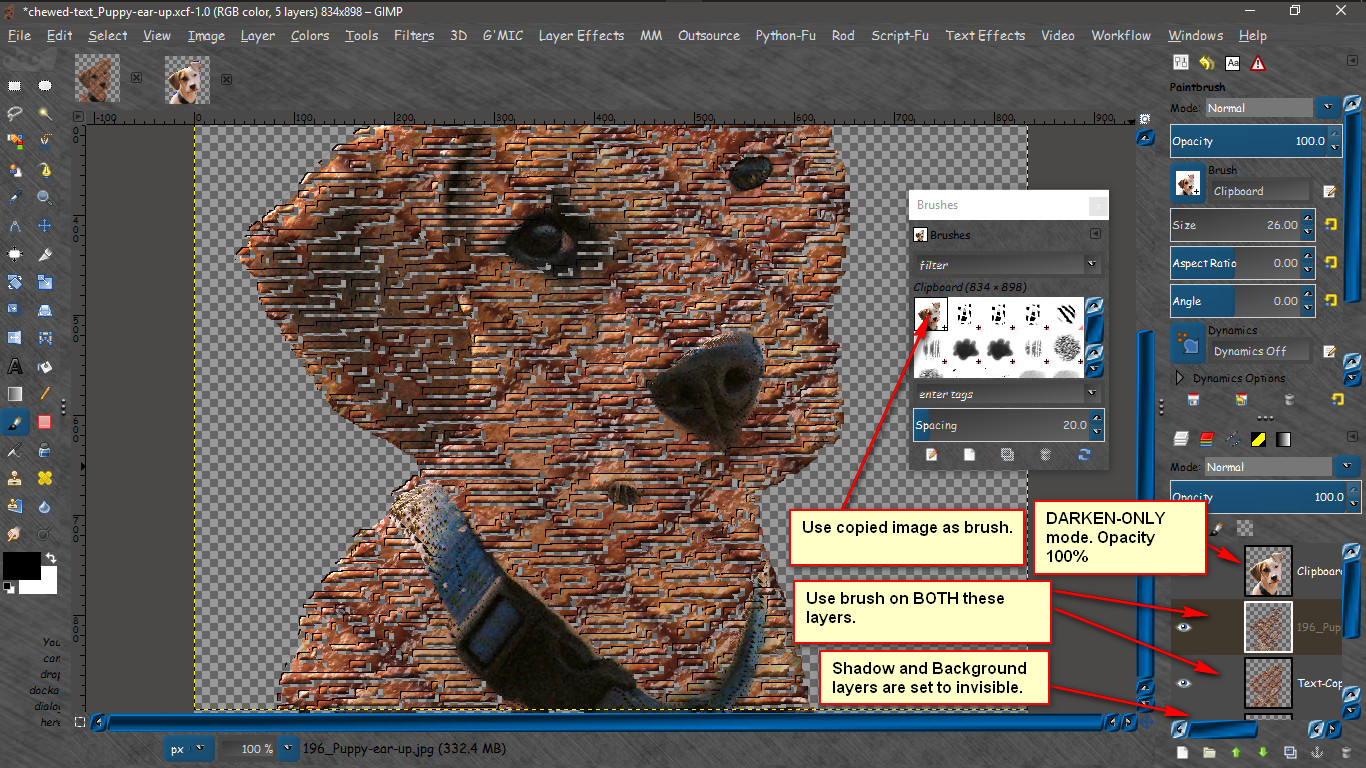
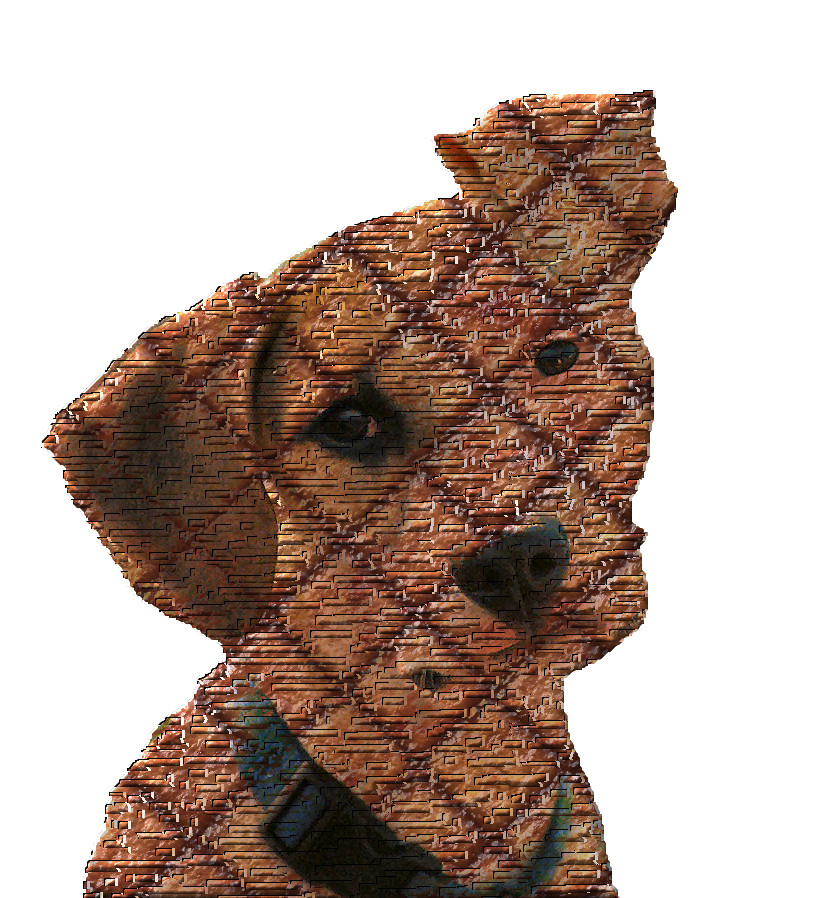
Playing with the XCF file some more. I actually used a clipboard brush (the copied image) to paint on the shredded layers (both) to get the eyes , nose, and collar to pop.

I also moved the shredded layers a bit.

Image

Image

_________________
Image


Top
 Post subject: Re: Messing around with my "Chewed Text" filter.
PostPosted: Sat Sep 09, 2017 10:20 am  (#3) 
Offline
GimpChat Member
User avatar

Joined: Mar 01, 2014
Posts: 14142
Location: Spain, Aragón
Thank you so much Rod. I don't know if I did it correctly, but here my tries. :) :tyspin


Attachments:
horse_Rod_Chewed_T-Image.jpg
horse_Rod_Chewed_T-Image.jpg [ 137.75 KiB | Viewed 4786 times ]
Rod_ChewedText.jpg
Rod_ChewedText.jpg [ 281.82 KiB | Viewed 4786 times ]
Woman_1200_Rod_Chewed-T-Image.png
Woman_1200_Rod_Chewed-T-Image.png [ 3.16 MiB | Viewed 4786 times ]

_________________
Image

Gimp 2.10.30(samj) portable _ OS Windows 10 Home_ 64bits
Don’t be afraid to start over. It’s a new chance to rebuild what you want.
Top
 Post subject: Re: Messing around with my "Chewed Text" filter.
PostPosted: Sat Sep 09, 2017 11:00 am  (#4) 
Offline
Global Moderator
User avatar

Joined: May 16, 2010
Posts: 16167
Issabella wrote:
Thank you so much Rod. I don't know if I did it correctly, but here my tries. :) :tyspin

Awesome! Looks great to me. :)

_________________
Image


Top
 Post subject: Re: Messing around with my "Chewed Text" filter.
PostPosted: Sat Sep 09, 2017 11:27 am  (#5) 
Offline
Global Moderator
User avatar

Joined: Apr 01, 2012
Posts: 8461
Location: On the other side of your screen
Cool Rod:) Lovely effects Issabella

_________________
Image
Free Fun Photo Editing & resources
Poems from the Lord
Gimp Newby
Gimp version 3.2.4 and GMIC-Qt 4.0.2 OS :- Windows 10 Home 64


Top
 Post subject: Re: Messing around with my "Chewed Text" filter.
PostPosted: Sat Sep 09, 2017 4:38 pm  (#6) 
Offline
GimpChat Member
User avatar

Joined: Mar 01, 2014
Posts: 14142
Location: Spain, Aragón
Thank you so much Rod and Sallyanne. I like this effect a lot. :bigthup :)


Attachments:
seagull-517091_Rod_ChewedText Image.jpg
seagull-517091_Rod_ChewedText Image.jpg [ 338.81 KiB | Viewed 4736 times ]
Dog-2358786_Rod_ChewedTextImage.png
Dog-2358786_Rod_ChewedTextImage.png [ 1.53 MiB | Viewed 4736 times ]

_________________
Image

Gimp 2.10.30(samj) portable _ OS Windows 10 Home_ 64bits
Don’t be afraid to start over. It’s a new chance to rebuild what you want.
Top
 Post subject: Re: Messing around with my "Chewed Text" filter.
PostPosted: Tue Mar 26, 2019 9:18 am  (#7) 
Offline
Global Moderator
User avatar

Joined: May 16, 2010
Posts: 16167
Image

_________________
Image


Top
Post new topic Reply to topic  [ 7 posts ] 

All times are UTC - 5 hours [ DST ]


* Login  


Powered by phpBB3 © phpBB Group