It is currently Thu Aug 27, 2026 6:43 pm


All times are UTC - 5 hours [ DST ]


Post new topic Reply to topic  [ 40 posts ]  Go to page Previous  1, 2
Author Message
 Post subject: Re: More Droste
PostPosted: Thu Dec 07, 2017 5:03 pm  (#21) 
Offline
GimpChat Member
User avatar

Joined: Nov 04, 2015
Posts: 1467
G'Mic also has Frames > Droste

Image


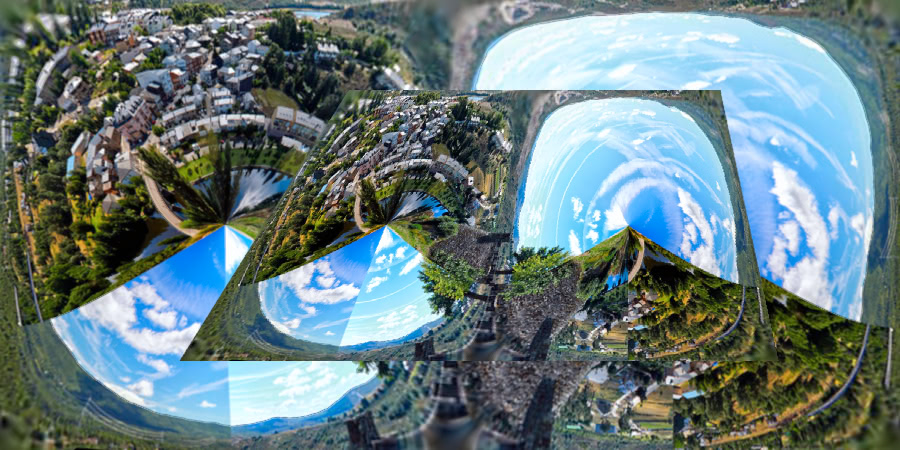
Original image is 'Puebla de Sanabria'. I used a Quincunial filter in MathMap and then G'Mic Droste Frames.
Droste Frames can give some jagged edges which I cleaned-up with the smudge tool.

Interesting that the G'Mic Continuous Droste filter is from MathMap?


Top
 Post subject: Re: More Droste
PostPosted: Fri Dec 08, 2017 6:14 am  (#22) 
Offline
Global Moderator
User avatar

Joined: Apr 01, 2012
Posts: 8464
Location: On the other side of your screen
Tas_mania
Quote:
Interesting that the G'Mic Continuous Droste filter is from MathMap?


Hopefully many of the Mathmap filters will be coded into GMIC language. We were lucky that the CD was.

_________________
Image
Free Fun Photo Editing & resources
Poems from the Lord
Gimp Newby
Gimp version 3.2.4 and GMIC-Qt 4.0.2 OS :- Windows 10 Home 64


Top
 Post subject: Re: More Droste
PostPosted: Sat Dec 09, 2017 5:23 am  (#23) 
Offline
GimpChat Member
User avatar

Joined: Nov 04, 2015
Posts: 1467
racer-x got me thinking about Droste animations after he uploaded a great example. I discovered something interesting that I didn't know......


Image


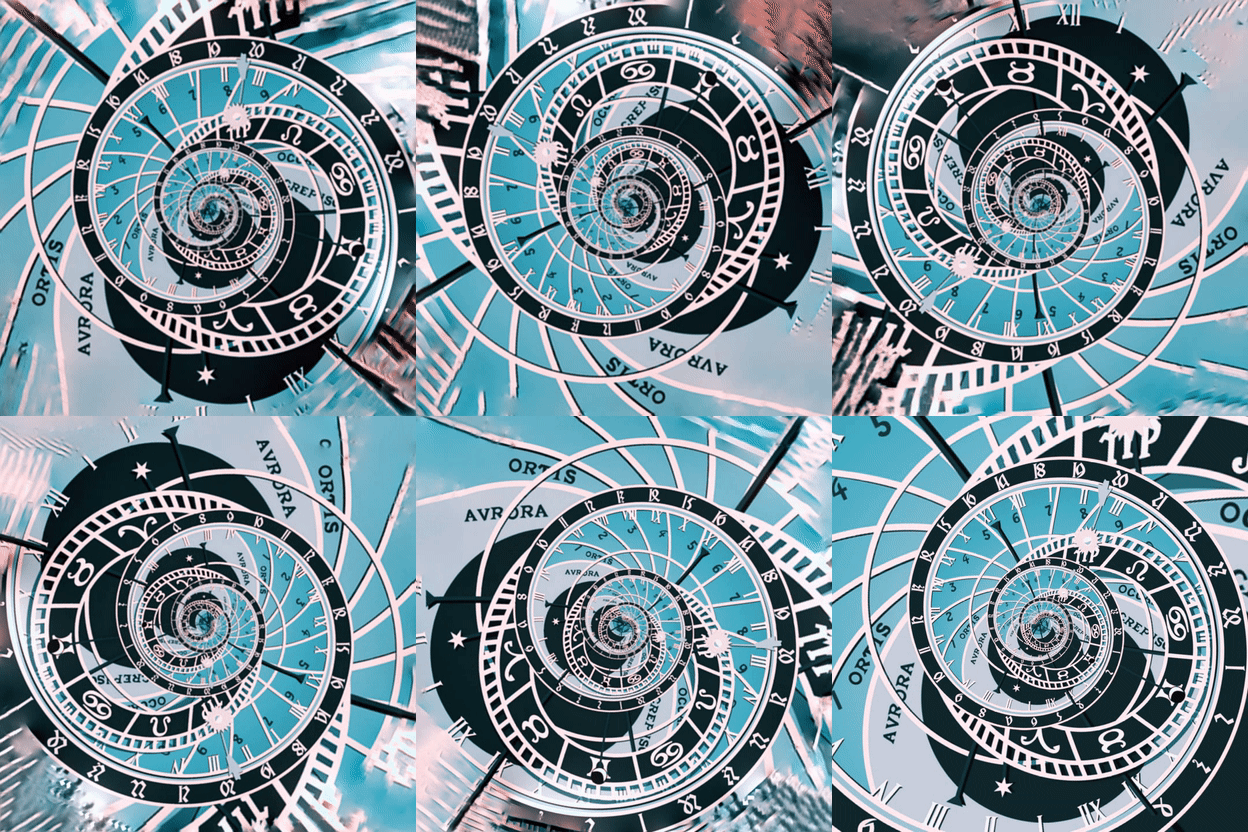
Once you have done your Droste image you just need to rotate it and Droste does the rest. In this animation there is no zoom.
It's an astrological clock (Merry Xmas-Solstice).

I rotated it with G'Mic>Garage Coders Smart Rotation. How many degrees is up to you but you duplicate the last rotated layer and apply the same degrees to that before duplicating it and adding those degrees again. I used 12 degrees X 30 layers = 360 degrees.


Top
 Post subject: Re: More Droste
PostPosted: Sat Dec 09, 2017 7:45 am  (#24) 
Offline
GimpChat Member
User avatar

Joined: May 10, 2013
Posts: 1436
Location: Finland
Droste in fun.
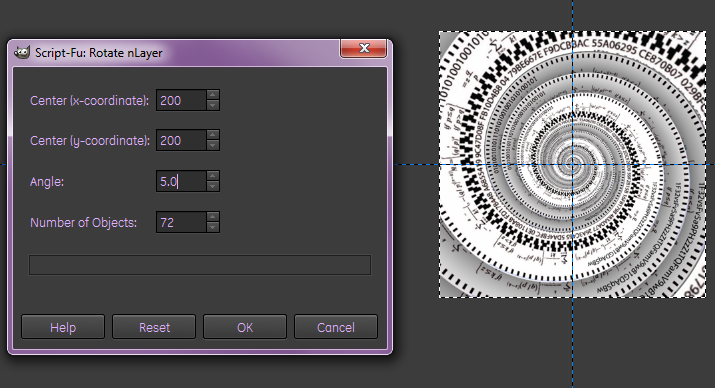
G´mic continuous droste, rotate nLayer: 5 degrees 72 copies, all layers to image size.
Rename layers: (40ms), downscaled.

Something I was not aware of, you need to use "all layers to image size" before downscaling,
or it will shake weirdly and not look good. I guess it has something to do with the rotated layers going over the layer boundaries?

Image


Top
 Post subject: Re: More Droste
PostPosted: Sat Dec 09, 2017 8:08 pm  (#25) 
Offline
GimpChat Member
User avatar

Joined: Apr 15, 2017
Posts: 1837
Another type of Droste....

Attachment:
droste2.jpg
droste2.jpg [ 730.56 KiB | Viewed 3011 times ]


Top
 Post subject: Re: More Droste
PostPosted: Sat Dec 09, 2017 9:25 pm  (#26) 
Offline
GimpChat Member
User avatar

Joined: Nov 04, 2015
Posts: 1467
Interesting, MathMap 'Animated Droste Whip' is just 'Continuous Droste' with another name.

It can render all frames in a single operation (not one frame at a time). I don't think that has been implemented in G'Mic Continuous Droste.
Also, you don't need to use "all layers to image size" or downscaling as Nidhogg recommends.

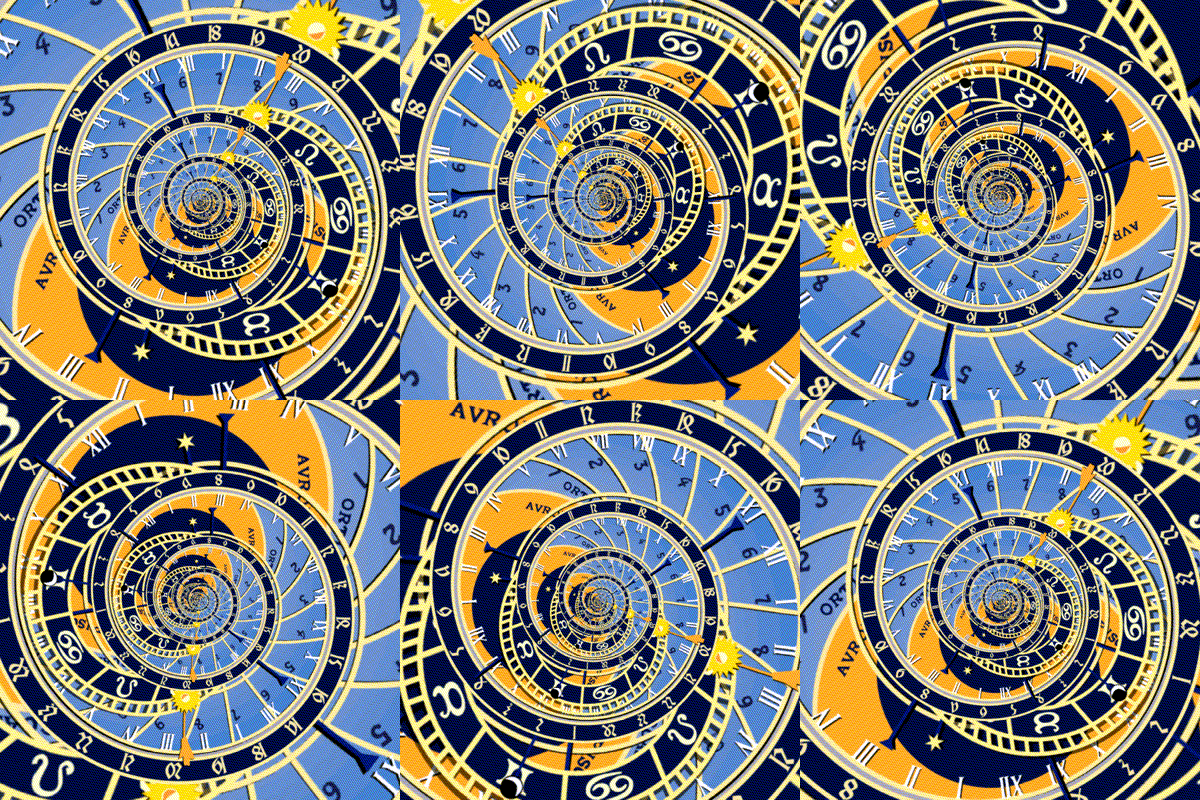
Image

Prague Astronomical Clock With Droste Effect


If you use Droste Whip then G'Mic Continuous Droste default settings are a good place to start. 'External transparency' must be ticked and
I only changed 'inner radius' and 'start level' a bit. Test with the animation slider. I used racer-x's FFMPEG command to get under the Gimp Chat 5.2Mb upload limit.


Top
 Post subject: Re: More Droste
PostPosted: Sun Dec 10, 2017 4:47 pm  (#27) 
Offline
GimpChat Member
User avatar

Joined: May 10, 2013
Posts: 1436
Location: Finland
Interesting. Okay, I set no transparency, inner radius 45 looks good.
In settings tabs I have wrap in both, 25 frames animation. What am I supposed to do with the slider?
Tried out and it didn't look good.
Help needed thank you.


Top
 Post subject: Re: More Droste
PostPosted: Sun Dec 10, 2017 5:57 pm  (#28) 
Offline
GimpChat Member
User avatar

Joined: Nov 04, 2015
Posts: 1467
Hi Nidhogg,
The slider sets the end frame which then synchronises with the first frame. 'Period' should be ticked.
It's best if the frame number is a fraction of 360. I used 90 frames (4 degrees each) but for some reason I had to delete one.
I think it's because it's a continuum. I actually don't understand that aspect of it.
Cheers. :coolthup


Top
 Post subject: Re: More Droste
PostPosted: Mon Dec 11, 2017 9:48 am  (#29) 
Offline
GimpChat Member
User avatar

Joined: Aug 08, 2016
Posts: 2861
Location: East Midlands of England
Another old image re-drosted. I just like the way the colours appeared.

Attachment:
PlayOnWordsDrosteRound.png
PlayOnWordsDrosteRound.png [ 1.43 MiB | Viewed 2976 times ]

_________________
Image
"Let no one steal your dreams."
Paul Cookson

Custom Font Links
2.10 Tools
Character Paths
White Bases


Top
 Post subject: Re: More Droste
PostPosted: Wed Feb 06, 2019 1:08 pm  (#30) 
Offline
New Member

Joined: Feb 06, 2019
Posts: 4
Nidhogg wrote:
Droste in fun.
G´mic continuous droste, rotate nLayer: 5 degrees 72 copies, all layers to image size.
Rename layers: (40ms), downscaled.

Something I was not aware of, you need to use "all layers to image size" before downscaling,
or it will shake weirdly and not look good. I guess it has something to do with the rotated layers going over the layer boundaries?

[ Image ]


I'm new to GIMP and I downloaded it and was able to create some neat droste stills, but I would love to do an animation that loops infinitely like this.

I didn't see an "nLayer" setting in the G'MIC droste filter options - where can I find this?
Or is the instruction simply to create 72 identical layers, rotate each layer by 5 degrees and animate?


Attachments:
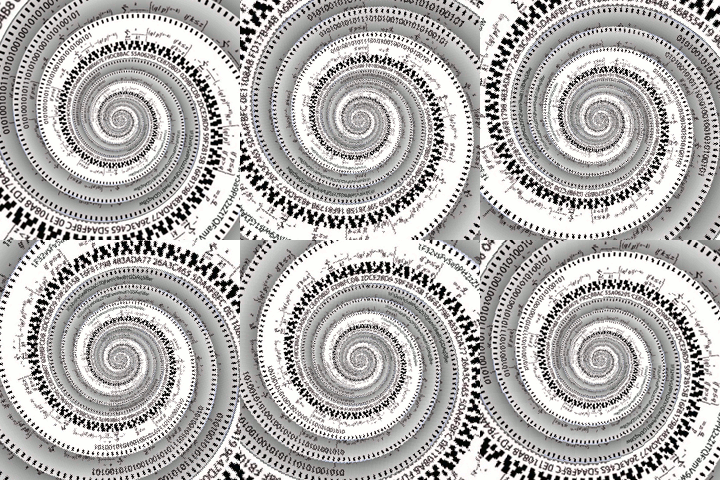
Bitcoin Equation spiral GIMP.jpg
Bitcoin Equation spiral GIMP.jpg [ 971.48 KiB | Viewed 2760 times ]
Top
 Post subject: Re: More Droste
PostPosted: Wed Feb 06, 2019 6:17 pm  (#31) 
Offline
GimpChat Member
User avatar

Joined: Apr 15, 2017
Posts: 1837
Here ya go...

Attachment:
droste.gif
droste.gif [ 1.87 MiB | Viewed 3136 times ]


Top
 Post subject: Re: More Droste
PostPosted: Wed Feb 06, 2019 6:27 pm  (#32) 
Offline
GimpChat Member
User avatar

Joined: Nov 04, 2015
Posts: 1467
Hi jeremy82many welcome to Gimp Chat.
You have asked a good question.

I think Nidhogg duplicated the original layer 72 times and then used Continuous Droste to rotate each layer 5 degrees more than the previous one (72 X 5 = 360) His series would have been 0,5,10,15,20 etc.

Your image is worth rotating but make sure it has equal height and width. If you are making an animated GIF then it's too big @ 1115px.

The advantage of MathMap is you can do it in one operation but MathMap has no windows support at present.


Top
 Post subject: Re: More Droste
PostPosted: Thu Feb 07, 2019 10:08 am  (#33) 
Offline
New Member

Joined: Feb 06, 2019
Posts: 4
racer-x wrote:
Here ya go...

Attachment:
droste.gif


Fantastic! Can ya teach a brother how to fish?

How might I be able to achieve the same results?


Top
 Post subject: Re: More Droste
PostPosted: Thu Feb 07, 2019 10:10 am  (#34) 
Offline
New Member

Joined: Feb 06, 2019
Posts: 4
Tas_mania wrote:
Hi jeremy82many welcome to Gimp Chat.
You have asked a good question.

I think Nidhogg duplicated the original layer 72 times and then used Continuous Droste to rotate each layer 5 degrees more than the previous one (72 X 5 = 360) His series would have been 0,5,10,15,20 etc.

Your image is worth rotating but make sure it has equal height and width. If you are making an animated GIF then it's too big @ 1115px.

The advantage of MathMap is you can do it in one operation but MathMap has no windows support at present.


Wonderful thanks, and yes I am limited to Windows at the moment. What is a good pixel size for animated GIF?


Top
 Post subject: Re: More Droste
PostPosted: Thu Feb 07, 2019 11:57 am  (#35) 
Offline
GimpChat Member
User avatar

Joined: May 10, 2013
Posts: 1436
Location: Finland
Yes my spiral had 72 layers (using 5 degree turns) which makes it smooth enough.
The image was done with Gmic droste, but the animation was done using "rotate nLayer" script.
It's a Gimp 2.8 script, I haven't used it on 2.10 yet, but it can be fixed for 2.10.

Wouldn't go higher than around 300x300 pixels with a gif animation that has lot of layers.
But it depends on your computer specs and other things.

Attached the 2.8 version of rotate nLayer script and Tin Tan's rename layers for animation plug-in.
I had to zip it, did not accept .py upload.
Don't know the max upload limit so I made the gif under 4mb.

1. Cropped to 1000x1000 square (your image wasn't square)
2. Scaled to 400x400
3. Rotate nLayer with the settings below.
4. Cropped to 240x240
5. Used Tin Tan's "rename layers for animation" to speed the animation (35ms per frame)
6. Filters/animation/optimize for gif.
7. Export as gif, remember to save as animation.

Image

Image


Attachments:
rename_layers_for_animation.zip [1.6 KiB]
Downloaded 124 times
script-fu-copy-rotate-nLayer.scm [1.71 KiB]
Downloaded 117 times
Top
 Post subject: Re: More Droste
PostPosted: Thu Feb 07, 2019 12:31 pm  (#36) 
Offline
GimpChat Member

Joined: Mar 04, 2011
Posts: 2613
Tas_mania wrote:
Hi jeremy82many welcome to Gimp Chat.
...snip...The advantage of MathMap is you can do it in one operation but MathMap has no windows support at present.


It does just about work. I remember a fairly recent post by lylejk where he found a dark theme that showed the controls.

For anyone who likes a little dabble or experiment, MathMap is great fun.

The files you need here: https://www.dropbox.com/s/8h4je3h8oetfw ... p.zip?dl=0 5.6 MB

I took the 3, 32bit files out, they are already there in Gimp 2.10.8

A quick video on installation and setup https://youtu.be/ef6apvpa234 duration 4 minutes


Top
 Post subject: Re: More Droste
PostPosted: Thu Feb 07, 2019 5:00 pm  (#37) 
Offline
New Member

Joined: Feb 06, 2019
Posts: 4
Nidhogg wrote:
Yes my spiral had 72 layers (using 5 degree turns) which makes it smooth enough.
The image was done with Gmic droste, but the animation was done using "rotate nLayer" script.
It's a Gimp 2.8 script, I haven't used it on 2.10 yet, but it can be fixed for 2.10.

Wouldn't go higher than around 300x300 pixels with a gif animation that has lot of layers.
But it depends on your computer specs and other things.

Attached the 2.8 version of rotate nLayer script and Tin Tan's rename layers for animation plug-in.
I had to zip it, did not accept .py upload.
Don't know the max upload limit so I made the gif under 4mb.

1. Cropped to 1000x1000 square (your image wasn't square)
2. Scaled to 400x400
3. Rotate nLayer with the settings below.
4. Cropped to 240x240
5. Used Tin Tan's "rename layers for animation" to speed the animation (35ms per frame)
6. Filters/animation/optimize for gif.
7. Export as gif, remember to save as animation.

[ Image ]

[ Image ]


Thanks you so much for the steps! And the attachments. Seems do-able for beginner level user, will give it a try and report back.


Top
 Post subject: Re: More Droste
PostPosted: Thu Feb 07, 2019 7:21 pm  (#38) 
Offline
GimpChat Member
User avatar

Joined: Nov 04, 2015
Posts: 1467
I'm glad Nidhogg showed-up to explain it perfectly. BTW I had no idea the 'Land of 100,000 Lakes' is Manitoba.

'Seems do-able for beginner level user' Definitely. Unfortunately GIF is a limited format for presenting animations with many sites restricting file sizes on uploads.

Hi rich2005, good on you for making a short video on installing MathMap on Windows. I don't think that 32bit version has MathMap Composer. Composer lets you chain multiple filters together (node based) for some awesome results. Compiling the C source code from Linux to Windows has eluded me. I would rather be doing art than wrestling with a grossly over-obfuscated OS. I know a lot of obfuscation came from the relentless hacking attacks and trojans on Windows, but MS seemed to recognise Open Source a few decades too late. :(


Top
 Post subject: Re: More Droste
PostPosted: Thu Feb 07, 2019 11:17 pm  (#39) 
Offline
GimpChat Member
User avatar

Joined: May 10, 2013
Posts: 1436
Location: Finland
Tas_mania wrote:
BTW I had no idea the 'Land of 100,000 Lakes' is Manitoba.

Me neither. Finland is called Land of 100.000 lakes. They were formed during the ice age when the glaciers were moving.
I'm changing it because I might be the only Finn here! :hehe


Top
 Post subject: Re: More Droste
PostPosted: Thu Feb 07, 2019 11:57 pm  (#40) 
Offline
GimpChat Member
User avatar

Joined: Nov 04, 2015
Posts: 1467
Quote:
Finland is called Land of 100.000 lakes. They were formed during the ice age when the glaciers were moving.
I'm changing it because I might be the only Finn here! :hehe

Great you changed it. Looks like a lot of places want to be 'land of 100,000 lakes' but whose counting? :rofl
I always though Nidhogg was more Nordic than Canadian


Top
Post new topic Reply to topic  [ 40 posts ]  Go to page Previous  1, 2

All times are UTC - 5 hours [ DST ]


* Login  


Powered by phpBB3 © phpBB Group