It is currently Wed Aug 05, 2026 6:54 pm


All times are UTC - 5 hours [ DST ]


Post new topic Reply to topic  [ 339 posts ]  Go to page Previous  1 ... 12, 13, 14, 15, 16, 17  Next
Author Message
 Post subject: Re: Make a brush - Make a mandala
PostPosted: Tue Jan 31, 2023 10:36 am  (#281) 
Offline
GimpChat Member
User avatar

Joined: Mar 01, 2014
Posts: 14109
Location: Spain, Aragón
:clap , It is one of my favourites of mine, too.
Your result is awesome. :bump

_________________
Image

Gimp 2.10.30(samj) portable _ OS Windows 10 Home_ 64bits
Don’t be afraid to start over. It’s a new chance to rebuild what you want.


Top
 Post subject: Re: Make a brush - Make a mandala
PostPosted: Sat Feb 25, 2023 2:58 am  (#282) 
Offline
GimpChat Member
User avatar

Joined: Dec 09, 2018
Posts: 736
They're great OMG, #278 mandala_tube_flower.png is a recent favourite.

Attachment:
mand.jpg
mand.jpg [ 100.8 KiB | Viewed 19498 times ]


Top
 Post subject: Re: Make a brush - Make a mandala
PostPosted: Mon Feb 27, 2023 1:06 am  (#283) 
Offline
Global Moderator
User avatar

Joined: Oct 02, 2014
Posts: 5012
Location: Sydney Australia
Thanks Teapot; I like your 'windmill' mandala.

_________________
Image

Respect should be offered freely but hard earned


Top
 Post subject: Re: Make a brush - Make a mandala
PostPosted: Sat Mar 04, 2023 2:30 am  (#284) 
Offline
Global Moderator
User avatar

Joined: Apr 01, 2012
Posts: 8448
Location: On the other side of your screen
Finally did one with my own brushes.
Didn't follow your tut though OMG sorry.
First brush was a simple triangle stroked and then BRL'd
2nd brush I recursive transformed the triangle
This was the original colour but because the second brush was grey I ran a gradient over that layer
Image
The second one after I ran 60's cinema over it
Image

_________________
Image
Free Fun Photo Editing & resources
Poems from the Lord
Gimp Newby
Gimp version 3.2.4 and GMIC-Qt 4.0.2 OS :- Windows 10 Home 64


Top
 Post subject: Re: Make a brush - Make a mandala
PostPosted: Sat Mar 04, 2023 3:15 am  (#285) 
Offline
Global Moderator
User avatar

Joined: Apr 01, 2012
Posts: 8448
Location: On the other side of your screen
one more done with paths and BRL
Image

_________________
Image
Free Fun Photo Editing & resources
Poems from the Lord
Gimp Newby
Gimp version 3.2.4 and GMIC-Qt 4.0.2 OS :- Windows 10 Home 64


Top
 Post subject: Re: Make a brush - Make a mandala
PostPosted: Wed Mar 15, 2023 9:54 pm  (#286) 
Offline
GimpChat Member
User avatar

Joined: Dec 09, 2018
Posts: 736
sallyanne :rocknod

This started out following your recursive transform thread but then I switched back to symmetry painting so ended up here again :)

Attachment:
mand24.jpg
mand24.jpg [ 245.11 KiB | Viewed 19411 times ]


Top
 Post subject: Re: Make a brush - Make a mandala
PostPosted: Thu Mar 16, 2023 7:15 pm  (#287) 
Offline
Global Moderator
User avatar

Joined: Oct 02, 2014
Posts: 5012
Location: Sydney Australia
Sallyanne and Teapot - good to see you having fun with mandalas.

For the mandalas posted below I have tried (albeit loosely) to conform to 'make a brush, make a mandala'. These were created quite quickly, using the standard Gimp brush 'Hardness 100', giving it varied spacing dynamics of 150, drawing some quick paths and then stroking them with Symmetry Painting set on - et voilà!.


Attachments:
mandala_dotty_green.png
mandala_dotty_green.png [ 705.98 KiB | Viewed 19391 times ]
mandala_dotty_red.png
mandala_dotty_red.png [ 871 KiB | Viewed 19391 times ]

_________________
Image

Respect should be offered freely but hard earned
Top
 Post subject: Re: Make a brush - Make a mandala
PostPosted: Fri Mar 17, 2023 6:38 am  (#288) 
Offline
Global Moderator
User avatar

Joined: Apr 01, 2012
Posts: 8448
Location: On the other side of your screen
Cool teapot. OMG , still going strong I see

_________________
Image
Free Fun Photo Editing & resources
Poems from the Lord
Gimp Newby
Gimp version 3.2.4 and GMIC-Qt 4.0.2 OS :- Windows 10 Home 64


Top
 Post subject: Re: Make a brush - Make a mandala
PostPosted: Sat Nov 25, 2023 5:15 pm  (#289) 
Offline
Global Moderator
User avatar

Joined: Oct 02, 2014
Posts: 5012
Location: Sydney Australia
BRL rules - a complex brush drawn with paths and rendered with BRL, using a couple of my own metal Emaps.


Attachments:
omg_brush.png
omg_brush.png [ 200.14 KiB | Viewed 19216 times ]
mandala_omg_crest.png
mandala_omg_crest.png [ 1.74 MiB | Viewed 19216 times ]

_________________
Image

Respect should be offered freely but hard earned
Top
 Post subject: Re: Make a brush - Make a mandala
PostPosted: Mon Jan 01, 2024 3:11 pm  (#290) 
Offline
Global Moderator
User avatar

Joined: Oct 02, 2014
Posts: 5012
Location: Sydney Australia
Another outcome - used one of my hair brushes to stroke some paths and then used BRL with some custom e-maps to finish off.


Attachments:
hair_brush.png
hair_brush.png [ 9.21 KiB | Viewed 18913 times ]
mandala_hair_brush.png
mandala_hair_brush.png [ 2 MiB | Viewed 18913 times ]

_________________
Image

Respect should be offered freely but hard earned
Top
 Post subject: Re: Make a brush - Make a mandala
PostPosted: Fri Mar 01, 2024 1:08 am  (#291) 
Offline
Global Moderator
User avatar

Joined: Oct 02, 2014
Posts: 5012
Location: Sydney Australia
Another one using my tube flower bush (see also post #278).


Attachments:
tube_flower_brush.png
tube_flower_brush.png [ 100.26 KiB | Viewed 16549 times ]
mandala_tube_flower_brush.png
mandala_tube_flower_brush.png [ 2.1 MiB | Viewed 16549 times ]

_________________
Image

Respect should be offered freely but hard earned
Top
 Post subject: Re: Make a brush - Make a mandala
PostPosted: Sat Mar 02, 2024 7:29 pm  (#292) 
Offline
Global Moderator
User avatar

Joined: Oct 02, 2014
Posts: 5012
Location: Sydney Australia
Yes, another one :roll:
Imported a 'flame' from JWildfire and made it into a Gimp brush; then played with it to get the mandala image below.


Attachments:
mandala_jwild_brush_brush.png
mandala_jwild_brush_brush.png [ 334.6 KiB | Viewed 16495 times ]
mandala_jwild_brush.png
mandala_jwild_brush.png [ 1.86 MiB | Viewed 16495 times ]

_________________
Image

Respect should be offered freely but hard earned
Top
 Post subject: Re: Make a brush - Make a mandala
PostPosted: Tue Mar 19, 2024 1:48 am  (#293) 
Offline
Global Moderator
User avatar

Joined: Oct 02, 2014
Posts: 5012
Location: Sydney Australia
Two similar brushes used in this one.


Attachments:
arabic_shapes_brush.png
arabic_shapes_brush.png [ 236.96 KiB | Viewed 15923 times ]
mandala_arabic_shapes_brush.png
mandala_arabic_shapes_brush.png [ 1.69 MiB | Viewed 15923 times ]

_________________
Image

Respect should be offered freely but hard earned
Top
 Post subject: Re: Make a brush - Make a mandala
PostPosted: Tue Mar 19, 2024 1:58 am  (#294) 
Offline
GimpChat Member
User avatar

Joined: Mar 01, 2014
Posts: 14109
Location: Spain, Aragón
You also have incredible mastery of artistic brushes. Beautiful mandala with them.
Congrats! :clap

_________________
Image

Gimp 2.10.30(samj) portable _ OS Windows 10 Home_ 64bits
Don’t be afraid to start over. It’s a new chance to rebuild what you want.


Top
 Post subject: Re: Make a brush - Make a mandala
PostPosted: Sat Mar 23, 2024 1:28 pm  (#295) 
Offline
Global Moderator
User avatar

Joined: Oct 02, 2014
Posts: 5012
Location: Sydney Australia
Thank you Issabella - your feedback helps me be creative.

_________________
Image

Respect should be offered freely but hard earned


Top
 Post subject: Re: Make a brush - Make a mandala
PostPosted: Mon Mar 25, 2024 1:34 pm  (#296) 
Offline
Global Moderator
User avatar

Joined: Oct 02, 2014
Posts: 5012
Location: Sydney Australia
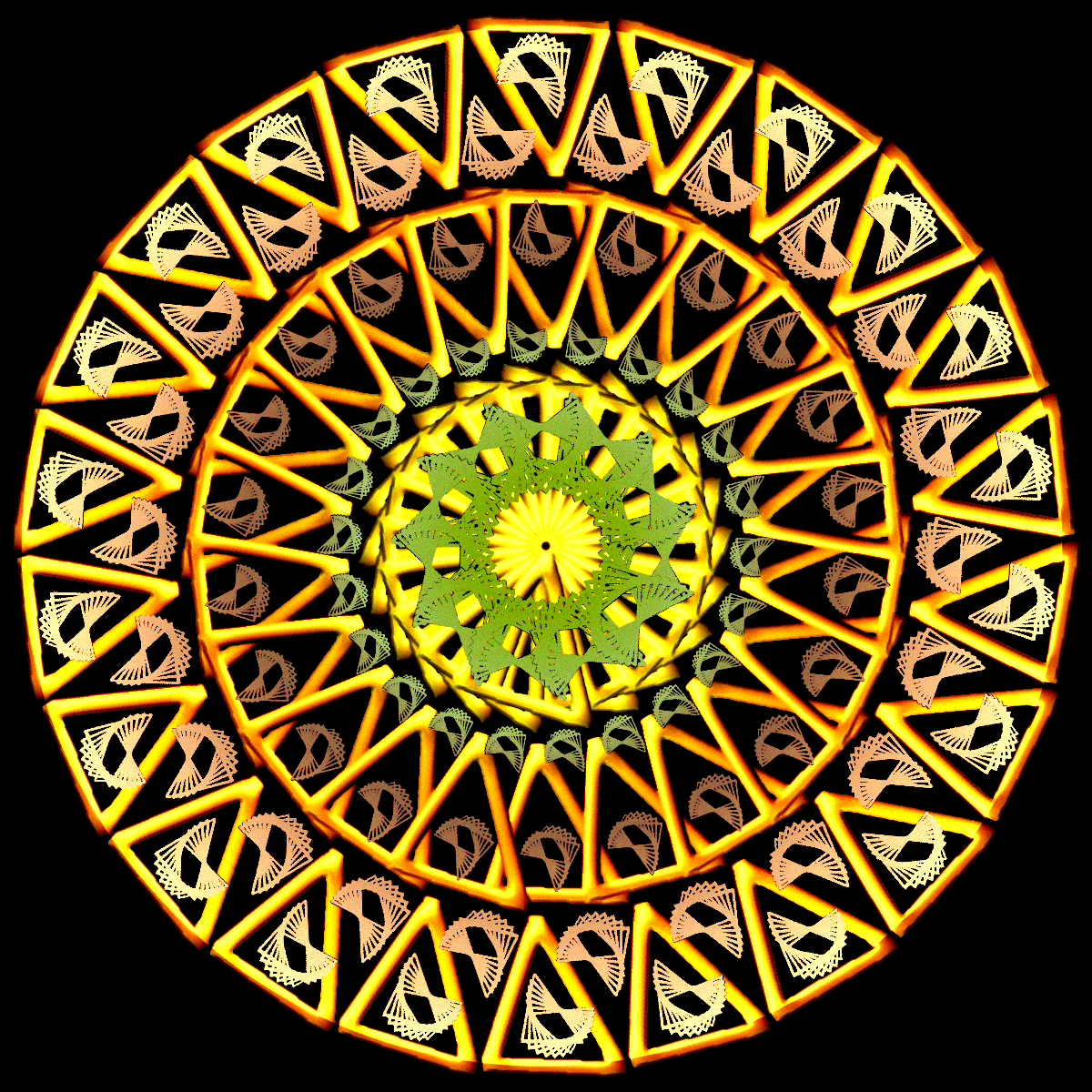
Hieroglyph brush used for the mandala.


Attachments:
orange_hieroglyph_brush.png
orange_hieroglyph_brush.png [ 35.52 KiB | Viewed 15733 times ]
mandala_orange_hieroglyph.png
mandala_orange_hieroglyph.png [ 1.07 MiB | Viewed 15733 times ]

_________________
Image

Respect should be offered freely but hard earned
Top
 Post subject: Re: Make a brush - Make a mandala
PostPosted: Wed Mar 27, 2024 10:05 pm  (#297) 
Offline
Global Moderator
User avatar

Joined: Oct 02, 2014
Posts: 5012
Location: Sydney Australia
Another brush another mandala.


Attachments:
green_flash_brush.png
green_flash_brush.png [ 66.59 KiB | Viewed 15642 times ]
mandala_green_flash.png
mandala_green_flash.png [ 1.24 MiB | Viewed 15642 times ]

_________________
Image

Respect should be offered freely but hard earned
Top
 Post subject: Re: Make a brush - Make a mandala
PostPosted: Wed Mar 27, 2024 10:07 pm  (#298) 
Offline
Administrator
User avatar

Joined: Aug 10, 2012
Posts: 14144
Location: Native to NYC living in Arizona, Gimp 2.8 - 3.0, Win 11 PC.
oldmangrumpy wrote:
Another brush another mandala.

Nice one OMG! (#297)

:paint

_________________
Image
"A wise man learns more from a foolish question than a fool can learn from a wise answer"
Image


Top
 Post subject: Re: Make a brush - Make a mandala
PostPosted: Fri Mar 29, 2024 6:48 pm  (#299) 
Offline
Global Moderator
User avatar

Joined: Oct 02, 2014
Posts: 5012
Location: Sydney Australia
Thank you Wallace.

Used one of my brushes (below) with varying size/spacing to stroke a series of paths. Then duplicated the outcome, rotated it 45 degrees, played with blending 'et voila'.


Attachments:
mandala_silver_wedge_brush.png
mandala_silver_wedge_brush.png [ 106.75 KiB | Viewed 15582 times ]
mandala_silver_wedge.png
mandala_silver_wedge.png [ 1.56 MiB | Viewed 15582 times ]

_________________
Image

Respect should be offered freely but hard earned
Top
 Post subject: Re: Make a brush - Make a mandala
PostPosted: Sat Mar 30, 2024 3:29 am  (#300) 
Offline
GimpChat Member
User avatar

Joined: Aug 08, 2016
Posts: 2855
Location: East Midlands of England
Stunning outcome OMG.
:coolthup

_________________
Image
"Let no one steal your dreams."
Paul Cookson

Custom Font Links
2.10 Tools
Character Paths
White Bases


Top
Post new topic Reply to topic  [ 339 posts ]  Go to page Previous  1 ... 12, 13, 14, 15, 16, 17  Next

All times are UTC - 5 hours [ DST ]


* Login  


Powered by phpBB3 © phpBB Group