It is currently Fri Aug 14, 2026 12:04 pm


All times are UTC - 5 hours [ DST ]


Post new topic Reply to topic  [ 13 posts ] 
Author Message
 Post subject: Challenge
PostPosted: Wed Oct 15, 2025 12:39 am  (#1) 
Offline
Global Moderator
User avatar

Joined: Apr 01, 2012
Posts: 8457
Location: On the other side of your screen
Had a weird idea today. (Naturally being weird.) I have a Zebra desktop at the moment and was looking at it before I came on here. Thought, I wonder if it is possible to create people zebras! Like with the same kind of stripes all over their skin and still look like people. I have tried with a couple things but not there yet. Any how I am putting it out there for a challenge to anyone who wants to try or has done so in the past - Maybe show us.

Oh and please use this thread if you want to throw a challenge of some sort out there.


Third try
Image

_________________
Image
Free Fun Photo Editing & resources
Poems from the Lord
Gimp Newby
Gimp version 3.2.4 and GMIC-Qt 4.0.2 OS :- Windows 10 Home 64


Share on Facebook Share on Twitter Share on Orkut Share on Digg Share on MySpace Share on Delicious Share on Technorati
Top
 Post subject: Re: Challenge
PostPosted: Wed Oct 15, 2025 10:28 pm  (#2) 
Offline
Global Moderator
User avatar

Joined: Apr 01, 2012
Posts: 8457
Location: On the other side of your screen
I did this just using a pattern and mask - masked off the areas I didn't want the pattern on. Oh and layer modes so you could still see some of the underlying markings. I think grain merge which changed the colour black to brown ;)
Anyone have any faster/better ideas?
Lyle? Wallace? Rod? Rich? ofnuts? David? anyone?

_________________
Image
Free Fun Photo Editing & resources
Poems from the Lord
Gimp Newby
Gimp version 3.2.4 and GMIC-Qt 4.0.2 OS :- Windows 10 Home 64


Top
 Post subject: Re: Challenge
PostPosted: Thu Oct 16, 2025 12:21 am  (#3) 
Offline
Global Moderator
User avatar

Joined: May 16, 2010
Posts: 16158
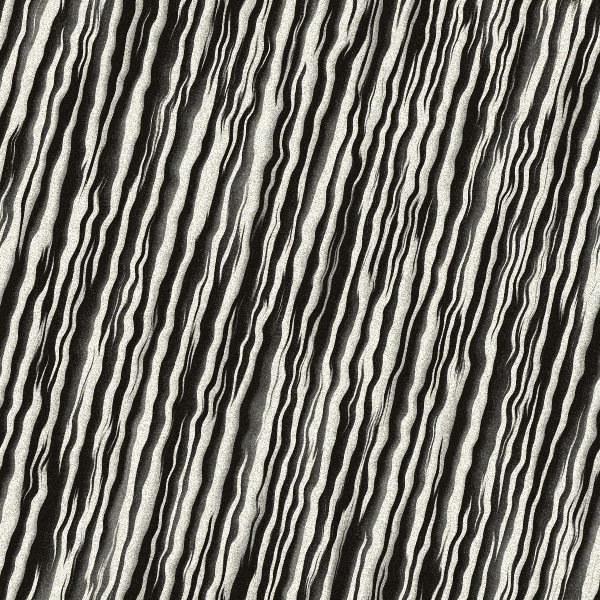
I'll supply the seamless zebra fur if that helps. :) Created this in Filter Forge 14 Pro. :bigthup
Image

_________________
Image


Top
 Post subject: Re: Challenge
PostPosted: Thu Oct 16, 2025 2:05 am  (#4) 
Offline
Global Moderator
User avatar

Joined: Apr 01, 2012
Posts: 8457
Location: On the other side of your screen
thankyou Rod. Pattern needs to wrap around the body curves and I still cannot figure out how to do that. I assume by using displace? but how?

_________________
Image
Free Fun Photo Editing & resources
Poems from the Lord
Gimp Newby
Gimp version 3.2.4 and GMIC-Qt 4.0.2 OS :- Windows 10 Home 64


Top
 Post subject: Re: Challenge
PostPosted: Thu Oct 16, 2025 2:31 am  (#5) 
Offline
Global Moderator
User avatar

Joined: Apr 01, 2012
Posts: 8457
Location: On the other side of your screen
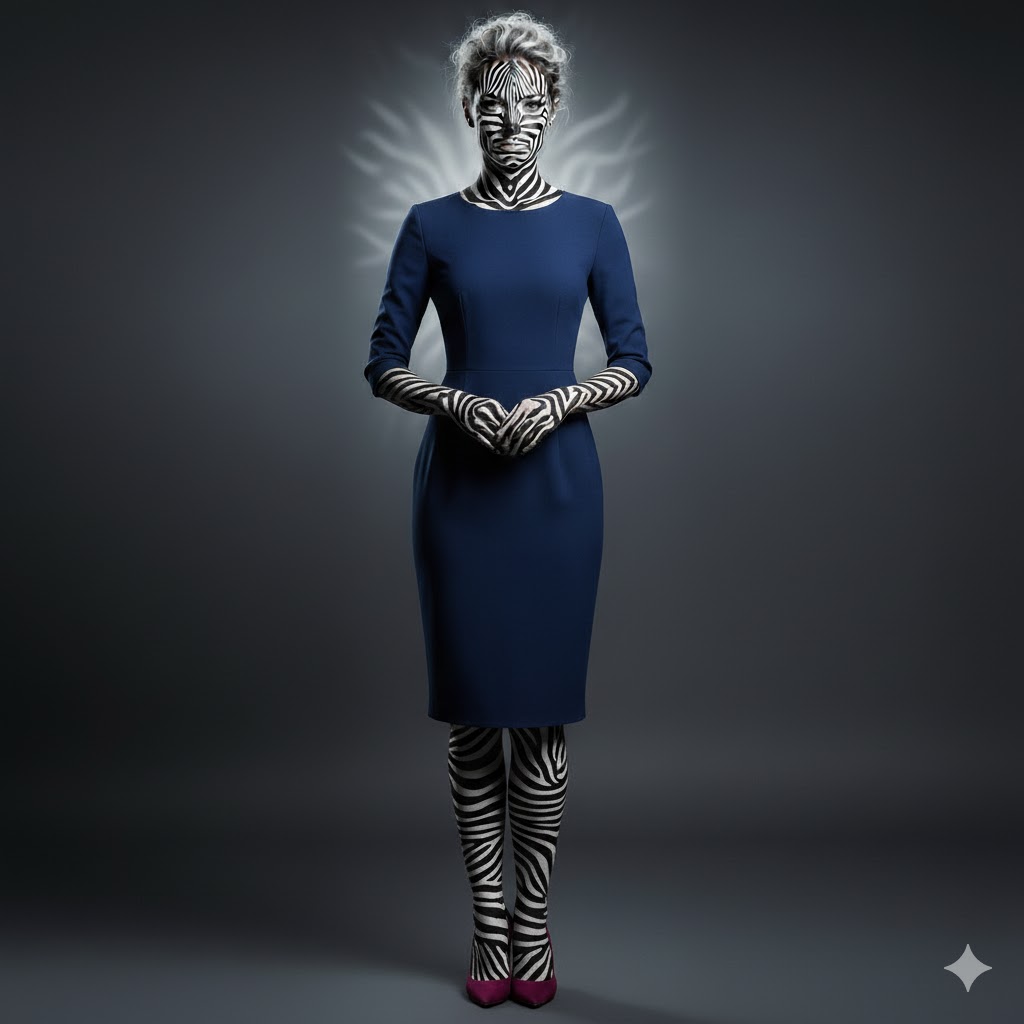
So, I asked ai to do it. Can anyone do it in gimp or GMIC?
Image

_________________
Image
Free Fun Photo Editing & resources
Poems from the Lord
Gimp Newby
Gimp version 3.2.4 and GMIC-Qt 4.0.2 OS :- Windows 10 Home 64


Top
 Post subject: Re: Challenge
PostPosted: Thu Oct 16, 2025 11:10 am  (#6) 
Offline
Administrator
User avatar

Joined: Aug 10, 2012
Posts: 14155
Location: Native to NYC living in Arizona, Gimp 2.8 - 3.0, Win 11 PC.
Here's my quick 100% GIMP attempt.

Attachment:
jumping_zerba_-dancers.jpg
jumping_zerba_-dancers.jpg [ 903.76 KiB | Viewed 2243 times ]

_________________
Image
"A wise man learns more from a foolish question than a fool can learn from a wise answer"
Image


Top
 Post subject: Re: Challenge
PostPosted: Thu Oct 16, 2025 8:25 pm  (#7) 
Offline
Global Moderator
User avatar

Joined: Apr 01, 2012
Posts: 8457
Location: On the other side of your screen
Cool Wallace :) :jumpclap

_________________
Image
Free Fun Photo Editing & resources
Poems from the Lord
Gimp Newby
Gimp version 3.2.4 and GMIC-Qt 4.0.2 OS :- Windows 10 Home 64


Top
 Post subject: Re: Challenge
PostPosted: Thu Oct 16, 2025 9:33 pm  (#8) 
Offline
Administrator
User avatar

Joined: Aug 10, 2012
Posts: 14155
Location: Native to NYC living in Arizona, Gimp 2.8 - 3.0, Win 11 PC.
sallyanne wrote:
Cool Wallace :) :jumpclap

Thanks!
It was fun and more of a challenge then I expected it to be.
I didn't go with the dark noise,
like in the AI's render.
:hehe
I think this challenge is worth a revisit for me.

:paint

_________________
Image
"A wise man learns more from a foolish question than a fool can learn from a wise answer"
Image


Top
 Post subject: Re: Challenge
PostPosted: Thu Oct 16, 2025 10:23 pm  (#9) 
Offline
GimpChat Member
User avatar

Joined: Sep 24, 2010
Posts: 12831
Looks interesting, Sallyanne and your result looks pretty spot on to me. :)

_________________
Lyle

Psalm 109:8

Image


Top
 Post subject: Re: Challenge
PostPosted: Thu Oct 16, 2025 10:51 pm  (#10) 
Offline
Global Moderator
User avatar

Joined: Apr 01, 2012
Posts: 8457
Location: On the other side of your screen
Another try
Image
Thnak you Lyle but I think /ai has got the best so far. Surely gimp can do better.

_________________
Image
Free Fun Photo Editing & resources
Poems from the Lord
Gimp Newby
Gimp version 3.2.4 and GMIC-Qt 4.0.2 OS :- Windows 10 Home 64


Top
 Post subject: Re: Challenge
PostPosted: Fri Oct 17, 2025 9:24 am  (#11) 
Offline
GimpChat Member
User avatar

Joined: Sep 24, 2010
Posts: 12831
Not sure if the texture (link below; yes, shameless self promotion. lol) could be of use but just sharing some additional textures to try, Sallyanne. :)

https://www.deviantart.com/lylejk/art/Z ... -201185909

_________________
Lyle

Psalm 109:8

Image


Top
 Post subject: Re: Challenge
PostPosted: Fri Oct 17, 2025 9:37 am  (#12) 
Offline
GimpChat Member
User avatar

Joined: Sep 24, 2010
Posts: 12831
OK; a quicky before I have to head off to work. lol

:)


Attachments:
ZS_Smiling Me.jpg
ZS_Smiling Me.jpg [ 210.01 KiB | Viewed 2181 times ]

_________________
Lyle

Psalm 109:8

Image
Top
 Post subject: Re: Challenge
PostPosted: Fri Oct 17, 2025 11:43 am  (#13) 
Offline
GimpChat Member
User avatar

Joined: Mar 01, 2014
Posts: 14128
Location: Spain, Aragón
:coolthup attempts.

_________________
Image

Gimp 2.10.30(samj) portable _ OS Windows 10 Home_ 64bits
Don’t be afraid to start over. It’s a new chance to rebuild what you want.


Top
Post new topic Reply to topic  [ 13 posts ] 

All times are UTC - 5 hours [ DST ]


* Login  


Powered by phpBB3 © phpBB Group