It is currently Mon Aug 10, 2026 3:15 pm


All times are UTC - 5 hours [ DST ]


Post new topic Reply to topic  [ 16 posts ] 
Author Message
 Post subject: Art challenge - modify the character art!
PostPosted: Sun Feb 02, 2025 7:25 am  (#1) 
Offline
GimpChat Member
User avatar

Joined: Apr 27, 2010
Posts: 1506
Location: Sweden

Hi folks! Being a painter, I don't usually play around too much with filters and photo-manipulation effects to a big degree. But after I made the Open the Door comic, I had a few images lying around that I never got to use for the comic. So I thought it could be fun to see what you fine folks can do with one of them!

This android character of mine has a rather ambivalent tone; she's quite pretty (I think), but she can also be quite creepy in the 'something is wrong here' way. This image definitely falls in the creepier direction. Feel free to go wild with it, would be fun to see what comes out of it!

Image

(this was made originally from scratch in Blender; no modifications (yet) using GIMP or other tools.)

_________________


Share on Facebook Share on Twitter Share on Orkut Share on Digg Share on MySpace Share on Delicious Share on Technorati
Top
 Post subject: Re: Art challenge - modify the character art!
PostPosted: Sun Feb 02, 2025 7:27 am  (#2) 
Offline
GimpChat Member
User avatar

Joined: Apr 27, 2010
Posts: 1506
Location: Sweden
Here's my own attempt; using a G'MIC cubism filter and blending it into the image. :)

Image

_________________


Top
 Post subject: Re: Art challenge - modify the character art!
PostPosted: Sun Feb 02, 2025 7:25 pm  (#3) 
Offline
Global Moderator
User avatar

Joined: Oct 02, 2014
Posts: 5013
Location: Sydney Australia
Made some changes as follows:
1 facial colour
2 cat eyes & bushier eyebrows
3 under eye and cheek contours
4 nose ring
5 extended background colouring to both sides
6 finished off the jacket hood on top

Thanks for the opportunity Griatch.


Attachments:
griatch_manip.png
griatch_manip.png [ 1.84 MiB | Viewed 6972 times ]

_________________
Image

Respect should be offered freely but hard earned
Top
 Post subject: Re: Art challenge - modify the character art!
PostPosted: Mon Feb 03, 2025 1:55 am  (#4) 
Offline
Global Moderator
User avatar

Joined: Apr 01, 2012
Posts: 8454
Location: On the other side of your screen
Twins?
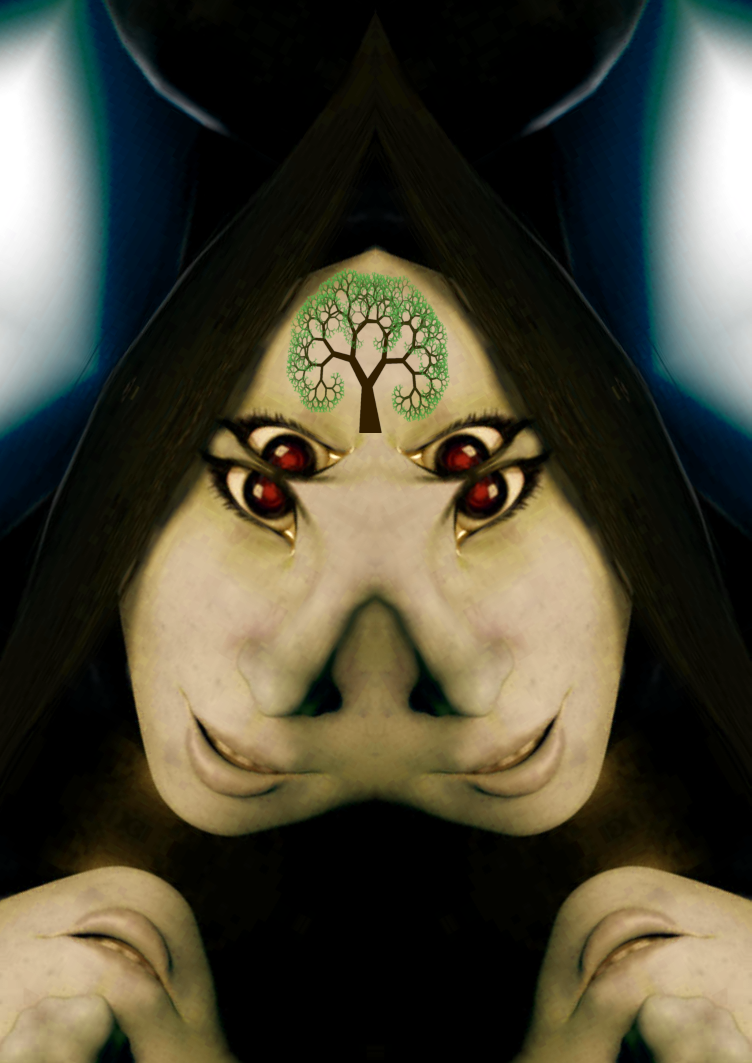
In Gmic I did a kaliedescope 'symmetry'. Changed the hue and added a tree to her forehead.
Image
By the way thanks for the play. I hope I didn't ruin her too much

_________________
Image
Free Fun Photo Editing & resources
Poems from the Lord
Gimp Newby
Gimp version 3.2.4 and GMIC-Qt 4.0.2 OS :- Windows 10 Home 64


Top
 Post subject: Re: Art challenge - modify the character art!
PostPosted: Mon Feb 03, 2025 2:09 am  (#5) 
Offline
Global Moderator
User avatar

Joined: May 16, 2010
Posts: 16153
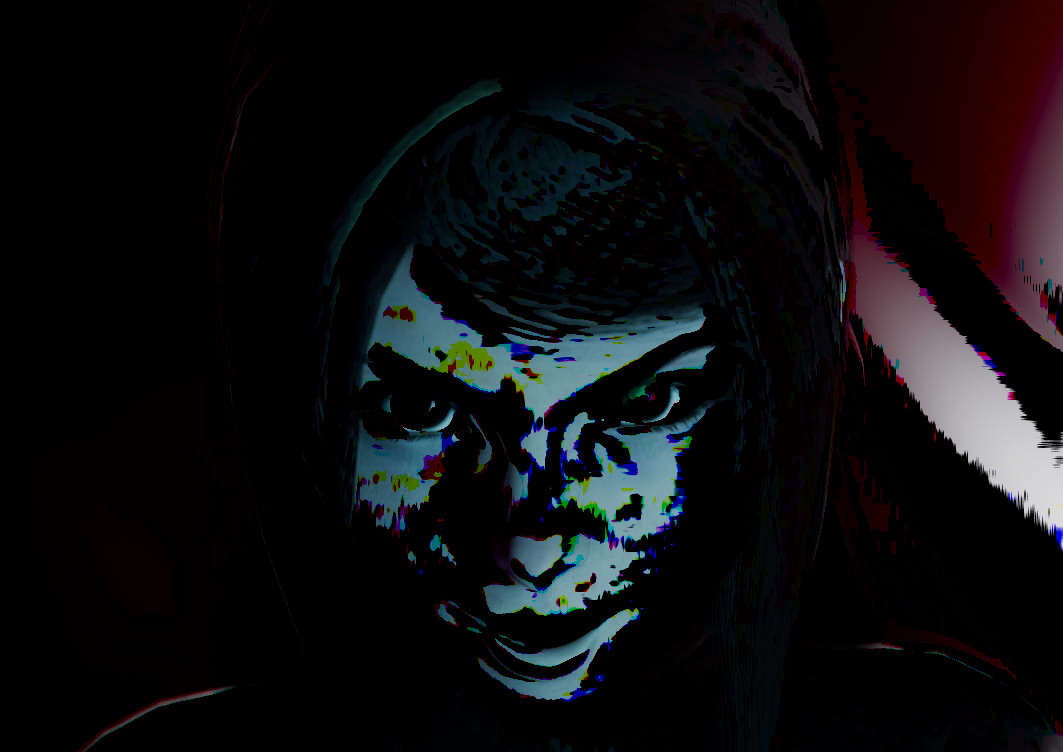
I ran my Random Paint Strokes script on the image (i used SUBTRACT MODE).

Image

Sort of a dark Zombie look i think. :)

_________________
Image


Top
 Post subject: Re: Art challenge - modify the character art!
PostPosted: Mon Feb 03, 2025 3:52 am  (#6) 
Offline
GimpChat Member
User avatar

Joined: Nov 04, 2015
Posts: 1462
I've been experimenting with layer modes specifically 'difference'. This one was similar to what I was doing.
Image


Top
 Post subject: Re: Art challenge - modify the character art!
PostPosted: Mon Feb 03, 2025 7:24 pm  (#7) 
Offline
GimpChat Member
User avatar

Joined: Dec 09, 2018
Posts: 736
Even inscrutable androids have tells, I wonder what happens when her eye goes red.

Image


Top
 Post subject: Re: Art challenge - modify the character art!
PostPosted: Tue Feb 04, 2025 12:50 am  (#8) 
Offline
GimpChat Member
User avatar

Joined: Jan 13, 2011
Posts: 2648
Location: Poland
Thanks for sharing.

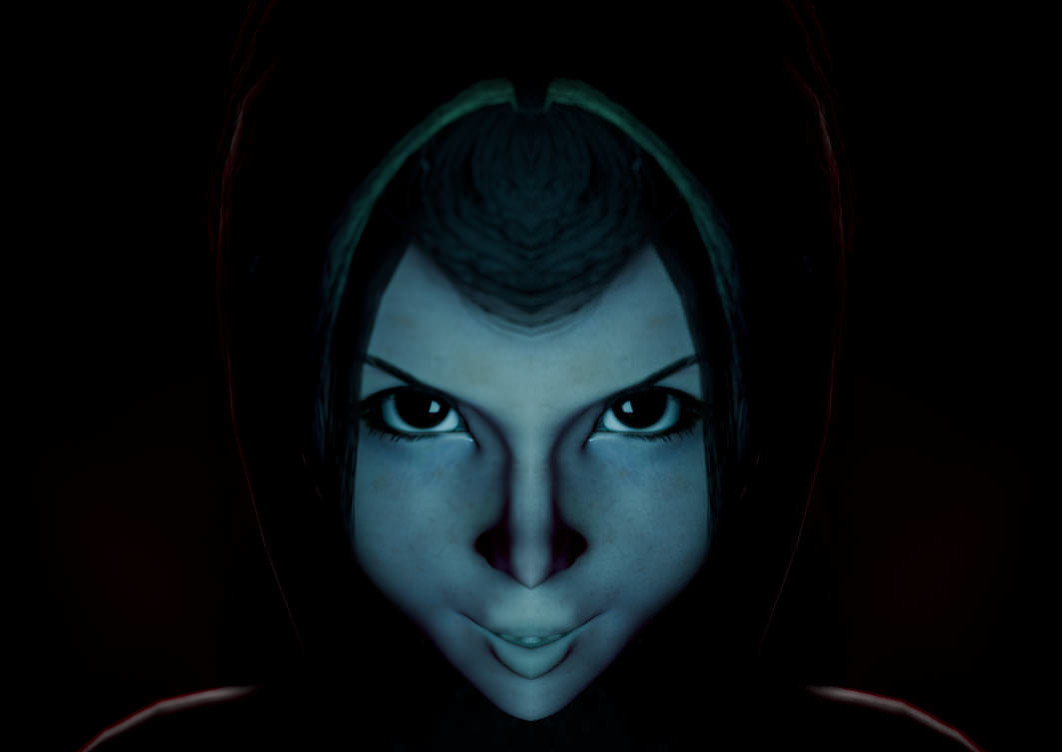
A little fun with symmetry

Image

Image

and more with G'MIC:

Pencil Portrait

Image

Image

Felt Pen (plus mod Difference)

Image

_________________
Image


Top
 Post subject: Re: Art challenge - modify the character art!
PostPosted: Tue Feb 04, 2025 1:25 am  (#9) 
Offline
Administrator
User avatar

Joined: Aug 10, 2012
Posts: 14147
Location: Native to NYC living in Arizona, Gimp 2.8 - 3.0, Win 11 PC.
Not sure if you can tell what's been done,
but here it is.

Attachment:
wallace_splash_page_by_griatch_art_dj3by62-fullview.jpg
wallace_splash_page_by_griatch_art_dj3by62-fullview.jpg [ 125.28 KiB | Viewed 6883 times ]


I took a screenshot of my workspace.
Attachment:
Screenshot (2577).png
Screenshot (2577).png [ 1.02 MiB | Viewed 6883 times ]

_________________
Image
"A wise man learns more from a foolish question than a fool can learn from a wise answer"
Image


Top
 Post subject: Re: Art challenge - modify the character art!
PostPosted: Tue Feb 04, 2025 8:00 am  (#10) 
Offline
GimpChat Member
User avatar

Joined: Oct 10, 2018
Posts: 191
Location: Charlottesville Virginia
Attachment:
for griatch with thanks.jpg
for griatch with thanks.jpg [ 67.66 KiB | Viewed 6852 times ]


Thanks for the invitation to participate.


Top
 Post subject: Re: Art challenge - modify the character art!
PostPosted: Tue Feb 04, 2025 6:52 pm  (#11) 
Offline
GimpChat Member
User avatar

Joined: Dec 09, 2018
Posts: 736
Attachment:
griatch-cal-art-challenge-01.jpg
griatch-cal-art-challenge-01.jpg [ 77.28 KiB | Viewed 6824 times ]


Attachment:
griatch-cal-art-challenge-02.jpg
griatch-cal-art-challenge-02.jpg [ 84.7 KiB | Viewed 6824 times ]


Top
 Post subject: Re: Art challenge - modify the character art!
PostPosted: Sat Feb 08, 2025 3:51 am  (#12) 
Offline
GimpChat Member
User avatar

Joined: Apr 27, 2010
Posts: 1506
Location: Sweden
Thanks for everyone who rose to the challenge so far! Great fun to see your interpretations/manipulations/twists on the character! :mrgreen:

I've tried to comment on each below. :) Your images won't be included in my quote (a security limitation of GC I think), so I trimmed down each comment a bit for compactness (see the original by scrolling up).

oldmangrumpy wrote:
Made some changes as follows:
1 facial colour
2 cat eyes & bushier eyebrows
3 under eye and cheek contours
4 nose ring
5 extended background colouring to both sides
6 finished off the jacket hood on top

Thanks for the opportunity Griatch.

This gives me a bit of a 'Wicked witch of the West" vibe :mrgreen: Very wicked indeed!

sallyanne wrote:
Twins?
In Gmic I did a kaliedescope 'symmetry'. Changed the hue and added a tree to her forehead.
[ Image ]
By the way thanks for the play. I hope I didn't ruin her too much

Interesting variation with both her head and the tree showing a sort of fractal properties almost. Her red eyes also contrasts nicely with the green of the tree here. :)

Rod wrote:
I ran my Random Paint Strokes script on the image (i used SUBTRACT MODE).
[ Image ]
Sort of a dark Zombie look i think. :)

It strikes me as looking a bit like video artifacting, which is spooky on its own (reminds me of those analogue/liminal horror videos!)

Tas_mania wrote:
I've been experimenting with layer modes specifically 'difference'. This one was similar to what I was doing.
[ Image ]

This feels bit like 80s CRT monitor washout; which makes for a spooky effect if seeing on a screen!

teapot wrote:
Even inscrutable androids have tells, I wonder what happens when her eye goes red.
[ Image ]

Hah, good point, probably nothing good happens then!
(In fact, in the adjoining story, she deliberately makes a point of avoiding having a red eye because she thinks it makes her look too much like the Terminator.)

MareroQ wrote:
Thanks for sharing.
A little fun with symmetry
[ Image ]
[ Image ]
and more with G'MIC:
Pencil Portrait
[ Image ]
[ Image ]
Felt Pen (plus mod Difference)
[ Image ]


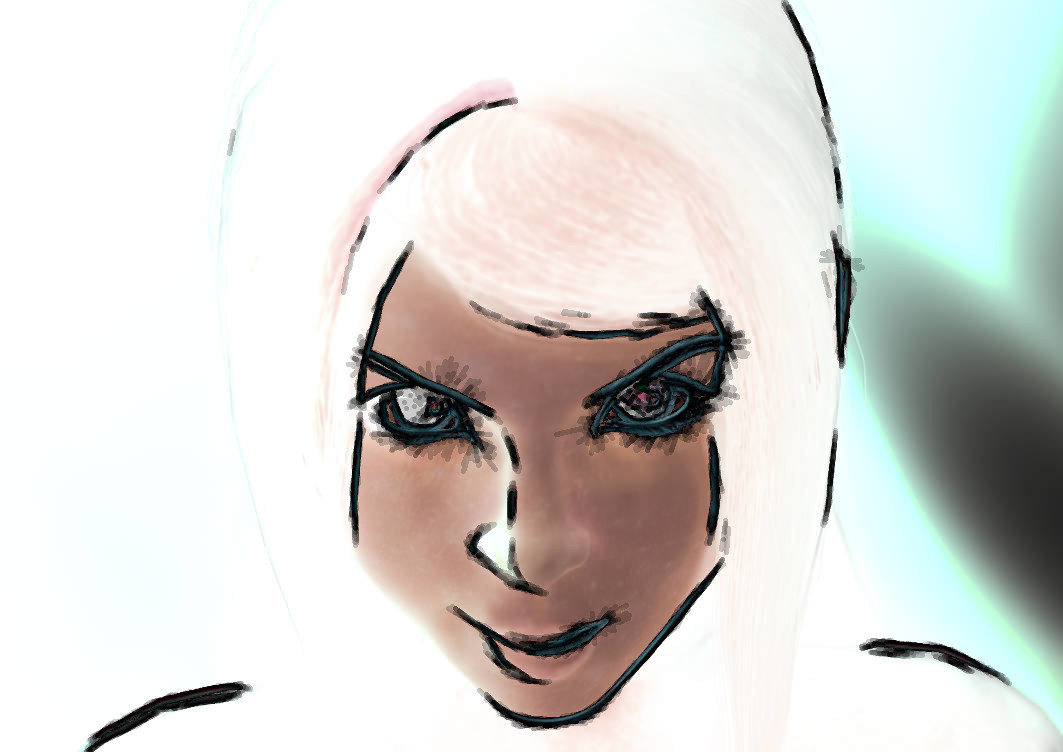
Considering her face is overall symmetric, it's fascinating how different and unusual it looks when the light/shadows are also symmetric. I suppose the first symmetry image (light side mirrored) is more understandable - she's just well-lit, whereas the second one feels very eery because there is no natural situation where you'd get this kind of light from the front while retaining the shadows).
The various pen filters makes for cool effects, I think I like the second pencil portrait the most; it's like she's in the white noice of a TV :mrgreen:

Wallace wrote:
[align=center]Not sure if you can tell what's been done,
but here it is.
I took a screenshot of my workspace.]

Thanks for sharing the layer layout too! The 'cyber' overlays and CRT effects work well here. Poor girl having a crosshair on her (or is it a camera focus?)!
neurolurker wrote:
Attachment:
for griatch with thanks.jpg
Thanks for the invitation to participate.

Ooh, text! And little spooky after-images of her face. She could certainly say that, I bet! Like the font chosen too.

teapot wrote:
Attachment:
griatch-cal-art-challenge-01.jpg
Attachment:
griatch-cal-art-challenge-02.jpg

Nice one, this manipulation sort of makes her face all the more intense.

_________________


Top
 Post subject: Re: Art challenge - modify the character art!
PostPosted: Sat Feb 08, 2025 8:14 pm  (#13) 
Offline
GimpChat Member
User avatar

Joined: Dec 09, 2018
Posts: 736
Attachment:
griatch-cal-art-challenge-03.png
griatch-cal-art-challenge-03.png [ 777.22 KiB | Viewed 6636 times ]


Top
 Post subject: Re: Art challenge - modify the character art!
PostPosted: Fri Feb 14, 2025 10:11 am  (#14) 
Offline
GimpChat Member
User avatar

Joined: Apr 27, 2010
Posts: 1506
Location: Sweden
teapot wrote:
Attachment:
griatch-cal-art-challenge-03.png

This variation, with thicker lines and stronger contrasts made her smile all the wider and more pronounced! :mrgreen: She looks quite wicked here!

_________________


Top
 Post subject: Re: Art challenge - modify the character art!
PostPosted: Sat May 31, 2025 1:09 am  (#15) 
Offline
GimpChat Member
User avatar

Joined: Sep 24, 2010
Posts: 12828
OK Griatch; here's my try (and now I really need to hit the hay). :)


Attachments:
chairoscuro.jpg
chairoscuro.jpg [ 48.97 KiB | Viewed 2742 times ]

_________________
Lyle

Psalm 109:8

Image
Top
 Post subject: Re: Art challenge - modify the character art!
PostPosted: Sat Oct 04, 2025 6:47 am  (#16) 
Offline
GimpChat Member
User avatar

Joined: Apr 27, 2010
Posts: 1506
Location: Sweden
@lylejk I missed your post! Very dramatic, looks like she's in shadow (or maybe she's wearing camo paint!), making her eyes more intense!
.
Griatch

_________________


Top
Post new topic Reply to topic  [ 16 posts ] 

All times are UTC - 5 hours [ DST ]


* Login  


Powered by phpBB3 © phpBB Group