It is currently Fri Sep 25, 2026 11:38 am


All times are UTC - 5 hours [ DST ]


Post new topic Reply to topic  [ 9 posts ] 
Author Message
 Post subject: I have no option Filters> distorts> bevel
PostPosted: Sun Jan 04, 2015 1:00 am  (#1) 
Offline
GimpChat Member

Joined: Oct 23, 2014
Posts: 10
I'm trying to make text glass From Erisian
I'm using gimp 2.8 and I have no option Filters> distorts> bevel as I can find it or install it or is in another menu? help .....
probably you used another gimp and I do not have those options


Last edited by el_vallarta1 on Sun Jan 04, 2015 1:20 am, edited 1 time in total.

Share on Facebook Share on Twitter Share on Orkut Share on Digg Share on MySpace Share on Delicious Share on Technorati
Top
 Post subject: Re: I have no option Filters> distorts> bevel
PostPosted: Sun Jan 04, 2015 1:04 am  (#2) 
Offline
Script Coder
User avatar

Joined: Feb 18, 2011
Posts: 4826
Location: Bendigo Vic. Australia
el_vallarta1 This is not a default plugin, so was a link for it given
here is a link to it at the Registry Selection Bevel

_________________
Image
No matter how much you push the envelope, it'll still be stationery.


Last edited by Graechan on Sun Jan 04, 2015 1:12 am, edited 1 time in total.

Top
 Post subject: Re: I have no option Filters> distorts> bevel
PostPosted: Sun Jan 04, 2015 1:11 am  (#3) 
Offline
Global Moderator
User avatar

Joined: Apr 01, 2012
Posts: 8471
Location: On the other side of your screen
There is no filter > distort > bevel
There is an emboss though under distort.
If you want bevel, it can be found under Filters > Decor > Add Bevel

_________________
Image
Free Fun Photo Editing & resources
Poems from the Lord
Gimp Newby
Gimp version 3.2.4 and GMIC-Qt 4.0.2 OS :- Windows 10 Home 64


Top
 Post subject: Re: I have no option Filters> distorts> bevel
PostPosted: Sun Jan 04, 2015 2:05 am  (#4) 
Offline
Global Moderator
User avatar

Joined: Apr 01, 2012
Posts: 8471
Location: On the other side of your screen
I just downloaded it too Conbagui. I didn't have it either

_________________
Image
Free Fun Photo Editing & resources
Poems from the Lord
Gimp Newby
Gimp version 3.2.4 and GMIC-Qt 4.0.2 OS :- Windows 10 Home 64


Top
 Post subject: Re: I have no option Filters> distorts> bevel
PostPosted: Sun Jan 04, 2015 11:57 am  (#5) 
Offline
GimpChat Member

Joined: Jun 19, 2014
Posts: 81
Location: STRATFORD,CT USA
I found it in Layer>Layer Effects>bevel and emboss. ok guys CT-Gimper101


Top
 Post subject: Re: I have no option Filters> distorts> bevel
PostPosted: Sun Jan 04, 2015 12:43 pm  (#6) 
Offline
Administrator
User avatar

Joined: Aug 10, 2012
Posts: 14209
Location: Native to NYC living in Arizona, Gimp 2.8 - 3.0, Win 11 PC.
Here are all the Bevel options that I have available to me in my Gimp 2.8.10. Showing each of their respective dialogs, along with text that demonstrates how each appears when Inner Bevel is applied at default settings with each bevel dialog...
Image

_________________
Image
"A wise man learns more from a foolish question than a fool can learn from a wise answer"
Image


Top
 Post subject: Re: I have no option Filters> distorts> bevel
PostPosted: Sun Jan 04, 2015 12:50 pm  (#7) 
Offline
GimpChat Member

Joined: Jun 19, 2014
Posts: 81
Location: STRATFORD,CT USA
conbagui- i'm sorry i told him that i thought thats the one he was looking for sorry can you tell me what the difference please? i don't understand. should i download that plug in to then if i dont have it too conbagui? CT-Gimper101

i have Gimp 2.8.10 with Gimp Extenisons pack


Top
 Post subject: Re: I have no option Filters> distorts> bevel
PostPosted: Sun Jan 04, 2015 6:29 pm  (#8) 
Offline
Script Coder
User avatar

Joined: Feb 18, 2011
Posts: 4826
Location: Bendigo Vic. Australia
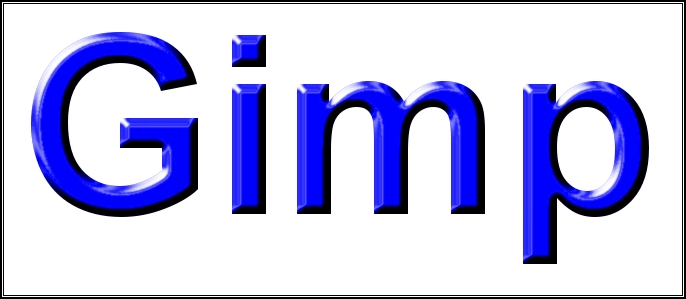
CT-Gimper101 'Selection Beveler' is a very nice purpose built python bevel Script and it's up to you weather you install or not, the finished bevel from this script is different to layer effects because the bevel is created differently
Image

_________________
Image
No matter how much you push the envelope, it'll still be stationery.


Top
 Post subject: Re: I have no option Filters> distorts> bevel
PostPosted: Mon Jan 05, 2015 3:54 pm  (#9) 
Offline
Global Moderator
User avatar

Joined: May 16, 2010
Posts: 16175
CT-Gimper101 wrote:
conbagui- i'm sorry i told him that i thought thats the one he was looking for sorry can you tell me what the difference please? i don't understand. should i download that plug in to then if i dont have it too conbagui? CT-Gimper101

i have Gimp 2.8.10 with Gimp Extenisons pack


Also this bevel filter has preview. :)


Top
Post new topic Reply to topic  [ 9 posts ] 

All times are UTC - 5 hours [ DST ]


* Login  


Powered by phpBB3 © phpBB Group