It is currently Wed Oct 28, 2026 11:25 am


All times are UTC - 5 hours [ DST ]


Post new topic Reply to topic  [ 17 posts ] 
Author Message
 Post subject: WinX Font Viewer Issues with Antivirus
PostPosted: Wed Sep 09, 2015 7:09 pm  (#1) 
Offline
Administrator
User avatar

Joined: Aug 10, 2012
Posts: 14250
Location: Native to NYC living in Arizona, Gimp 2.8 - 3.0, Win 11 PC.
Would anyone like to suggest a font viewer, or know of one that they would feel comfortable suggesting?
I'm using Windows 10 and apparently the Win to OS no longer lets me view all types of font files.
Any suggestions?

_________________
Image
"A wise man learns more from a foolish question than a fool can learn from a wise answer"
Image


Last edited by Wallace on Thu Sep 17, 2015 10:30 am, edited 6 times in total.

Share on Facebook Share on Twitter Share on Orkut Share on Digg Share on MySpace Share on Delicious Share on Technorati
Top
 Post subject: Re: Looking for a Font Viewer
PostPosted: Wed Sep 09, 2015 7:21 pm  (#2) 
Offline
GimpChat Member
User avatar

Joined: Sep 24, 2010
Posts: 12853
Win10's font viewer works for me Wallace. :)


Attachments:
win10fv.png
win10fv.png [ 97.41 KiB | Viewed 3384 times ]

_________________
Lyle

Psalm 109:8

Image
Top
 Post subject: Re: Looking for a Font Viewer
PostPosted: Wed Sep 09, 2015 7:27 pm  (#3) 
Offline
GimpChat Member
User avatar

Joined: Jun 02, 2013
Posts: 2090
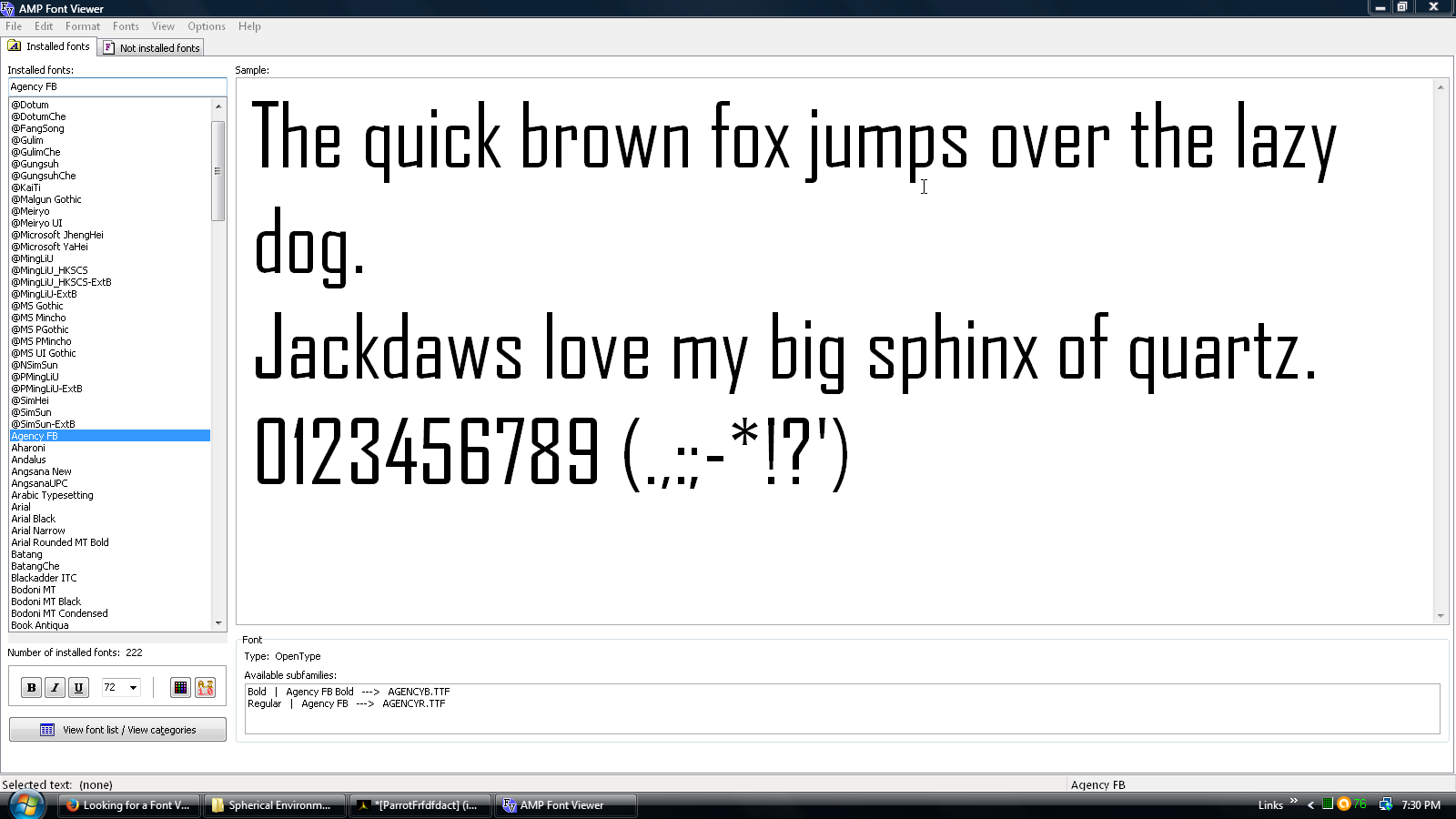
I personally use AMP Font Viewer. Free, and works well for me. http://www.ampsoft.net/utilities/FontViewer.php

Image

_________________
Image


Last edited by The Warrior on Wed Sep 09, 2015 7:41 pm, edited 1 time in total.

Top
 Post subject: Re: Looking for a Font Viewer
PostPosted: Wed Sep 09, 2015 7:35 pm  (#4) 
Offline
Administrator
User avatar

Joined: Aug 10, 2012
Posts: 14250
Location: Native to NYC living in Arizona, Gimp 2.8 - 3.0, Win 11 PC.
lylejk wrote:
Win10's font viewer works for me Wallace. :)

I have fonts with the file extension .ttf,
but the Windows Font Viewer gives error messages when I try to view them.
I also went to my Windows font folder and there are also fonts in this folder that the Windows Font Viewer will not view.
I'm not sure what's happening here, but I can't view some of the fonts I have on my computer any more.
Attachment:
font.PNG
font.PNG [ 72.9 KiB | Viewed 3376 times ]


Here I've attached one of the fonts that are in the screenshot above.

Attachment:
VIPESSRG.zip [5.43 KiB]
Downloaded 119 times


The Warrior wrote:
I personally use AMP Font Viewer. Free, and works well for me.

Thanks Warrior, I've heard of this program and will check it out. :bigthup

_________________
Image
"A wise man learns more from a foolish question than a fool can learn from a wise answer"
Image


Top
 Post subject: Re: Looking for a Font Viewer
PostPosted: Wed Sep 09, 2015 7:41 pm  (#5) 
Offline
GimpChat Member
User avatar

Joined: Jun 02, 2013
Posts: 2090
I linked it above Wallace.

_________________
Image


Top
 Post subject: Re: Looking for a Font Viewer
PostPosted: Wed Sep 09, 2015 7:45 pm  (#6) 
Offline
GimpChat Member
User avatar

Joined: Sep 24, 2010
Posts: 12853
Not sure why for you Wallace. TTFs show fine for me. Since fonts could cause issues, I'm relunctant to try your fonts in my Win10 system. :)


edit:

Tried opening it sandboxed and get the same error in my XP VM. The font could be corrupted. :)

edit:

renamed the font to *.ttc and it opened fine. Try that for yourself. :)

_________________
Lyle

Psalm 109:8

Image


Top
 Post subject: Re: Looking for a Font Viewer
PostPosted: Wed Sep 09, 2015 7:50 pm  (#7) 
Offline
Administrator
User avatar

Joined: Aug 10, 2012
Posts: 14250
Location: Native to NYC living in Arizona, Gimp 2.8 - 3.0, Win 11 PC.
The Warrior wrote:
I linked it above Wallace.

Thanks. :mrgreen:

_________________
Image
"A wise man learns more from a foolish question than a fool can learn from a wise answer"
Image


Top
 Post subject: Re: Looking for a Font Viewer
PostPosted: Wed Sep 09, 2015 7:52 pm  (#8) 
Offline
GimpChat Member
User avatar

Joined: Sep 24, 2010
Posts: 12853
Here's the preview (since you posted too fast for me to do another edit; lol). :)


Attachments:
vs.png
vs.png [ 43.05 KiB | Viewed 3370 times ]

_________________
Lyle

Psalm 109:8

Image
Top
 Post subject: Re: Looking for a Font Viewer
PostPosted: Wed Sep 09, 2015 7:53 pm  (#9) 
Offline
GimpChat Member
User avatar

Joined: Jun 02, 2013
Posts: 2090
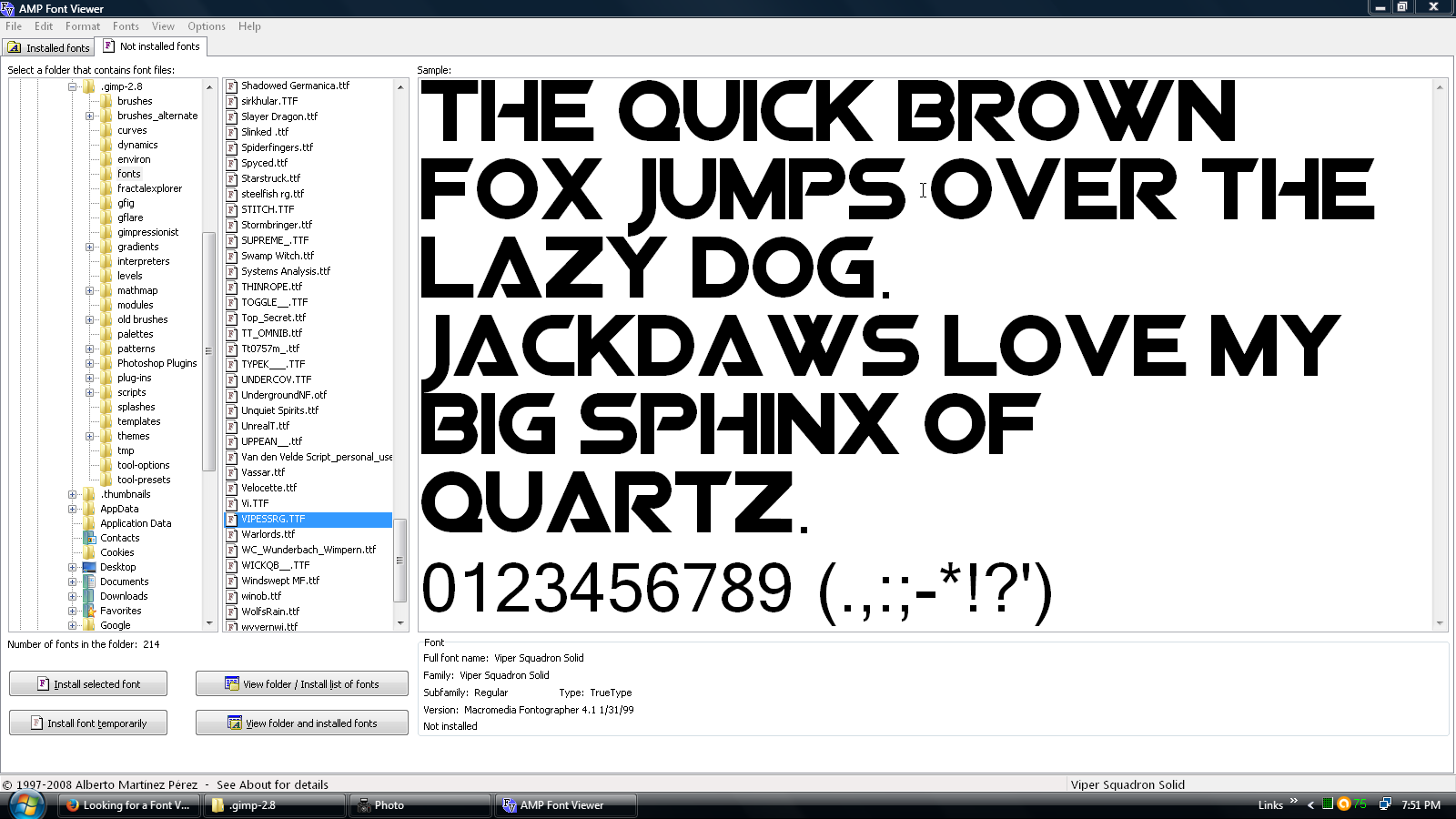
Shows up in AMP Font Viewer:

Image

_________________
Image


Top
 Post subject: Re: Looking for a Font Viewer
PostPosted: Wed Sep 09, 2015 7:58 pm  (#10) 
Offline
Administrator
User avatar

Joined: Aug 10, 2012
Posts: 14250
Location: Native to NYC living in Arizona, Gimp 2.8 - 3.0, Win 11 PC.
lylejk wrote:
Not sure why for you Wallace. TTFs show fine for me. Since fonts could cause issues, I'm relunctant to try your fonts in my Win10 system. :)


edit:

Tried opening it sandboxed and get the same error in my XP VM. The font could be corrupted. :)

edit:

renamed the font to *.ttc and it opened fine. Try that for yourself. :)

The Windows Font Viewer was working as expected, but as of today it's not. Even fonts that were installed with the operating system can't be viewed.
All the fonts that I have in my Gimp User Font folder can not be opened using the Windows Font Viewer and that's a lot of fonts. All the fonts I have in my Gimp folder work fine.
I can also view these fonts using the font viewer suggested by Warrior. All the fonts that can't be viewed by Windows Font Viewer do show up it as .ttf in the program AMP Font Viewer.
I can't explain why this is happening.
I use to be able to view all the fonts I have on my computer using the Windows Font Viewer. Now I get an "Invalid Font File Message" for Win Font Viewer.

_________________
Image
"A wise man learns more from a foolish question than a fool can learn from a wise answer"
Image


Top
 Post subject: Re: Looking for a Font Viewer
PostPosted: Wed Sep 09, 2015 8:15 pm  (#11) 
Offline
Retired Staff
User avatar

Joined: May 22, 2008
Posts: 6946
Location: Somewhere in GIMP
I'm curious. Do the fonts come up ok in Gimp?

I tried your font in the Linux viewer and it displayed fine.

I assume you shut down your computer, turning it all the way off, and started up from scratch to try the font viewer.

_________________
Image
World War IV will be fought with sticks and stones. - Albert Einstein


Top
 Post subject: Re: Looking for a Font Viewer
PostPosted: Wed Sep 09, 2015 8:25 pm  (#12) 
Offline
Administrator
User avatar

Joined: Aug 10, 2012
Posts: 14250
Location: Native to NYC living in Arizona, Gimp 2.8 - 3.0, Win 11 PC.
Oregonian wrote:
I'm curious. Do the fonts come up ok in Gimp?

I tried your font in the Linux viewer and it displayed fine.

Yes all my fonts show in Gimp.
I've even changed the font that NotePad uses, to one of the fonts that Windows Font Viewer will not open and this font worked fine.
After doing this all my fonts are now being viewed using Windows Font Viewer? :puzzled

_________________
Image
"A wise man learns more from a foolish question than a fool can learn from a wise answer"
Image


Top
 Post subject: Re: Looking for a Font Viewer [FOUND]
PostPosted: Wed Sep 09, 2015 10:24 pm  (#13) 
Offline
Retired Staff
User avatar

Joined: May 22, 2008
Posts: 6946
Location: Somewhere in GIMP
Wallace wrote:
After doing this all my fonts are now being viewed using Windows Font Viewer? :puzzled
Computers! :gaah

Glad all is well with your font viewer. :hehe

_________________
Image
World War IV will be fought with sticks and stones. - Albert Einstein


Top
 Post subject: Re: Looking for a Font Viewer [FOUND]
PostPosted: Wed Sep 09, 2015 10:48 pm  (#14) 
Offline
Administrator
User avatar

Joined: Aug 10, 2012
Posts: 14250
Location: Native to NYC living in Arizona, Gimp 2.8 - 3.0, Win 11 PC.
Oregonian wrote:
Wallace wrote:
After doing this all my fonts are now being viewed using Windows Font Viewer? :puzzled
Computers! :gaah

Glad all is well with your font viewer. :hehe

Yes I agree and I hope this never happens again.
One other thing I noticed, is that there are fonts that show up in Gimp that I can't seem to find anywhere on my computer. And one other thing I've found, is that in my Gimp Preferences, under Folders>Fonts, there are 2 locations where Gimp looks for fonts. One is my Gimp user font folder and the other is the Gimp installation font folder.
The only odd thing is, that there is no font folder present in my Gimp installation files anywhere. So there are still some things up in the air regarding fonts that I still haven't figure out yet. :puzzled

_________________
Image
"A wise man learns more from a foolish question than a fool can learn from a wise answer"
Image


Top
 Post subject: Re: Looking for a Font Viewer [?]
PostPosted: Thu Sep 17, 2015 4:54 am  (#15) 
Offline
Administrator
User avatar

Joined: Aug 10, 2012
Posts: 14250
Location: Native to NYC living in Arizona, Gimp 2.8 - 3.0, Win 11 PC.
I'm having this same issue again.
Can't seem to figure out why it's happening. I thought I solved the issue, but I guess I didn't.
:puzzled

The image below shows how my Fonts are displayed in my Gimp Fonts folder.
When I try to view one of them, I get the error you can see in the image below.
Every font I have on my system, with exception of some fonts in the Windows Font Folder.
Also display as below and when I try to view any of them the same error appears.
There are even fonts within the Windows font folder that display like this, and also give this error message when attempting to view them.
Attachment:
Screenshot (63).png
Screenshot (63).png [ 180.77 KiB | Viewed 1894 times ]


This image below, shows what the fonts should look like.
Attachment:
Capture.PNG
Capture.PNG [ 182.97 KiB | Viewed 1894 times ]

Any ideas what might be going on here?
:puzzled

_________________
Image
"A wise man learns more from a foolish question than a fool can learn from a wise answer"
Image


Top
 Post subject: Re: Windows Font Viewer Issues [Need Help]
PostPosted: Thu Sep 17, 2015 9:41 am  (#16) 
Offline
GimpChat Member
User avatar

Joined: Jan 13, 2011
Posts: 2648
Location: Poland
Firewall?
http://superuser.com/questions/957907/unable-to-install-fonts-on-windows-10

_________________
Image


Top
 Post subject: Re: Windows Font Viewer Issues [Need Help]
PostPosted: Thu Sep 17, 2015 10:24 am  (#17) 
Offline
Administrator
User avatar

Joined: Aug 10, 2012
Posts: 14250
Location: Native to NYC living in Arizona, Gimp 2.8 - 3.0, Win 11 PC.
MareroQ wrote:

It's funny that you mention "Firewall", because I had Norton installed.
Found that it had created some cache files that were causing my fonts to seem as though they were not valid font files.
So I uninstalled it and the problem with my fonts went away.
Image
I then got a free copy of Avast and all seemed to be going well. Until my fonts again began to show as invalid.
I dumped Avast.
I then gave AVG a try and Image back with the font issue again.
Trash it.
So I looked into Panda and the reviews I read were promising.
I installed it... and guess what?
Yes that's right, back with the same old font issues again.
Bye bye Panda.
Image
Now I went and picked up the free version of Bitdefender, so far so good.
I'll see what happens in a day or so. I've got my fingers crossed, but I'm not very confident that this won't happen again.
Notice the pattern here?
What a pain in the Image this has turned out to be.

I can't see how I could be the only one this is happening to.
:gaah

_________________
Image
"A wise man learns more from a foolish question than a fool can learn from a wise answer"
Image


Top
Post new topic Reply to topic  [ 17 posts ] 

All times are UTC - 5 hours [ DST ]


* Login  


Powered by phpBB3 © phpBB Group