It is currently Tue Oct 27, 2026 10:53 pm


All times are UTC - 5 hours [ DST ]


Post new topic Reply to topic  [ 13 posts ] 
Author Message
 Post subject: Missing tool in Gimp
PostPosted: Sat Aug 08, 2015 11:51 am  (#1) 
Offline
Script Coder
User avatar

Joined: Oct 25, 2010
Posts: 4812
www.youtube.com Video from : www.youtube.com

_________________
Image


Share on Facebook Share on Twitter Share on Orkut Share on Digg Share on MySpace Share on Delicious Share on Technorati
Top
 Post subject: Re: Missing tool in Gimp
PostPosted: Sat Aug 08, 2015 1:19 pm  (#2) 
Offline
Administrator
User avatar

Joined: Aug 10, 2012
Posts: 14250
Location: Native to NYC living in Arizona, Gimp 2.8 - 3.0, Win 11 PC.
:rofl

_________________
Image
"A wise man learns more from a foolish question than a fool can learn from a wise answer"
Image


Top
 Post subject: Re: Missing tool in Gimp
PostPosted: Sat Aug 08, 2015 3:54 pm  (#3) 
Offline
GimpChat Member
User avatar

Joined: Apr 09, 2011
Posts: 1764
LOL wouldnt it be great eh? LOL


Top
 Post subject: Re: Missing tool in Gimp
PostPosted: Sat Aug 08, 2015 3:56 pm  (#4) 
Offline
GimpChat Member

Joined: Apr 29, 2012
Posts: 110
I was wondering if it would actually be do-able with the Gimp tools.
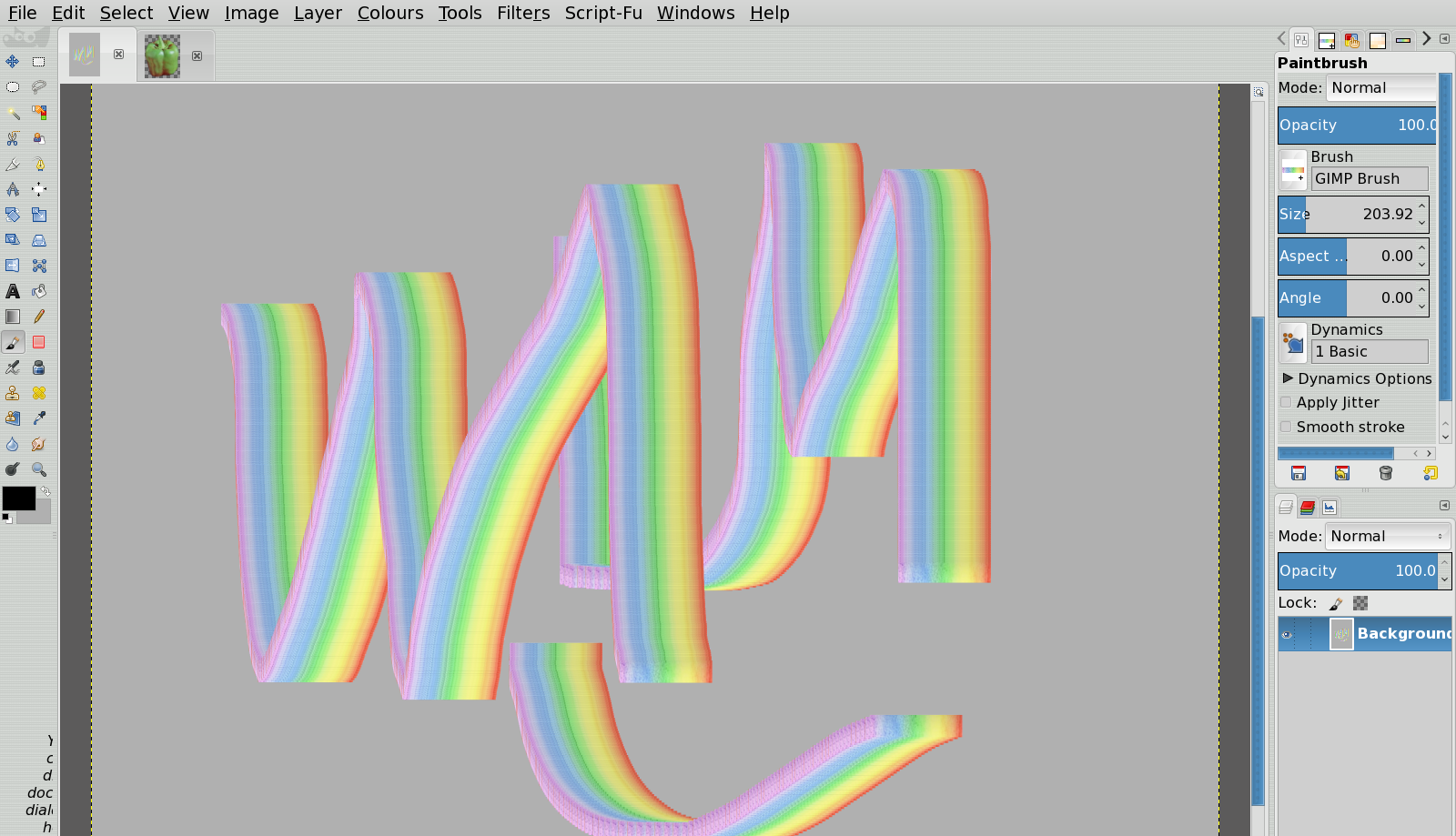
Gave a try with create a simple brush by making a selection over a few colors and CTRL+C (Copy) , then enabled the "Track Direction" dynamics and enable high smooth stroke (because the track direction is a bit unstable without it) , and giving a brush stroke seems to work :
Image

But it works better (as still track direction is still a bit unstable with brush stroking) with using the "Stroke Path" function (set to Brush and its dynamics) from the Path Tool.
Not perfect depending on how hard the angles of your path are, but a good basis for further work.


Top
 Post subject: Re: Missing tool in Gimp
PostPosted: Sat Aug 08, 2015 4:02 pm  (#5) 
Offline
GimpChat Member
User avatar

Joined: Nov 16, 2011
Posts: 5127
Location: Metro Vancouver, BC
Sounds interesting, Brogun.

_________________
Image
Gimp 2.8.18, Linux, median user
Gimp Chat Tutorials Index
Spirit Bear (Kermode)


Top
 Post subject: Re: Missing tool in Gimp
PostPosted: Sat Aug 08, 2015 5:22 pm  (#6) 
Offline
Retired Staff
User avatar

Joined: May 22, 2008
Posts: 6946
Location: Somewhere in GIMP
Done with block brush, rainbow gradient, paint with gradient tilt dynamic. Wish I could just turn it the other direction.
Image

_________________
Image
World War IV will be fought with sticks and stones. - Albert Einstein


Top
 Post subject: Re: Missing tool in Gimp
PostPosted: Sat Aug 08, 2015 10:41 pm  (#7) 
Offline
Global Moderator
User avatar

Joined: Oct 02, 2014
Posts: 5078
Location: Sydney Australia
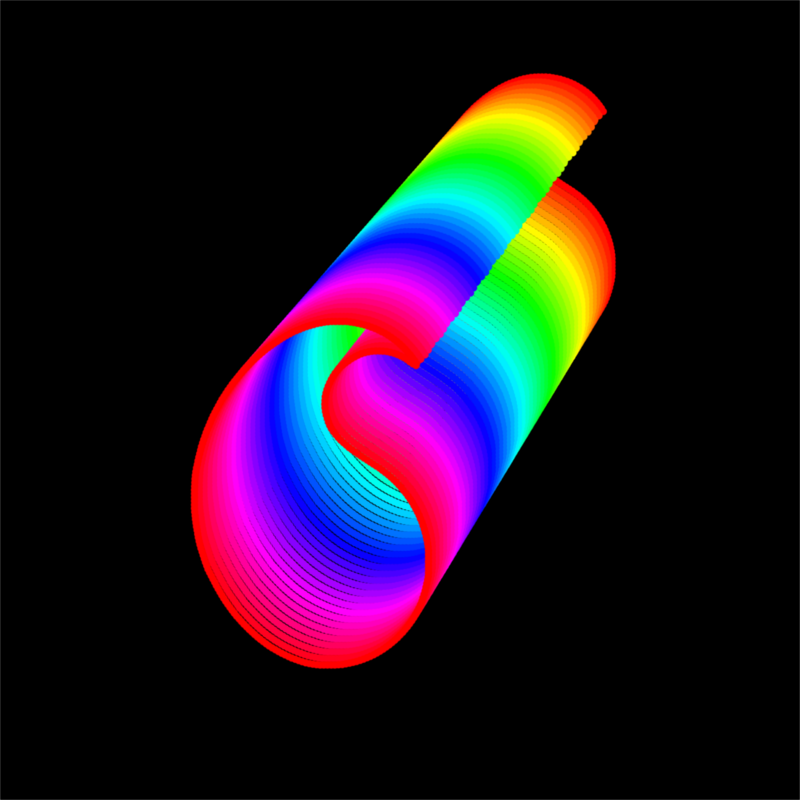
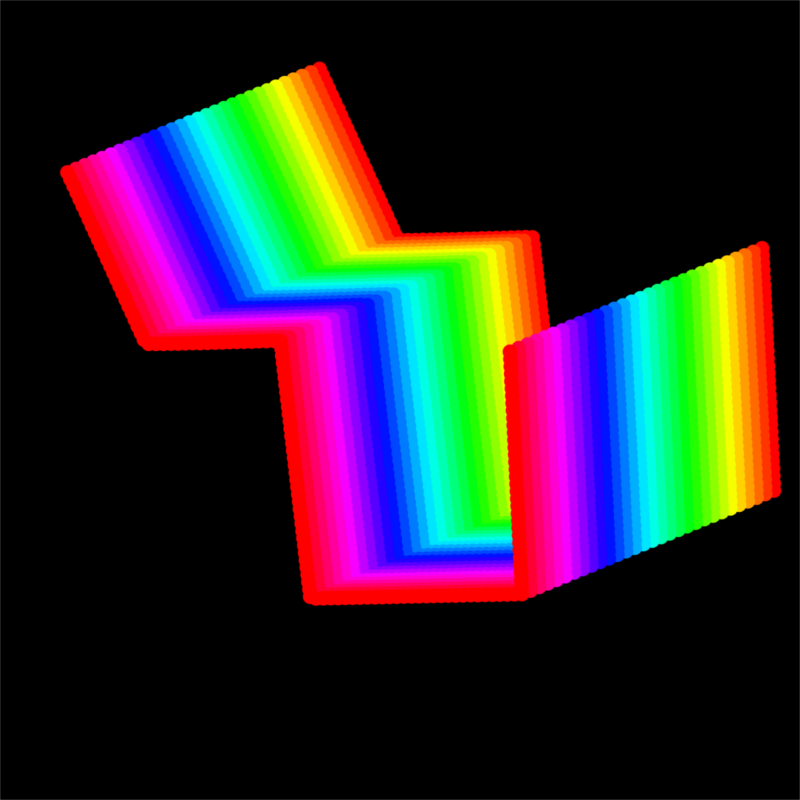
I am probably missing something very obvious in the argument here. But as a fan of Ofnuts path tools, I just quickly tried some shapes using the rainbow gradient and his stroke paths script ...

Image

Image

_________________
Image

Respect should be offered freely but hard earned


Top
 Post subject: Re: Missing tool in Gimp
PostPosted: Sun Aug 09, 2015 5:07 am  (#8) 
Offline
Global Moderator
User avatar

Joined: Apr 01, 2012
Posts: 8492
Location: On the other side of your screen
:hehe
I immediately thought the gradient tool can do that.

_________________
Image
Free Fun Photo Editing & resources
Poems from the Lord
Gimp Newby
Gimp version 3.2.6 and GMIC-Qt 4.0.2 OS :- Windows 10 Home 64


Top
 Post subject: Re: Missing tool in Gimp
PostPosted: Sun Aug 09, 2015 8:29 am  (#9) 
Offline
GimpChat Member
User avatar

Joined: Aug 16, 2012
Posts: 4271
Location: Göteborg, Sweden
:mrgreen: never mind gimp - i have to do this for real!!!
after reading brogun's post i had to experiment with rainbow brushes of different kinds and stroke paisley paths with them. of course :). i am not too happy with my results, it's difficult to get the right brush and setting to give the smoothest possible result, and i'm less and less happy with the track direction dynamics for every time i try (but hey, at least i had fun and made paisleys! :hehe )

_________________


Top
 Post subject: Re: Missing tool in Gimp
PostPosted: Sun Aug 09, 2015 8:40 am  (#10) 
Offline
GimpChat Member
User avatar

Joined: Apr 07, 2010
Posts: 14182
Oregonian wrote:
Done with block brush, rainbow gradient, paint with gradient tilt dynamic. Wish I could just turn it the other direction.
[ Image ]

Couldn't you just use the flip tool in the vertical mode?

_________________
Image


Top
 Post subject: Re: Missing tool in Gimp
PostPosted: Sun Aug 09, 2015 5:18 pm  (#11) 
Offline
GimpChat Member
User avatar

Joined: Jan 31, 2015
Posts: 146
Try this brush:

Link disabled. Please attach the brush file.


Image

Copy it to your "brushes/legacy" folder, select the basic brush preset, and then select the "rainbow" brush.

It's a bit slow and linear, but when I've got time I can improve on it, and create a preset for it. It may be achievable.


Top
 Post subject: Re: Missing tool in Gimp
PostPosted: Mon Aug 10, 2015 4:55 am  (#12) 
Offline
GimpChat Member
User avatar

Joined: Aug 16, 2012
Posts: 4271
Location: Göteborg, Sweden
david c: for me (and i guess for most of us), the brush itself is no problem - i made several rainbow brushes yesterday, and they work okay as long as i don't stroke any rounded paths or paths with very pointed angles. i didn't really like the look of that speedy share page where i could download your brush, and i don't want to download more brushes than i need, so would you mind just sharing your dynamics for that brush here on gimp chat? pretty please with cream on top?

_________________


Top
 Post subject: Re: Missing tool in Gimp
PostPosted: Mon Aug 24, 2015 11:59 am  (#13) 
Offline
GimpChat Member
User avatar

Joined: Aug 16, 2012
Posts: 4271
Location: Göteborg, Sweden
it's funny, ofnuts only posted this video for fun (i think at least?) and it still got many of us trying to paint with rainbow brushes in gimp. i experimented a lot with them and then remembered this thread, where we discussed something similar and lots of people came up with brilliant tips and tricks. i recommend everyone who hasn't read it to give it a read even if it's a long thread. you'll end up so much richer in gimp know-how!

and here's my newest rainbow paisley:
Image

_________________


Top
Post new topic Reply to topic  [ 13 posts ] 

All times are UTC - 5 hours [ DST ]


* Login  


Powered by phpBB3 © phpBB Group