It is currently Thu Oct 01, 2026 9:06 am


All times are UTC - 5 hours [ DST ]


Post new topic Reply to topic  [ 40 posts ]  Go to page 1, 2  Next
Author Message
 Post subject: sharing outcomes - cityscapes
PostPosted: Fri Jun 27, 2014 4:20 am  (#1) 
Offline
GimpChat Member
User avatar

Joined: Mar 01, 2014
Posts: 14198
Location: Spain, Aragón
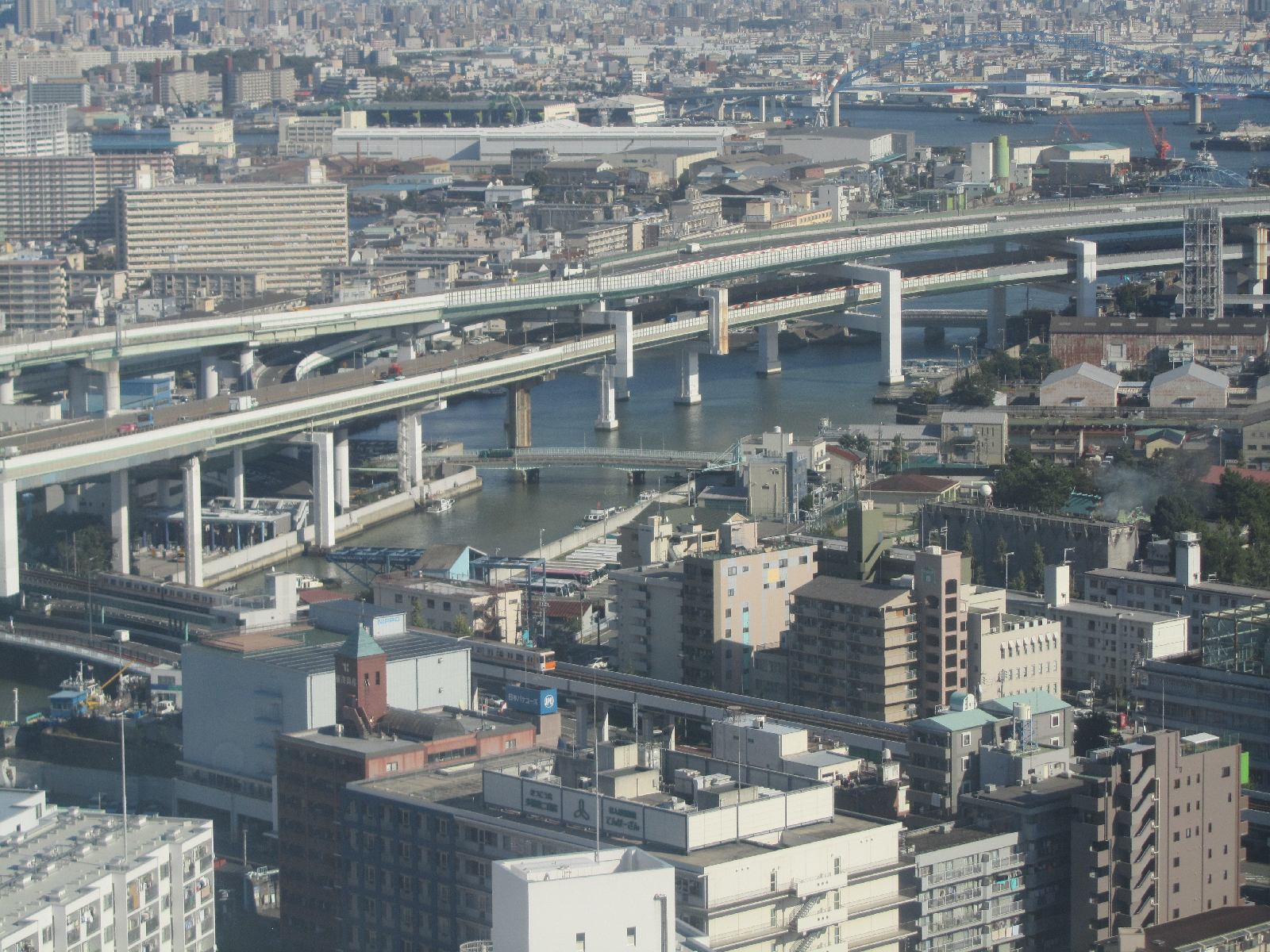
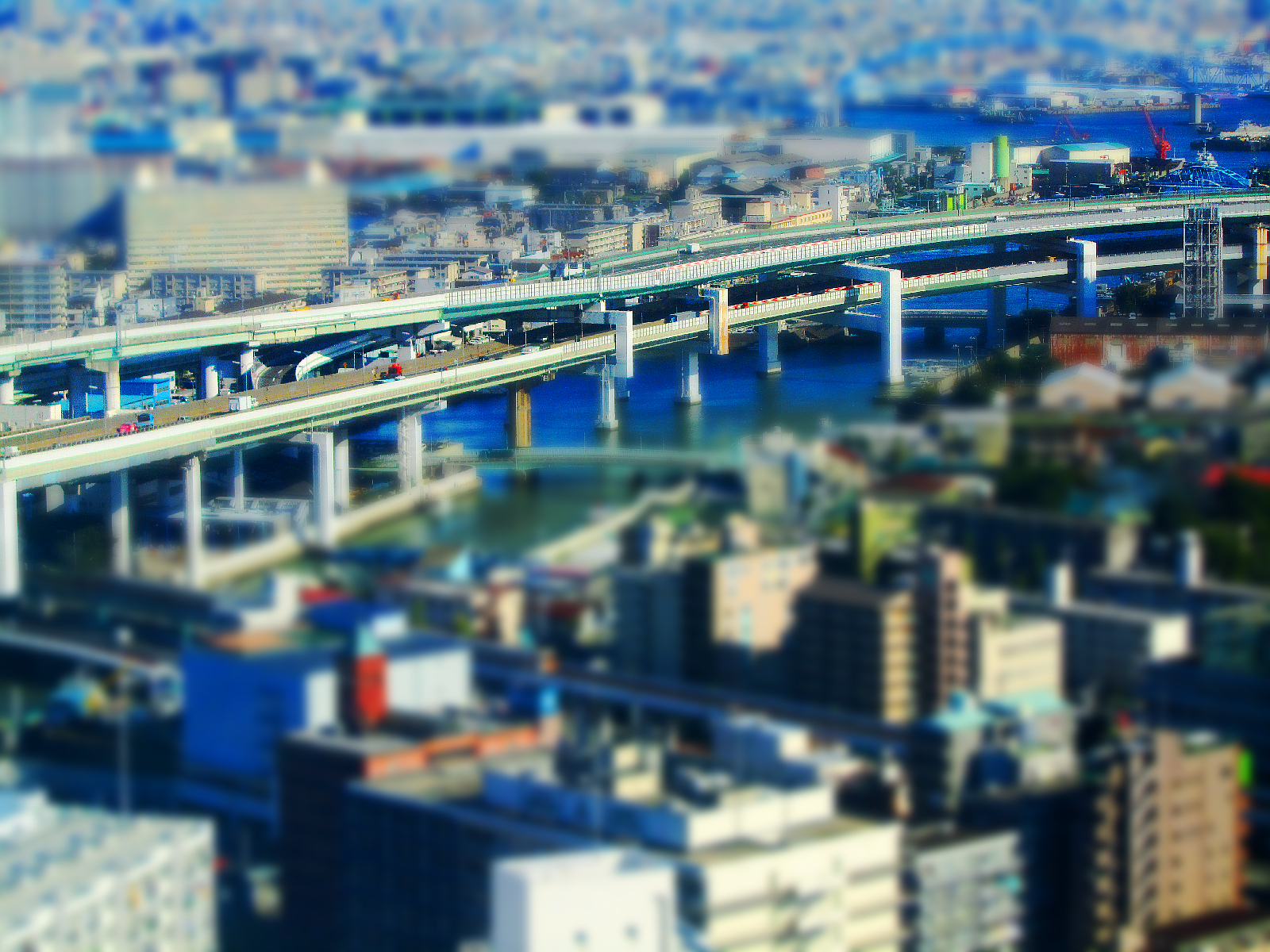
I understand that this photo could belong to this group.
Original the first one.


Attachments:
Noria.JPG
Noria.JPG [ 2.76 MiB | Viewed 7225 times ]
Unsharp Mask.JPG
Unsharp Mask.JPG [ 3.97 MiB | Viewed 7225 times ]

_________________
Image

Gimp 2.10.36 (samj) portable _ OS Windows 10 Home_ 64bits
Don’t be afraid to start over. It’s a new chance to rebuild what you want.
Share on Facebook Share on Twitter Share on Orkut Share on Digg Share on MySpace Share on Delicious Share on Technorati
Top
 Post subject: Re: sharing outcomes - cityscapes
PostPosted: Fri Jun 27, 2014 7:00 am  (#2) 
Offline
GimpChat Member
User avatar

Joined: Jan 20, 2013
Posts: 14835
Location: roma, italy
Good start, Issabella!
After you entered this fascinating world (photo enhancement/manipulation/interpretation), I'm sure you will continue with enthusiasm, the same you put so far in text management!

_________________
"Where am I ?"


Top
 Post subject: Re: sharing outcomes - cityscapes
PostPosted: Fri Jun 27, 2014 12:53 pm  (#3) 
Offline
GimpChat Member
User avatar

Joined: Sep 24, 2010
Posts: 12849
Did this one recent (believe I posted here too). :)

https://www.flickr.com/photos/34520999@ ... 8/sizes/o/

Image

_________________
Lyle

Psalm 109:8

Image


Top
 Post subject: Re: sharing outcomes - cityscapes
PostPosted: Fri Jun 27, 2014 1:48 pm  (#4) 
Offline
Script Coder
User avatar

Joined: May 07, 2014
Posts: 4558
Location: Canada
cool, looks like Simcity graphics.

_________________
Image
Visualize your and others dreams coming true.


Top
 Post subject: Re: sharing outcomes - cityscapes
PostPosted: Fri Jun 27, 2014 3:18 pm  (#5) 
Offline
GimpChat Member
User avatar

Joined: Mar 01, 2014
Posts: 14198
Location: Spain, Aragón
Lyle, It's a effect very nice. It would be great if you told us how to get the effect or the link for novice people like me. In this way we could learn. :tyspin

_________________
Image

Gimp 2.10.36 (samj) portable _ OS Windows 10 Home_ 64bits
Don’t be afraid to start over. It’s a new chance to rebuild what you want.


Top
 Post subject: Re: sharing outcomes - cityscapes
PostPosted: Sat Jun 28, 2014 5:11 pm  (#6) 
Offline
GimpChat Member
User avatar

Joined: Mar 01, 2014
Posts: 14198
Location: Spain, Aragón
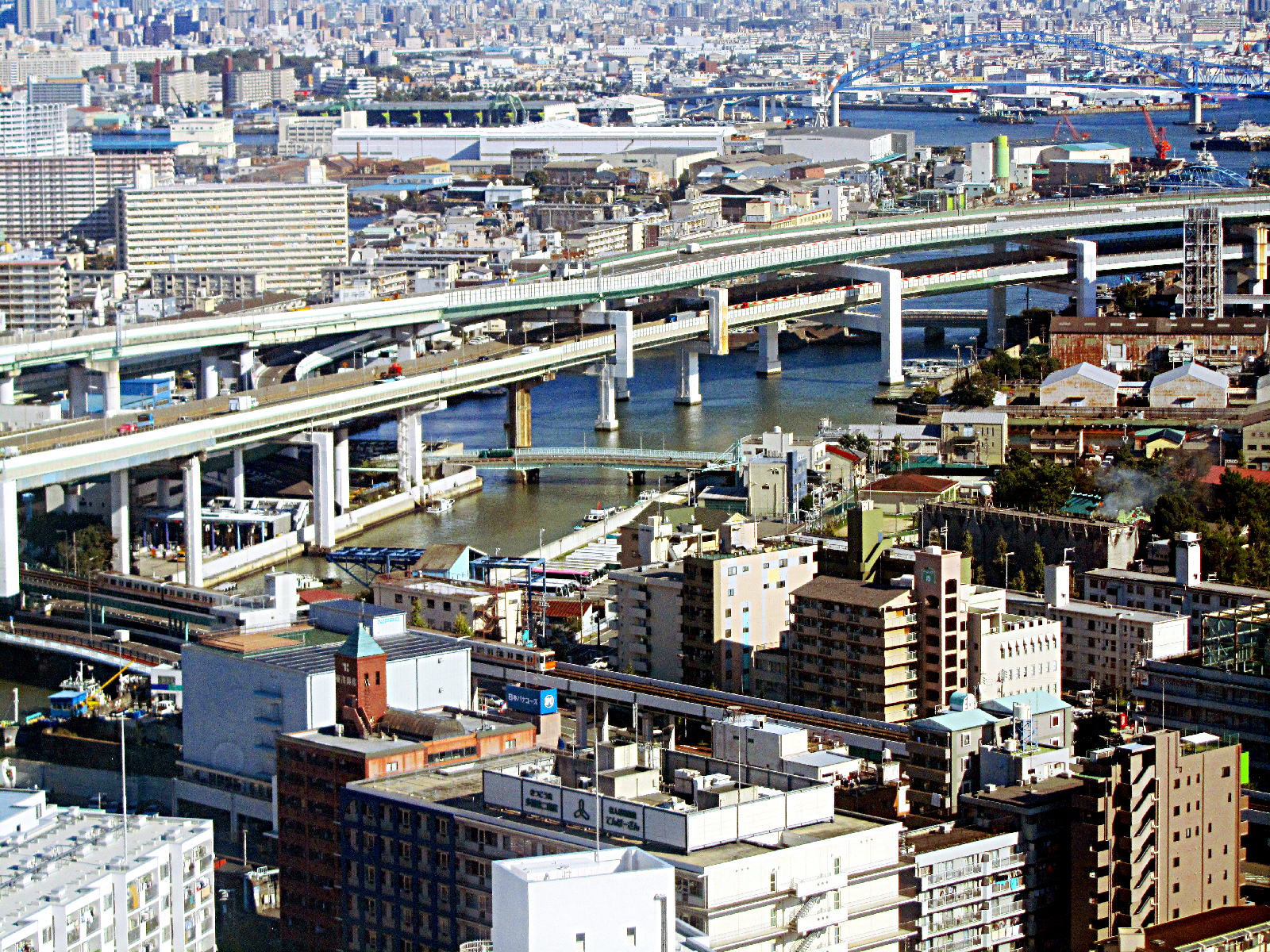
Other try about enhancement.


Attachments:
Port Area.jpg
Port Area.jpg [ 2.27 MiB | Viewed 7104 times ]
Port Area-máscaradecapa.jpg
Port Area-máscaradecapa.jpg [ 3.29 MiB | Viewed 7104 times ]

_________________
Image

Gimp 2.10.36 (samj) portable _ OS Windows 10 Home_ 64bits
Don’t be afraid to start over. It’s a new chance to rebuild what you want.
Top
 Post subject: Re: sharing outcomes - cityscapes
PostPosted: Sat Jun 28, 2014 10:23 pm  (#7) 
Offline
GimpChat Member
User avatar

Joined: Jan 20, 2013
Posts: 14835
Location: roma, italy
very good
much better defined
still bluish (is it your camera?)
using levels - grey point I got:

Attachment:
Port Area-máscaradecapa-DN.jpg
Port Area-máscaradecapa-DN.jpg [ 1.05 MiB | Viewed 7091 times ]

_________________
"Where am I ?"


Top
 Post subject: Re: sharing outcomes - cityscapes
PostPosted: Sun Jun 29, 2014 3:02 am  (#8) 
Offline
GimpChat Member
User avatar

Joined: Mar 01, 2014
Posts: 14198
Location: Spain, Aragón
Dinasset, it's possible that my daughter's camera to give the bluish tone to the photos. it's a canon one. Your outcome it much better, You give it the magical touch :) :tyspin
I hope to learn and to have the right eye to see what a photo needs one day. :bigthup

_________________
Image

Gimp 2.10.36 (samj) portable _ OS Windows 10 Home_ 64bits
Don’t be afraid to start over. It’s a new chance to rebuild what you want.


Top
 Post subject: Re: sharing outcomes - cityscapes
PostPosted: Mon Jun 30, 2014 5:33 am  (#9) 
Offline
GimpChat Member
User avatar

Joined: Mar 01, 2014
Posts: 14198
Location: Spain, Aragón
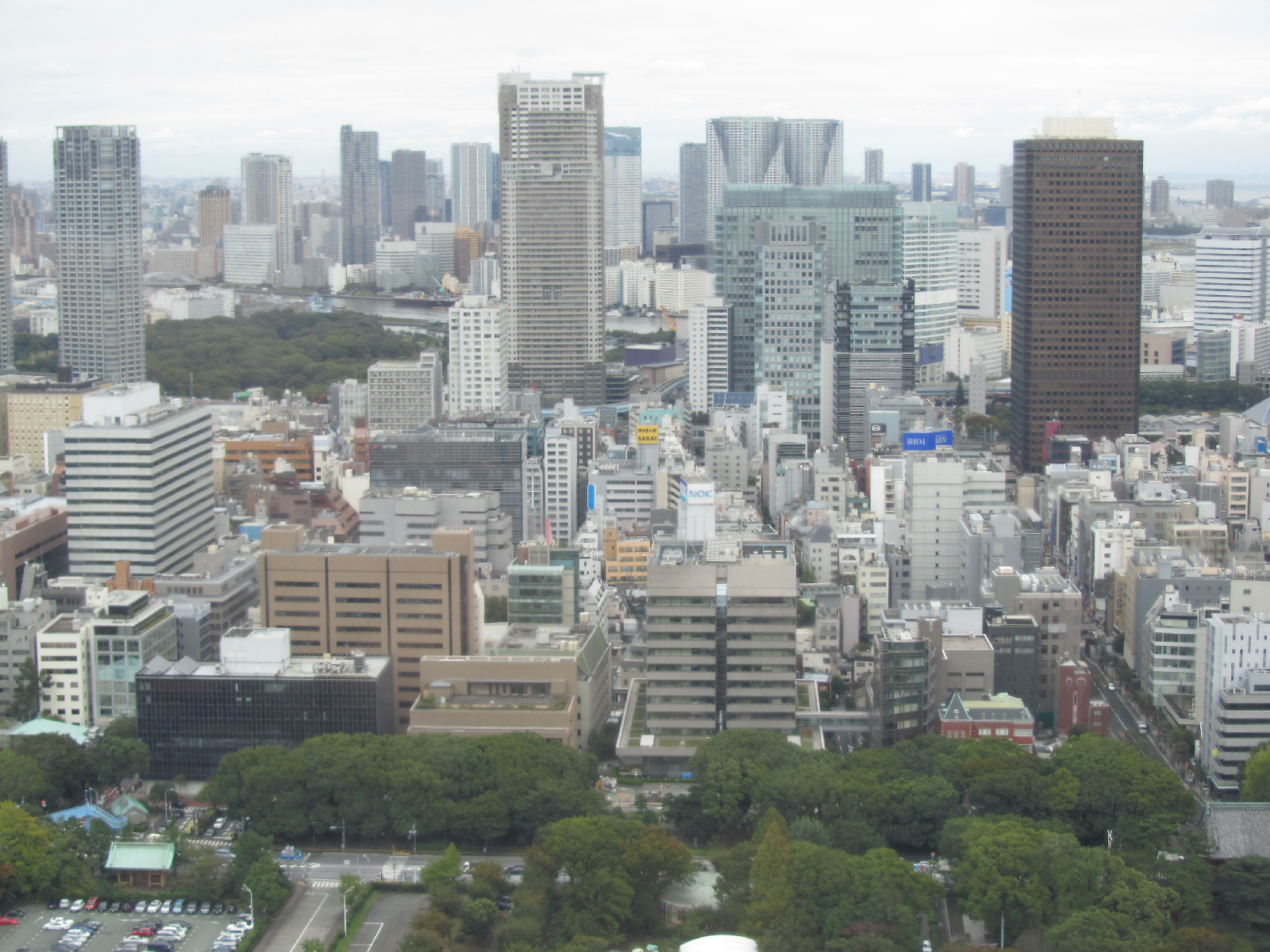
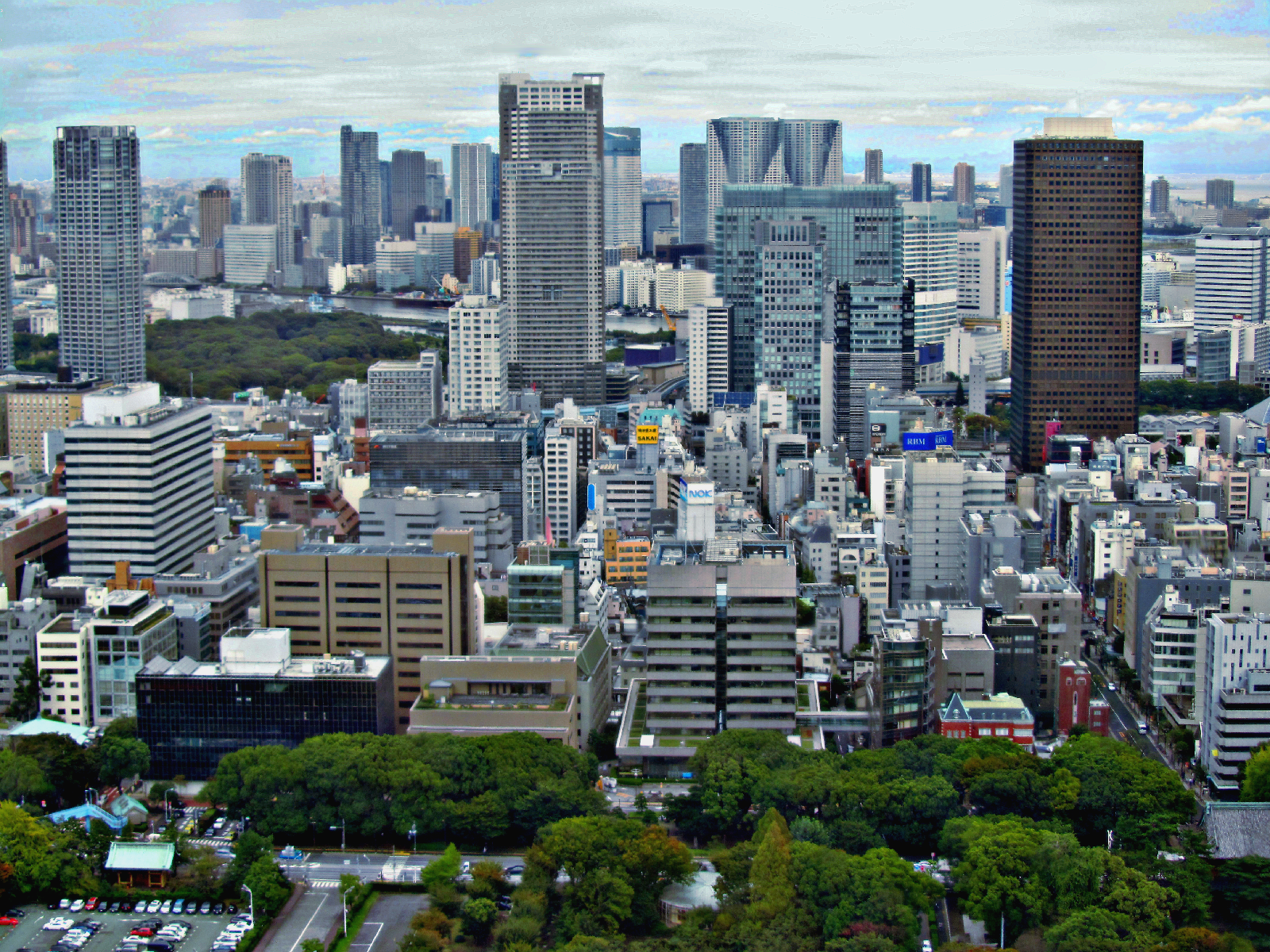
I'm experimenting on photos. Here a new try.
Firstly, I got the pic a lower bluish colour and I played with retinex, then in G'MIC Sharpen, and finally I made a layer copy and filters - unsharp mask mode overlay.


Attachments:
fromthetower-original.JPG
fromthetower-original.JPG [ 1.91 MiB | Viewed 7041 times ]
fromthetower-retinex+sharpen+unsharpmask.JPG
fromthetower-retinex+sharpen+unsharpmask.JPG [ 3.61 MiB | Viewed 7041 times ]

_________________
Image

Gimp 2.10.36 (samj) portable _ OS Windows 10 Home_ 64bits
Don’t be afraid to start over. It’s a new chance to rebuild what you want.
Top
 Post subject: Re: sharing outcomes - cityscapes
PostPosted: Mon Jun 30, 2014 10:24 am  (#10) 
Offline
GimpChat Member
User avatar

Joined: Jun 24, 2010
Posts: 504
Location: Western Vic Australia
Issabella wrote:
Other try about enhancement.

Issabella, a lovely outcome. I spent hours trying to recreate your image from the original. My problem was that I could not keep the reds that you have on the roofs and the crane. So I would love to know (roughly) what you did to get your outcome.
There was a comment about the blue tinge. I agree there is a slight blue tinge. Note however that this may be a problem with our screens not being calibrated or using the wrong color profile or even atmospheric conditions.

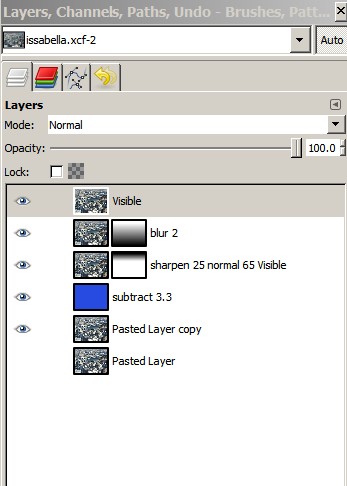
I present an outcome, using your final outcome, with a slightly reduced blue hue and a slightly blurred distance and slightly sharpened foreground using masks.
Is it an improvement? I really do not know. It is very subjective. You can keep on trying to fiddle and fiddle but in the end a quick sharpen and obvious color balance and a crop (if warranted for composition) usually makes a huge improvement.
My outcome could probably use a slight final Brightness and Contrast adjustment to get that beautiful brightness present in your outcome
Well done.


Image

Image

_________________
Image


Top
 Post subject: Re: sharing outcomes - cityscapes
PostPosted: Mon Jun 30, 2014 10:47 am  (#11) 
Offline
GimpChat Member
User avatar

Joined: Apr 07, 2010
Posts: 14182
Very nice outcome Wooble, What a busy area that is. Where is it?

_________________
Image


Top
 Post subject: Re: sharing outcomes - cityscapes
PostPosted: Mon Jun 30, 2014 11:19 am  (#12) 
Offline
Global Moderator
User avatar

Joined: Apr 01, 2012
Posts: 8474
Location: On the other side of your screen
My try
Image

_________________
Image
Free Fun Photo Editing & resources
Poems from the Lord
Gimp Newby
Gimp version 3.2.4 and GMIC-Qt 4.0.2 OS :- Windows 10 Home 64


Top
 Post subject: Re: sharing outcomes - cityscapes
PostPosted: Mon Jun 30, 2014 11:27 am  (#13) 
Offline
GimpChat Member
User avatar

Joined: Mar 01, 2014
Posts: 14198
Location: Spain, Aragón
wbool63 I'd like to be able to help you, I am a complete profane in this topic. I'm a little overwhelmed as I really don't know what did exactly to get the result. However the final result was made by Dinasset. Anyway I tell what I remember. I took off a little the blue tint to the picture. Then I applied some retinex, in G'MIC Details - Sharpen (deblur). Then Dinasset duplied my final outcome and applied unsharp mask and put the layer mode to overlay.
You have a very good outcome too. I'm so sorry that I play around and I didn't take any notes about as I am still learning it's only intuition about what I see.
Molly, the city is TOKYO.

_________________
Image

Gimp 2.10.36 (samj) portable _ OS Windows 10 Home_ 64bits
Don’t be afraid to start over. It’s a new chance to rebuild what you want.


Top
 Post subject: Re: sharing outcomes - cityscapes
PostPosted: Mon Jun 30, 2014 11:34 am  (#14) 
Offline
GimpChat Member
User avatar

Joined: Mar 01, 2014
Posts: 14198
Location: Spain, Aragón
Sallyanne, you've got a beautiful outcome too. Did you remember the settings you put to get it? :)

_________________
Image

Gimp 2.10.36 (samj) portable _ OS Windows 10 Home_ 64bits
Don’t be afraid to start over. It’s a new chance to rebuild what you want.


Top
 Post subject: Re: sharing outcomes - cityscapes
PostPosted: Mon Jun 30, 2014 12:01 pm  (#15) 
Offline
Global Moderator
User avatar

Joined: Apr 01, 2012
Posts: 8474
Location: On the other side of your screen
Thank you Isabella. Only a few filters were used.
a little contrast, some saturation, colour enhance, white balance, and unsharp mask

_________________
Image
Free Fun Photo Editing & resources
Poems from the Lord
Gimp Newby
Gimp version 3.2.4 and GMIC-Qt 4.0.2 OS :- Windows 10 Home 64


Top
 Post subject: Re: sharing outcomes - cityscapes
PostPosted: Mon Jun 30, 2014 12:17 pm  (#16) 
Offline
GimpChat Member
User avatar

Joined: Mar 01, 2014
Posts: 14198
Location: Spain, Aragón
Thank you so much Sallyanne, I used that too. I'd like to help to wbool63 about settings, but I didn't take any note about. :tyspin :)

_________________
Image

Gimp 2.10.36 (samj) portable _ OS Windows 10 Home_ 64bits
Don’t be afraid to start over. It’s a new chance to rebuild what you want.


Top
 Post subject: Re: sharing outcomes - cityscapes
PostPosted: Mon Jun 30, 2014 8:36 pm  (#17) 
Offline
Administrator
User avatar

Joined: Aug 10, 2012
Posts: 14220
Location: Native to NYC living in Arizona, Gimp 2.8 - 3.0, Win 11 PC.
I did my best on this photo. I should have written down what I did, but I didn't.
I know the first thing I did was a "Levels" adjustment and I also isolated the sky to give it more depth using "curves". I made a duplicate layer of this image, desaturated, inverted the color, and gaussian blurred it by 100, then set the layer mode to "overlay", lowering it's opacity to around 30 or so.
Other then this I can't remember what else I did to it, sorry. :oops:
BEFORE
Image

AFTER
Image

Oh... I also cloned out a white object or what could have been a building that was at bottom along the boarder, near center of the original image with some of the surrounding trees. ;)

_________________
Image
"A wise man learns more from a foolish question than a fool can learn from a wise answer"
Image


Top
 Post subject: Re: sharing outcomes - cityscapes
PostPosted: Mon Jun 30, 2014 9:23 pm  (#18) 
Offline
GimpChat Member
User avatar

Joined: Jun 02, 2013
Posts: 2090
Image

Image

_________________
Image


Top
 Post subject: Re: sharing outcomes - cityscapes
PostPosted: Tue Jul 01, 2014 2:07 am  (#19) 
Offline
GimpChat Member
User avatar

Joined: Mar 01, 2014
Posts: 14198
Location: Spain, Aragón
Wallace, you have done a very good outcome. In my opinion you got la sky zone which almost didn't exist. The colours everything it's great. The cloning perfect too. :jumpclap
The Warrior you have thought me that it's possible to give relevance to one parte of a photo by blurring around. :jumpclap
Thank you so much to both of you. :tyspin

_________________
Image

Gimp 2.10.36 (samj) portable _ OS Windows 10 Home_ 64bits
Don’t be afraid to start over. It’s a new chance to rebuild what you want.


Top
 Post subject: Re: sharing outcomes - cityscapes
PostPosted: Tue Jul 01, 2014 2:55 am  (#20) 
Offline
GimpChat Member
User avatar

Joined: Jun 24, 2010
Posts: 504
Location: Western Vic Australia
Issabella, it is ok to not remember what you did. I do that all the time. I play and I forget what I did. I only record what I do when I make a tut or comment.
Dinasset and Sallyanne, lovely clean crisp outcomes.
Warrior , is that an attempt at tilt shift photography? I am not sure that the photo lends itself well to that purpose . Perhaps, a centered focus with a vignetted blur would be better. Just my opinion though!

_________________
Image


Top
Post new topic Reply to topic  [ 40 posts ]  Go to page 1, 2  Next

All times are UTC - 5 hours [ DST ]


* Login  


Powered by phpBB3 © phpBB Group