It is currently Sat Oct 03, 2026 4:58 am


All times are UTC - 5 hours [ DST ]


Post new topic Reply to topic  [ 89 posts ]  Go to page Previous  1, 2, 3, 4, 5  Next
Author Message
 Post subject: Re: sharing outcomes - children
PostPosted: Mon Jul 07, 2014 2:40 pm  (#21) 
Offline
GimpChat Member
User avatar

Joined: Mar 01, 2014
Posts: 14198
Location: Spain, Aragón
:bump Dinasset. How did you get that outcome? a red mask? :clap

_________________
Image

Gimp 2.10.36 (samj) portable _ OS Windows 10 Home_ 64bits
Don’t be afraid to start over. It’s a new chance to rebuild what you want.


Top
 Post subject: Re: sharing outcomes - children
PostPosted: Tue Jul 08, 2014 2:03 am  (#22) 
Offline
GimpChat Member
User avatar

Joined: Jan 20, 2013
Posts: 14835
Location: roma, italy
from time to time I like playing with gimp native filter "max RGB"
then smoothing and mixing the layers

_________________
"Where am I ?"


Top
 Post subject: Re: sharing outcomes - children
PostPosted: Tue Jul 08, 2014 2:58 am  (#23) 
Offline
GimpChat Member
User avatar

Joined: Mar 01, 2014
Posts: 14198
Location: Spain, Aragón
Dinasset, I've found max RGB supplied the layer, and then ? How should I smooth? I get a part in red and other in green. no options to choose.

_________________
Image

Gimp 2.10.36 (samj) portable _ OS Windows 10 Home_ 64bits
Don’t be afraid to start over. It’s a new chance to rebuild what you want.


Top
 Post subject: Re: sharing outcomes - children
PostPosted: Tue Jul 08, 2014 8:43 am  (#24) 
Offline
GimpChat Member
User avatar

Joined: Jan 20, 2013
Posts: 14835
Location: roma, italy
Issabella,
I'm back connected
Post here your original picture (you posted a snapshot of the screen, I cannot work with it)
I'll tell you what to do

_________________
"Where am I ?"


Top
 Post subject: Re: sharing outcomes - children
PostPosted: Tue Jul 08, 2014 9:26 am  (#25) 
Offline
GimpChat Member
User avatar

Joined: Mar 01, 2014
Posts: 14198
Location: Spain, Aragón
Thank you Dinasset. I'll put the photo en various topics (enhancement) as this one is for children.

_________________
Image

Gimp 2.10.36 (samj) portable _ OS Windows 10 Home_ 64bits
Don’t be afraid to start over. It’s a new chance to rebuild what you want.


Top
 Post subject: Re: sharing outcomes - children
PostPosted: Wed Jul 09, 2014 8:42 am  (#26) 
Offline
GimpChat Member
User avatar

Joined: Mar 01, 2014
Posts: 14198
Location: Spain, Aragón
Here my new try. It's my Musa, my only one at the moment. :)


Attachments:
At-the-stable.JPG
At-the-stable.JPG [ 1.6 MiB | Viewed 2516 times ]

_________________
Image

Gimp 2.10.36 (samj) portable _ OS Windows 10 Home_ 64bits
Don’t be afraid to start over. It’s a new chance to rebuild what you want.
Top
 Post subject: Re: sharing outcomes - children
PostPosted: Wed Jul 09, 2014 1:08 pm  (#27) 
Offline
GimpChat Member
User avatar

Joined: Jan 20, 2013
Posts: 14835
Location: roma, italy
Good! Vivid colours and contrast!
(your princess is becoming a Gimp-chat star!!!
I guess you should keep records of all these posts -if possible- and show them to her, in some years from now; it will be sweet for her to look back at her story as a ... beloved heroine! a new sort of an album)

_________________
"Where am I ?"


Top
 Post subject: Re: sharing outcomes - children
PostPosted: Wed Jul 09, 2014 1:10 pm  (#28) 
Offline
GimpChat Member
User avatar

Joined: Mar 01, 2014
Posts: 14198
Location: Spain, Aragón
:) :) :) Yes, it's a good idea! Thank you so much. :tyspin :clap

_________________
Image

Gimp 2.10.36 (samj) portable _ OS Windows 10 Home_ 64bits
Don’t be afraid to start over. It’s a new chance to rebuild what you want.


Top
 Post subject: Re: sharing outcomes - children
PostPosted: Tue Aug 12, 2014 7:30 am  (#29) 
Offline
GimpChat Member
User avatar

Joined: Jan 20, 2013
Posts: 14835
Location: roma, italy
One of the photos of Issabella's princess revisited

Attachment:
IMG_0387-revisited.JPG
IMG_0387-revisited.JPG [ 112.21 KiB | Viewed 2444 times ]

_________________
"Where am I ?"


Top
 Post subject: Re: sharing outcomes - children
PostPosted: Wed Aug 13, 2014 7:03 am  (#30) 
Offline
GimpChat Member
User avatar

Joined: Jan 20, 2013
Posts: 14835
Location: roma, italy
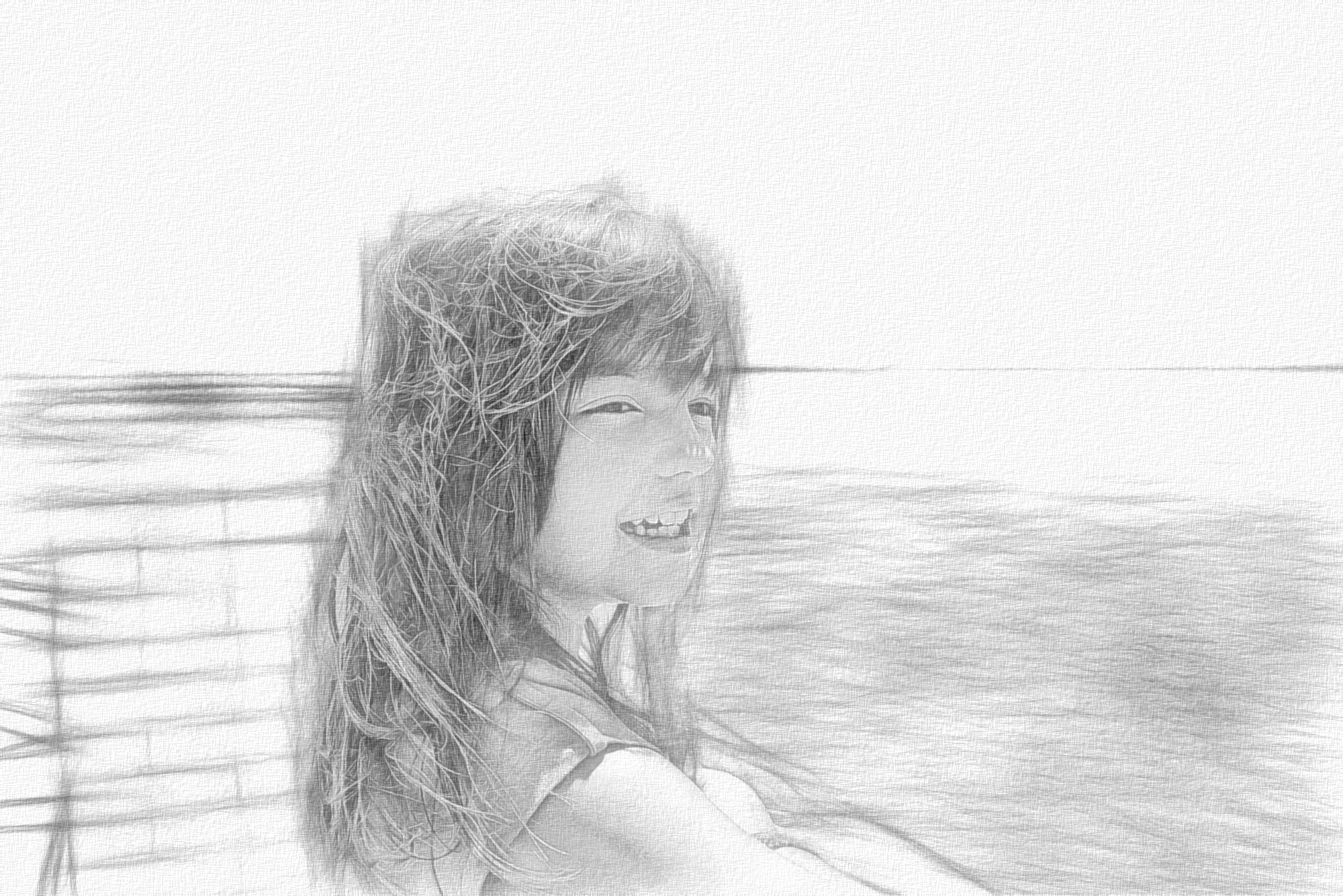
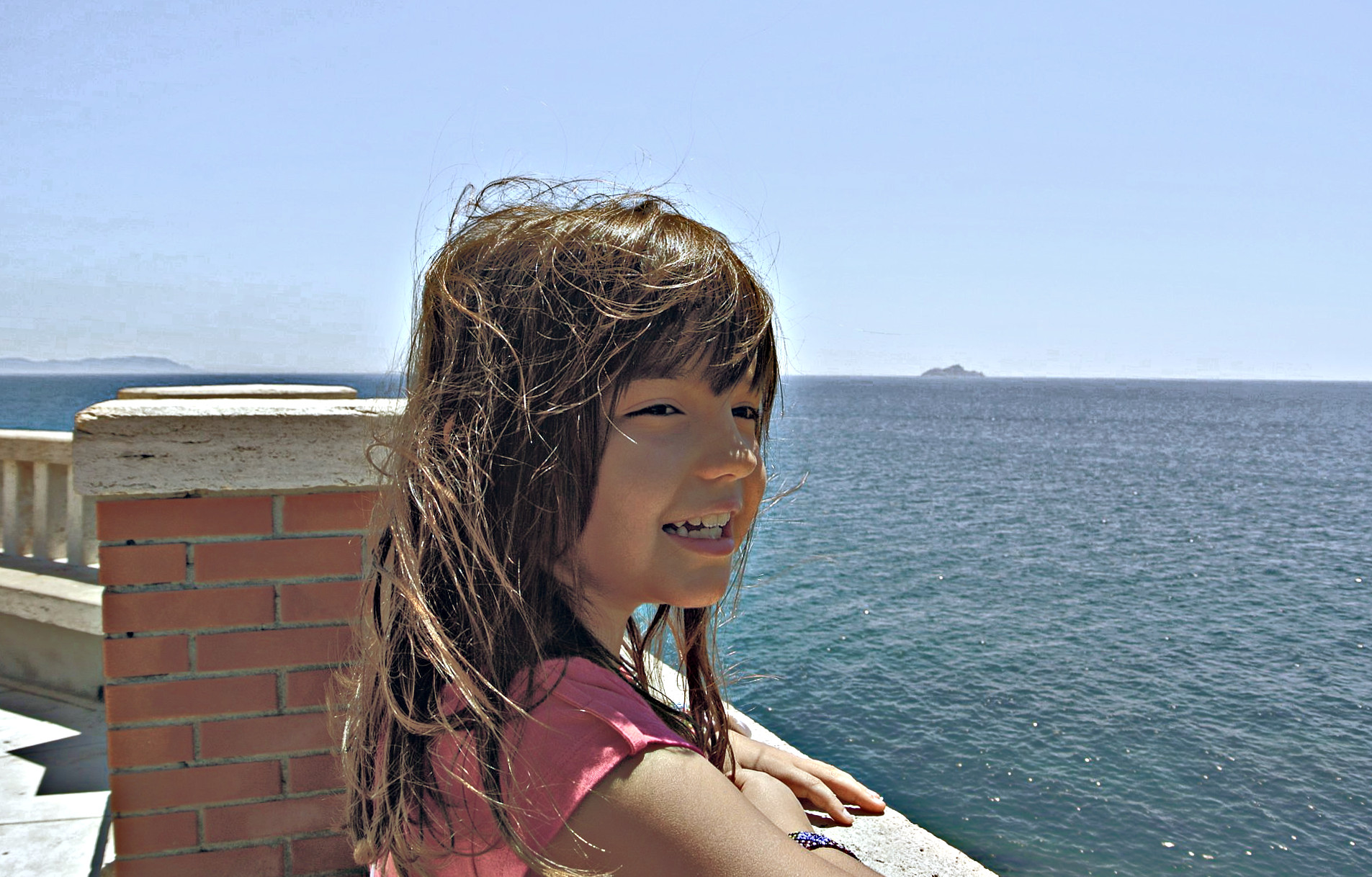
a new image (my granddaughter)
looking far-away....

here the original photo

Attachment:
looking_DSC_5006.JPG
looking_DSC_5006.JPG [ 348.1 KiB | Viewed 2430 times ]


here my "enhanced" version

Attachment:
looking_DSC_5006-enh.JPG
looking_DSC_5006-enh.JPG [ 443.96 KiB | Viewed 2430 times ]


adjusted the horizon, a little crop, more detail and colours
competition is open...

_________________
"Where am I ?"


Top
 Post subject: Re: sharing outcomes - children
PostPosted: Thu Aug 14, 2014 7:24 am  (#31) 
Offline
GimpChat Member
User avatar

Joined: May 17, 2014
Posts: 1572
Image

Played a bit with some G’mic filters and brushes.
BTW beautiful granddaughter, dinasset.

_________________
Ella's gallery - YouTube


Top
 Post subject: Re: sharing outcomes - children
PostPosted: Thu Aug 14, 2014 7:31 am  (#32) 
Offline
GimpChat Member
User avatar

Joined: Jan 20, 2013
Posts: 14835
Location: roma, italy
very very nice, Ella Louise!
(yes, she is a very nice little girl)

_________________
"Where am I ?"


Top
 Post subject: Re: sharing outcomes - children
PostPosted: Thu Aug 14, 2014 8:43 am  (#33) 
Offline
Global Moderator
User avatar

Joined: Apr 01, 2012
Posts: 8475
Location: On the other side of your screen
Image

She is a lovely girl, Ella Louise. Nice subject to work with.

Dinasset lovely granddaughter, I am not game to ask my children if I can post pictures of their children on the www. One of them let everyone know earlier on about her displeasure how ID's can be stolen.

_________________
Image
Free Fun Photo Editing & resources
Poems from the Lord
Gimp Newby
Gimp version 3.2.4 and GMIC-Qt 4.0.2 OS :- Windows 10 Home 64


Last edited by sallyanne on Thu Aug 14, 2014 9:39 am, edited 1 time in total.

Top
 Post subject: Re: sharing outcomes - children
PostPosted: Thu Aug 14, 2014 9:16 am  (#34) 
Offline
GimpChat Member
User avatar

Joined: May 17, 2014
Posts: 1572
Thanks dinasset and salyanne!
I wanted to give it a soft dreamy look. Little girls can be like that :)
Indeed a nice subject to work with.

_________________
Ella's gallery - YouTube


Top
 Post subject: Re: sharing outcomes - children
PostPosted: Fri Aug 15, 2014 3:06 am  (#35) 
Offline
GimpChat Member
User avatar

Joined: Jan 20, 2013
Posts: 14835
Location: roma, italy
Thanks SallyAnne, nice outcome!

_________________
"Where am I ?"


Top
 Post subject: Re: sharing outcomes - children
PostPosted: Sun Aug 17, 2014 11:28 am  (#36) 
Offline
GimpChat Member
User avatar

Joined: Jan 10, 2013
Posts: 863
I tried this look, but lacked a bit of practice and patience. Rather resembles a ceramic doll. (just a little) :roll:
And yes, I agree, she is a very nice little girl! :bigthup
Image


Attachments:
shattest.png
shattest.png [ 3.87 MiB | Viewed 2340 times ]

_________________
bbbbbbbbbbbImage
bbbbbbbbbbb Be patient, English is not my language.
Top
 Post subject: Re: sharing outcomes - children
PostPosted: Wed Aug 20, 2014 6:18 am  (#37) 
Offline
GimpChat Member
User avatar

Joined: Mar 01, 2014
Posts: 14198
Location: Spain, Aragón
Congrats Dinasset having such a pretty graddaughter. I rotated and cropped the photo. I tried to enhance colours in general. Lovely photo.


Attachments:
looking_DSC_5006-rotated.JPG
looking_DSC_5006-rotated.JPG [ 2.24 MiB | Viewed 2314 times ]

_________________
Image

Gimp 2.10.36 (samj) portable _ OS Windows 10 Home_ 64bits
Don’t be afraid to start over. It’s a new chance to rebuild what you want.
Top
 Post subject: Re: sharing outcomes - children
PostPosted: Wed Aug 20, 2014 6:35 am  (#38) 
Offline
GimpChat Member
User avatar

Joined: Dec 08, 2013
Posts: 1088
Using color curves


Attachments:
looking_DSC_5006-curves.JPG
looking_DSC_5006-curves.JPG [ 1.62 MiB | Viewed 2313 times ]

_________________
Image
Top
 Post subject: Re: sharing outcomes - children
PostPosted: Wed Aug 20, 2014 9:32 am  (#39) 
Offline
GimpChat Member

Joined: Jan 20, 2014
Posts: 66
For these kind of photo, I use this plugins to tune its color, contrast, sharpness and shadow brightness by changing the opacity in each layer.
Attachment:
Enhanced.jpg
Enhanced.jpg [ 344.26 KiB | Viewed 2296 times ]

P.S. you can duplicate the layer if you found 100% is not enough


Attachments:
Enhance.zip [1.69 KiB]
Downloaded 102 times
Top
 Post subject: Re: sharing outcomes - children
PostPosted: Wed Aug 20, 2014 1:32 pm  (#40) 
Offline
GimpChat Member
User avatar

Joined: Jan 20, 2013
Posts: 14835
Location: roma, italy
(preliminary note: my internet connection is very slow, so it's frustrating going through all the images in the page, I will comment quickly...)
@Akros: please, do not destroy my granddaughter!....
@Issabella: excellent result!
@SysTemX: good outcome, but: why not to make the horizon horizontal?
@okyl168: which is the plug-in you are referring to? and also to you: and the horizon?....

_________________
"Where am I ?"


Top
Post new topic Reply to topic  [ 89 posts ]  Go to page Previous  1, 2, 3, 4, 5  Next

All times are UTC - 5 hours [ DST ]


* Login  


Powered by phpBB3 © phpBB Group