It is currently Wed Sep 23, 2026 8:38 am


All times are UTC - 5 hours [ DST ]


Post new topic Reply to topic  [ 27 posts ]  Go to page Previous  1, 2
Author Message
 Post subject: Re: Deblurring A Photo
PostPosted: Sun Oct 18, 2015 9:41 am  (#21) 
Offline
Global Moderator
User avatar

Joined: May 16, 2010
Posts: 16173
I had a go with it through Unshake and shellout and got these results.

Image

Still some ghosting on the edges though.

_________________
Image


Top
 Post subject: Re: Deblurring A Photo
PostPosted: Sun Oct 18, 2015 10:00 am  (#22) 
Offline
GimpChat Member
User avatar

Joined: Nov 16, 2011
Posts: 5127
Location: Metro Vancouver, BC
I think everyone is doing excellent work with this image, very informative. :bigthup

_________________
Image
Gimp 2.8.18, Linux, median user
Gimp Chat Tutorials Index
Spirit Bear (Kermode)


Top
 Post subject: Re: Deblurring A Photo
PostPosted: Sun Oct 18, 2015 10:13 am  (#23) 
Offline
Global Moderator
User avatar

Joined: May 16, 2010
Posts: 16173
About as good as i can get it with Unshake and shellout combo. :)
I didn't notice the other fella behind the rock.

Image

_________________
Image


Top
 Post subject: Re: Deblurring A Photo
PostPosted: Sun Oct 18, 2015 10:39 am  (#24) 
Offline
GimpChat Member
User avatar

Joined: Jun 02, 2013
Posts: 2090
Rod wrote:
About as good as i can get it with Unshake and shellout combo. :)
I didn't notice the other fella behind the rock.

[ Image ]

Nice work. I never noticed the other as well, haha. I knew there were two of them, but never noticed. I'm having a problem getting unshake to load through shellout. See other thread for the deets.

_________________
Image


Top
 Post subject: Re: Deblurring A Photo
PostPosted: Sun Oct 18, 2015 10:43 am  (#25) 
Offline
Global Moderator
User avatar

Joined: May 16, 2010
Posts: 16173
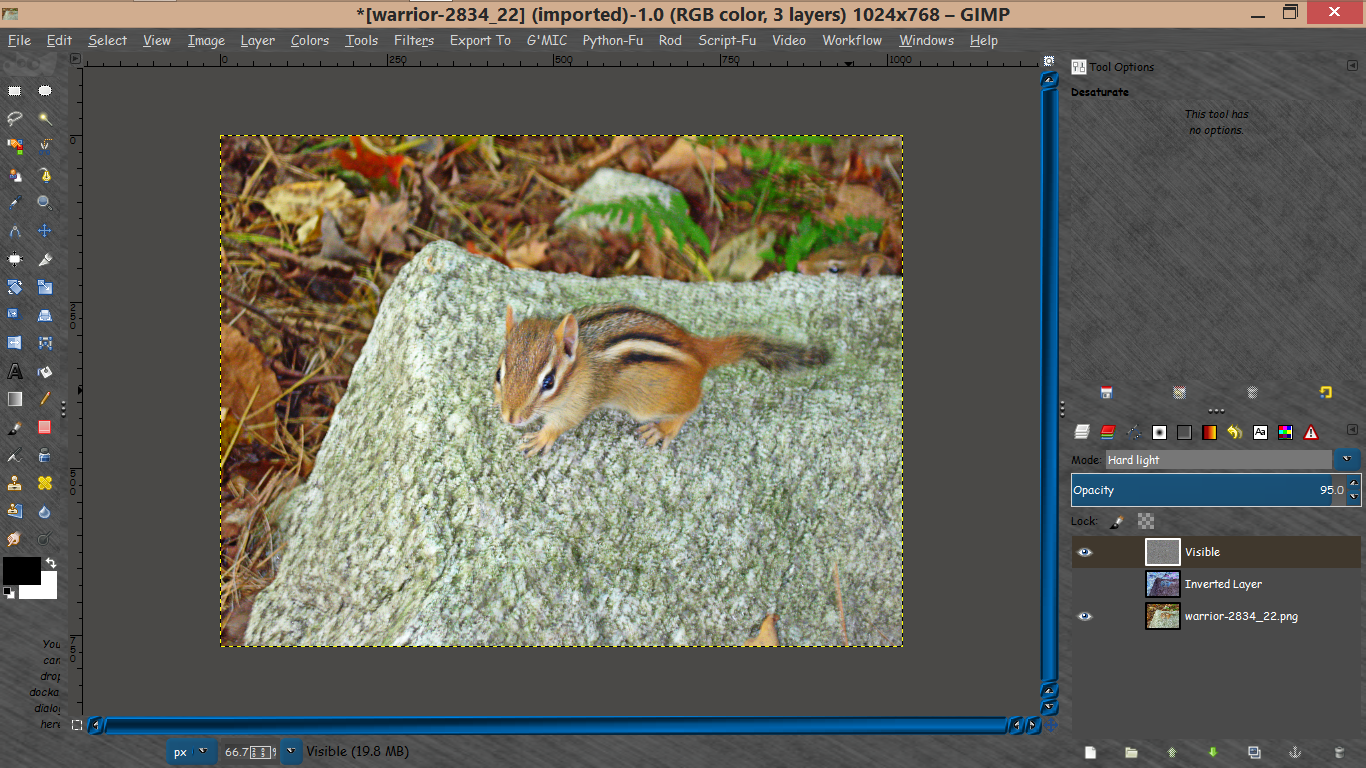
Concerning the Wallace deblur filter. I switched the mode to HARDLIGHT instead of OVERLAY in the filter code.
I like those results better.

Image

Now just duplicate the visible layer for an even sharper result.

_________________
Image


Top
 Post subject: Re: Deblurring A Photo
PostPosted: Sun Oct 18, 2015 7:04 pm  (#26) 
Offline
Administrator
User avatar

Joined: Aug 10, 2012
Posts: 14207
Location: Native to NYC living in Arizona, Gimp 2.8 - 3.0, Win 11 PC.
dinasset wrote:
The Warrior wrote:
Wallace wrote:
Those are all really good results Warrior.
I think the one where you used Unshaker came out best.

It did, but, I really like that technique you posted. :bigthup

me too, so I wrote a small filter to implement that tut (you know I'm a bit lazy...)

Attachment:
Wallace_style_deblur.7z

:coolthup

_________________
Image
"A wise man learns more from a foolish question than a fool can learn from a wise answer"
Image


Top
 Post subject: Re: Deblurring A Photo
PostPosted: Tue Oct 20, 2015 1:26 pm  (#27) 
Offline
Script Coder
User avatar

Joined: Jul 14, 2010
Posts: 697
dinasset wrote:
excellent Rob.
How can one measure the motion blur?


Just look for a highlight or a unique color spot, and measure with the built in gimp measure tool

-Rob A>

_________________
Image
Fantasy Cartography and Mapping by RobA


Top
Post new topic Reply to topic  [ 27 posts ]  Go to page Previous  1, 2

All times are UTC - 5 hours [ DST ]


* Login  


Powered by phpBB3 © phpBB Group