It is currently Sun Sep 27, 2026 2:40 am


All times are UTC - 5 hours [ DST ]


Post new topic Reply to topic  [ 9 posts ] 
Author Message
 Post subject: A Birthday Card
PostPosted: Sat Aug 17, 2013 11:45 am  (#1) 
Offline
GimpChat Member
User avatar

Joined: Jun 24, 2010
Posts: 504
Location: Western Vic Australia
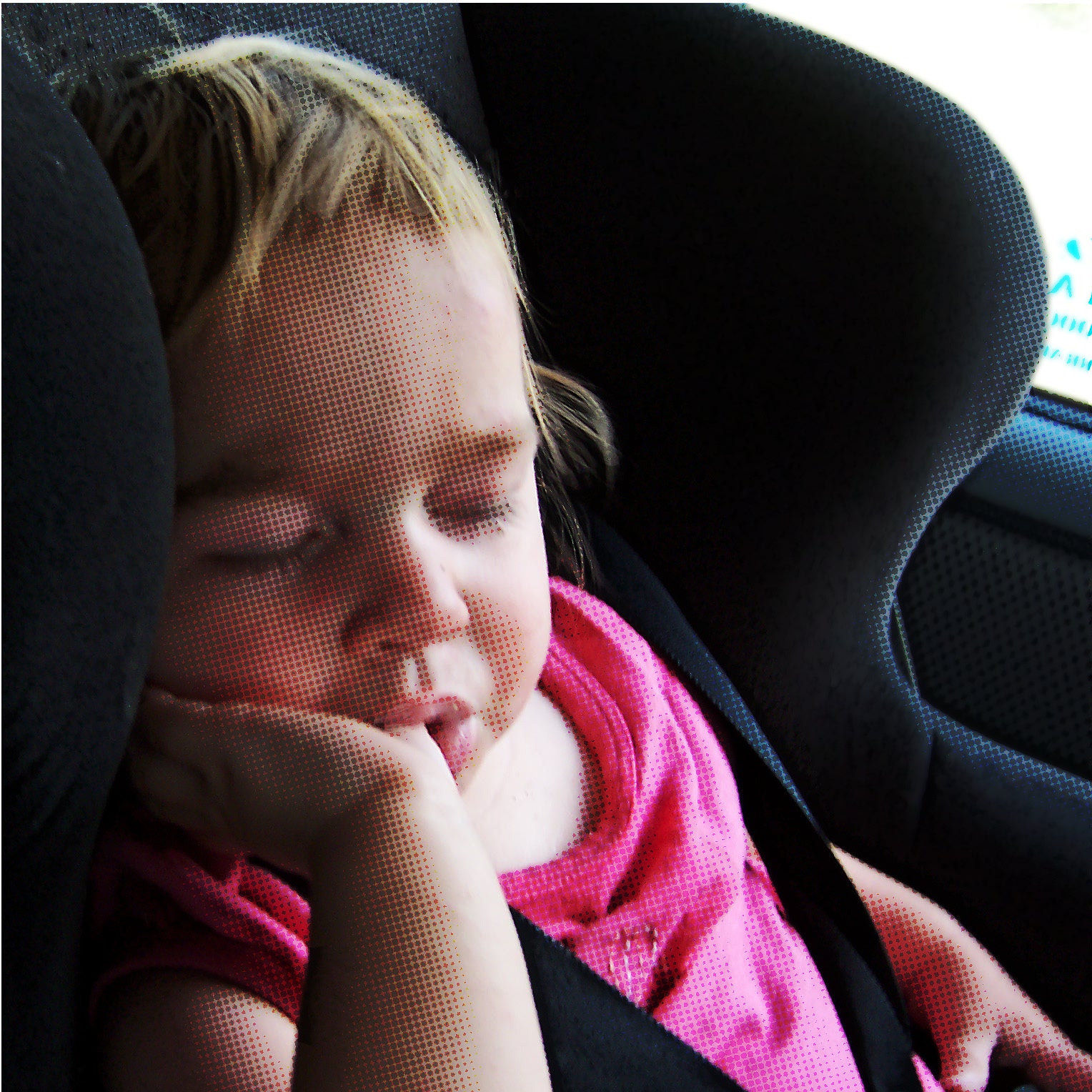
I am currently exploring the capabilities and the extents of the Newsprint Filter. I was hesitant to put this up, as I have recently shown some Len(n)a Photo manips using similar techniques. This is a manip of a photo of my grand daughter taken 6 years ago when she fell asleep in the car seat. With suitable lettering this will be made into a Birthday Card. From this
Image
to this
Image

BTW How long do you take to do a manip like this. Took me 4 hours with all the fluffing around to repeat and try again stuff. Critique and comments invited.

_________________
Image


Share on Facebook Share on Twitter Share on Orkut Share on Digg Share on MySpace Share on Delicious Share on Technorati
Top
 Post subject: Re: A Birthday Card
PostPosted: Sat Aug 17, 2013 12:37 pm  (#2) 
Offline
GimpChat Member
User avatar

Joined: Apr 07, 2010
Posts: 14182
Very cute wooble, I am sure she will just love that. :teeth

_________________
Image


Top
 Post subject: Re: A Birthday Card
PostPosted: Sat Aug 17, 2013 12:51 pm  (#3) 
Offline
GimpChat Member
User avatar

Joined: Jul 17, 2012
Posts: 2769
wbool63 wrote:
I was hesitant to put this up, as I have recently shown some Len(n)a Photo manips using similar techniques.
no wbool, pls dont stop

keep them coming, its always inspiring to see what you do !


Top
 Post subject: Re: A Birthday Card
PostPosted: Sat Aug 17, 2013 1:00 pm  (#4) 
Offline
GimpChat Founder
User avatar

Joined: May 22, 2008
Posts: 5241
Location: Gimpville
wbool63 wrote:
BTW How long do you take to do a manip like this. Took me 4 hours with all the fluffing around to repeat and try again stuff. Critique and comments invited.

Your results are very good. It looks smooth.

I've been sucked into time consuming photo manips many times, especially restorations, which can many hours of work.

You can get a similar effect to what you have by using G'MIC. I duped the layer, applied halftone filter to top layer, set the mode and decreased the opacity.
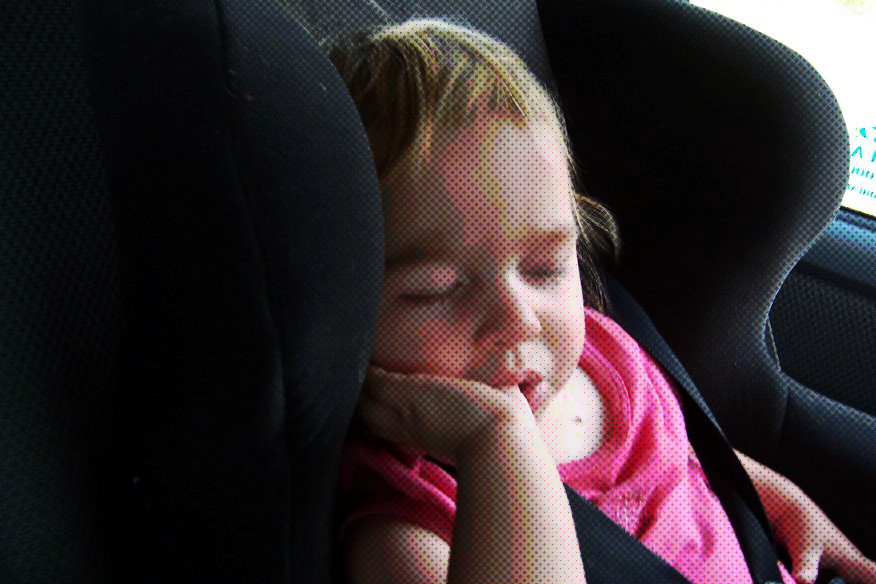
Image

I'm sure you can get much better results than this, with a little more time & effort, but this only took 5 minutes.

_________________
“If you reach for the stars, you just might land on a decently sized hill.” - Stuart Hill


Top
 Post subject: Re: A Birthday Card
PostPosted: Sat Aug 17, 2013 3:52 pm  (#5) 
Offline
GimpChat Member

Joined: Aug 15, 2013
Posts: 125
Have you tried using the newsprint filter to make a mask for your image layer? I think that will give you a more authentic effect, if that's what you are going for (JUST) coloured dots, instead of coloured dots over image.


Top
 Post subject: Re: A Birthday Card
PostPosted: Sat Aug 17, 2013 4:02 pm  (#6) 
Offline
GimpChat Member
User avatar

Joined: Apr 08, 2010
Posts: 5420
Location: Northwest Ohio
I would like to see this done with flatter coloring, more like a real newsprint comics.


Top
 Post subject: Re: A Birthday Card
PostPosted: Sat Aug 17, 2013 4:05 pm  (#7) 
Offline
GimpChat Member
User avatar

Joined: Jul 17, 2012
Posts: 2769
i agree with CRogers and 2-ton, the overall effect could be stronger but i can see how it can be difficult finding the balance between preserving the cuteness of the baby, while making the whole picture more "abstract" (posterized or vector-art-like)


Top
 Post subject: Re: A Birthday Card
PostPosted: Sun Aug 18, 2013 3:06 am  (#8) 
Offline
GimpChat Member
User avatar

Joined: Jun 24, 2010
Posts: 504
Location: Western Vic Australia
Hi, Thank you All, for your replies.
GnuTux , I tried for about one hour to get a decent result. But I had trouble with banding ( see on your example , her arm) . The other problem I have with that filter is that it only allows for 45 degree dot angles, which I do not like . I believe a 20 or 15 degree looks better . That is just a personal opinion.
CR, I am not quite sure what you mean with a mask filter. I apply the filter, use it in Multiply mode and then apply a white layermask and mask off some dots . (I masked off some dots on the lips, the dress and the hair ). Is that what you mean?
2T, yes, flatter tones are an option but I tried to not turn it into a cartoon. I will experiment with flatter tones when I have the right picture. It is very hard to find the right image with relatively large flat areas.
Esper, as you say, the effect could be stronger , including the use of the Cartoon filter or the Photocopy filter to bring in some line art. I may still do that as I still have to do the lettering. I might have a look at some of your text effects for that. :-)

_________________
Image


Top
 Post subject: Re: A Birthday Card
PostPosted: Sun Aug 18, 2013 10:34 am  (#9) 
Offline
GimpChat Member
User avatar

Joined: Jul 17, 2012
Posts: 2769
maybe something like a duotone effect could be used
or the Obey/Hope Obama poster effect ?

here is a tutorial for the duotone:
http://gimp-tutorials.net/GIMP-split-toning-tutorial/


Top
Post new topic Reply to topic  [ 9 posts ] 

All times are UTC - 5 hours [ DST ]


* Login  


Powered by phpBB3 © phpBB Group