It is currently Fri Aug 07, 2026 2:59 am


All times are UTC - 5 hours [ DST ]


Post new topic Reply to topic  [ 62 posts ]  Go to page Previous  1, 2, 3, 4  Next
Author Message
 Post subject: Re: Basic animation (beginner)
PostPosted: Sun Nov 16, 2014 11:28 am  (#41) 
Offline
GimpChat Member
User avatar

Joined: Apr 07, 2010
Posts: 14182
Look good astevn816... If you don't want it to have the blue background, just delete the blue bottom layer.

_________________
Image


Top
 Post subject: Re: Basic animation (beginner)
PostPosted: Mon Nov 17, 2014 3:13 am  (#42) 
Offline
GimpChat Member
User avatar

Joined: Feb 14, 2013
Posts: 462
Location: Stockholm
Oregonian wrote:
That was quick and easy. Nice. I deleted the bottom 5 layers and filled the resulting bottom one with black.

[ Image ]


Oregonian
Cool animation and good locking font.

Jamie990
I vill try your tutorial. Thanks for sharing.
Lurifax.

_________________
Late 2017 iMac Retina 4K 21,5 inch Mac OS High Sierra version 10.13.4
3,6 GHz Intel Core i7
16 GB Ram 2400 MHz DDR4
Graphic card Radeon Pro 560 4096 MB
Affinity Photo and Affinity Designers.


Top
 Post subject: Re: Basic animation (beginner)
PostPosted: Mon Nov 17, 2014 11:10 am  (#43) 
Offline
GimpChat Member

Joined: Jan 25, 2014
Posts: 78
First of all I want to thank you all for the valuable knowledge you have shared. I have laerned so much. Also those exeptionally talented script writers have given me and others relly funny and useful short cuts to do things easier. Thank you!

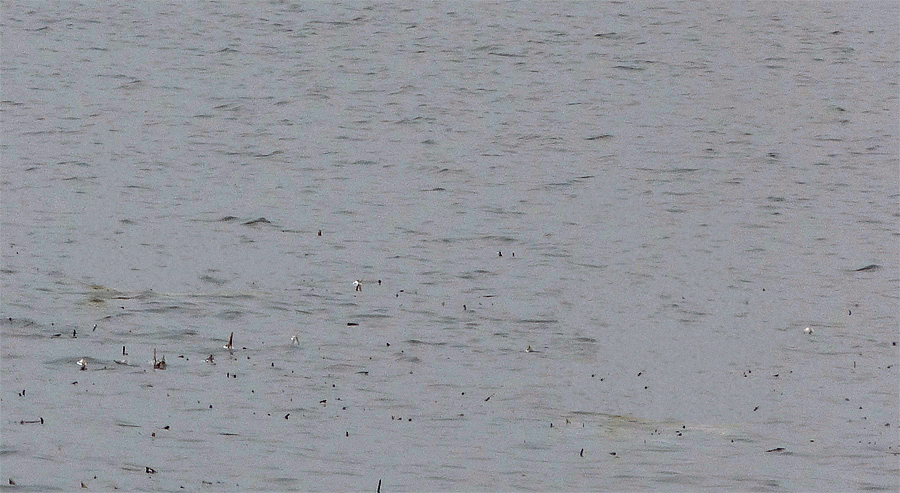
Today I tried to make animation of a photo. Photo was taken 15.11.2014 so they were late to move, but there was a chick among the ten swans.

Image

Now I wonder wether it is possible somehow get those bites smaller to make the animation smoother? I've tried several changes in settings but haven't got it.


Top
 Post subject: Re: Basic animation (beginner)
PostPosted: Mon Nov 17, 2014 11:38 am  (#44) 
Offline
GimpChat Member
User avatar

Joined: Apr 07, 2010
Posts: 14182
I don't see anything moving or is it just my eyes... :oops: :oops:

_________________
Image


Top
 Post subject: Re: Basic animation (beginner)
PostPosted: Tue Nov 18, 2014 12:15 am  (#45) 
Offline
GimpChat Member

Joined: Jan 25, 2014
Posts: 78
Phuuh! I'm sorry. I've done something wrong in that. I'll try again.


Attachments:
Swans-again.gif
Swans-again.gif [ 243.9 KiB | Viewed 10564 times ]
Top
 Post subject: Re: Basic animation (beginner)
PostPosted: Wed Nov 19, 2014 10:49 am  (#46) 
Offline
GimpChat Member

Joined: Jan 11, 2012
Posts: 62
Location: Gainesville, Florida
I was unable to delete bottom layer, I got a message that it needed two layers. I unchecked the background eye image and this is how it turned out.

Image


Top
 Post subject: Re: Basic animation (beginner)
PostPosted: Wed Nov 19, 2014 10:53 am  (#47) 
Offline
GimpChat Member

Joined: Jan 11, 2012
Posts: 62
Location: Gainesville, Florida
sometimes the animation starts at the first letter and sometimes it starts a few letters in, is that a font issue or something else


Top
 Post subject: Re: Basic animation (beginner)
PostPosted: Wed Nov 19, 2014 10:59 am  (#48) 
Offline
GimpChat Member
User avatar

Joined: Apr 07, 2010
Posts: 14182
I find that too. The script only works the way it wants, when it wants.
There are other ways to make animations like that with the many tutorials we have here. Check out ccbarrs tutorials, easy to follow and great explanations as you go.

_________________
Image


Top
 Post subject: Re: Basic animation (beginner)
PostPosted: Wed Nov 19, 2014 11:48 am  (#49) 
Offline
GimpChat Member
User avatar

Joined: Nov 16, 2011
Posts: 5127
Location: Metro Vancouver, BC
astevn816 wrote:
sometimes the animation starts at the first letter and sometimes it starts a few letters in, is that a font issue or something else
Try adding a blank top (first) layer.

_________________
Image
Gimp 2.8.18, Linux, median user
Gimp Chat Tutorials Index
Spirit Bear (Kermode)


Top
 Post subject: Re: Basic animation (beginner)
PostPosted: Wed Nov 19, 2014 12:01 pm  (#50) 
Offline
Script Coder
User avatar

Joined: Apr 23, 2010
Posts: 1553
Location: not from Guildford after all
astevn816 wrote:
sometimes the animation starts at the first letter and sometimes it starts a few letters in, is that a font issue or something else

If you are referring to how your animation plays in the forums, where it starts is dependent upon the timing of the image downloading and the webpage being rendered on your display. It is not uncommon for the GIF image to download and the animation start before your browser finishes rendering the page.

Try adding a couple seconds of delay to the first frame (bottom layer).

_________________
Any sufficiently primitive technology is indistinguishable from a rock.


Top
 Post subject: Re: Basic animation (beginner)
PostPosted: Wed Nov 19, 2014 3:51 pm  (#51) 
Offline
GimpChat Member

Joined: Jan 11, 2012
Posts: 62
Location: Gainesville, Florida
Fadeout Width 100
Corona Width 10
After Glow 150
Speed (pixels/frames) 30


Image


Top
 Post subject: Re: Basic animation (beginner)
PostPosted: Wed Nov 19, 2014 4:32 pm  (#52) 
Offline
GimpChat Member
User avatar

Joined: Apr 07, 2010
Posts: 14182
I have been using these settings... 500,1,50,35

_________________
Image


Top
 Post subject: Re: Basic animation (beginner)
PostPosted: Tue Nov 22, 2016 4:06 am  (#53) 
Offline
GimpChat Member

Joined: Dec 29, 2015
Posts: 223
After NewZealand Pakistan will go to Austrailia for cricket matches. Many wickets will fall.


Attachments:
Pak_Austrailia Cricket Series.gif
Pak_Austrailia Cricket Series.gif [ 10.4 KiB | Viewed 9324 times ]
Top
 Post subject: Re: Basic animation (beginner)
PostPosted: Tue Nov 22, 2016 5:13 am  (#54) 
Offline
GimpChat Member
User avatar

Joined: Apr 07, 2010
Posts: 14182
Wow, that is cool.

_________________
Image


Top
 Post subject: Re: Basic animation (beginner)
PostPosted: Tue Nov 22, 2016 2:59 pm  (#55) 
Offline
Global Moderator
User avatar

Joined: Oct 02, 2014
Posts: 5012
Location: Sydney Australia
Rashid - nice anim; hopefully (given my location) it is mostly Pakistan wickets that will fall, but our batting is a bit thin right now :)

_________________
Image

Respect should be offered freely but hard earned


Top
 Post subject: Re: Basic animation (beginner)
PostPosted: Tue Nov 22, 2016 8:02 pm  (#56) 
Offline
GimpChat Member
User avatar

Joined: Mar 15, 2016
Posts: 180
Location: USA
Wow! This is fun!


Attachments:
MeemawBurn-in.gif
MeemawBurn-in.gif [ 156.85 KiB | Viewed 9286 times ]

_________________
Image
(Never stop learning!)
Top
 Post subject: Re: Basic animation (beginner)
PostPosted: Tue Nov 22, 2016 10:27 pm  (#57) 
Offline
GimpChat Member

Joined: Dec 29, 2015
Posts: 223
Throughout my life I have seen Pakistani Bating line facing disastors outside India, Pakistan and new Pakistan-like UAE. Strangely this year Pakistan was able to show some performance in England but hey failed in the First Match against KIWIS. We miss Waseem Akram and Waqar Younus and Imran Khan. I wish them come home with flying colours.

So far animation is concerned I have seen many tricks for animation. I can put drop shadow to the ball and flying bails etc. It was an experiment which is successful.


Top
 Post subject: Re: Basic animation (beginner)
PostPosted: Thu May 11, 2017 10:46 am  (#58) 
Offline
GimpChat Member
User avatar

Joined: Jan 06, 2017
Posts: 204
GIMP 2.8.20 Windows 10 64-bit

Hi, I'm having trouble getting the desired result for the "Burn-in" feature... have tried but not sure why it doesn't turn out like the ones at the start of this thread.

Mine looks like this: (Tried uploading a gif, but got error msg) https://www.youtube.com/watch?v=tD2uQXGZMm0 (I looped it a few times..)..

It's like a vertical bar is scanning the canvas to reveal the text, not the intended result at all.. maybe I didn't understand the process?

Any help appreciated, cheers :)


Top
 Post subject: Re: Basic animation (beginner)
PostPosted: Thu May 11, 2017 10:28 pm  (#59) 
Offline
GimpChat Member

Joined: May 12, 2015
Posts: 4693
Here is a tutorial to follow for the Burn in script. It is really straight forward with a lot of screen shots.

http://www.dslreports.com/forum/r120028 ... n-Tutorial


Top
 Post subject: Re: Basic animation (beginner)
PostPosted: Fri May 12, 2017 2:57 am  (#60) 
Offline
GimpChat Member
User avatar

Joined: Jan 06, 2017
Posts: 204
Thanks Pat that really helped, now I can't even remember what I was doing wrong! It doesn't matter though as now it's like the easiest thing in the world. :)
Much obliged!


Top
Post new topic Reply to topic  [ 62 posts ]  Go to page Previous  1, 2, 3, 4  Next

All times are UTC - 5 hours [ DST ]


* Login  


Powered by phpBB3 © phpBB Group