It is currently Mon Aug 10, 2026 7:34 am


All times are UTC - 5 hours [ DST ]


Post new topic Reply to topic  [ 3 posts ] 
Author Message
 Post subject: .gif washing out the red
PostPosted: Wed Jan 23, 2013 3:59 pm  (#1) 
Offline
GimpChat Member

Joined: Aug 05, 2011
Posts: 606
Location: limestone,ny
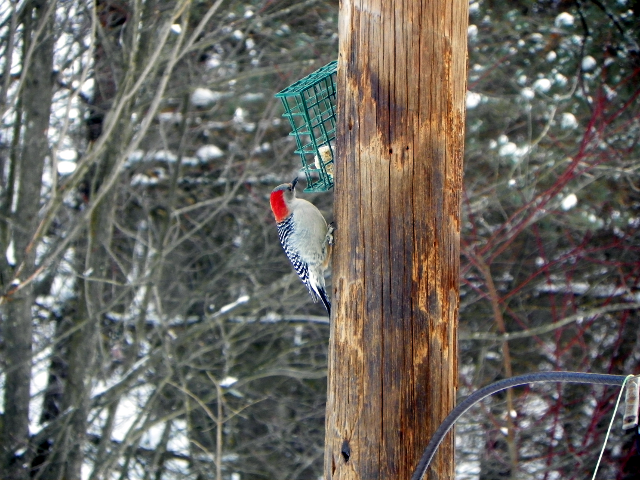
Any way to keep the red from getting so washed out when saving as .gif
from this to that
Image

Image


Share on Facebook Share on Twitter Share on Orkut Share on Digg Share on MySpace Share on Delicious Share on Technorati
Top
 Post subject: Re: .gif washing out the red
PostPosted: Wed Jan 23, 2013 4:11 pm  (#2) 
Offline
Script Coder
User avatar

Joined: Oct 25, 2010
Posts: 4812
Provide your own palette with that specific shade. Load the current gif, get the colormap, and convert to palette. edit the palette, replace one of the color by the shade you want. Then open the RGB version of the image, and, convert to indexed providing your palette.

_________________
Image


Top
 Post subject: Re: .gif washing out the red
PostPosted: Wed Jan 23, 2013 4:36 pm  (#3) 
Offline
GimpChat Member
User avatar

Joined: Sep 22, 2012
Posts: 2089
Location: US
Convert the image to indexed yourself before saving as GIF using Floyd-Steinberg (normal) or Floyd-Steinberg (reduced color bleeding) dithering method.


GIFs are limited to the max of 256 colors, use web-optimized palette, gifs are mostly for web display, anyway.


Top
Post new topic Reply to topic  [ 3 posts ] 

All times are UTC - 5 hours [ DST ]


* Login  


Powered by phpBB3 © phpBB Group