It is currently Wed Sep 30, 2026 6:57 pm


All times are UTC - 5 hours [ DST ]


Post new topic Reply to topic  [ 21 posts ]  Go to page 1, 2  Next
Author Message
 Post subject: Inkscape Forum site
PostPosted: Fri Jun 03, 2011 9:16 am  (#1) 
Offline
Global Moderator
User avatar

Joined: May 16, 2010
Posts: 16175
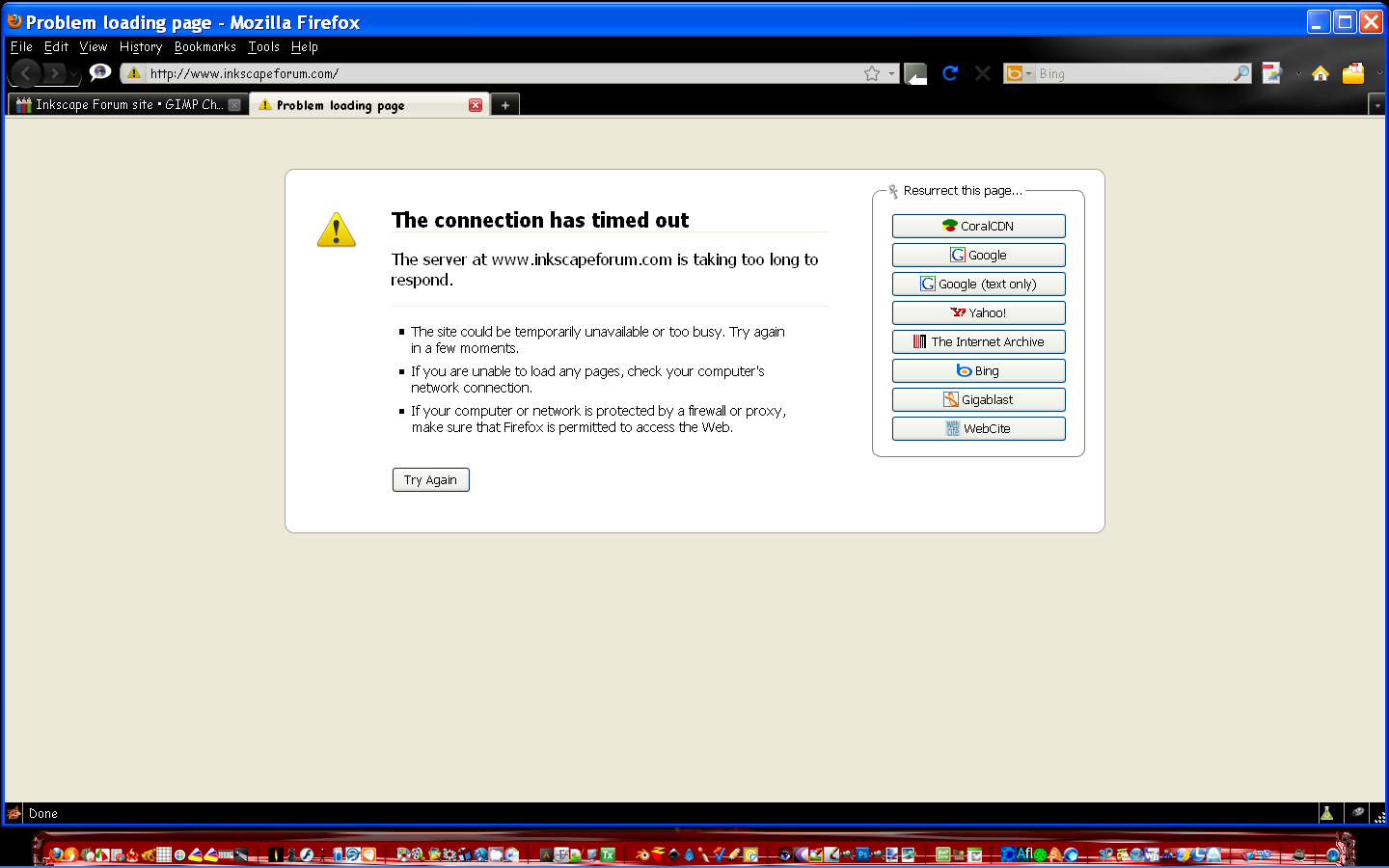
Does anyone have a clue as to why all of a sudden its no longer available?


Share on Facebook Share on Twitter Share on Orkut Share on Digg Share on MySpace Share on Delicious Share on Technorati
Top
 Post subject: Re: Inkscape Forum site
PostPosted: Fri Jun 03, 2011 10:04 am  (#2) 
Offline
Retired Staff
User avatar

Joined: May 22, 2008
Posts: 6946
Location: Somewhere in GIMP
I don't know which one you mean. I found three Inkscape forums and they are all working.

http://www.inkscapeforum.com/

http://old.nabble.com/Inkscape-f1925.html

http://inkscape-forum.andreas-s.net/forum/8

_________________
Image
World War IV will be fought with sticks and stones. - Albert Einstein


Top
 Post subject: Re: Inkscape Forum site
PostPosted: Fri Jun 03, 2011 10:40 am  (#3) 
Offline
Global Moderator
User avatar

Joined: May 16, 2010
Posts: 16175
http://inkscapeforum.com/
All i see is the timed out page. :\

Image


Top
 Post subject: Re: Inkscape Forum site
PostPosted: Fri Jun 03, 2011 10:44 am  (#4) 
Offline
GimpChat Member

Joined: Jun 01, 2011
Posts: 13
Weird... It's working fine for me.


Top
 Post subject: Re: Inkscape Forum site
PostPosted: Fri Jun 03, 2011 11:14 am  (#5) 
Offline
Global Moderator
User avatar

Joined: May 16, 2010
Posts: 16175
I know.

I can get to it by using the wayback machine. :P
It's a snapshot of 2009 though :lol

Image


Top
 Post subject: Re: Inkscape Forum site
PostPosted: Fri Jun 03, 2011 11:21 am  (#6) 
Offline
GimpChat Member
User avatar

Joined: Sep 24, 2010
Posts: 12849
I have no problem getting to the site Rod (but I'm using IE; lol). You might try to delete any cache and cookies in Firefox and try again. Figured you already tried rebooting you PC. :)


Attachments:
Clipboard01.png
Clipboard01.png [ 115.84 KiB | Viewed 6810 times ]

_________________
Lyle

Psalm 109:8

Image
Top
 Post subject: Re: Inkscape Forum site
PostPosted: Fri Jun 03, 2011 11:34 am  (#7) 
Offline
Script Coder
User avatar

Joined: Jul 14, 2010
Posts: 697
http://www.inkscapeforum.com/ Works fine here, too.

-Rob A>

_________________
Image
Fantasy Cartography and Mapping by RobA


Top
 Post subject: Re: Inkscape Forum site
PostPosted: Fri Jun 03, 2011 11:35 am  (#8) 
Offline
Retired Staff
User avatar

Joined: May 22, 2008
Posts: 6946
Location: Somewhere in GIMP
I'm using Firefox v3.5.15 and it's loading fine for me. I think Lyle's suggestion about clearing your cache and cookies may help but dunno. Maybe it's your IP? Are you having trouble with any other websites loading?

_________________
Image
World War IV will be fought with sticks and stones. - Albert Einstein


Top
 Post subject: Re: Inkscape Forum site
PostPosted: Fri Jun 03, 2011 12:23 pm  (#9) 
Offline
Global Moderator
User avatar

Joined: May 16, 2010
Posts: 16175
Nope just this one.Someone told me that Norton after being removed via add/remove programs doesn't really remove everything and sometimes will cause a site to look like its unsecure, and not load it.so i downloaded the norton removal tool from symantecs website and it did indeed seem to remove a few files the add/remove program missed.Tried it again and still it will not load the site.
I cleared all cookies and cache still inkscape forums won't load. :\

Weird.


Top
 Post subject: Re: Inkscape Forum site
PostPosted: Fri Jun 03, 2011 12:33 pm  (#10) 
Offline
Global Moderator
User avatar

Joined: May 16, 2010
Posts: 16175
Hrmmmm starting to wonder if its my IP as navigator and IE8 both will not allow the site to open either. :)


Top
 Post subject: Re: Inkscape Forum site
PostPosted: Fri Jun 03, 2011 12:34 pm  (#11) 
Offline
GimpChat Member
User avatar

Joined: Sep 24, 2010
Posts: 12849
Yeah; when I was steadily in the PC repair business, I hated Norton. Their philosophy is that it takes a virus to kill one. lol

Not sure what the solution is Rod. Thought you were using Linux, but looks like you are using Windows. Try booting in safe mode with networking and see if you can get to that site. That will at least rule out a possible rogue program blocking you. Could also be something obscure with your firewall (dangerous, but you could temporarily disable it and see if you can get to that site).

And you just Ninja'ed me Rod (when will there be a smiley so I can post one here with that; lol). :)

_________________
Lyle

Psalm 109:8

Image


Top
 Post subject: Re: Inkscape Forum site
PostPosted: Fri Jun 03, 2011 12:45 pm  (#12) 
Offline
Global Moderator
User avatar

Joined: May 16, 2010
Posts: 16175
Going to download Opera and try that.
Nothing doing - - guess ill have to contact my service provider and find out whats going on.


Top
 Post subject: Re: Inkscape Forum site
PostPosted: Fri Jun 03, 2011 12:45 pm  (#13) 
Offline
Global Moderator
User avatar

Joined: May 16, 2010
Posts: 16175
Thanks Lyle ill try those first.Safe mode might do it. :)


Top
 Post subject: Re: Inkscape Forum site
PostPosted: Fri Jun 03, 2011 2:40 pm  (#14) 
Offline
GimpChat Member
User avatar

Joined: Mar 02, 2011
Posts: 1850
Location: Michigan
Rod, just use a proxy :)
That would work to test for your IP
http://funky-bieber.tk

_________________
Image
I'm back I think


Top
 Post subject: Re: Inkscape Forum site
PostPosted: Fri Jun 03, 2011 4:10 pm  (#15) 
Offline
GimpChat Member
User avatar

Joined: Apr 09, 2011
Posts: 1764
well I've never been there before and I got there first up with Chrome


Top
 Post subject: Re: Inkscape Forum site
PostPosted: Fri Jun 03, 2011 6:39 pm  (#16) 
Offline
Global Moderator
User avatar

Joined: May 16, 2010
Posts: 16175
I don't think it like me. :lol


Top
 Post subject: Re: Inkscape Forum site
PostPosted: Fri Jun 03, 2011 7:34 pm  (#17) 
Offline
GimpChat Member

Joined: Mar 08, 2011
Posts: 155
It won't open for me in Firefox or IE. Just gets a loading error.

I don't need to go there and I know this doesn't help, but misery loves company :P


Top
 Post subject: Re: Inkscape Forum site
PostPosted: Fri Jun 03, 2011 7:40 pm  (#18) 
Offline
GimpChat Member
User avatar

Joined: Mar 02, 2011
Posts: 1850
Location: Michigan
Rod, did you try using a Proxy to test your IP?
and it works for me in Firefox 4

_________________
Image
I'm back I think


Top
 Post subject: Re: Inkscape Forum site
PostPosted: Fri Jun 03, 2011 8:30 pm  (#19) 
Offline
GimpChat Member
User avatar

Joined: Sep 24, 2010
Posts: 12849
Not going to change my settings back, but forgot that I'm using OpenDNS (208.67.222.222, 208.67.220.220). It could have something to do with the caching that your ISP's DNS server is using. You can also try OpenDNS temporarily to see if that's the case Rod. :)

_________________
Lyle

Psalm 109:8

Image


Top
 Post subject: Re: Inkscape Forum site
PostPosted: Fri Jun 03, 2011 9:13 pm  (#20) 
Offline
GimpChat Member
User avatar

Joined: Apr 30, 2010
Posts: 1937
Location: Missouri
It works for me.

_________________
Image
The last time I kept an open mind,
my brain fell out and the dog grabbed it.
Now it's full of dirt, toothmarks, and dog slobber.
No more open minds or dogs for me.


Top
Post new topic Reply to topic  [ 21 posts ]  Go to page 1, 2  Next

All times are UTC - 5 hours [ DST ]


* Login  


Powered by phpBB3 © phpBB Group