It is currently Mon Aug 10, 2026 10:29 pm


All times are UTC - 5 hours [ DST ]


Post new topic Reply to topic  [ 24 posts ]  Go to page 1, 2  Next
Author Message
 Post subject: Files deleted?
PostPosted: Sun May 26, 2013 9:32 am  (#1) 
Offline
Global Moderator
User avatar

Joined: Apr 01, 2012
Posts: 8454
Location: On the other side of your screen
Are you able to delete files from G'MIC, from the filter window - not folder?
I seem to have quite a few files missing. Have not been to G'MIC folder at all so couldn't have done it from there if I have. I cant find samj's filters under testing!!!!??

_________________
Image
Free Fun Photo Editing & resources
Poems from the Lord
Gimp Newby
Gimp version 3.2.4 and GMIC-Qt 4.0.2 OS :- Windows 10 Home 64


Share on Facebook Share on Twitter Share on Orkut Share on Digg Share on MySpace Share on Delicious Share on Technorati
Top
 Post subject: Re: Files deleted?
PostPosted: Sun May 26, 2013 10:08 am  (#2) 
Offline
GimpChat Member
User avatar

Joined: Jan 20, 2013
Posts: 14831
Location: roma, italy
if - by files deleted you mean "plug-ins disappeared" - YES, after the last on-line update a lot have vanished (they were around 480, now they are less than 430), including the SamJ's ones.
Maybe it's a temporary reorganisation (hopefully!)

_________________
"Where am I ?"


Top
 Post subject: Re: Files deleted?
PostPosted: Sun May 26, 2013 10:11 am  (#3) 
Offline
GimpChat Member
User avatar

Joined: Sep 22, 2012
Posts: 2089
Location: US
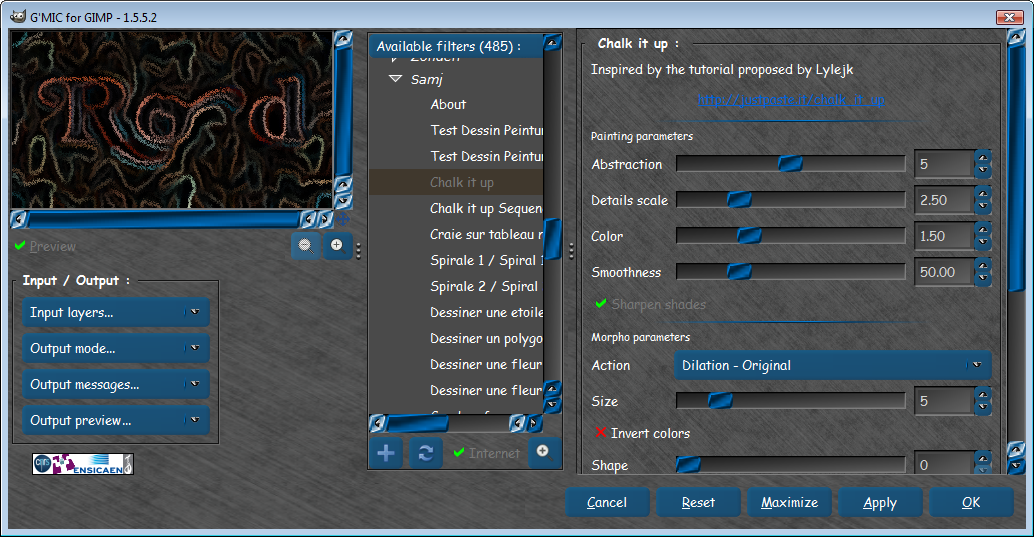
Confirmed. No samj' filters, although, they are listed on gmic's official webpage.
the screenshot is taken after refreshing via Internet button twice.

Image


Top
 Post subject: Re: Files deleted?
PostPosted: Sun May 26, 2013 11:53 am  (#4) 
Offline
GimpChat Member

Joined: May 09, 2012
Posts: 914
Bonjour,

Scripts are no longer available after the many regression problems.


Top
 Post subject: Re: Files deleted?
PostPosted: Sun May 26, 2013 12:03 pm  (#5) 
Offline
GimpChat Member
User avatar

Joined: Sep 22, 2012
Posts: 2089
Location: US
It's a pitty to hear that sam! Is it still available in older versions of GMIC?
I might downgrade to previous version then.


Top
 Post subject: Re: Files deleted?
PostPosted: Sun May 26, 2013 12:14 pm  (#6) 
Offline
GimpChat Member

Joined: May 09, 2012
Posts: 914
http://aljacom.com/~gmic/ (Nos compilations pour Windows)

@K1TesseraEna

I'm tired by recurent problems programming G'MIC.
This represents a very large number of hours of testing and modifications.


Top
 Post subject: Re: Files deleted?
PostPosted: Sun May 26, 2013 12:22 pm  (#7) 
Offline
GimpChat Member
User avatar

Joined: Sep 22, 2012
Posts: 2089
Location: US
samj wrote:
http://aljacom.com/~gmic/ (Nos compilations pour Windows)

@K1TesseraEna

I'm tired by recurent problems programming G'MIC.
This represents a very large number of hours of testing and modifications.


I know what you mean, GMIC's frequent API changes are hard to catch up with.
We really appreciate what you've done, sam!
Your filters are gems and i really do not want to part with them.


Top
 Post subject: Re: Files deleted?
PostPosted: Sun May 26, 2013 12:42 pm  (#8) 
Offline
GimpChat Member

Joined: May 09, 2012
Posts: 914
My old filters :


Attachments:
samj_old_filters_gmic.zip [103.82 KiB]
Downloaded 143 times
Top
 Post subject: Re: Files deleted?
PostPosted: Sun May 26, 2013 12:59 pm  (#9) 
Offline
GimpChat Member

Joined: May 09, 2012
Posts: 914
http://gmic.sourceforge.net/reference.shtml

file .gmic (or gmic)


Top
 Post subject: Re: Files deleted?
PostPosted: Sun May 26, 2013 6:27 pm  (#10) 
Offline
Global Moderator
User avatar

Joined: Apr 01, 2012
Posts: 8454
Location: On the other side of your screen
Thank you Samj. I was so upset when i couldn't find them. I use yours the most I think. I'll have to have a look at this link later today because I would like to use some still.
Oh I did notice the drop in numbers of filters, but didn't put two and two together at first. Thanks again for all you do.

_________________
Image
Free Fun Photo Editing & resources
Poems from the Lord
Gimp Newby
Gimp version 3.2.4 and GMIC-Qt 4.0.2 OS :- Windows 10 Home 64


Top
 Post subject: Re: Files deleted?
PostPosted: Sun May 26, 2013 9:34 pm  (#11) 
Offline
Global Moderator
User avatar

Joined: May 16, 2010
Posts: 16154
All that i needed to do was place (copy), the two gmic files (.gmic and gmic) into the
C:\Users\rod\AppData\Roaming folder , restart Gimp and Sams filters are once again available.
Thank you Sam. :)

Image

_________________
Image


Top
 Post subject: Re: Files deleted?
PostPosted: Mon May 27, 2013 12:29 am  (#12) 
Offline
GimpChat Member
User avatar

Joined: Sep 22, 2012
Posts: 2089
Location: US
Rod wrote:
All that i needed to do was place (copy), the two gmic files (.gmic and gmic) into the
C:\Users\rod\AppData\Roaming folder , restart Gimp and Sams filters are once again available.
Thank you Sam. :)

[ Image ]


What version of GMIC are you referring to, Rod?
If it's 1.5.5.1, then you don't have to copy those files to AppData/Roaming folder. It includes and supports sam's filters.
In 1.5.5.2 samj's filters are not supported because of API-scripts regression issues and i don't see how placing gmic executable
files in that folder helps. Isn't AppData/Roaming folder just another Windows junction point to redirect programs and keep
user defined settings changes and program configurations?

Well, anyway, I copied those files in there and restarted GIMP like you suggested, and nothing changed. Sam's filters didn't show up.


Top
 Post subject: Re: Files deleted?
PostPosted: Mon May 27, 2013 1:06 am  (#13) 
Offline
GimpChat Member
User avatar

Joined: Jan 20, 2013
Posts: 14831
Location: roma, italy
Just for me to understand:
- are Samj' gmic scripts ALL incompatible with the new interface? or simply GMIC interface as soon as it finds just one of the many scripts in Samj folder having an incompatible statement just refuse the entire block?
I say that because I found that in Appdata the Samj folder is still there, without any need to even copy it again into, but - as per K1 - none shows up (1.5.5.2)

_________________
"Where am I ?"


Top
 Post subject: Re: Files deleted?
PostPosted: Mon May 27, 2013 2:29 am  (#14) 
Offline
GimpChat Member
User avatar

Joined: Jan 03, 2011
Posts: 1656
I don't get it.
What kind of problems did you encounter Samj ?
The G'MIC interface has not been modified since a long time now, and everytimes I've removed an existing command, I've tried to keep the old name compatible by putting it in a 'compatibility.gmic' file. I've done a lot of efforts to maintain the backward compatibility to be honest, so I'd like to have more indices on the issue.
On my current version (1.5.6.0_beta), I have your filters and it looks they are working fine.
For people with 1.5.5.2, everything should run out of the box as well, as I didn't change the API since the latest stable.

So, what is the problem exactly ?

EDIT: Just noticed the Samj's filters have disappeared in 1.5.5.2 as well. Now, they should be back.


Top
 Post subject: Re: Files deleted?
PostPosted: Mon May 27, 2013 2:47 am  (#15) 
Offline
Global Moderator
User avatar

Joined: May 16, 2010
Posts: 16154
My version is 1.5.5.2. And it worked for me so i don't know what else to say.

_________________
Image


Top
 Post subject: Re: Files deleted?
PostPosted: Mon May 27, 2013 3:02 am  (#16) 
Offline
GimpChat Member
User avatar

Joined: Jan 03, 2011
Posts: 1656
Some explanations about this problem. This has probably nothing to do with some breaks in the API (there were no breaks in the API since 1.5.5.1 at all...).
We have here a script that is running every hour and which does the followings :
- download all external sources.
- merge all filters together and sort them alphabetically.
- save the result as a single file 'http://gmic.sourceforge.net/updateXXXX.gmic', where XXXX is the version number of the plug-in currently developped.

So, when I've started to work on version 1.5.6.0, this automatic script started to generate update files named 'update1560.gmic', and so, your current stable version 1.5.5.2 of the plug-in were not retrieving this file. This is not a problem, as there were also a file 'update1552.gmic' on the G'MIC server. Unfortunately, the latest generated 'update1552.gmic' didn't contain the SamJ file. The reason is that when the automatic script has generated the last update for version 1.5.5.2, it didn't succeed in reaching the external source from Samj. Maybe there was simply a problem with the samj server at the precise moment where the update script tried to do his work. No luck.
Then, I switched to version 1.5.6.0 beta, so this 'update1552.gmic' has not been updated anymore. Sorry about that, I've just run the update for 1.5.5.2 and now the Samj's filters should be back again after a refresh.

This makes me understand two things I need to do :
- The updates will be done only automatically for the latest stable version from now (so 1.5.5.2).
- I will integrate all filters from external sources *by default* for the next version of the plug-in, so even if the update does not work for any reasons, the default filters will still be there.

Definitely, the problem is not related to API changes. Of course at the beginning of the project, there were a lot of changes that broke the filters code, but this has actually been stabilized quite well since some times, and the modifications are really minor now from a version to another.


Top
 Post subject: Re: Files deleted?
PostPosted: Mon May 27, 2013 3:03 am  (#17) 
Offline
GimpChat Member

Joined: May 09, 2012
Posts: 914
@Rod
Some functions of the filters do not work with the latest version.

@Ronounours
You can try to do a test program that checks all the commands G'MIC and their results.
You will realize that almost always there are regressions.


Top
 Post subject: Re: Files deleted?
PostPosted: Mon May 27, 2013 3:07 am  (#18) 
Offline
GimpChat Member
User avatar

Joined: Jan 20, 2013
Posts: 14831
Location: roma, italy
I did again the on-line update and Samj' scripts are in! Fine

_________________
"Where am I ?"


Top
 Post subject: Re: Files deleted?
PostPosted: Mon May 27, 2013 3:08 am  (#19) 
Offline
Global Moderator
User avatar

Joined: Apr 01, 2012
Posts: 8454
Location: On the other side of your screen
:coolthup @Ronounours
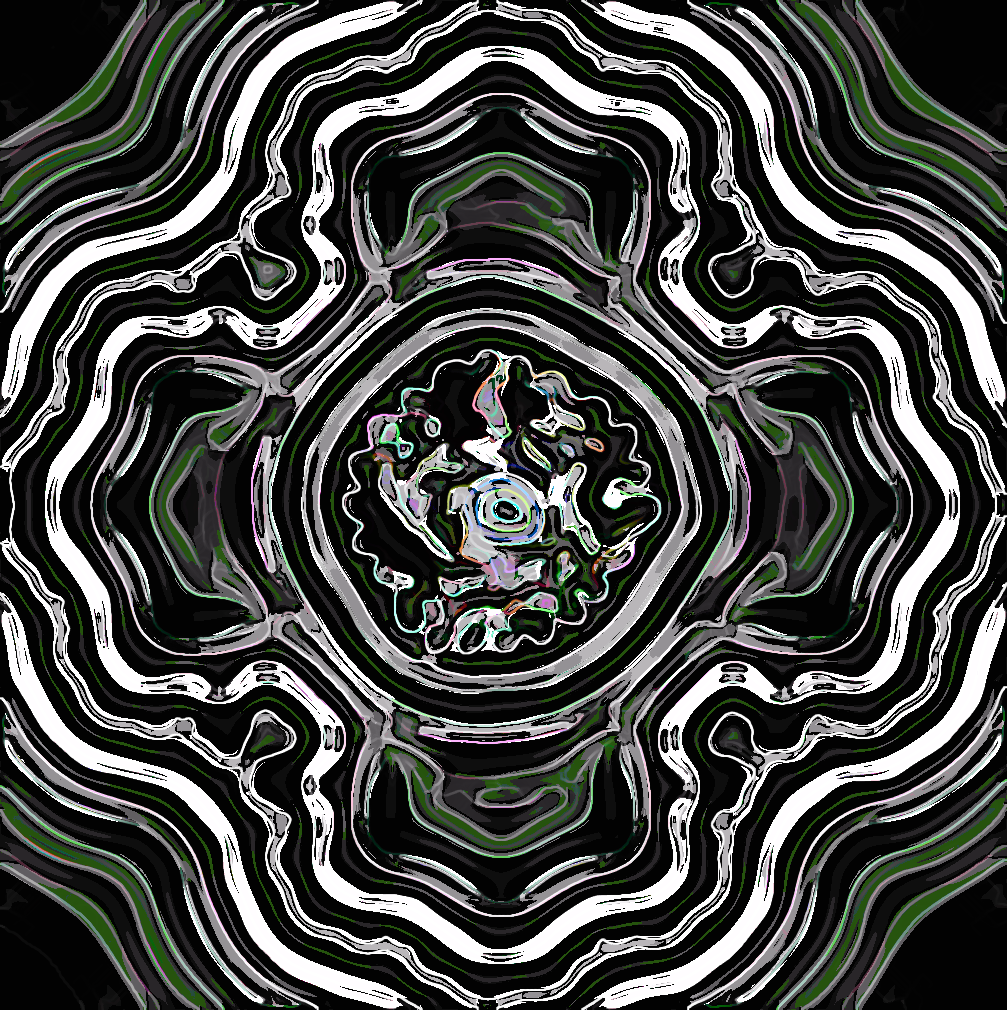
Image
Not sure what I am gonna do with this yet. Interesting pattern made with samj's psychedelique filter.

_________________
Image
Free Fun Photo Editing & resources
Poems from the Lord
Gimp Newby
Gimp version 3.2.4 and GMIC-Qt 4.0.2 OS :- Windows 10 Home 64


Top
 Post subject: Re: Files deleted?
PostPosted: Mon May 27, 2013 3:29 am  (#20) 
Offline
GimpChat Member
User avatar

Joined: Jan 03, 2011
Posts: 1656
samj : then, I'd be happy to help, if some filters do not work as expected. Just tell me which one.


Top
Post new topic Reply to topic  [ 24 posts ]  Go to page 1, 2  Next

All times are UTC - 5 hours [ DST ]


* Login  


Powered by phpBB3 © phpBB Group