It is currently Wed Aug 19, 2026 11:37 am


All times are UTC - 5 hours [ DST ]


Post new topic Reply to topic  [ 52 posts ]  Go to page Previous  1, 2, 3
Author Message
 Post subject: Re: New G'MIC filter 'Colors / Recolorize'
PostPosted: Sat May 11, 2013 11:32 am  (#41) 
Offline
Retired Staff
User avatar

Joined: May 22, 2008
Posts: 6946
Location: Somewhere in GIMP
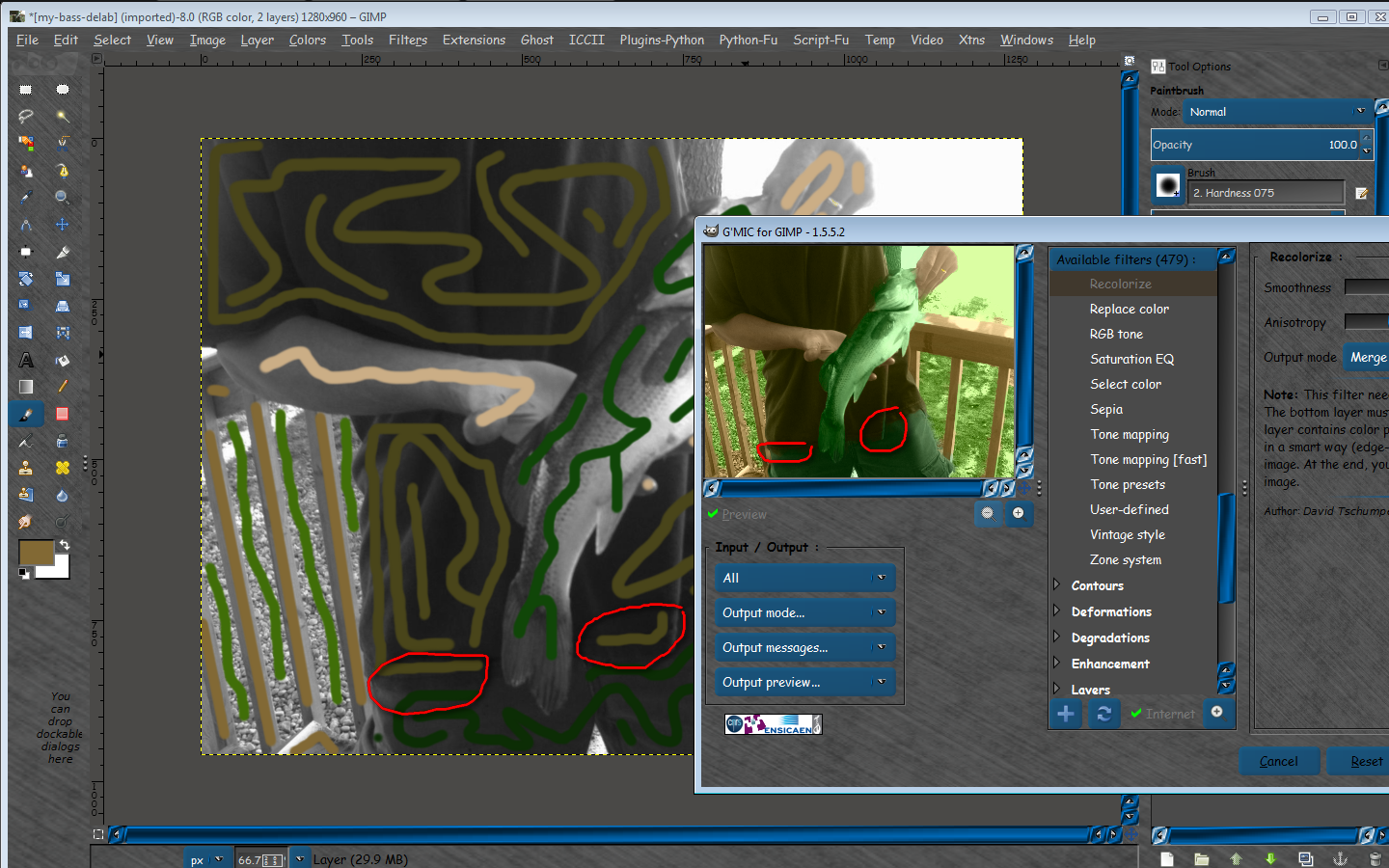
Don't know if before and after recolorize xcf files for you to look at will help, but I'm attaching mine.

Perhaps running my before xcf file in G'MIC recolorize to see if it works may give you a clue if your G'MIC is running correctly.


Attachments:
before-after-colorize-gmic.zip [508.97 KiB]
Downloaded 155 times

_________________
Image
World War IV will be fought with sticks and stones. - Albert Einstein
Top
 Post subject: Re: New G'MIC filter 'Colors / Recolorize'
PostPosted: Sat May 11, 2013 1:39 pm  (#42) 
Offline
GimpChat Member
User avatar

Joined: May 09, 2013
Posts: 53
Well, the handling of this filter isn't always that easy, depends a lot on the picture. Some images need a lot of accurance in painting the color mask, some can be recolored on the fly. Of course it also depends on the result you want to achieve.

Interesting things can be done with that filter ;). In this case I have used a sepia colored montage (btw: truck picture was taken in Hamburg, road picture in Nevada) and used the "split brightness/colors" mode of the Recolorize filter, then combined the brightness layer (hard edges mode), the colors layer (color mode) and the original layer.

Looks like a painting - and there seems to be tornado in the background ;).


Attachments:
van_desert_coloriert1024x768_Gmic_Recolorize-vgl.jpg
van_desert_coloriert1024x768_Gmic_Recolorize-vgl.jpg [ 232.92 KiB | Viewed 2556 times ]
Top
 Post subject: Re: New G'MIC filter 'Colors / Recolorize'
PostPosted: Sat May 11, 2013 5:45 pm  (#43) 
Offline
Global Moderator
User avatar

Joined: May 16, 2010
Posts: 16164
I have a problem getting the recolorize to color specific areas other than all over the image.
For instance if a have an image of two people together wearing black pants and i try to make one pair green or any other color they both turn the same color.
This seems to work for same shades of gray all over my image.

Image

After adding a few more colors i do get better results but you can still see the filter having a hard time getting the correct edges for the shirt and pants area.
Image

And the results from these same settings.
Image

Overall i would say the results are very impressive for this type of image.Take a close look at the wedding ring. :bigthup
If i kept the colors close to the edges i think it would have been even better. :)

_________________
Image


Top
 Post subject: Re: New G'MIC filter 'Colors / Recolorize'
PostPosted: Sat May 11, 2013 6:24 pm  (#44) 
Offline
GimpChat Member
User avatar

Joined: Apr 30, 2010
Posts: 1937
Location: Missouri
Now this is impressive and useful.

_________________
Image
The last time I kept an open mind,
my brain fell out and the dog grabbed it.
Now it's full of dirt, toothmarks, and dog slobber.
No more open minds or dogs for me.


Top
 Post subject: Re: New G'MIC filter 'Colors / Recolorize'
PostPosted: Mon May 19, 2014 12:09 pm  (#45) 
Offline
GimpChat Member
User avatar

Joined: Mar 10, 2014
Posts: 845
somebody know where is gone this filter? thanks in advance


Top
 Post subject: Re: New G'MIC filter 'Colors / Recolorize'
PostPosted: Mon May 19, 2014 12:36 pm  (#46) 
Offline
New Member
User avatar

Joined: Nov 01, 2013
Posts: 4
Not sure, but try looking under Black & White/Colorize [photographs]
Think it's the same filter, possibly improved from the original...

_________________
Image


Top
 Post subject: Re: New G'MIC filter 'Colors / Recolorize'
PostPosted: Mon May 19, 2014 12:53 pm  (#47) 
Offline
GimpChat Member
User avatar

Joined: Mar 10, 2014
Posts: 845
thewardian wrote:
Not sure, but try looking under Black & White/Colorize [photographs]
Think it's the same filter, possibly improved from the original...

YES IT ISSSSSSSS!!
thank you very much Thewardian!


Top
 Post subject: Re: New G'MIC filter 'Colors / Recolorize'
PostPosted: Mon May 19, 2014 4:10 pm  (#48) 
Offline
GimpChat Member
User avatar

Joined: Mar 10, 2014
Posts: 845
It is a splendid filter! here the result (1 minute work) and the mask

Image

Image


Top
 Post subject: Re: New G'MIC filter 'Colors / Recolorize'
PostPosted: Tue May 20, 2014 5:00 am  (#49) 
Offline
New Member
User avatar

Joined: Nov 01, 2013
Posts: 4
You are welcome Marcello, and the results you posted show you have put the filter to excellent use. :clap
I'm pleased I was able to point you in the right direction for the filter...wasn't 100% sure it was the same one

_________________
Image


Top
 Post subject: Re: New G'MIC filter 'Colors / Recolorize'
PostPosted: Fri May 23, 2014 7:24 pm  (#50) 
Offline
GimpChat Member
User avatar

Joined: Feb 25, 2013
Posts: 95
Location: Missouri
This new filter is not coming up on my end.
Everytime I hit to refresh the filter list, I get an error message.


Top
 Post subject: Re: New G'MIC filter 'Colors / Recolorize'
PostPosted: Fri May 23, 2014 7:49 pm  (#51) 
Offline
GimpChat Member
User avatar

Joined: Apr 07, 2010
Posts: 14182
Are you using the latest version of GMIC?
Please post the error message?

_________________
Image


Top
 Post subject: Re: New G'MIC filter 'Colors / Recolorize'
PostPosted: Fri May 23, 2014 8:42 pm  (#52) 
Offline
GimpChat Member
User avatar

Joined: Feb 25, 2013
Posts: 95
Location: Missouri
Here is the error message.
Filters update from Internet (partially) failed !

Unable to reach these filters sources :

* http://gmic.sourceforge.net/update1590.gmic*

The gmic version is 1.5.9.0


Top
Post new topic Reply to topic  [ 52 posts ]  Go to page Previous  1, 2, 3

All times are UTC - 5 hours [ DST ]


cron

* Login  


Powered by phpBB3 © phpBB Group