It is currently Sat Aug 15, 2026 6:52 pm


All times are UTC - 5 hours [ DST ]


Post new topic Reply to topic  [ 10 posts ] 
Author Message
 Post subject: Retinex algorithm
PostPosted: Tue Sep 13, 2016 10:43 am  (#1) 
Offline
GimpChat Member
User avatar

Joined: Mar 28, 2016
Posts: 312
Location: Netherlands
David just made the Retinex-algorithm available in G'MIC: :clap

Retinex-algorithm

G'MIC>Colors>Retinex

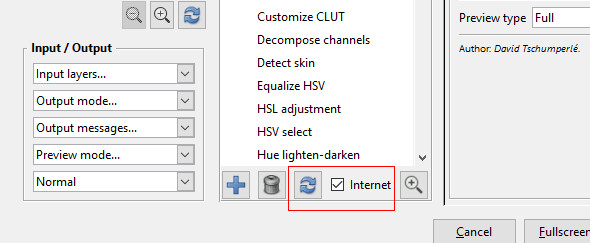
So, refresh your filters in G'MIC please.

Image


Share on Facebook Share on Twitter Share on Orkut Share on Digg Share on MySpace Share on Delicious Share on Technorati
Top
 Post subject: Re: Retinex algorithm
PostPosted: Tue Sep 13, 2016 10:57 am  (#2) 
Offline
GimpChat Member
User avatar

Joined: Jan 03, 2011
Posts: 1656
Thanks for the info iarga :)


Top
 Post subject: Re: Retinex algorithm
PostPosted: Tue Sep 13, 2016 11:39 am  (#3) 
Offline
Global Moderator
User avatar

Joined: May 16, 2010
Posts: 16158
Cool! Thanks folks. :)

_________________
Image


Top
 Post subject: Re: Retinex algorithm
PostPosted: Tue Sep 13, 2016 1:17 pm  (#4) 
Offline
GimpChat Member
User avatar

Joined: Sep 24, 2010
Posts: 12831
Nice; seems to give cleaner results than GIMP's Retinex preset too (not showing). Thanks for the heads up, iarga and thanks for the new preset, David. :)

_________________
Lyle

Psalm 109:8

Image


Top
 Post subject: Re: Retinex algorithm
PostPosted: Tue Sep 13, 2016 2:32 pm  (#5) 
Offline
GimpChat Member
User avatar

Joined: Mar 01, 2014
Posts: 14128
Location: Spain, Aragón
Thank you so much David. It'll help me a lot to get good results. Iarga, nice you saw it so quick. :tyspin :coolthup

_________________
Image

Gimp 2.10.30(samj) portable _ OS Windows 10 Home_ 64bits
Don’t be afraid to start over. It’s a new chance to rebuild what you want.


Top
 Post subject: Re: Retinex algorithm
PostPosted: Tue Sep 13, 2016 11:11 pm  (#6) 
Offline
GimpChat Member
User avatar

Joined: Jan 20, 2013
Posts: 14831
Location: roma, italy
thanks!
first test:

source:
Attachment:
pexels-photo-119974-large.jpeg.jpg
pexels-photo-119974-large.jpeg.jpg [ 97.33 KiB | Viewed 3850 times ]


- created a new layer using GMIC retinex
- set mode to Dodge

outcome:
Attachment:
pexels-photo-119974.GMICretinexDODGE.jpg
pexels-photo-119974.GMICretinexDODGE.jpg [ 192.78 KiB | Viewed 3850 times ]

_________________
"Where am I ?"


Top
 Post subject: Re: Retinex algorithm
PostPosted: Wed Sep 14, 2016 2:26 am  (#7) 
Offline
GimpChat Member
User avatar

Joined: Mar 01, 2014
Posts: 14128
Location: Spain, Aragón
I like that result, Dinasset. Did you apply default settings? :)

_________________
Image

Gimp 2.10.30(samj) portable _ OS Windows 10 Home_ 64bits
Don’t be afraid to start over. It’s a new chance to rebuild what you want.


Top
 Post subject: Re: Retinex algorithm
PostPosted: Wed Sep 14, 2016 3:26 am  (#8) 
Offline
GimpChat Member
User avatar

Joined: Jan 20, 2013
Posts: 14831
Location: roma, italy
yes, defaults

_________________
"Where am I ?"


Top
 Post subject: Re: Retinex algorithm
PostPosted: Wed Sep 14, 2016 3:49 am  (#9) 
Offline
GimpChat Member
User avatar

Joined: Jan 03, 2011
Posts: 1656
I've added a new slider Regularization to be able to get rid of bloc artefacts appearing sometimes after applying the Retinex filter (usually in very dark & quantized regions). The regularization is based on guided-image filtering, and it seems to work quite well ! (see animation below).

Attachment:
anim.gif
anim.gif [ 572.84 KiB | Viewed 3816 times ]


Top
 Post subject: Re: Retinex algorithm
PostPosted: Wed Sep 14, 2016 4:59 am  (#10) 
Offline
GimpChat Member
User avatar

Joined: Jan 20, 2013
Posts: 14831
Location: roma, italy
many thanks, David, useful addition indeed

_________________
"Where am I ?"


Top
Post new topic Reply to topic  [ 10 posts ] 

All times are UTC - 5 hours [ DST ]


* Login  


Powered by phpBB3 © phpBB Group