It is currently Thu Nov 05, 2026 4:51 pm


All times are UTC - 5 hours [ DST ]


Post new topic Reply to topic  [ 5 posts ] 
Author Message
 Post subject: Custom Font Questions
PostPosted: Wed Oct 14, 2026 5:41 am  (#1) 
Offline
GimpChat Member

Joined: Mar 04, 2011
Posts: 2629
Just looking at this post: viewtopic.php?f=12&t=20664&start=60#p305456 and wondering.

Custom fonts are not something I use very often. Sometimes a bespoke birthday card, often using one of Issabellas excellent early font files.

I can and do run a Gimp 2.10 but maybe someone can update for Gimp 3. I ran Tin Trans original script-fu through Claude AI for a Gimp 3 version. The result does work although easy to crash, for example using characters that do not exist in the xcf custom font file (typically missing lower case) locks the script.

Combining those separate rar files? It is possible to extract and combine with a bit of editing.

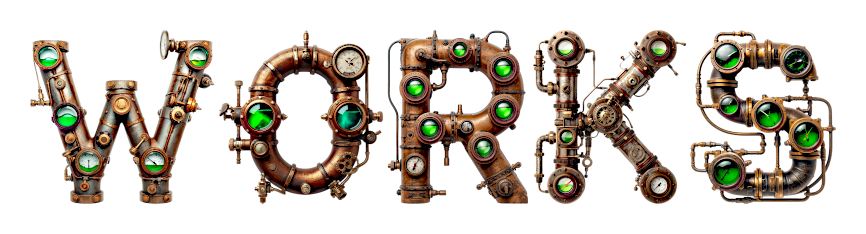
This one for example:

Attachment:
graphic-font.jpg
graphic-font.jpg [ 179.41 KiB | Viewed 596 times ]


Come on Gimp users, some clever people here, get coding. Gimp 3 custom-font-banner.scm attached


Attachments:
custom-font-banner.scm [15.73 KiB]
Downloaded 29 times
Share on Facebook Share on Twitter Share on Orkut Share on Digg Share on MySpace Share on Delicious Share on Technorati
Top
 Post subject: Re: Custom Font Questions
PostPosted: Wed Oct 14, 2026 5:53 pm  (#2) 
Offline
Global Moderator
User avatar

Joined: May 16, 2010
Posts: 16244
rich2005 wrote:
Just looking at this post: viewtopic.php?f=12&t=20664&start=60#p305456 and wondering.

Custom fonts are not something I use very often. Sometimes a bespoke birthday card, often using one of Issabellas excellent early font files.

I can and do run a Gimp 2.10 but maybe someone can update for Gimp 3. I ran Tin Trans original script-fu through Claude AI for a Gimp 3 version. The result does work although easy to crash, for example using characters that do not exist in the xcf custom font file (typically missing lower case) locks the script.

Combining those separate rar files? It is possible to extract and combine with a bit of editing.

This one for example:

Attachment:
graphic-font.jpg


Come on Gimp users, some clever people here, get coding. Gimp 3 custom-font-banner.scm attached

Works for me in Gimp-3.2.6 with Windows 10 :) :bigthup

Image

Good one Rich!

_________________
Image


Top
 Post subject: Re: Custom Font Questions
PostPosted: Thu Oct 22, 2026 11:05 am  (#3) 
Offline
GimpChat Member
User avatar

Joined: Dec 09, 2018
Posts: 745
Rod, Nice font!

rich2005 wrote:
The result does work although easy to crash, for example using characters that do not exist in the xcf custom font file (typically missing lower case) locks the script.
Rich, Thanks for the conversion. After a few runs, I'm finding it behaves in the same way as the 2.10 version. When there are missing characters the script gives a gimp message and carries on without them. I haven't had it lock the script. Do you have any more info. about what happened for you?


Top
 Post subject: Re: Custom Font Questions
PostPosted: Thu Oct 22, 2026 12:02 pm  (#4) 
Offline
GimpChat Member

Joined: Mar 04, 2011
Posts: 2629
teapot wrote:
Rod, Nice font!

rich2005 wrote:
The result does work although easy to crash, for example using characters that do not exist in the xcf custom font file (typically missing lower case) locks the script.
Rich, Thanks for the conversion. After a few runs, I'm finding it behaves in the same way as the 2.10 version. When there are missing characters the script gives a gimp message and carries on without them. I haven't had it lock the script. Do you have any more info. about what happened for you?


No more info, I am getting a bit frustrated having to swap between Gimp 2.10 and Gimp 3 The Claude AI conversion does the same as the original and the v3 banner script does what I require. I do see that more recent xcf fonts are missing lower case but......

Attachment:
001.jpg
001.jpg [ 119.05 KiB | Viewed 318 times ]


Top
 Post subject: Re: Custom Font Questions
PostPosted: Thu Oct 22, 2026 1:10 pm  (#5) 
Offline
GimpChat Member
User avatar

Joined: Dec 09, 2018
Posts: 745
Correction to my earlier comment. When a character isn't found both scripts see if the opposite case (upper/lower) is there and if so they silently use that. If still not found then it gives the gimp message and carries on without the character.


Top
Post new topic Reply to topic  [ 5 posts ] 

All times are UTC - 5 hours [ DST ]


* Login  


Powered by phpBB3 © phpBB Group