It is currently Wed Aug 19, 2026 6:27 pm


All times are UTC - 5 hours [ DST ]


Post new topic Reply to topic  [ 40 posts ]  Go to page Previous  1, 2
Author Message
 Post subject: Re: Gauntlet Throwdown
PostPosted: Tue May 22, 2012 2:01 am  (#21) 
Offline
GimpChat Member
User avatar

Joined: Sep 24, 2010
Posts: 12833
Decided to share my brush idea (also attaching brush) so that others might experiment and make it look more like the metallic metal rope. :)


Attachments:
rope.png
rope.png [ 327.87 KiB | Viewed 2763 times ]
rope3.7z [633.77 KiB]
Downloaded 183 times

_________________
Lyle

Psalm 109:8

Image
Top
 Post subject: Re: Gauntlet Throwdown
PostPosted: Tue May 22, 2012 2:21 am  (#22) 
Offline
GimpChat Member
User avatar

Joined: Sep 24, 2010
Posts: 12833
Decided to give it another shot and created a slightly better rope brush. No preview, so you have to take this one by faith. :)


Attachments:
rope3.7z [664.15 KiB]
Downloaded 192 times

_________________
Lyle

Psalm 109:8

Image
Top
 Post subject: Re: Gauntlet Throwdown
PostPosted: Tue May 22, 2012 4:03 am  (#23) 
Offline
GimpChat Member
User avatar

Joined: Mar 23, 2012
Posts: 7388
Location: Göteborg at last!
Thanks Lyle. If it's better than the first it must be exceptional!


Top
 Post subject: Re: Gauntlet Throwdown
PostPosted: Tue May 22, 2012 5:09 am  (#24) 
Offline
Script Coder
User avatar

Joined: Oct 25, 2010
Posts: 4812
Draconian wrote:
Gimme have dat, pleeeezzzz!

path-waves here: http://gimp-path-tools.sourceforge.net/

_________________
Image


Top
 Post subject: Re: Gauntlet Throwdown
PostPosted: Tue May 22, 2012 6:08 am  (#25) 
Offline
GimpChat Member
User avatar

Joined: Apr 07, 2010
Posts: 14182
Thank you ofnuts

_________________
Image


Top
 Post subject: Re: Gauntlet Throwdown
PostPosted: Tue May 22, 2012 7:19 am  (#26) 
Offline
GimpChat Member
User avatar

Joined: Aug 24, 2011
Posts: 1785
Location: Dallas, TX
Griatch wrote:
This shouldn't be too hard to paint with a normal hard brush? Must it be made by some sort of filter, script or plugin?
.
Griatch


For those of us who don't have a single cell of artistic blood.....a resounding yes, it has to be a filter. At the very least, a process, or brush or something. :hehe

_________________
Image


Top
 Post subject: Re: Gauntlet Throwdown
PostPosted: Tue May 22, 2012 7:27 am  (#27) 
Offline
GimpChat Member
User avatar

Joined: Aug 24, 2011
Posts: 1785
Location: Dallas, TX
ZWard117 wrote:
Let me know what you think. Here is first run. Used your gradients and brushed metal looks drac. Than ran some curves from the vector path plugin. Anywho this is what I got so far.


Close but no cigar. I don't know what you started with, or if that is comprised of several strands and then "bent". Still needs the twist. Might make a good starting point for a few more steps. Still a good attempt.

_________________
Image


Top
 Post subject: Re: Gauntlet Throwdown
PostPosted: Tue May 22, 2012 7:38 am  (#28) 
Offline
GimpChat Member
User avatar

Joined: Aug 24, 2011
Posts: 1785
Location: Dallas, TX
Very interesting approach Rod, might make a cool looking alternative to the pic I posted. I'm afraid your skills surpass mine in the "curve"department. I made a single strand thinking I could maybe make a brush but even using the curve-bend filter I could not get it to look right.

Lyle - I think that's the best looking rope I've ever seen and it does have a metallic look to me.
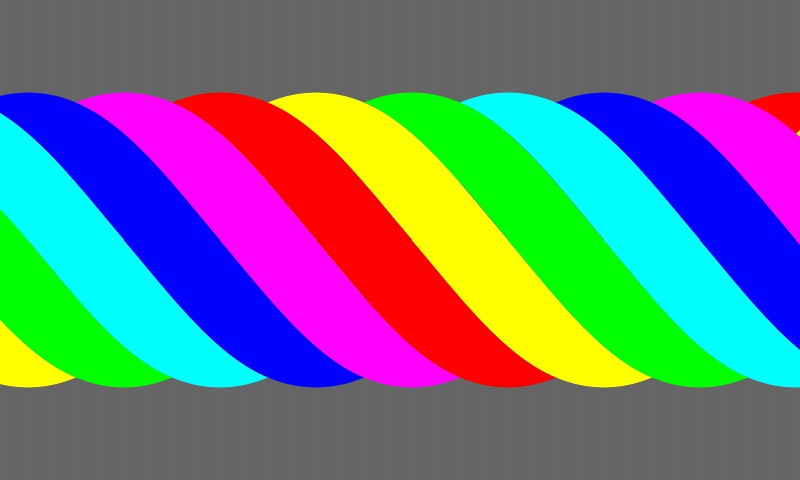
Looking at the end of the rope I see the five circles you used and the rotation produces the twist. Very cool indeed. Wish there was a way to "stretch" out the pattern to produce elongated strands. I tried to do something similar but we won't go there. Complete disaster.

I have a feeling that someone is going to nail this if we can just keep folks interested long enough and not give up.

_________________
Image


Top
 Post subject: Re: Gauntlet Throwdown
PostPosted: Tue May 22, 2012 7:44 am  (#29) 
Offline
GimpChat Member
User avatar

Joined: Sep 24, 2010
Posts: 12833
Yeah; the elongated strands just stumps me; hopeing the twirling circles (not my idea) can be coaxed to produce those strands and maybe someone here can take the lead; even metalize the rope. lol

:)

_________________
Lyle

Psalm 109:8

Image


Top
 Post subject: Re: Gauntlet Throwdown
PostPosted: Tue May 22, 2012 8:02 am  (#30) 
Offline
GimpChat Member

Joined: Mar 29, 2011
Posts: 346
Location: Wisconsin
Here is something I did two years ago.

Image

It is the concept for a tight 7-strand fiber rope - 6 outer strands and a core strand. Wire rope has a much slower twist, especially the 3-strand one that Draconian posted.

- The new brush dynamics should make it easier to stroke the individual strands with a realistic twist.

- Then you need to mask each strand. The bottom of a strand is masked by the previous strand while the top of a strand masks the previous strand (or is masked by the top of the next strand). Alpha to Selection and windowing the selection to the bottom or top will give you a the curves you need to mask a strand. The mask will be identical for all strands, so you only need to make one and then shift the selection for each strand.

Image

That's the way I have/would approach the problem. :)

_________________
Image


Top
 Post subject: Re: Gauntlet Throwdown
PostPosted: Tue May 22, 2012 8:06 am  (#31) 
Offline
GimpChat Member
User avatar

Joined: Aug 24, 2011
Posts: 1785
Location: Dallas, TX
bkh1914 you may have hit on something. Perhaps a blending of Rod's technique and yours then applied like Lyle's brush. You got me thinking of how to do it now. Thanks. Gotta go play with that idea, I'll post something in a little while.

_________________
Image


Top
 Post subject: Re: Gauntlet Throwdown
PostPosted: Tue May 22, 2012 9:34 am  (#32) 
Offline
Script Coder
User avatar

Joined: Oct 25, 2010
Posts: 4812
lylejk wrote:
Decided to share my brush idea (also attaching brush) so that others might experiment and make it look more like the metallic metal rope. :)
Looks good at first glance, but then my amateur sailor eye catches that the strands aren't twisted in the right direction...

_________________
Image


Top
 Post subject: Re: Gauntlet Throwdown
PostPosted: Tue May 22, 2012 10:09 am  (#33) 
Offline
GimpChat Member
User avatar

Joined: Aug 24, 2011
Posts: 1785
Location: Dallas, TX
I think I'm getting close.

Step 1. Made a skinny rectangular selection with rounded corners and applied Rod's Steel_Cable_RD gradient.

Image

Step 2. Filters>Distort>Curve Bend and just played around until I got it to look half way decent.

Image

Step 3. Made a GIH brush set to Incremental and a spacing of 10 and made a horizontal stroke.

Image

Step 5. Cropped the result and added a copper colored layer and dulicated it. The first one set to Overlay and the top one to Dodge and 50% Opacity.

Image

Step 6. Merged everything and duplicated it. Moved the duplicate to the right until it looked like one piece then Alpha to selection and cropped the original.

Step 7. Got rid of the duplicate layer and duplicated the altered original twice and moved them into position to the right to make a longer cable.

Image

Getting there. Now to make a cable out of the strand. Might need your help to twist these Rod.

_________________
Image


Top
 Post subject: Re: Gauntlet Throwdown
PostPosted: Tue May 22, 2012 11:03 am  (#34) 
Offline
Global Moderator
User avatar

Joined: May 16, 2010
Posts: 16164
Draconian wrote:
I think I'm getting close.

Step 1. Made a skinny rectangular selection with rounded corners and applied Rod's Steel_Cable_RD gradient.

Image

Step 2. Filters>Distort>Curve Bend and just played around until I got it to look half way decent.

Image

Step 3. Made a GIH brush set to Incremental and a spacing of 10 and made a horizontal stroke.

Image

Step 5. Cropped the result and added a copper colored layer and dulicated it. The first one set to Overlay and the top one to Dodge and 50% Opacity.

Image

Step 6. Merged everything and duplicated it. Moved the duplicate to the right until it looked like one piece then Alpha to selection and cropped the original.

Step 7. Got rid of the duplicate layer and duplicated the altered original twice and moved them into position to the right to make a longer cable.

Image

Getting there. Now to make a cable out of the strand. Might need your help to twist these Rod.


Draconian you pretty much have it already. Just take that strand and re curve it the same way you made the brush. Then do what you just did...again. :)
What you have now looks like a rope and looks pretty good to me.Add metal overlay and some noise and i think it will pass. :bigthup

_________________
Image


Top
 Post subject: Re: Gauntlet Throwdown
PostPosted: Tue May 22, 2012 12:54 pm  (#35) 
Offline
GimpChat Member
User avatar

Joined: Aug 24, 2011
Posts: 1785
Location: Dallas, TX
Thanks Rod. As soon as I completed it I tried Curve-Bend again but it distorted it so badly I gave up on it. Now that I'm back from the grocery store, I might try I-Warp or some other method. I have no clue how you twisted yours.

_________________
Image


Top
 Post subject: Re: Gauntlet Throwdown
PostPosted: Tue May 22, 2012 12:56 pm  (#36) 
Offline
GimpChat Member
User avatar

Joined: Jan 20, 2012
Posts: 583
I used Map Object-> Cylinder with some sine curves to get my effect. Rotate around y axis makes it easy and formulaic.

_________________


"In the face of adversity, there's three things: fly, freeze or fight; We're choosing to fight..."- Guy Boucher, Tampa Bay Lighting Head Coach


Top
 Post subject: Re: Gauntlet Throwdown
PostPosted: Tue May 22, 2012 1:15 pm  (#37) 
Offline
Global Moderator
User avatar

Joined: May 16, 2010
Posts: 16164
Draconian wrote:
Thanks Rod. As soon as I completed it I tried Curve-Bend again but it distorted it so badly I gave up on it. Now that I'm back from the grocery store, I might try I-Warp or some other method. I have no clue how you twisted yours.


Filters>Theirs>Pan to Bow (45 degrees)
But it only bends one spot and that is in the center. I wonder if the script could be adapted to work on one particular end of the layer (thread) somehow?

I tried IWARP, Curve Bend, and Curve Bend Between Paths. None worked for me. Filters>Distort>Twist showed a bit of promise but i didn't fool with it too much.

I suppose if you bend one end slightly (curve bend) , and then just rotate the thread after that might work.

Twist and Pan to Bow are both available via the gimp plugin registry.

_________________
Image


Top
 Post subject: Re: Gauntlet Throwdown
PostPosted: Tue May 22, 2012 4:37 pm  (#38) 
Offline
GimpChat Member
User avatar

Joined: Sep 24, 2010
Posts: 12833
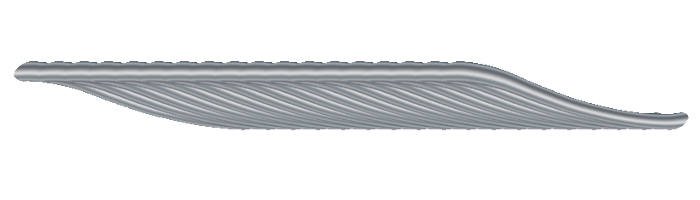
OK; I believe I succeeded in a single thread metal rope strand. I even have (well pretty sure know) how to create a twisted rope using it with ranks with offsetted brush, but more then way too extremely lazy to do it so I pass that on to the less lazy.

Yes, I scaled down the rope. :)


Attachments:
mropeexmpl.jpg
mropeexmpl.jpg [ 51.27 KiB | Viewed 2500 times ]
rope4.7z [220.99 KiB]
Downloaded 97 times

_________________
Lyle

Psalm 109:8

Image
Top
 Post subject: Re: Gauntlet Throwdown
PostPosted: Tue May 22, 2012 4:55 pm  (#39) 
Offline
GimpChat Member
User avatar

Joined: Aug 24, 2011
Posts: 1785
Location: Dallas, TX
Thanks for the heads up on the two filters. When you first mentioned them I thought they were native to 2.8 and would not work in 2.6 like so many others right now. I'll have to experiment with these new toys now.

_________________
Image


Top
 Post subject: Re: Gauntlet Throwdown
PostPosted: Thu May 24, 2012 3:14 am  (#40) 
Offline
GimpChat Member
User avatar

Joined: Sep 24, 2010
Posts: 12833
OK; I did figure out how to twist 3 wires, but didn't realize that I should have doubled the number of sets (used 9 sets; should have done 18). The rank idea might have worked, but couldn't figure out how to do it that way, so just copied the brush into 3 locations and rotated them for 9 changes in 120 degs (again wish I did 18 changes). Much more work then I would care to do again. May not find a use for this brush, but sharing it here anyway. If anybody knows a quick way to multiply the transitions without have to do this manually, please let me know. Note that the small individual strand needs to spin at a faster rate then the overall 3 wire twist. Very challenging though I did figure it out, I had to do it manually and 27 total transitions was painful enough so there's gotta be a better way, but I am way too tired to figure that one out right now. lol

Good night. :zzzz

:)


Attachments:
sample.png
sample.png [ 208.88 KiB | Viewed 2471 times ]
rope5.7z [1.29 MiB]
Downloaded 108 times

_________________
Lyle

Psalm 109:8

Image
Top
Post new topic Reply to topic  [ 40 posts ]  Go to page Previous  1, 2

All times are UTC - 5 hours [ DST ]


* Login  


Powered by phpBB3 © phpBB Group