It is currently Sat Aug 15, 2026 6:34 pm


All times are UTC - 5 hours [ DST ]


Post new topic Reply to topic  [ 18 posts ] 
Author Message
 Post subject: Skeletik
PostPosted: Thu Mar 30, 2017 3:32 am  (#1) 
Offline
Global Moderator
User avatar

Joined: Apr 01, 2012
Posts: 8457
Location: On the other side of your screen
Image
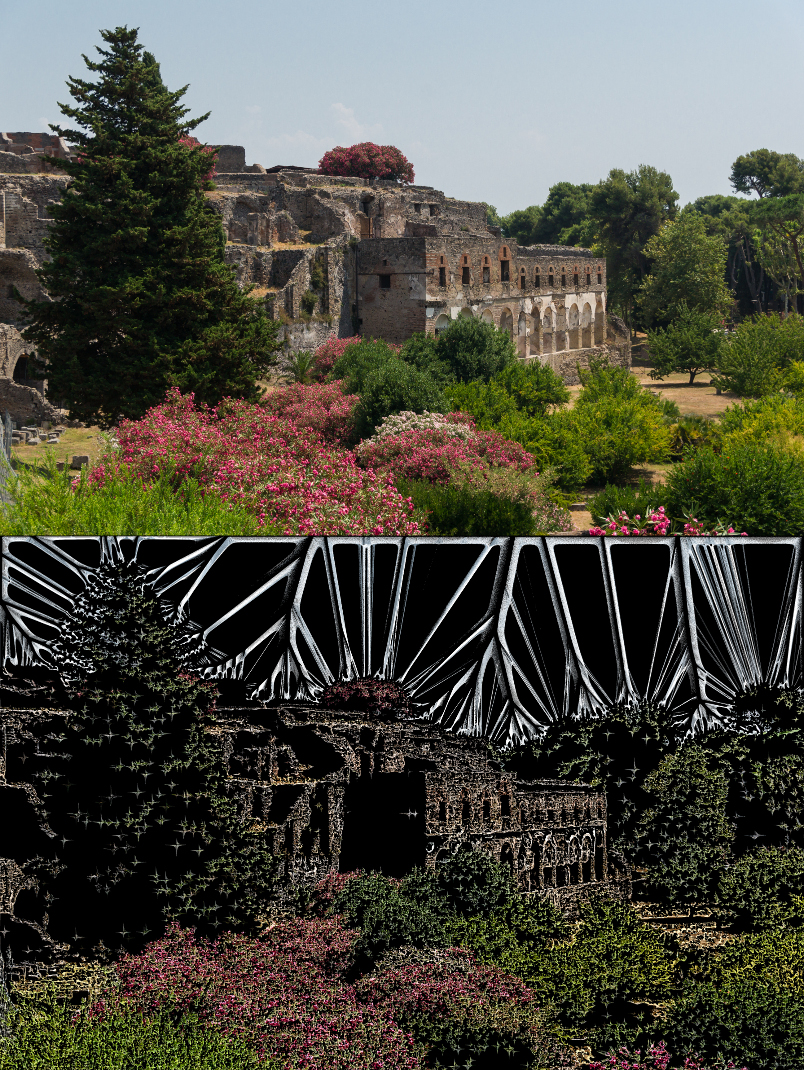
The filter gives a flat colour for the back ground so I deleted that and overlayed the original over it.

_________________
Image
Free Fun Photo Editing & resources
Poems from the Lord
Gimp Newby
Gimp version 3.2.4 and GMIC-Qt 4.0.2 OS :- Windows 10 Home 64


Last edited by sallyanne on Thu Mar 30, 2017 6:50 am, edited 1 time in total.

Share on Facebook Share on Twitter Share on Orkut Share on Digg Share on MySpace Share on Delicious Share on Technorati
Top
 Post subject: Re: Just Found a new (for me) filter - Skeletik
PostPosted: Thu Mar 30, 2017 5:33 am  (#2) 
Offline
GimpChat Member
User avatar

Joined: Nov 04, 2015
Posts: 1464
Hi sallyanne, I think Skeletik is a GMIC filter. I don't seem to have it in 1.7.8 so can't try it out.


Top
 Post subject: Re: Just Found a new (for me) filter - Skeletik
PostPosted: Thu Mar 30, 2017 5:52 am  (#3) 
Offline
Global Moderator
User avatar

Joined: Apr 01, 2012
Posts: 8457
Location: On the other side of your screen
That it is - under artistic. Might be new in the 2.0.0 version
Here is a montage of the default settings on the same picture with the different blends
Image
https://www.flickr.com/photos/115367823 ... 1/sizes/o/

_________________
Image
Free Fun Photo Editing & resources
Poems from the Lord
Gimp Newby
Gimp version 3.2.4 and GMIC-Qt 4.0.2 OS :- Windows 10 Home 64


Top
 Post subject: Re: Skeletik
PostPosted: Thu Mar 30, 2017 8:43 am  (#4) 
Offline
GimpChat Member
User avatar

Joined: Jun 06, 2016
Posts: 1033
From the small samples and without seeing the subject, it look like you could run color-to-alpha and get that result without G'Mic. (maybe the samples don't do it justice?). And put a background layer in desired color or black.


Top
 Post subject: Re: Skeletik
PostPosted: Thu Mar 30, 2017 4:17 pm  (#5) 
Offline
Global Moderator
User avatar

Joined: Apr 01, 2012
Posts: 8457
Location: On the other side of your screen
Like I said that is only one picture x40. Might be better on buildings?
I think samj wrote this filter. Might have to ask her if it can be changed or if David can do it.

_________________
Image
Free Fun Photo Editing & resources
Poems from the Lord
Gimp Newby
Gimp version 3.2.4 and GMIC-Qt 4.0.2 OS :- Windows 10 Home 64


Last edited by sallyanne on Thu Mar 30, 2017 4:28 pm, edited 1 time in total.

Top
 Post subject: Re: Skeletik
PostPosted: Thu Mar 30, 2017 4:23 pm  (#6) 
Offline
GimpChat Member
User avatar

Joined: Jun 06, 2016
Posts: 1033
I will have a look and see what it really looks like when I get home..
(don't mean to be critical when can't really see it!)
have never tried that one...


Top
 Post subject: Re: Skeletik
PostPosted: Fri Mar 31, 2017 3:02 am  (#7) 
Offline
New Member

Joined: Mar 31, 2017
Posts: 4
nice art


Top
 Post subject: Re: Skeletik
PostPosted: Fri Mar 31, 2017 3:17 am  (#8) 
Offline
GimpChat Member
User avatar

Joined: Sep 24, 2010
Posts: 12831
Nicely done, Sallyanne. I've been trying to see why I felt like this preset appeals to me so and then I realized that it reminds me of ice crystal formation on glass. Ran the preset twice on my tithonia flower capture and this is what I got. :)


Attachments:
Tithonia_ice.png
Tithonia_ice.png [ 252.95 KiB | Viewed 5369 times ]

_________________
Lyle

Psalm 109:8

Image
Top
 Post subject: Re: Skeletik
PostPosted: Fri Mar 31, 2017 3:22 am  (#9) 
Offline
Global Moderator
User avatar

Joined: Apr 01, 2012
Posts: 8457
Location: On the other side of your screen
Very nice lyle, I like the grey scale ones the best. saratips I didn't do anything really :oops: but thanks. I only changed the blends in the settings for each one. Otherwise it is just default.

_________________
Image
Free Fun Photo Editing & resources
Poems from the Lord
Gimp Newby
Gimp version 3.2.4 and GMIC-Qt 4.0.2 OS :- Windows 10 Home 64


Top
 Post subject: Re: Skeletik
PostPosted: Fri Mar 31, 2017 6:24 am  (#10) 
Offline
GimpChat Member
User avatar

Joined: Dec 15, 2014
Posts: 185
Location: France
I didn't know how to use this filter. After some layers manipulations, I found the vivid mode nice. The deform parameter resize the image so i didn't use it here.
I used Skelletic twice with different spread and dilate numbers. I added the original layer twice on the top.

Image

_________________
Image


Top
 Post subject: Re: Skeletik
PostPosted: Fri Mar 31, 2017 8:14 am  (#11) 
Offline
Global Moderator
User avatar

Joined: Apr 01, 2012
Posts: 8457
Location: On the other side of your screen
Nice fran :) the skeleton goes well with the leaves
Couple more
Image
https://www.flickr.com/photos/115367823 ... 2/sizes/o/ (large image)
Image
100%

_________________
Image
Free Fun Photo Editing & resources
Poems from the Lord
Gimp Newby
Gimp version 3.2.4 and GMIC-Qt 4.0.2 OS :- Windows 10 Home 64


Top
 Post subject: Re: Skeletik
PostPosted: Fri Mar 31, 2017 9:04 am  (#12) 
Offline
GimpChat Member
User avatar

Joined: Jun 06, 2016
Posts: 1033
It is not anything like I thought from the small samples....
I didn't keep any to show, but without overlaying I enjoyed
some embossed looking black&white plays.


Top
 Post subject: Re: Skeletik
PostPosted: Fri Mar 31, 2017 10:01 am  (#13) 
Offline
GimpChat Member

Joined: May 12, 2015
Posts: 4693
Those images are very nice everybody. Is this a new G'MIC filter. I will have to try it!


Top
 Post subject: Re: Skeletik
PostPosted: Fri Mar 31, 2017 10:49 am  (#14) 
Offline
Global Moderator
User avatar

Joined: Apr 01, 2012
Posts: 8457
Location: On the other side of your screen
Pat625 wrote:
Those images are very nice everybody. Is this a new G'MIC filter. I will have to try it!

Yes new in the 2.0.0 beta version. Hopefully David will get samj to make a couple of changes for us. :)
options for background colour /gradient/pattern/transparent, etc.

_________________
Image
Free Fun Photo Editing & resources
Poems from the Lord
Gimp Newby
Gimp version 3.2.4 and GMIC-Qt 4.0.2 OS :- Windows 10 Home 64


Top
 Post subject: Re: Skeletik
PostPosted: Sun Apr 02, 2017 1:53 am  (#15) 
Offline
Global Moderator
User avatar

Joined: Apr 01, 2012
Posts: 8457
Location: On the other side of your screen
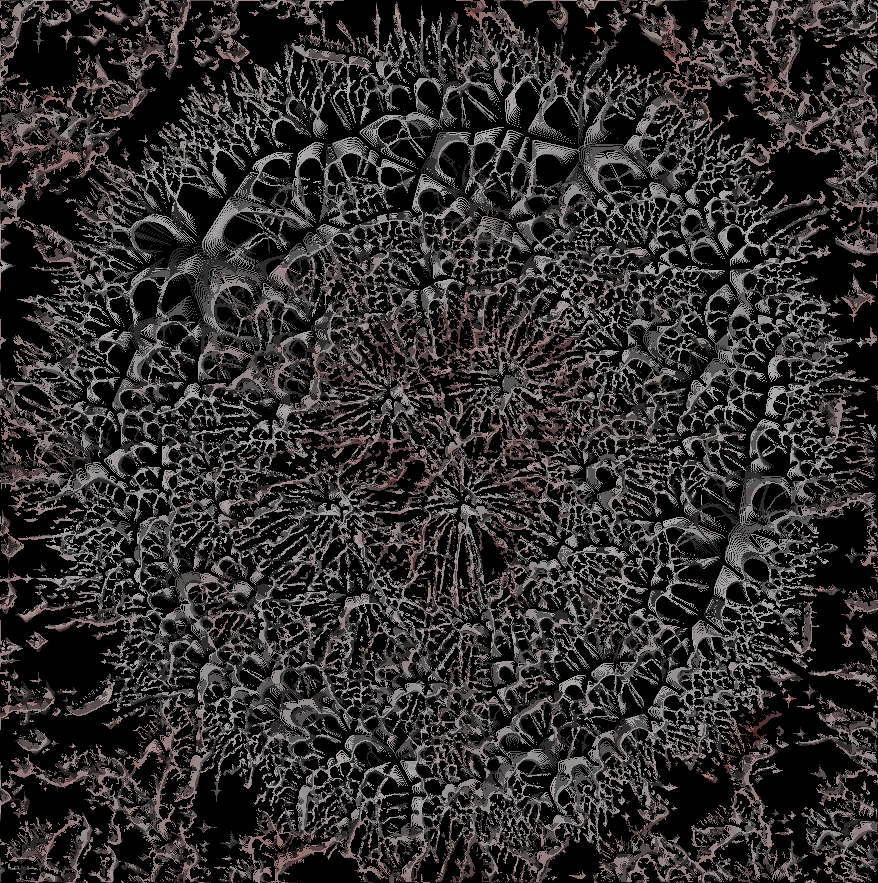
Image
Saturation blend

_________________
Image
Free Fun Photo Editing & resources
Poems from the Lord
Gimp Newby
Gimp version 3.2.4 and GMIC-Qt 4.0.2 OS :- Windows 10 Home 64


Top
 Post subject: Re: Skeletik
PostPosted: Sun Apr 02, 2017 1:05 pm  (#16) 
Offline
GimpChat Member
User avatar

Joined: Dec 15, 2014
Posts: 185
Location: France
Very nice sallyanne ! But what's this ? Lichens ?

_________________
Image


Top
 Post subject: Re: Skeletik
PostPosted: Sun Apr 02, 2017 1:54 pm  (#17) 
Offline
Global Moderator
User avatar

Joined: Apr 01, 2012
Posts: 8457
Location: On the other side of your screen
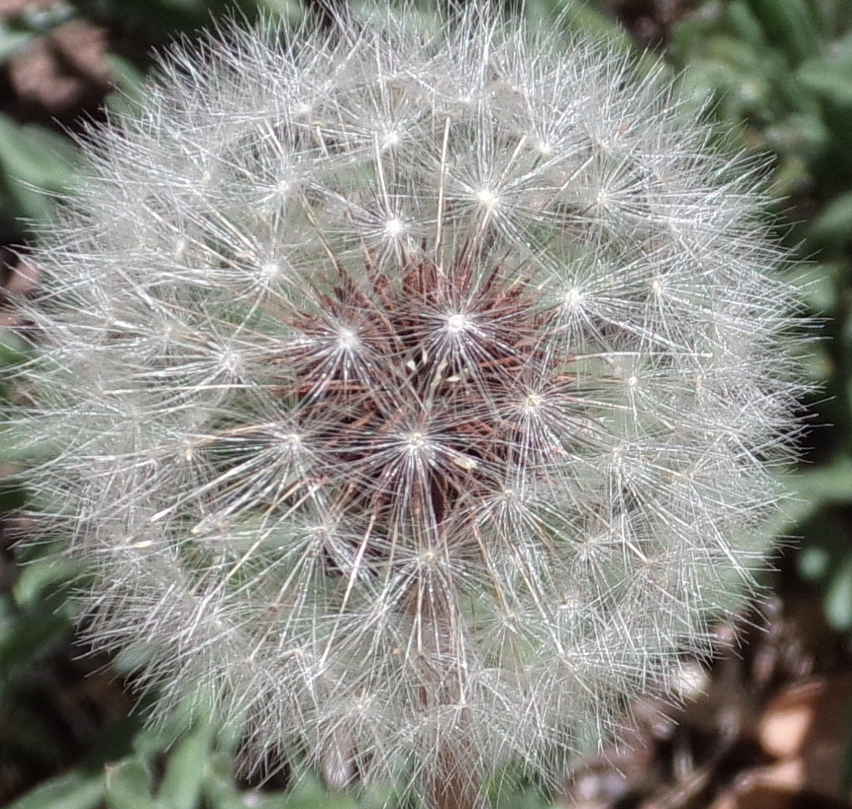
Sorry Fran. Last one was a dandylion seed puff ballImage

_________________
Image
Free Fun Photo Editing & resources
Poems from the Lord
Gimp Newby
Gimp version 3.2.4 and GMIC-Qt 4.0.2 OS :- Windows 10 Home 64


Top
 Post subject: Re: Skeletik
PostPosted: Mon Apr 03, 2017 4:02 am  (#18) 
Offline
GimpChat Member
User avatar

Joined: Dec 15, 2014
Posts: 185
Location: France
:clap :ninja

_________________
Image


Top
Post new topic Reply to topic  [ 18 posts ] 

All times are UTC - 5 hours [ DST ]


* Login  


Powered by phpBB3 © phpBB Group