Saulgoode - I think your explanation was very good. Although it may be a tad bit on the technical side, even I was able to understand what you were trying to say and if I can get it, anyone can.
Esper - Oregonian's explanation is also correct but the key word there was "appears". A surface view would be that the choke setting "squeezes" or restricts the effect rather than a spreading of the effect like "fading". I generally use choke at 0 to 30% depending on how "hard" I want my glow or shadow to appear.
Here are the settings I used for the first image below with Choke at zero.


The effect is "softer" than the image below with a Choke setting of 70 which makes the shadow "harder" or lessens the amount of the edge blur. This might be used for a narrow area where you need to restrict the effect more.

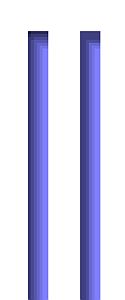
Here's an example of a Narrow rectangle with zero and 70% applied.

You will notice that in the settings I have a distance of 5 entered and the Opacity is always 75%. When Choke is used in conjunction with these other two settings you get some interesting results. I changed the Opacity to 50% and reduced the distance to 3 and the choke to 30 and got this result.

With this combination, change only the distance back to 5 and you see that the more Choke, the less the graduation of the opaque pixels. In other words, the wider the dark border area on the left and less blur on the right
I don't know if this was clear or just serve to muddy the waters even more but you at least have some examples to look at.
Don't even ask about the Contour. That's a whole other ball of wax.
 Login
Login Register
 Tweets
 FAQ
FAQ Advanced Search