fluffybunny wrote:
Caz wrote:
I checked that but the folder is already called en and not en_GB. And just to make things more confusing the on-line version has decide to start working, very strange.
The gimp.org website has been acting up the last few days for me but appears ok now. Maybe that was the answer to why you have had difficulties with the online help.
Cheers FB, I think that must be what was wrong as the on-line version is now working.
Odinbc wrote:
If Gimp Help is in the right location for your install of Gimp in Preferences you'll see, 'There's a locate installation of the user manual.'
[
Image ]
FYI, I use Linux and Gimp 2.8.8.
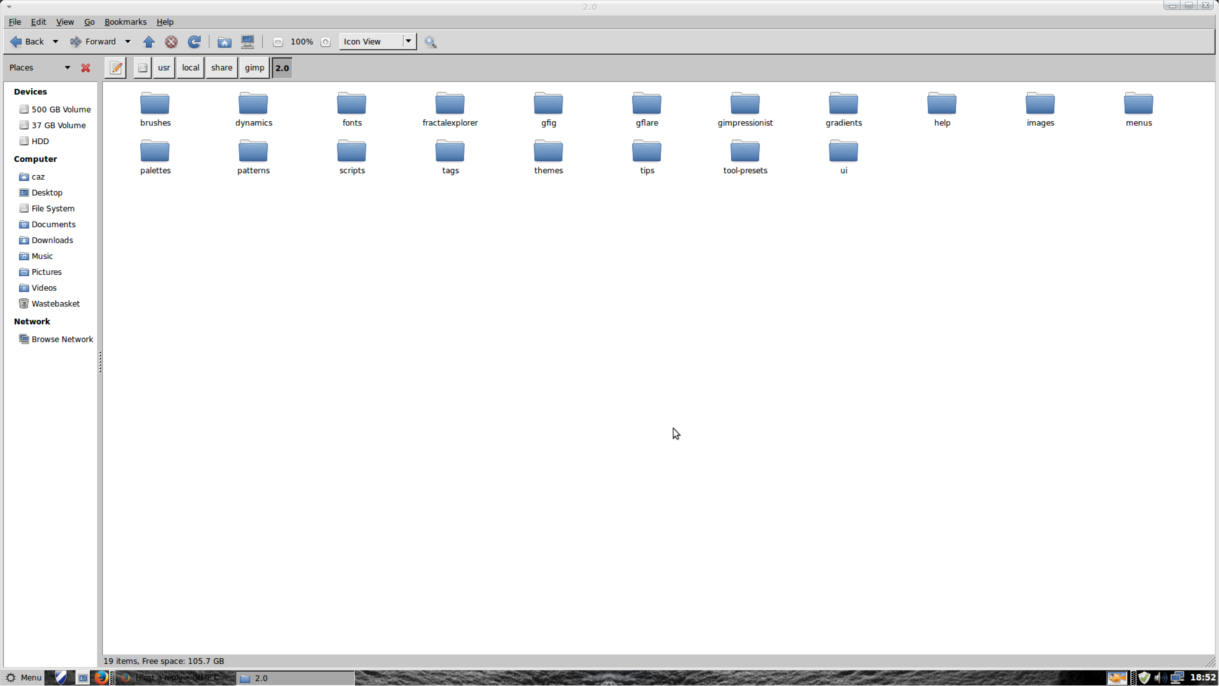
/usr/share/gimp/2.0/help/
Search Synaptic for Gimp.
For help make sure you have at minimum, gimp-help-common & gimp-help-en.
Thanks, Odinbc. I have got both gimp-help-common and gimp-help-en installed but for some reason the preference option says the "The user manual is not installed locally" It's all rather strange.
rich2005 wrote:
Quote:
...I checked that but the folder is already called en and not en_GB. And just to make things more confusing the on-line version has decide to start working, very strange...
Your path looks correct to me. If you get the debian package from say
https://launchpad.net/~otto-kesselgulas ... /+packagesand unpack it, the installation path is
/usr/share/gimp/2.0/help/en_GB
I do not bother with a local installation anymore (mainly to save space in my OS partition) either use on-line or if off-line an up-to-date PDF from
http://gimp.linux.it/www/meta/ searchable and indexed - a really good job. There are tar.gz archives there as well if you fancy a manual install.
Thanks, Rich. I might have to use the PDF version if I can't find out what the problem is. It's just more convenient to hit F1 when I want a quick answer rather than searching a PDF, but I haven't looked at the PDF yet so I guess there's probably an easy way to search that too.
 Login
Login Register
 Tweets
 FAQ
FAQ Advanced Search