It is currently Mon Aug 10, 2026 4:54 pm


All times are UTC - 5 hours [ DST ]


Post new topic Reply to topic  [ 21 posts ]  Go to page 1, 2  Next
Author Message
 Post subject: separating background from line art
PostPosted: Sun Mar 16, 2025 6:27 pm  (#1) 
Offline
GimpChat Member

Joined: Sep 06, 2020
Posts: 30
GIMP Version: 2.8.14
Operating System: Linux
OS Version: Linux Mint 22.3
GIMP Experience: Basic Level


Attachment:
File comment: the original file
FUNNY_BEARDED_MAN_PNG-ONLY.png
FUNNY_BEARDED_MAN_PNG-ONLY.png [ 406.66 KiB | Viewed 14553 times ]
I have a scan of a black-and-white pen and ink drawing made by me. The scan was saved as tif.

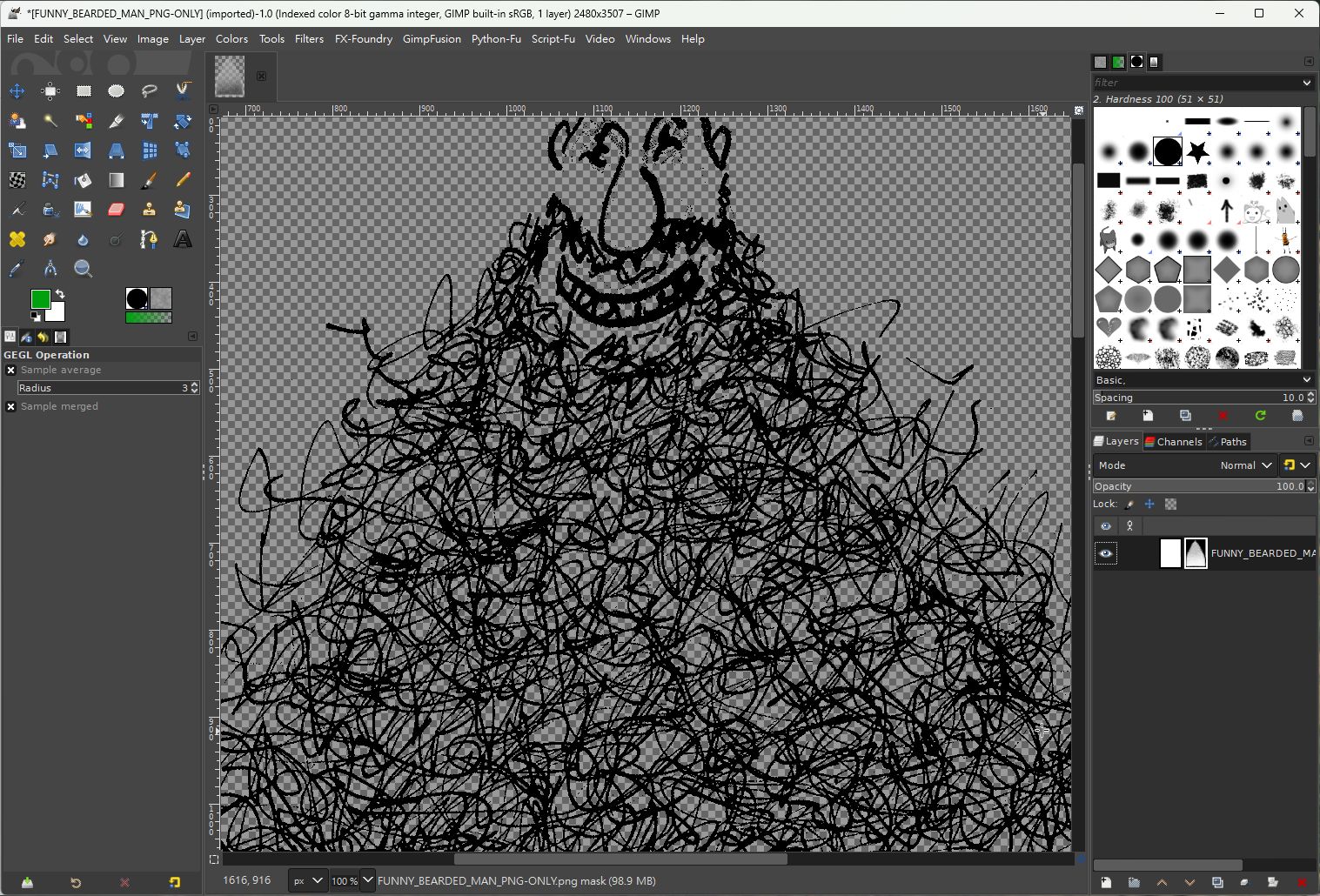
I need to remove the white background from the drawing. Whenever I have tried I get a white line drawing on a transparent background. The file does not seem to be acting normally.

So far, no tutorial on youtube has solved the problem.

Any help appreciated.


Share on Facebook Share on Twitter Share on Orkut Share on Digg Share on MySpace Share on Delicious Share on Technorati
Top
 Post subject: Re: separating background from line art
PostPosted: Sun Mar 16, 2025 10:03 pm  (#2) 
Offline
Global Moderator
User avatar

Joined: Apr 01, 2012
Posts: 8454
Location: On the other side of your screen
If as you say you get a white line drawing - have you tried inverting the colour to see what you get?

Do you mean when you try 'colour to alpha' that all of the white goes.
Your edges of a picture need to be complete to just get rid of the background.
You could do a selection around your picture with free select then invert, path tool then turn that into a selection then invert and even the foreground select inverted - actually you get a couple modes now so you can probably do background.
After getting your selection then colour to alpha and just that area will be transparent

_________________
Image
Free Fun Photo Editing & resources
Poems from the Lord
Gimp Newby
Gimp version 3.2.4 and GMIC-Qt 4.0.2 OS :- Windows 10 Home 64


Top
 Post subject: Re: separating background from line art
PostPosted: Mon Mar 17, 2025 2:07 am  (#3) 
Offline
Script Coder
User avatar

Joined: Oct 25, 2010
Posts: 4812
Set the bucket-fill tool to `Color erase` mode; and `Fill whole selection`. Bucket-fill the image with white.

Attachment:
ColorErase.png
ColorErase.png [ 383.33 KiB | Viewed 14526 times ]

_________________
Image


Top
 Post subject: Re: separating background from line art
PostPosted: Mon Mar 17, 2025 4:39 am  (#4) 
Offline
GimpChat Member
User avatar

Joined: Sep 24, 2010
Posts: 12828
Haven't used TIF in a long time and didn't recall it being able to save alpha information. Best to save in PNG format; more universally accepted, imo. As for removing the white background, ofnuts explained it well. Can also try color to color to alpha (defaults to white for erasure). :)

_________________
Lyle

Psalm 109:8

Image


Top
 Post subject: Re: separating background from line art
PostPosted: Mon Mar 17, 2025 3:29 pm  (#5) 
Offline
GimpChat Member
User avatar

Joined: Nov 04, 2015
Posts: 1462
I agree with lyle, the initial image was not good. Also scanners, they are redundant for most uses since hi-def cameras in mobiles (cell phones in the US).
Just take an image of your drawing with your phone and use Gimp to add an alpha channel. You will get better results.


Top
 Post subject: Re: separating background from line art
PostPosted: Mon Mar 17, 2025 3:54 pm  (#6) 
Offline
GimpChat Member

Joined: Sep 06, 2020
Posts: 30
[quote="ofnuts"]Set the bucket-fill tool to `Color erase` mode; and `Fill whole selection`. Bucket-fill the image with white.

thank you for the suggestion. It did not work for me. My steps:
1. turned tif into png
2. opened png in gimp
3. add alpha channel
4. activated "select by color" tool. I clicked on the white back ground
5. Select, none
STARTING YOUR METHOD:
6. bucket fill > color erase
7. fill type: BG color fill
8. Fill whole selection (there is also a "fill by line art detection" option)
9. then when I dragged the white square over to the canvas, the whole thing went white. I fiddled with the options but same result.


Top
 Post subject: Re: separating background from line art
PostPosted: Mon Mar 17, 2025 4:10 pm  (#7) 
Offline
GimpChat Member
User avatar

Joined: Dec 09, 2018
Posts: 736
Apuleius wrote:
6. bucket fill > color erase
7. fill type: BG color fill
8. Fill whole selection (there is also a "fill by line art detection" option)
9. then when I dragged the white square over to the canvas, the whole thing went white. I fiddled with the options but same result.

Instead of your point 9, do a bucket fill by clicking in the image window with the left mouse button.


Top
 Post subject: Re: separating background from line art
PostPosted: Mon Mar 17, 2025 4:24 pm  (#8) 
Offline
GimpChat Member

Joined: Sep 06, 2020
Posts: 30
sallyanne wrote:
If as you say you get a white line drawing - have you tried inverting the colour to see what you get?

Do you mean when you try 'colour to alpha' that all of the white goes.
Your edges of a picture need to be complete to just get rid of the background.
You could do a selection around your picture with free select then invert, path tool then turn that into a selection then invert and even the foreground select inverted - actually you get a couple modes now so you can probably do background.
After getting your selection then colour to alpha and just that area will be transparent


thanks for contributing.
played around with inverting, nothing worked.

"You could do a selection around your picture with free select then invert, path tool then turn that into a selection then invert and even the foreground select inverted -"

I'm not good at the selection tools. do you mean select the entire canvas or just the triangle shape of the drawing?
then invert
then path tool...?


Top
 Post subject: Re: separating background from line art
PostPosted: Mon Mar 17, 2025 4:38 pm  (#9) 
Offline
GimpChat Member

Joined: Sep 06, 2020
Posts: 30
teapot wrote:
Apuleius wrote:
6. bucket fill > color erase
7. fill type: BG color fill
8. Fill whole selection (there is also a "fill by line art detection" option)
9. then when I dragged the white square over to the canvas, the whole thing went white. I fiddled with the options but same result.

Instead of your point 9, do a bucket fill by clicking in the image window with the left mouse button.


did not work.

I am now fiddling with add alpha channel and layer mask to see if something happens by accident.


Top
 Post subject: Re: separating background from line art
PostPosted: Mon Mar 17, 2025 4:42 pm  (#10) 
Offline
GimpChat Member

Joined: Sep 06, 2020
Posts: 30
Tas_mania wrote:
I agree with lyle, the initial image was not good. Also scanners, they are redundant for most uses since hi-def cameras in mobiles (cell phones in the US).
Just take an image of your drawing with your phone and use Gimp to add an alpha channel. You will get better results.


thanks for responding.
I actually have a professional camera. I might have to retake the image and save as jpeg then convert to png in gimp
then add alpha channel....
when you export as a new file type gimp asks you to check off a few data radio buttons. I am wondering if unclicking all of these might work if something is being imported from tif that is obstructing this process.


Top
 Post subject: Re: separating background from line art
PostPosted: Tue Mar 18, 2025 2:50 am  (#11) 
Offline
Script Coder
User avatar

Joined: Oct 25, 2010
Posts: 4812
Tas_mania wrote:
I agree with lyle, the initial image was not good. Also scanners, they are redundant for most uses since hi-def cameras in mobiles (cell phones in the US).
Just take an image of your drawing with your phone and use Gimp to add an alpha channel. You will get better results.


Not really. You are very unlikely to shoot with the camera exactly perpendicular to the paper, so you will have to use perspective correction and unless you measure the paper and scale appropriately along one dimension, your aspect ratio won't even be exact. Of course, phones can play tricks (like getting the size of a sheet of paper) but that won't work in every case.

_________________
Image


Top
 Post subject: Re: separating background from line art
PostPosted: Tue Mar 18, 2025 2:56 am  (#12) 
Offline
Script Coder
User avatar

Joined: Oct 25, 2010
Posts: 4812
Apuleius wrote:
ofnuts wrote:
Set the bucket-fill tool to `Color erase` mode; and `Fill whole selection`. Bucket-fill the image with white.

thank you for the suggestion. It did not work for me. My steps:
1. turned tif into png
2. opened png in gimp
3. add alpha channel
4. activated "select by color" tool. I clicked on the white back ground
5. Select, none
STARTING YOUR METHOD:
6. bucket fill > color erase
7. fill type: BG color fill
8. Fill whole selection (there is also a "fill by line art detection" option)
9. then when I dragged the white square over to the canvas, the whole thing went white. I fiddled with the options but same result.


When you drag the white square you are not using the bucket-fill tool with all its options. And what is the purpose of steps 4 and 5, that cancel each other?

Can you show a screenshot of you UI just before you apply the bucket-fill?

_________________
Image


Top
 Post subject: Re: separating background from line art
PostPosted: Thu Mar 20, 2025 1:06 pm  (#13) 
Offline
GimpChat Member

Joined: Sep 06, 2020
Posts: 30
ofnuts wrote:
Apuleius wrote:
ofnuts wrote:
Set the bucket-fill tool to `Color erase` mode; and `Fill whole selection`. Bucket-fill the image with white.

thank you for the suggestion. It did not work for me. My steps:
1. turned tif into png
2. opened png in gimp
3. add alpha channel
4. activated "select by color" tool. I clicked on the white back ground
5. Select, none
STARTING YOUR METHOD:
6. bucket fill > color erase
7. fill type: BG color fill
8. Fill whole selection (there is also a "fill by line art detection" option)
9. then when I dragged the white square over to the canvas, the whole thing went white. I fiddled with the options but same result.


When you drag the white square you are not using the bucket-fill tool with all its options. And what is the purpose of steps 4 and 5, that cancel each other?

Can you show a screenshot of you UI just before you apply the bucket-fill?


I did not do step 5 this time.
I had a new scan directly to jpg done this time.
As an aside, I am thinking there may be 2 things going wrong. 1. maybe gimp just can't process line art like this. 2. my computer, with i5 CPU and integrated graphics, may not be strong enough.
here is the screenshot
Attachment:
Screenshot for gimpchat.png
Screenshot for gimpchat.png [ 1 MiB | Viewed 14316 times ]


Top
 Post subject: Re: separating background from line art
PostPosted: Thu Mar 20, 2025 7:27 pm  (#14) 
Offline
Script Coder
User avatar

Joined: Oct 25, 2010
Posts: 4812
As you can see in my first answer, the procedure works , I tried it on your image. My PC is a bit more powerful than yours (i7), but that just makes it a bit faster. It's not a make-or-break situation.

I wanted to see the options for the bucket-fill, not the selection tool (which is not used in the procedure).

_________________
Image


Top
 Post subject: Re: separating background from line art
PostPosted: Sat Mar 22, 2025 7:46 pm  (#15) 
Offline
GimpChat Member

Joined: Sep 06, 2020
Posts: 30
ofnuts wrote:
As you can see in my first answer, the procedure works , I tried it on your image. My PC is a bit more powerful than yours (i7), but that just makes it a bit faster. It's not a make-or-break situation.

I wanted to see the options for the bucket-fill, not the selection tool (which is not used in the procedure).


I am getting all kinds of crazy results. It may be a cognitive problem of mine or malfunction of my HDD.
I will present it as black on white background for now.
can you send me your successful treatment of my drawing?


Top
 Post subject: Re: separating background from line art
PostPosted: Sun Mar 23, 2025 1:46 am  (#16) 
Offline
GimpChat Member
User avatar

Joined: Apr 25, 2011
Posts: 121
Location: Taiwan
Here is my try

1. Add Alpha Channel

2. Add Layer Mask ...
Image

Result
Image

_________________
Sorry for my poor English, I use Google Translate.
There may be something wrong, Please understand.

GIMP 2.10.38 rev1 portable+GAP+G'MIC+nufraw+Beautify+MathMap+...


Top
 Post subject: Re: separating background from line art
PostPosted: Sun Mar 23, 2025 9:15 am  (#17) 
Offline
Script Coder
User avatar

Joined: Oct 25, 2010
Posts: 4812
Apuleius wrote:
ofnuts wrote:
As you can see in my first answer, the procedure works , I tried it on your image. My PC is a bit more powerful than yours (i7), but that just makes it a bit faster. It's not a make-or-break situation.

I wanted to see the options for the bucket-fill, not the selection tool (which is not used in the procedure).


I am getting all kinds of crazy results. It may be a cognitive problem of mine or malfunction of my HDD.
I will present it as black on white background for now.
can you send me your successful treatment of my drawing?


See attached


Attachments:
Beard.png
Beard.png [ 744.13 KiB | Viewed 14106 times ]

_________________
Image
Top
 Post subject: Re: separating background from line art
PostPosted: Sun Mar 30, 2025 3:12 pm  (#18) 
Offline
GimpChat Member

Joined: Sep 06, 2020
Posts: 30
ofnuts wrote:
Apuleius wrote:
ofnuts wrote:
As you can see in my first answer, the procedure works , I tried it on your image. My PC is a bit more powerful than yours (i7), but that just makes it a bit faster. It's not a make-or-break situation.

I wanted to see the options for the bucket-fill, not the selection tool (which is not used in the procedure).


I am getting all kinds of crazy results. It may be a cognitive problem of mine or malfunction of my HDD.
I will present it as black on white background for now.
can you send me your successful treatment of my drawing?


See attached


thank you for sending me this.
I saved it to desktop and opened it and it was completely black. I guess that means black drawing on a black background, not the checkered background that means transparency. I got some results like this in my own tests.
but when I opened it in gimp it had the transparency background so this may be usable.


Top
 Post subject: Re: separating background from line art
PostPosted: Sun Mar 30, 2025 3:24 pm  (#19) 
Offline
GimpChat Member

Joined: Sep 06, 2020
Posts: 30
JamesH wrote:
Here is my try

1. Add Alpha Channel

2. Add Layer Mask ...
[ Image ]

Result
[ Image ]


your english is fine. Thank you for contributing. I was not using the layer mask in my tests. I noticed that you configured the layer mask in greyscale and you inverted the mask. I would not have thought of this.

after I saved it to my file and opened it, it came out completely reversed: black background and white drawing.


Top
 Post subject: Re: separating background from line art
PostPosted: Sun Mar 30, 2025 3:42 pm  (#20) 
Offline
GimpChat Member

Joined: Sep 06, 2020
Posts: 30
lylejk wrote:
Haven't used TIF in a long time and didn't recall it being able to save alpha information. Best to save in PNG format; more universally accepted, imo. As for removing the white background, ofnuts explained it well. Can also try color to color to alpha (defaults to white for erasure). :)


I just tried color>color to alpha
the drawing after being saved is coming out a white drawing on black. maybe good for a christmas card. But thanks for the suggestion anyway. I just attached it here, but it is barely visible. I was playing around with opacity and transparency settings.

Attachment:
FUNNY_BEARDED_MAN_color_to_alpha.png
FUNNY_BEARDED_MAN_color_to_alpha.png [ 442.91 KiB | Viewed 12871 times ]


Top
Post new topic Reply to topic  [ 21 posts ]  Go to page 1, 2  Next

All times are UTC - 5 hours [ DST ]


* Login  


Powered by phpBB3 © phpBB Group