It is currently Thu Aug 20, 2026 4:47 pm


All times are UTC - 5 hours [ DST ]


Post new topic Reply to topic  [ 190 posts ]  Go to page Previous  1 ... 4, 5, 6, 7, 8, 9, 10  Next
Author Message
 Post subject: Re: Arakne-path-shape-creator6c[new shapes Rays and Rectspikes]
PostPosted: Tue Jul 29, 2014 12:39 pm  (#121) 
Offline
GimpChat Member
User avatar

Joined: Mar 10, 2014
Posts: 845
Image
Thx Graechan


Top
 Post subject: Re: Arakne-path-shape-creator6c[new shapes Rays and Rectspikes]
PostPosted: Thu Jul 31, 2014 6:46 am  (#122) 
Offline
Global Moderator
User avatar

Joined: May 16, 2010
Posts: 16164
Path Shape Creator 6D is now available.
http://www.arakne.es/en/dessign/gimp-shape-creator-6d/

New Transform tab:

The Rotation option passed to this new tab and 4 new options, Skew X and Y, Mirror X and Y are added

Button Add shape

The button Add shape is no longer in the Shapes tab, so you can add the form from any tab.

Tab Selection:

Added checkbox Square selection, to change from a rectangular to a square selection, and also avoiding the duplication of forms, Rectangle/Square and Ellipse/Circle, the Square and Circle objects are achieved with Rectangle or Ellipse objects + Square selection

Numeric fields:

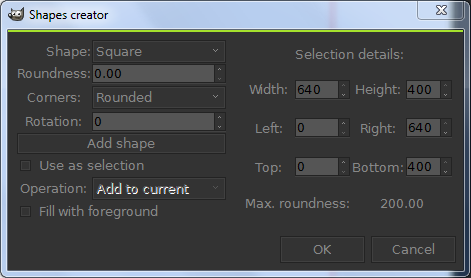
Numeric fields now support math and W and H shortcuts (uppercase, W = width and H = height of the current image), so if we want any of the values to be half the height of the image we would write “H/2″ or "W/2" for Height. This symbol would "Divide" in two equal parts thus re sizing to half.

_________________
Image


Top
 Post subject: Re: Arakne-path-shape-creator6c[new shapes Rays and Rectspikes]
PostPosted: Thu Jul 31, 2014 7:45 pm  (#123) 
Offline
Script Coder
User avatar

Joined: Feb 18, 2011
Posts: 4826
Location: Bendigo Vic. Australia
Rod it's hard to keep up with Arakne, the one thing shape-creator lacks is a PDB entry to allow it to RUN-NONINTERACTIVE

_________________
Image
No matter how much you push the envelope, it'll still be stationery.


Top
 Post subject: Re: Arakne-path-shape-creator6d[new GUI]
PostPosted: Thu Jul 31, 2014 10:05 pm  (#124) 
Offline
Script Coder
User avatar

Joined: Feb 18, 2011
Posts: 4826
Location: Bendigo Vic. Australia
Just updated the initial post to 6d

_________________
Image
No matter how much you push the envelope, it'll still be stationery.


Top
 Post subject: Re: Arakne-path-shape-creator6d[new GUI]
PostPosted: Mon Aug 04, 2014 12:04 pm  (#125) 
Offline
GimpChat Member
User avatar

Joined: Jan 13, 2011
Posts: 2648
Location: Poland
Speech bubble:
Speech bubble for comic dialogs, we can define the rotation, width and height of the pointer.
http://www.arakne.es/en/dessign/gimp-python-script-shape-creator-shapes/

_________________
Image


Top
 Post subject: Re: Arakne-path-shape-creator6d[new Shape Speech Bubble]
PostPosted: Mon Aug 04, 2014 10:59 pm  (#126) 
Offline
Script Coder
User avatar

Joined: Feb 18, 2011
Posts: 4826
Location: Bendigo Vic. Australia
Thank you MareroQ I've updated initial post to contain the new shape

_________________
Image
No matter how much you push the envelope, it'll still be stationery.


Top
 Post subject: Re: Arakne-path-shape-creator6d[new Shape Speech Bubble]
PostPosted: Tue Aug 05, 2014 8:57 am  (#127) 
Offline
Global Moderator
User avatar

Joined: May 16, 2010
Posts: 16164
Thank you all for the updates on this one. :)

_________________
Image


Top
 Post subject: Re: Arakne-path-shape-creator6d[new Shape Speech Bubble]
PostPosted: Thu Aug 07, 2014 4:23 pm  (#128) 
Offline
Retired Staff
User avatar

Joined: May 22, 2008
Posts: 6946
Location: Somewhere in GIMP
MareroQ wrote:
Speech bubble:
Speech bubble for comic dialogs, we can define the rotation, width and height of the pointer.
http://www.arakne.es/en/dessign/gimp-python-script-shape-creator-shapes/

Thank you!
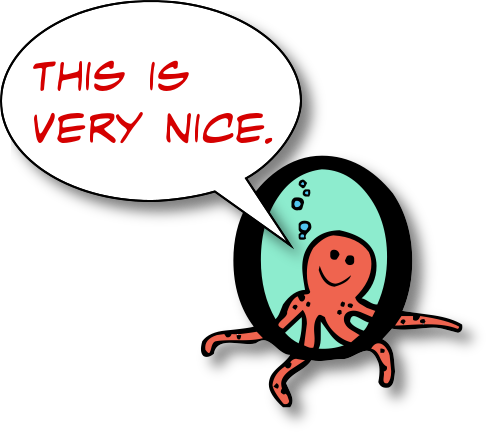
Image

_________________
Image
World War IV will be fought with sticks and stones. - Albert Einstein


Top
 Post subject: Re: Arakne-path-shape-creator6d[new Shape Speech Bubble]
PostPosted: Thu Aug 07, 2014 9:48 pm  (#129) 
Offline
Script Coder
User avatar

Joined: Feb 18, 2011
Posts: 4826
Location: Bendigo Vic. Australia
'O' It's heaps easier than my script, he must have lots of new shapes yet to come as I asked for this 2 months ago

_________________
Image
No matter how much you push the envelope, it'll still be stationery.


Top
 Post subject: Re: Arakne-path-shape-creator6d[new Shape Speech Bubble]
PostPosted: Thu Aug 07, 2014 10:26 pm  (#130) 
Offline
Retired Staff
User avatar

Joined: May 22, 2008
Posts: 6946
Location: Somewhere in GIMP
Graechan wrote:
'O' It's heaps easier than my script, he must have lots of new shapes yet to come as I asked for this 2 months ago
I like yours because it sizes to the text.
viewtopic.php?p=69527#p69527

_________________
Image
World War IV will be fought with sticks and stones. - Albert Einstein


Top
 Post subject: Re: Arakne-path-shape-creator6d[new Shape Speech Bubble]
PostPosted: Thu Aug 07, 2014 10:46 pm  (#131) 
Offline
Script Coder
User avatar

Joined: Feb 18, 2011
Posts: 4826
Location: Bendigo Vic. Australia
I've asked if we can have some sort of PDB access, as currently it's interactive only, then I could work with it

_________________
Image
No matter how much you push the envelope, it'll still be stationery.


Top
 Post subject: Re: Arakne-path-shape-creator6d[new Shape Speech Bubble]
PostPosted: Thu Aug 07, 2014 11:07 pm  (#132) 
Offline
Global Moderator
User avatar

Joined: Apr 01, 2012
Posts: 8457
Location: On the other side of your screen
I have downloaded and installed/overwritten the new files twice now but am not getting anything different. I still have the original path-shape-creator.
Image
What could I be doing wrong?

_________________
Image
Free Fun Photo Editing & resources
Poems from the Lord
Gimp Newby
Gimp version 3.2.4 and GMIC-Qt 4.0.2 OS :- Windows 10 Home 64


Top
 Post subject: Re: Arakne-path-shape-creator6d[new Shape Speech Bubble]
PostPosted: Thu Aug 07, 2014 11:33 pm  (#133) 
Offline
Script Coder
User avatar

Joined: Feb 18, 2011
Posts: 4826
Location: Bendigo Vic. Australia
Sallyanne did you restart gimp, if so could you post an image of your plug-in folder files

_________________
Image
No matter how much you push the envelope, it'll still be stationery.


Top
 Post subject: Re: Arakne-path-shape-creator6d[new Shape Speech Bubble]
PostPosted: Thu Aug 07, 2014 11:56 pm  (#134) 
Offline
Global Moderator
User avatar

Joined: Apr 01, 2012
Posts: 8457
Location: On the other side of your screen
Image

_________________
Image
Free Fun Photo Editing & resources
Poems from the Lord
Gimp Newby
Gimp version 3.2.4 and GMIC-Qt 4.0.2 OS :- Windows 10 Home 64


Top
 Post subject: Re: Arakne-path-shape-creator6d[new Shape Speech Bubble]
PostPosted: Fri Aug 08, 2014 12:12 am  (#135) 
Offline
Script Coder
User avatar

Joined: Feb 18, 2011
Posts: 4826
Location: Bendigo Vic. Australia
Sallyanne you still have the file 'arakne-path-shape-creator5.py' in there please delete it
restart gimp and all will be OK

_________________
Image
No matter how much you push the envelope, it'll still be stationery.


Top
 Post subject: Re: Arakne-path-shape-creator6d[new Shape Speech Bubble]
PostPosted: Fri Aug 08, 2014 1:27 am  (#136) 
Offline
Global Moderator
User avatar

Joined: Apr 01, 2012
Posts: 8457
Location: On the other side of your screen
Image

_________________
Image
Free Fun Photo Editing & resources
Poems from the Lord
Gimp Newby
Gimp version 3.2.4 and GMIC-Qt 4.0.2 OS :- Windows 10 Home 64


Top
 Post subject: Re: Arakne-path-shape-creator6d[new Shape Speech Bubble]
PostPosted: Fri Aug 08, 2014 1:51 am  (#137) 
Offline
Script Coder
User avatar

Joined: Feb 18, 2011
Posts: 4826
Location: Bendigo Vic. Australia
Your Welcome Sallyanne glad to see you got that sorted out :bigthup

_________________
Image
No matter how much you push the envelope, it'll still be stationery.


Top
 Post subject: Re: Arakne-path-shape-creator6d[new Shape Speech Bubble]
PostPosted: Sat Aug 09, 2014 5:35 am  (#138) 
Offline
GimpChat Member
User avatar

Joined: Apr 07, 2010
Posts: 14182
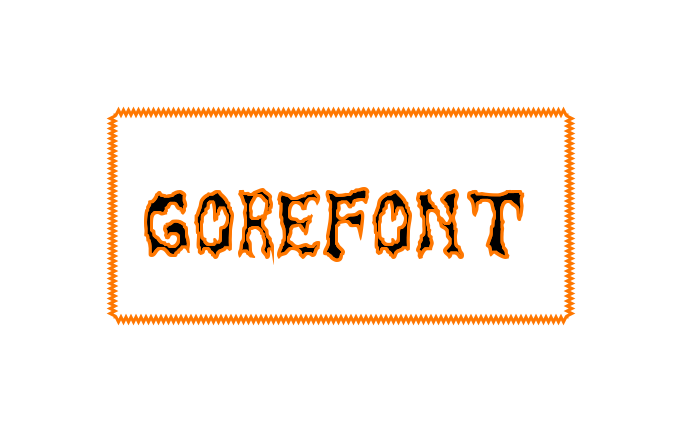
Image

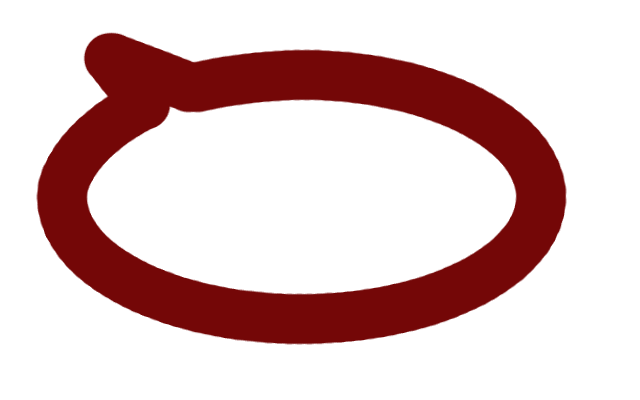
I did another one with stroke path... I set the brush size hard brush, size 1 and I get this big wide stroke, how do I control this? Image

_________________
Image


Top
 Post subject: Re: Arakne-path-shape-creator6d[new Shape Speech Bubble]
PostPosted: Sat Aug 09, 2014 6:07 am  (#139) 
Offline
GimpChat Member
User avatar

Joined: Apr 07, 2010
Posts: 14182
Oregonian wrote:
MareroQ wrote:
Speech bubble:
Speech bubble for comic dialogs, we can define the rotation, width and height of the pointer.
http://www.arakne.es/en/dessign/gimp-python-script-shape-creator-shapes/

Thank you!
[ Image ]

^^^^^ Me Too ^^^^^

_________________
Image


Top
 Post subject: Re: Arakne-path-shape-creator6d[new Shape Speech Bubble]
PostPosted: Mon Aug 11, 2014 11:09 am  (#140) 
Offline
GimpChat Member
User avatar

Joined: Jan 13, 2011
Posts: 2648
Location: Poland
Frame:
Box in which certain forms are repeated, we can define the width and height of the forms, the separation between them and the direction in which they are created, into, out or in and out alternately. Available forms are rectangular, triangular or circular.


Attachments:
Frame - New Shape Arakne.png
Frame - New Shape Arakne.png [ 59.77 KiB | Viewed 1906 times ]

_________________
Image
Top
Post new topic Reply to topic  [ 190 posts ]  Go to page Previous  1 ... 4, 5, 6, 7, 8, 9, 10  Next

All times are UTC - 5 hours [ DST ]


* Login  


Powered by phpBB3 © phpBB Group