It is currently Thu Aug 20, 2026 1:28 am


All times are UTC - 5 hours [ DST ]


Post new topic Reply to topic  [ 25 posts ]  Go to page Previous  1, 2
Author Message
 Post subject: Re: Error in the Frame Factory
PostPosted: Tue Dec 02, 2014 2:47 pm  (#21) 
Offline
Administrator
User avatar

Joined: Aug 10, 2012
Posts: 14158
Location: Native to NYC living in Arizona, Gimp 2.8 - 3.0, Win 11 PC.
Marcello wrote:
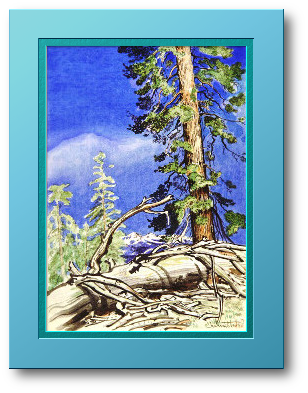
more or less like this one?
[ Image ]

Yes, I think so.
I haven't worked with the Frame Factory yet, so I'm not really aware of the option settings that are available.

_________________
Image
"A wise man learns more from a foolish question than a fool can learn from a wise answer"
Image


Top
 Post subject: Re: Error in the Frame Factory
PostPosted: Tue Dec 02, 2014 2:54 pm  (#22) 
Offline
GimpChat Member
User avatar

Joined: Mar 10, 2014
Posts: 845
these were my settings
Image

and also after the filter run I deleted inner shadow and mitre layers


Top
 Post subject: Re: Error in the Frame Factory
PostPosted: Tue Dec 02, 2014 4:07 pm  (#23) 
Offline
Administrator
User avatar

Joined: Aug 10, 2012
Posts: 14158
Location: Native to NYC living in Arizona, Gimp 2.8 - 3.0, Win 11 PC.
Marcello wrote:
these were my settings
[ Image ]

and also after the filter run I deleted inner shadow and mitre layers


Okay, that looks cool, thanks Marcello. :bigthup

_________________
Image
"A wise man learns more from a foolish question than a fool can learn from a wise answer"
Image


Top
 Post subject: Re: Error in the Frame Factory
PostPosted: Tue Dec 02, 2014 8:39 pm  (#24) 
Offline
Script Coder
User avatar

Joined: Feb 18, 2011
Posts: 4826
Location: Bendigo Vic. Australia
Also by selecting the appropiate layer yo can use your own pattern or gradients e.t.c it's a very versatile plugin that also allows you to edit the opacity of any of it's layers

_________________
Image
No matter how much you push the envelope, it'll still be stationery.


Top
 Post subject: Re: Error in the Frame Factory
PostPosted: Tue Dec 02, 2014 9:04 pm  (#25) 
Offline
Administrator
User avatar

Joined: Aug 10, 2012
Posts: 14158
Location: Native to NYC living in Arizona, Gimp 2.8 - 3.0, Win 11 PC.
Graechan wrote:
Also by selecting the appropiate layer yo can use your own pattern or gradients e.t.c it's a very versatile plugin that also allows you to edit the opacity of any of it's layers

Sound like the go to plugin if I'm wanting a picture frame. :bigthup

_________________
Image
"A wise man learns more from a foolish question than a fool can learn from a wise answer"
Image


Top
Post new topic Reply to topic  [ 25 posts ]  Go to page Previous  1, 2

All times are UTC - 5 hours [ DST ]


* Login  


Powered by phpBB3 © phpBB Group