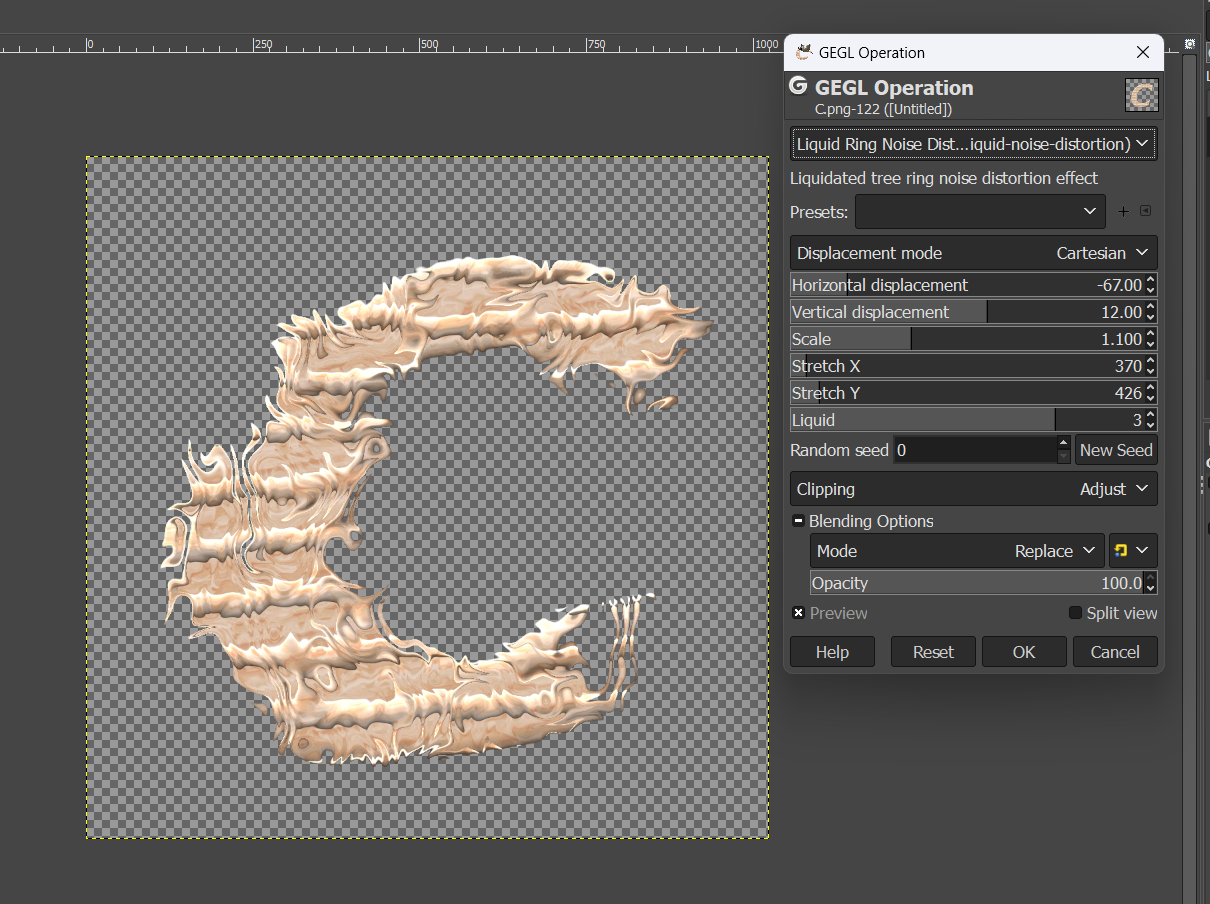
I made my own liquid noise and liquid noise distrtion GEGL plugins inspired by the liquid noise GEGL plugin Grok the AI made. Except these were made manually using nodes like solid noise and displacement map. Don't believe me?
Input this syntax in GEGL graph to test without installing
noise-solid detail=3 seed=0 tileable=false  x-size=2.5 y-size=2.5 width=812 height=1582
alien-map cpn-1-frequency=18 cpn-2-frequency=2.2 cpn-3-frequency=3
gimp:desaturate mode=average
multiply value=1.2
add value=0.01
id=start displace amount-x=40  displace-mode=cartesian aux=[ ref=start
noise-solid detail=3 seed=24 tileable=false  x-size=2.5 y-size=2.5 width=812 height=1582
alien-map cpn-1-frequency=18 cpn-2-frequency=2.2 cpn-3-frequency=3
gimp:desaturate mode=average
multiply value=1.2
add value=0.01
]
Anyhow my plugins name is
lb:liquid-noise and the AI plugins name is
ai/lb:liquid-noise this should not cause any issue just like `lb:bevel` and `lb:edge` cause no issue with `gegl:bevel` and `gegl:edge` Everything will harmoniously co-exist
Screenshots of plugin


 Download Here
Attachment:
Attachment:
Attachment:
 liquid_SourceCode.zip [9.37 KiB]
Downloaded 24 times
liquid_SourceCode.zip [9.37 KiB]
Downloaded 24 times
**Windows**
C:\Users\(USERNAME)\AppData\Local\gegl-0.4\plug-ins
**Linux**
~/.local/share/gegl-0.4/plug-ins
**Linux (Flatpak includes Chromebook)**
~/.var/app/org.gimp.GIMP/data/gegl-0.4/plug-ins
Then restart GIMP and go to filters>noise>liquid ring noise
to find it. I think my liquid noise plugin is better then the one Grok made, Enjoy and be welcome to leave feed back


Lastly, Grok's plugin will not ship here and you can find it here in the "vibe code" section
https://github.com/LinuxBeaver/LinuxBeaver/releases/ Login
Login Register
 Tweets
 FAQ
FAQ Advanced Search