It is currently Mon Sep 14, 2026 12:15 am


All times are UTC - 5 hours [ DST ]


Post new topic Reply to topic  [ 3 posts ] 
Author Message
 Post subject: Naturalize Script
PostPosted: Sun May 16, 2021 7:43 pm  (#1) 
Offline
GimpChat Member
User avatar

Joined: Jul 06, 2013
Posts: 2662
Location: California
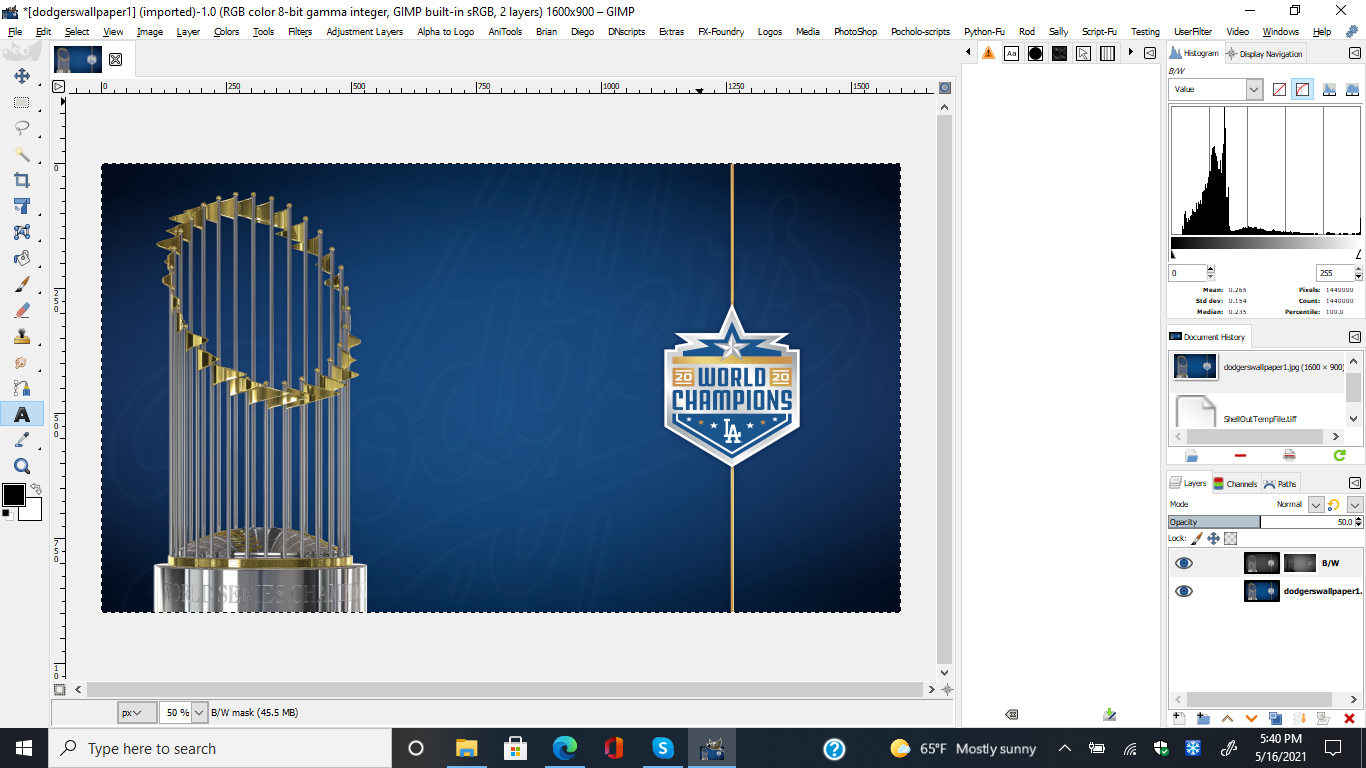
When using EL Samuko's Naturalize script, I don't see anything happening and I have it listed in my menu twice.

What is supposed to happen when using the plugin?

Image
Image


Share on Facebook Share on Twitter Share on Orkut Share on Digg Share on MySpace Share on Delicious Share on Technorati
Top
 Post subject: Re: Naturalize Script
PostPosted: Sun May 16, 2021 9:02 pm  (#2) 
Offline
GimpChat Member
User avatar

Joined: Oct 10, 2018
Posts: 191
Location: Charlottesville Virginia
It may be the case that without a highly saturated or at least over-saturated image you won't immediately see much change at all. The changes seem to be quite subtle. On the LAYERs tab, turning off the top black/white layer may make the changes more noticeable.

The script appears to use the "Calc Saturation" plugin, which, if you have it on your system, shows up under COLORS: COMPONENTS.


Top
 Post subject: Re: Naturalize Script
PostPosted: Sun May 16, 2021 9:31 pm  (#3) 
Offline
GimpChat Member
User avatar

Joined: Jul 06, 2013
Posts: 2662
Location: California
neurolurker wrote:
It may be the case that without a highly saturated or at least over-saturated image you won't immediately see much change at all. The changes seem to be quite subtle. On the LAYERs tab, turning off the top black/white layer may make the changes more noticeable.

The script appears to use the "Calc Saturation" plugin, which, if you have it on your system, shows up under COLORS: COMPONENTS.


Thanks neurolurker. :)


Top
Post new topic Reply to topic  [ 3 posts ] 

All times are UTC - 5 hours [ DST ]


* Login  


Powered by phpBB3 © phpBB Group