It is currently Sat Aug 15, 2026 2:32 am


All times are UTC - 5 hours [ DST ]


Post new topic Reply to topic  [ 65 posts ]  Go to page 1, 2, 3, 4  Next
Author Message
 Post subject: Warhol Script Rel4 [success]
PostPosted: Sun Apr 28, 2013 2:42 am  (#1) 
Offline
Script Coder
User avatar

Joined: Feb 18, 2011
Posts: 4826
Location: Bendigo Vic. Australia
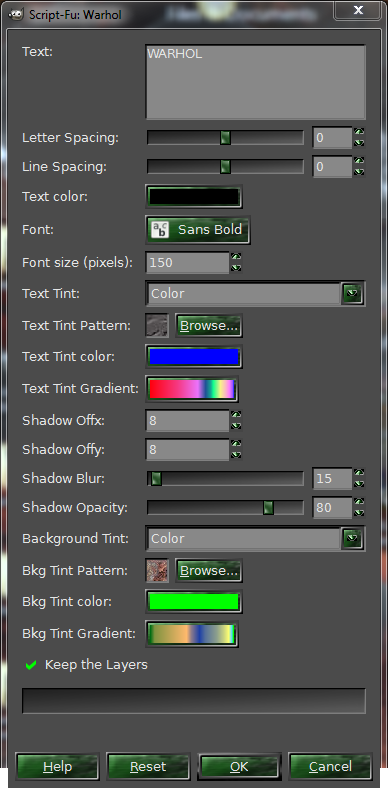
This script follows the tutorial by Anmal Warhol name tag(esp. for sallyanne)...

Image

Image

Logo Menu location Script-Fu/Logos/Warhol

Image

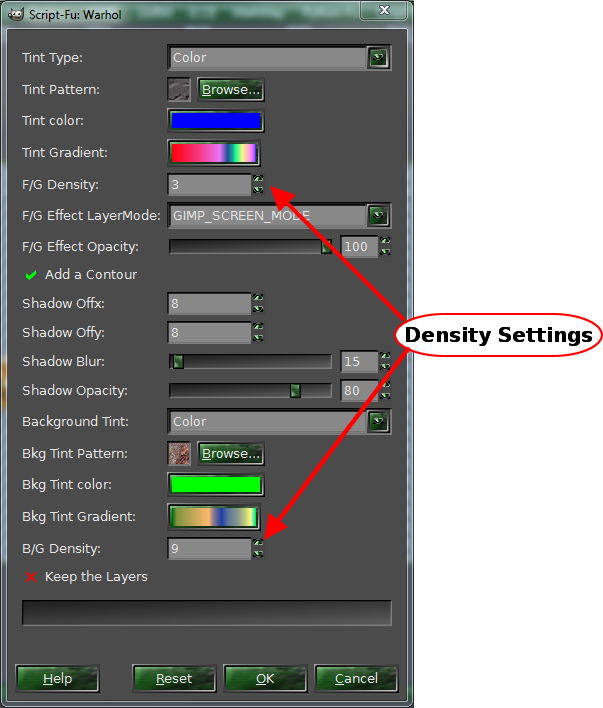
Alpha-to-Logo Menu location Script-Fu/Alpha-to-Logo/Warhol

Image

; Rel 0.02 - Added Alph-to-Logo script Fail

; Rel 0.03 - Added B/G Density setting to Alpha-to-Logo script (see menu above) and did Bugfix Fail

; Rel 0.04 - Changed how the Warhol F/G effect is created in the Alpha-to-Logo script and added additional options

Attachment:
Warhol.scm [20.83 KiB]
Downloaded 526 times

_________________
Image
No matter how much you push the envelope, it'll still be stationery.


Last edited by Graechan on Thu May 02, 2013 9:36 pm, edited 6 times in total.

Share on Facebook Share on Twitter Share on Orkut Share on Digg Share on MySpace Share on Delicious Share on Technorati
Top
 Post subject: Re: Warhol Script
PostPosted: Sun Apr 28, 2013 4:23 am  (#2) 
Offline
Global Moderator
User avatar

Joined: Apr 01, 2012
Posts: 8457
Location: On the other side of your screen
Image

_________________
Image
Free Fun Photo Editing & resources
Poems from the Lord
Gimp Newby
Gimp version 3.2.4 and GMIC-Qt 4.0.2 OS :- Windows 10 Home 64


Top
 Post subject: Re: Warhol Script
PostPosted: Sun Apr 28, 2013 4:38 am  (#3) 
Offline
Global Moderator
User avatar

Joined: Apr 01, 2012
Posts: 8457
Location: On the other side of your screen
Image

tried a dingbat

_________________
Image
Free Fun Photo Editing & resources
Poems from the Lord
Gimp Newby
Gimp version 3.2.4 and GMIC-Qt 4.0.2 OS :- Windows 10 Home 64


Top
 Post subject: Re: Warhol Script
PostPosted: Sun Apr 28, 2013 6:01 am  (#4) 
Offline
Global Moderator
User avatar

Joined: May 16, 2010
Posts: 16158
Wow this is so cool!
Thanks Graechan. :bigthup

Image

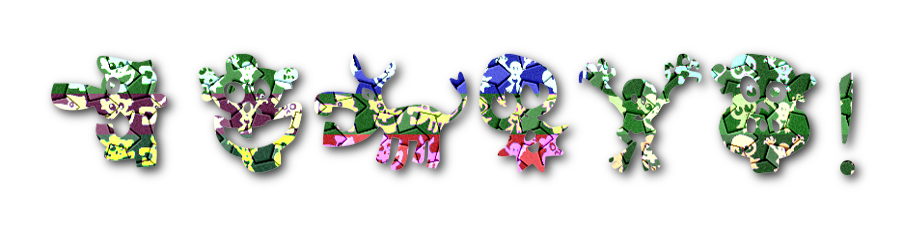
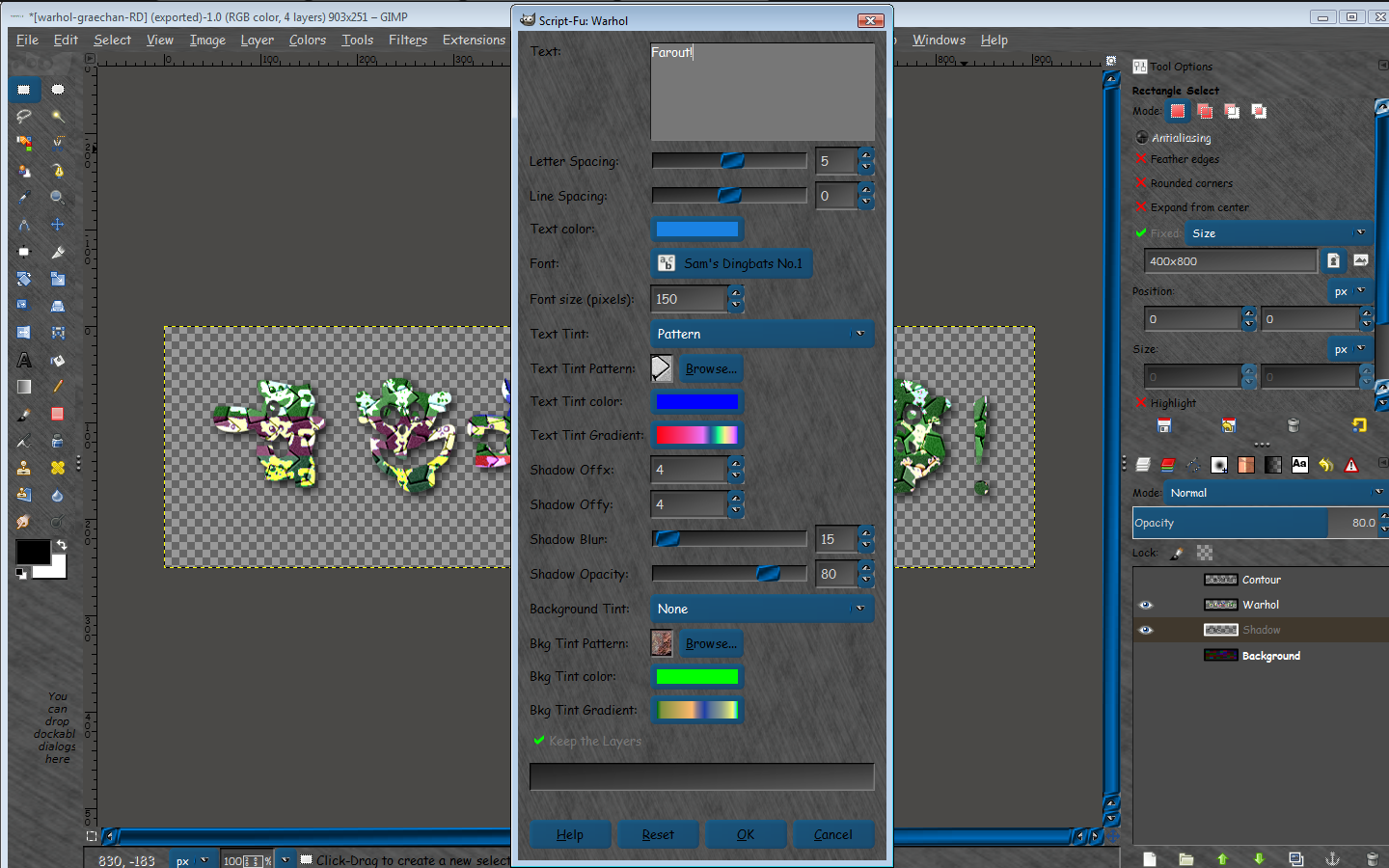
Font is called - Sam's Dingbats #1 , and spells out FAROUT! :hehe

Settings
Image
Pattern attached


Attachments:
startile.pat [24.04 KiB]
Downloaded 374 times

_________________
Image
Top
 Post subject: Re: Warhol Script
PostPosted: Sun Apr 28, 2013 7:05 pm  (#5) 
Offline
Script Coder
User avatar

Joined: Feb 18, 2011
Posts: 4826
Location: Bendigo Vic. Australia
Thank you all for the Images

_________________
Image
No matter how much you push the envelope, it'll still be stationery.


Top
 Post subject: Re: Warhol Script
PostPosted: Sun Apr 28, 2013 7:20 pm  (#6) 
Offline
GimpChat Member
User avatar

Joined: Jul 17, 2012
Posts: 2769
i love the butterfly piece, sallyanne !

would make a great poster !


Top
 Post subject: Re: Warhol Script
PostPosted: Mon Apr 29, 2013 12:55 am  (#7) 
Offline
Script Coder
User avatar

Joined: Feb 18, 2011
Posts: 4826
Location: Bendigo Vic. Australia
Yes Esper I agree so I'm adding an alpha-to-logo script here are my my butterflies using this script

Image

_________________
Image
No matter how much you push the envelope, it'll still be stationery.


Top
 Post subject: Re: Warhol Script Rel2 (now with Alpha-to-Logo)
PostPosted: Mon Apr 29, 2013 2:29 am  (#8) 
Offline
Script Coder
User avatar

Joined: Feb 18, 2011
Posts: 4826
Location: Bendigo Vic. Australia
Rel2 with Alpha-to-Logo menu has been posted see initial post

_________________
Image
No matter how much you push the envelope, it'll still be stationery.


Top
 Post subject: Re: Warhol Script Rel2 (now with Alpha-to-Logo)
PostPosted: Mon Apr 29, 2013 3:52 am  (#9) 
Offline
Script Coder
User avatar

Joined: Feb 18, 2011
Posts: 4826
Location: Bendigo Vic. Australia
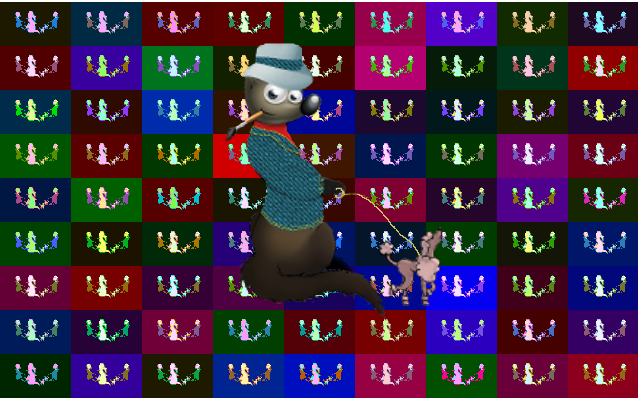
Wilbur logo after Warhol

Image

_________________
Image
No matter how much you push the envelope, it'll still be stationery.


Top
 Post subject: Re: Warhol Script Rel2 (now with Alpha-to-Logo)
PostPosted: Mon Apr 29, 2013 5:30 am  (#10) 
Offline
GimpChat Member
User avatar

Joined: Mar 23, 2012
Posts: 7388
Location: Göteborg at last!
Thanks Graechan. I'll have fun with this one.


Top
 Post subject: Re: Warhol Script Rel2 (now with Alpha-to-Logo)
PostPosted: Mon Apr 29, 2013 8:02 am  (#11) 
Offline
Global Moderator
User avatar

Joined: Apr 01, 2012
Posts: 8457
Location: On the other side of your screen
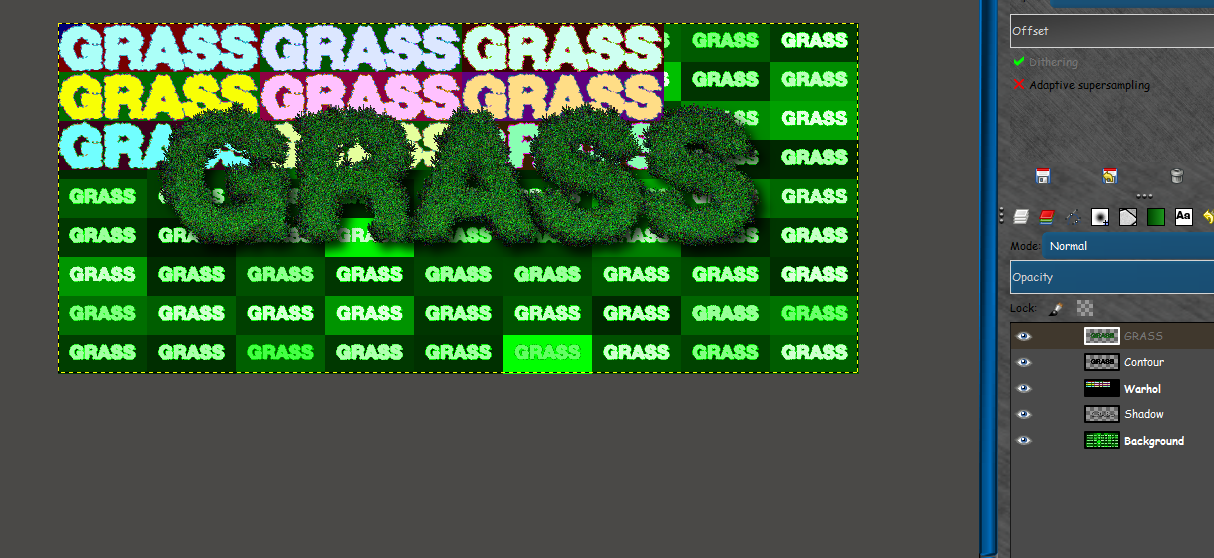
Graechan what am I doing wrong?
I cannot create anything straight from Script > Alpha to Logo > Warhol because it is greyed out.
I try to do a new image with a dingbat on it and then run the script. This keeps happening.
Image

_________________
Image
Free Fun Photo Editing & resources
Poems from the Lord
Gimp Newby
Gimp version 3.2.4 and GMIC-Qt 4.0.2 OS :- Windows 10 Home 64


Top
 Post subject: Re: Warhol Script Rel2 (now with Alpha-to-Logo)
PostPosted: Mon Apr 29, 2013 8:43 am  (#12) 
Offline
Global Moderator
User avatar

Joined: May 16, 2010
Posts: 16158
sallyanne wrote:
Graechan what am I doing wrong?
I cannot create anything straight from Script > Alpha to Logo > Warhol because it is greyed out.
I try to do a new image with a dingbat on it and then run the script. This keeps happening.
[ Image ]


Same here Sallyanne.I had to rearrange the layers so the Grass lettering was on top and the black layer under.
Not sure what happened. :)

Image

_________________
Image


Top
 Post subject: Re: Warhol Script Rel3(bugfix and new setting)
PostPosted: Mon Apr 29, 2013 9:32 pm  (#13) 
Offline
Script Coder
User avatar

Joined: Feb 18, 2011
Posts: 4826
Location: Bendigo Vic. Australia
To Sallyanne and Rod OOP's sorry about that I forgot that running multiple GMIC Filters requires a (displays Flush) in between for it to function properly on other computers 'Senility Problem 101' I call it :oops:

Rel3 has been posted see initial post

_________________
Image
No matter how much you push the envelope, it'll still be stationery.


Top
 Post subject: Re: Warhol Script Rel3(bugfix and new setting)
PostPosted: Mon Apr 29, 2013 9:34 pm  (#14) 
Offline
Global Moderator
User avatar

Joined: May 16, 2010
Posts: 16158
Graechan wrote:
To Sallyanne and Rod OOP's sorry about that I forgot that running multiple GMIC Filters requires a (displays Flush) in between for it to function properly on other computers 'Senility Problem 101' I call it :oops:

Rel3 has been posted see initial post


No problem Graechan.Thanks for the new release and bug fix. :bigthup

_________________
Image


Top
 Post subject: Re: Warhol Script Rel3(bugfix and new setting)
PostPosted: Tue Apr 30, 2013 2:59 am  (#15) 
Offline
Script Coder
User avatar

Joined: Feb 18, 2011
Posts: 4826
Location: Bendigo Vic. Australia
Hoping to see another attempt at your grass image Rod

_________________
Image
No matter how much you push the envelope, it'll still be stationery.


Top
 Post subject: Re: Warhol Script Rel3(bugfix and new setting)
PostPosted: Tue Apr 30, 2013 3:54 am  (#16) 
Offline
GimpChat Member
User avatar

Joined: Apr 07, 2010
Posts: 14182
Very nice Graechan....Is there any way to keep the color of the image? Mine turns black. I had to paint it in again after running the script.

Image

_________________
Image


Top
 Post subject: Re: Warhol Script Rel3(bugfix and new setting)
PostPosted: Tue Apr 30, 2013 4:21 am  (#17) 
Offline
Global Moderator
User avatar

Joined: Apr 01, 2012
Posts: 8457
Location: On the other side of your screen
Cool Molly :kpix . I only just saw this. Now to download the new release and try it. Thanx Graechan.
_________________
Image
Free Fun Photo Editing & resources
Poems from the Lord
Gimp Newby
Gimp version 3.2.4 and GMIC-Qt 4.0.2 OS :- Windows 10 Home 64


Top
 Post subject: Re: Warhol Script Rel3(bugfix and new setting)
PostPosted: Tue Apr 30, 2013 7:53 am  (#18) 
Offline
Global Moderator
User avatar

Joined: May 16, 2010
Posts: 16158
Graechan wrote:
Hoping to see another attempt at your grass image Rod


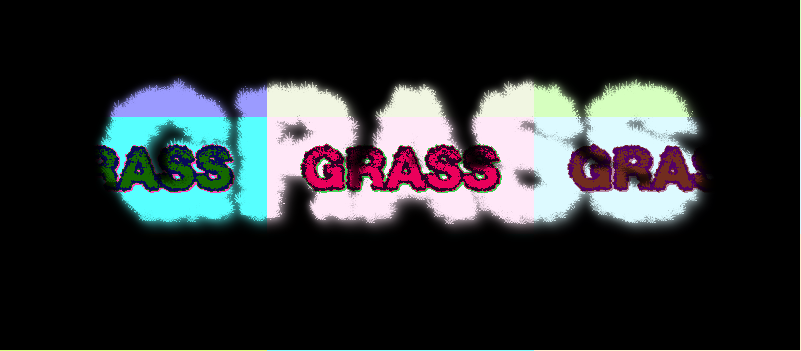
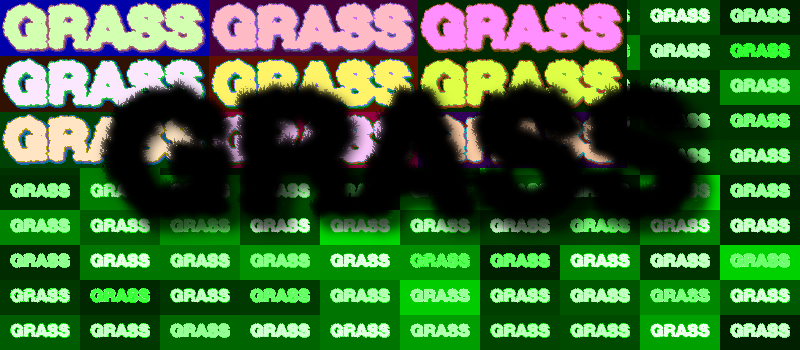
Here you go. No matter what i run the settings at it always colors the colored text layer black. :(
I don't think i am using it correctly?

With alpha to selection on color mode OR no selection.
Image

Selection Invert (which is actually kinda cool) :hehe
Image

_________________
Image


Top
 Post subject: Re: Warhol Script Rel3(bugfix and new setting)
PostPosted: Tue Apr 30, 2013 1:07 pm  (#19) 
Offline
GimpChat Member
User avatar

Joined: Aug 16, 2012
Posts: 4271
Location: Göteborg, Sweden
graechan: :wh that's sooo cool! i love this effect, i'll have so much fun with the script :). also, it's a bit of an honour that it started with my tutorial, though the original idea wasn't mine (erisian's? i don't remember who got me into it, it was a long time ago).

i think the problems with the alpha selections are in the warhol filter itself. it seems to be a bit unpredictable, i never get the same results twice. haven't tried graechan's script yet, though, so maybe i shouldn't speak too soon!

_________________


Top
 Post subject: Re: Warhol Script Rel3(bugfix and new setting)
PostPosted: Tue Apr 30, 2013 1:14 pm  (#20) 
Offline
Global Moderator
User avatar

Joined: May 16, 2010
Posts: 16158
AnMal wrote:
graechan: :wh that's sooo cool! i love this effect, i'll have so much fun with the script :). also, it's a bit of an honour that it started with my tutorial, though the original idea wasn't mine (erisian's? i don't remember who got me into it, it was a long time ago).

i think the problems with the alpha selections are in the warhol filter itself. it seems to be a bit unpredictable, i never get the same results twice. haven't tried graechan's script yet, though, so maybe i shouldn't speak too soon!

I think it's that i "have to be smarter than the tools i am using" :rofl

_________________
Image


Top
Post new topic Reply to topic  [ 65 posts ]  Go to page 1, 2, 3, 4  Next

All times are UTC - 5 hours [ DST ]


* Login  


Powered by phpBB3 © phpBB Group