It is currently Fri Aug 07, 2026 10:14 pm


All times are UTC - 5 hours [ DST ]


Post new topic Reply to topic  [ 7 posts ] 
Author Message
 Post subject: Changer Layers
PostPosted: Thu Feb 20, 2025 11:59 am  (#1) 
Offline
GimpChat Member
User avatar

Joined: Jan 13, 2011
Posts: 2648
Location: Poland
Ver.3.0
Older versions of this plugin were available on gimpscripts.net under the name: 'MrQ Switches_Layers.py'.
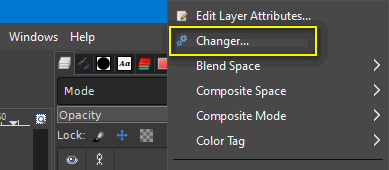
This plugin is a fragment of 'MrQ Action RPL.py' available in the Layers menu (click right mouse button in Layers dock).

Image

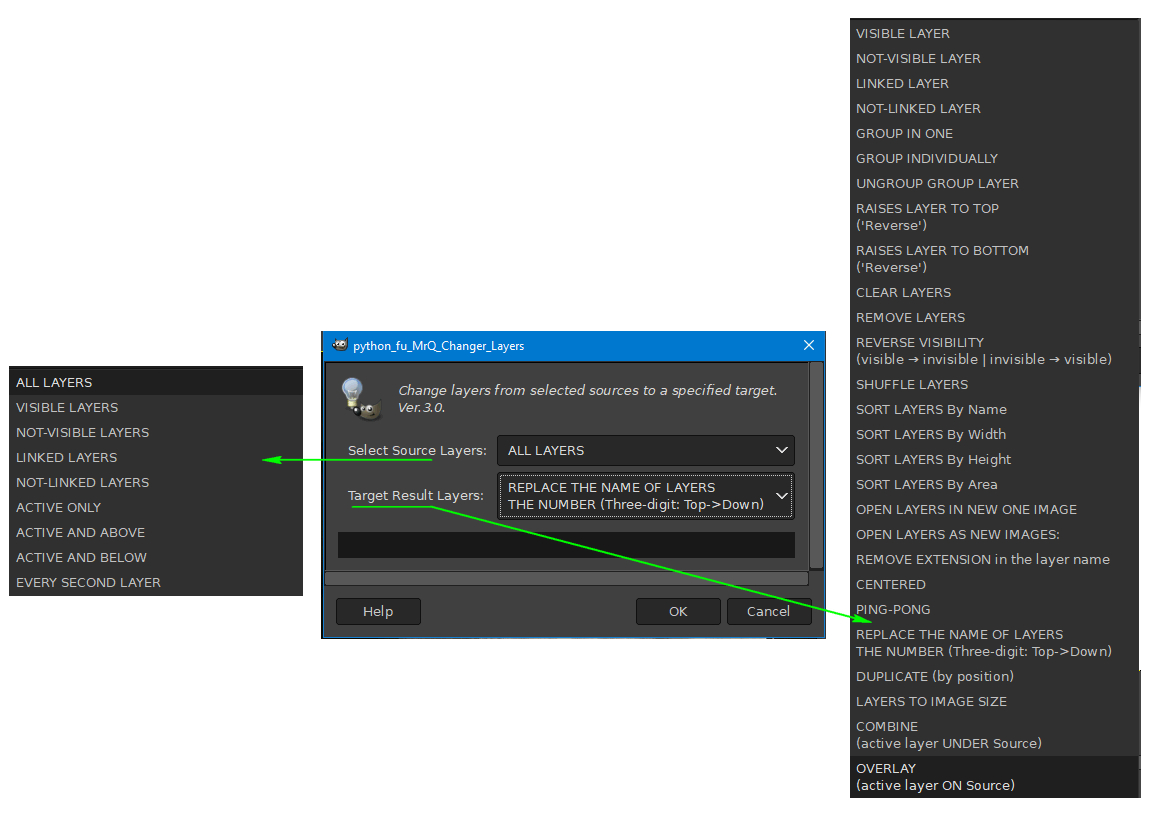
It is designed to perform operations on multiple layers - it can be useful for creating animations.

Image


Attachments:
MrQ Changer_Layers Ver.3.0.zip [3.48 KiB]
Downloaded 69 times

_________________
Image
Share on Facebook Share on Twitter Share on Orkut Share on Digg Share on MySpace Share on Delicious Share on Technorati
Top
 Post subject: Re: Changer Layers
PostPosted: Sat Feb 22, 2025 5:35 am  (#2) 
Offline
GimpChat Member
User avatar

Joined: Mar 01, 2014
Posts: 14111
Location: Spain, Aragón
Thank you MrQ for this super useful plug-in. I'm sure I'll use a lot. :clap :tyspin

_________________
Image

Gimp 2.10.30(samj) portable _ OS Windows 10 Home_ 64bits
Don’t be afraid to start over. It’s a new chance to rebuild what you want.


Top
 Post subject: Re: Changer Layers
PostPosted: Tue Mar 18, 2025 4:50 pm  (#3) 
Offline
GimpChat Member

Joined: Apr 30, 2018
Posts: 10
I don't get that right click "Changer..." context menu here.

- Put py file in "GIMP\3.0\plug-ins\MrQ Changer_Layers" folder.
- verbose output when gimp starts also shows
Querying plug-in: 'C:\Users\Hermann\AppData\Roaming\GIMP\3.0\plug-ins\MrQ Changer_Layers\MrQ Changer_Layers.py'


But now "Changer..." in layer context menu, what did I wrong?


Top
 Post subject: Re: Changer Layers
PostPosted: Tue Mar 18, 2025 10:16 pm  (#4) 
Offline
GimpChat Member
User avatar

Joined: Jan 13, 2011
Posts: 2648
Location: Poland
Hi Hermann.

3.0 is the version number of the plugin intended only for Gimp-2.10.xx.
A coincidence can be misleading. ;)

_________________
Image


Top
 Post subject: Re: Changer Layers
PostPosted: Wed Mar 19, 2025 5:36 am  (#5) 
Offline
GimpChat Member

Joined: Apr 30, 2018
Posts: 10
Oh - then you know my next question ;)


Top
 Post subject: Re: Changer Layers
PostPosted: Wed Mar 19, 2025 6:54 am  (#6) 
Offline
GimpChat Member
User avatar

Joined: Jan 13, 2011
Posts: 2648
Location: Poland
I'm not planning on it at the moment.

_________________
Image


Top
 Post subject: Re: Changer Layers
PostPosted: Thu Mar 20, 2025 1:22 am  (#7) 
Offline
Administrator
User avatar

Joined: Aug 10, 2012
Posts: 14146
Location: Native to NYC living in Arizona, Gimp 2.8 - 3.0, Win 11 PC.
Nice!
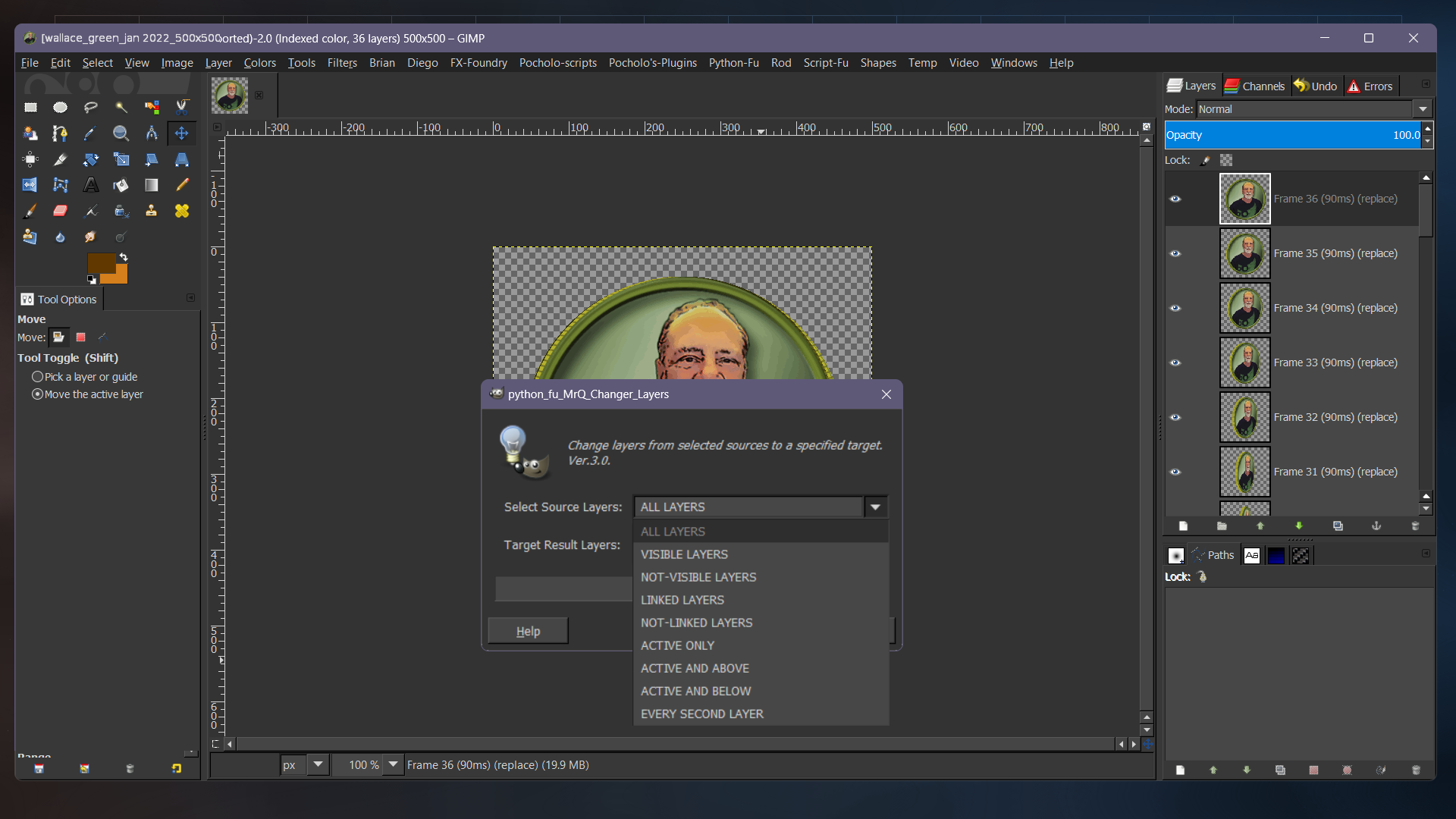
It works in 2.8.

Attachment:
_Untitled_-Layer__1.png
_Untitled_-Layer__1.png [ 372.21 KiB | Viewed 7555 times ]


Image

Image

Thanks MrQ
:bigthup

_________________
Image
"A wise man learns more from a foolish question than a fool can learn from a wise answer"
Image


Top
Post new topic Reply to topic  [ 7 posts ] 

All times are UTC - 5 hours [ DST ]


* Login  


Powered by phpBB3 © phpBB Group