It is currently Sat Aug 08, 2026 5:08 am


All times are UTC - 5 hours [ DST ]


Post new topic Reply to topic  [ 5 posts ] 
Author Message
 Post subject: Official GEGL Bevel and Inner Glow.
PostPosted: Tue Jun 24, 2025 7:16 am  (#1) 
Offline
GimpChat Member
User avatar

Joined: Jan 13, 2011
Posts: 2648
Location: Poland
Only for Gimp-2.10.xx Win10 64bit
Explanation read here.

Place files in this location:
c:\Program Files\GIMP 2\lib\gegl-0.4\plug-ins\

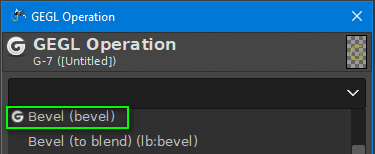
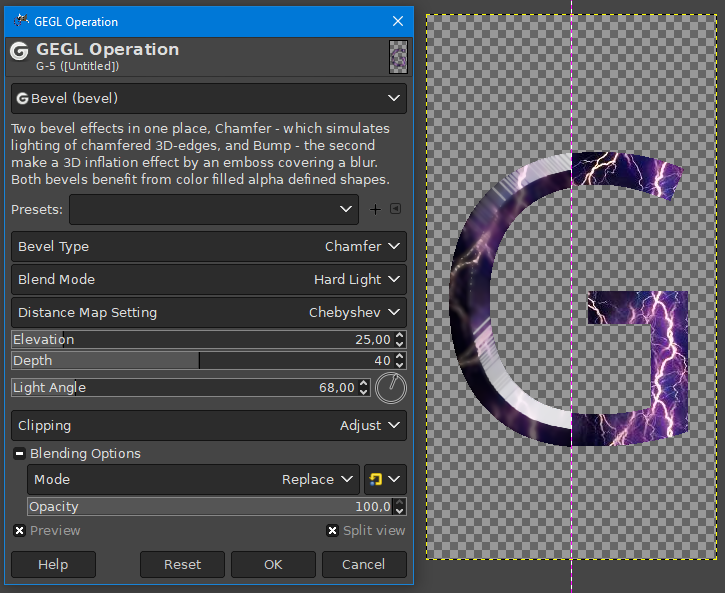
Official GEGL Bevel
Image

Image

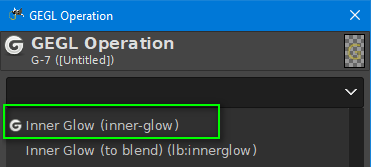
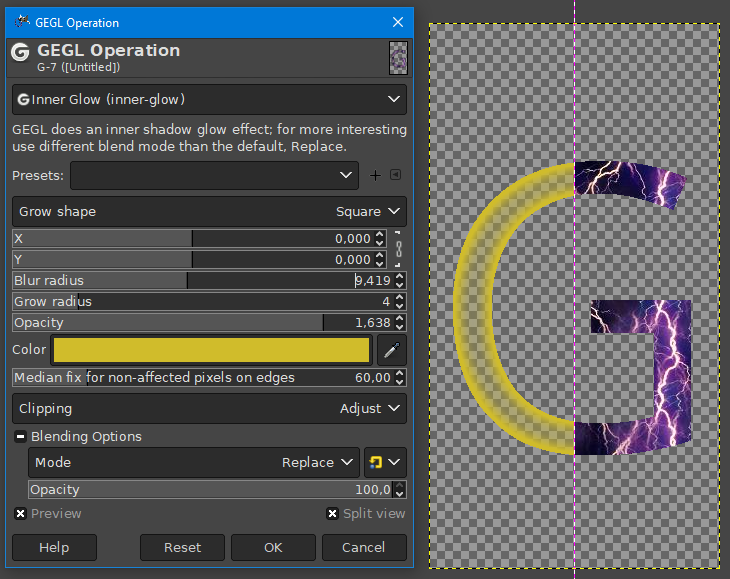
Official GEGL Inner Glow
Image

Image


Attachments:
Official GEGL Bevel.zip [36.26 KiB]
Downloaded 37 times
Official GEGL Inner-Glow.zip [35.38 KiB]
Downloaded 35 times

_________________
Image
Share on Facebook Share on Twitter Share on Orkut Share on Digg Share on MySpace Share on Delicious Share on Technorati
Top
 Post subject: Re: Official GEGL Bevel and Inner Glow.
PostPosted: Tue Jun 24, 2025 1:12 pm  (#2) 
Offline
GimpChat Member
User avatar

Joined: Oct 31, 2020
Posts: 2013
MareroQ wrote:
Only for Gimp-2.10.xx Win10 64bit
Explanation read here.

Place files in this location:
c:\Program Files\GIMP 2\lib\gegl-0.4\plug-ins\

Official GEGL Bevel
[ Image ]

[ Image ]

Official GEGL Inner Glow
[ Image ]

[ Image ]


Make sure to rename official inner glow because both the plugin and it share the same `inner-glow.so` name. All you have to do is rename it to `inner-glow2.so` GIMP 3 doesn't have this problem because its stored differently. If this plugin is used in GIMP 3 it will crash it because two plugins cannot share the same enum list naming. If two plugins have the same name on a drop down list they crash GIMP


Top
 Post subject: Re: Official GEGL Bevel and Inner Glow.
PostPosted: Tue Jun 24, 2025 2:09 pm  (#3) 
Offline
GimpChat Member
User avatar

Joined: Oct 31, 2020
Posts: 2013
Is `c:\Program Files\GIMP 2\lib\gegl-0.4\plug-ins\` and `c:\Program Files\GIMP 3\lib\gegl-0.4\plug-ins\` valid directories on Windows? I always tell users to put the binaries in ` C:\Users\(USERNAME)\AppData\Local\gegl-0.4\plug-ins` and the last time I checked 5 months ago on Windows 10 GIMP 3.0.4 and 2.10 that is a valid directory


Top
 Post subject: Re: Official GEGL Bevel and Inner Glow.
PostPosted: Tue Jun 24, 2025 4:10 pm  (#4) 
Offline
GimpChat Member
User avatar

Joined: Jan 13, 2011
Posts: 2648
Location: Poland
A few things for Windows:

1. C:\Users\(USERNAME)\AppData\Local\gegl-0.4\plug-ins this is a localization for all versions of Gimp (except for the portable version Gimp-2.10 samj).
2. ... lib\gegl-0.4\plug-ins\ is the localization for a specific version of Gimp.
3. If users of both Gimp-2.10 and Gimp-3 placed the files Official GEGL Bevel.dll and Official GEGL Inner-Glow.dll in the C:\Users\(USERNAME)\AppData\Local\gegl-0.4\plug-ins directory in Gimp-3 they would be loaded twice (from that directory and as a built-in plugin), which is not a good practice.
4. The choice of the name of the 'plug-ins' directory may not have been the luckiest (because it was used for the third time), but let's leave it that way (although instead of plug-ins it could be named anything you want, e.g. WindowsBinaries and/or vibe_coded_windows).
5. Compiling two Gimp plugins takes very little time, so I wonder why you waited? :roll:

_________________
Image


Top
 Post subject: Re: Official GEGL Bevel and Inner Glow.
PostPosted: Sun Jun 29, 2025 8:49 pm  (#5) 
Offline
GimpChat Member
User avatar

Joined: Oct 31, 2020
Posts: 2013
official innerglow has to have its binary renamed manually so it loads on GIMP 2.10 alongside lb:innerglow. Unless they are in different folders. ( i think)


Top
Post new topic Reply to topic  [ 5 posts ] 

All times are UTC - 5 hours [ DST ]


* Login  


Powered by phpBB3 © phpBB Group