It is currently Sat Oct 10, 2026 6:19 pm


All times are UTC - 5 hours [ DST ]


Post new topic Reply to topic  [ 90 posts ]  Go to page Previous  1, 2, 3, 4, 5  Next
Author Message
 Post subject: Re: Manhattan City
PostPosted: Sun Mar 09, 2014 3:24 am  (#41) 
Offline
GimpChat Member
User avatar

Joined: Mar 01, 2014
Posts: 14208
Location: Spain, Aragón
Groechan, I'm without words, Your job is overwhelming! very good indeed. :coolthup :yes :bigthup

_________________
Image

Gimp 2.10.36 (samj) portable _ OS Windows 10 Home_ 64bits
Don’t be afraid to start over. It’s a new chance to rebuild what you want.


Top
 Post subject: Re: Manhattan City
PostPosted: Sun Mar 09, 2014 4:12 am  (#42) 
Offline
GimpChat Member
User avatar

Joined: Apr 07, 2010
Posts: 14182
Beautiful Graechan, Is that Melbourne or Sydney, hard to tell. From the pictures I have seen of Sydney, it looks like it could be there, Don't they have the largest port in the world? I would love to see it some day, maybe I could swim over. :teeth

_________________
Image


Top
 Post subject: Re: Manhattan City
PostPosted: Sun Mar 09, 2014 4:30 am  (#43) 
Offline
GimpChat Member
User avatar

Joined: Aug 16, 2012
Posts: 4271
Location: Göteborg, Sweden
2-ton: wow, your second one is a real beauty! i love the colours and i actually liked how the building was distorted :). it's true, to get a round sphere you need a square layer. issabella solves that by scaling the oval into a sphere after it's mapped. i solve it by going to layers > layer boundaries and making the width and height equal, checking "center" so i get the picture in the right place. then i map it to sphere. many ways to do this!

edit: i somehow missed your last one, 2-ton. i really like what you do with the colours! it's not easy finding the right pictures, but i think your last two have been excellent.

pirate451: awwww, those are magical!! i love them, especially the animated one.

graechan: nice one! sydney's opera house somehow always makes great pictures - unlike the opera house here in göteborg. :hehe i liked the framing too.

_________________


Top
 Post subject: Re: Manhattan City
PostPosted: Sun Mar 09, 2014 9:17 am  (#44) 
Offline
GimpChat Member
User avatar

Joined: Aug 16, 2012
Posts: 4271
Location: Göteborg, Sweden
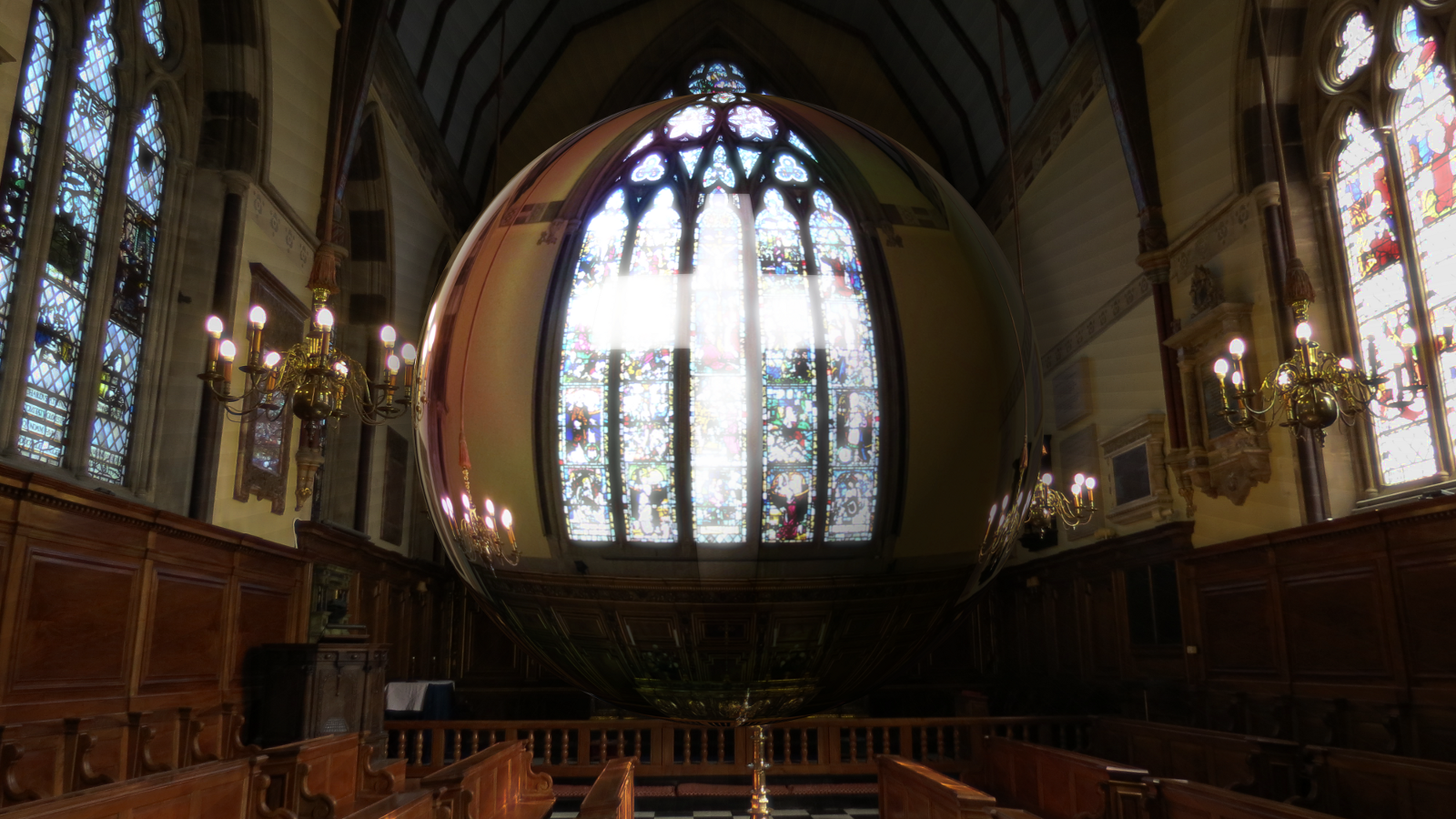
i had to make a few more of these spheres - i did my own tweaks on all of them. here's one of my favourites! it's a photo of the chapel at balliol college in oxford and i have made a vague cross shape inside the sphere, made it a little bit more bubble like and made some vaguely visible rays in the background instead of the zoom blur, that seemed to take away the tranquility on the picture.
Image

_________________


Top
 Post subject: Re: Manhattan City
PostPosted: Sun Mar 09, 2014 9:30 am  (#45) 
Offline
GimpChat Member
User avatar

Joined: Apr 08, 2010
Posts: 5420
Location: Northwest Ohio
THe stained glass window came out so beautiful!

Meanwhile, I wanted to make a person inside the orb, but obviously it deforms them, even if you make them small in the center of a large layer. I guess the only way to do it is to use a large bubble brush and paste it over the person, or make a gigantic layer with a tiny person in the middle, lol.


Top
 Post subject: Re: Manhattan City
PostPosted: Sun Mar 09, 2014 11:49 am  (#46) 
Offline
GimpChat Member
User avatar

Joined: Dec 10, 2013
Posts: 1004
Wow all the work here is amazing. Issabella you've opened a Pandora's box of creativity (hmm instead of a sphere a box?)! Beautiful...

_________________
Image
Macbook Air - MacOS Sierra 10.12
McGimp 2.8.14
G'mic 1.6.5


Top
 Post subject: Re: Manhattan City
PostPosted: Sun Mar 09, 2014 12:14 pm  (#47) 
Offline
GimpChat Member
User avatar

Joined: Mar 01, 2014
Posts: 14208
Location: Spain, Aragón
That seems, Dalia. But I didn't mean! You all made art from anything! :hehe

_________________
Image

Gimp 2.10.36 (samj) portable _ OS Windows 10 Home_ 64bits
Don’t be afraid to start over. It’s a new chance to rebuild what you want.


Top
 Post subject: Re: Manhattan City
PostPosted: Sun Mar 09, 2014 12:20 pm  (#48) 
Offline
GimpChat Member
User avatar

Joined: Jun 02, 2013
Posts: 2090
Very nice. Will have to give this one a go.

_________________
Image


Top
 Post subject: Re: Manhattan City
PostPosted: Sun Mar 09, 2014 5:10 pm  (#49) 
Offline
GimpChat Member
User avatar

Joined: Mar 23, 2012
Posts: 7388
Location: Göteborg at last!
AnMal wrote:
i had to make a few more of these spheres - i did my own tweaks on all of them. here's one of my favourites! it's a photo of the chapel at balliol college in oxford and i have made a vague cross shape inside the sphere, made it a little bit more bubble like and made some vaguely visible rays in the background instead of the zoom blur, that seemed to take away the tranquility on the picture.
Image

This is a beauty AnMal. You picked a good subject for this.


Top
 Post subject: Re: Manhattan City
PostPosted: Sun Mar 09, 2014 5:13 pm  (#50) 
Offline
GimpChat Member
User avatar

Joined: Apr 07, 2010
Posts: 14182
Very beautiful Aris.

_________________
Image


Top
 Post subject: Re: Manhattan City
PostPosted: Sun Mar 09, 2014 5:34 pm  (#51) 
Offline
GimpChat Member
User avatar

Joined: Aug 16, 2012
Posts: 4271
Location: Göteborg, Sweden
2-ton: thank you! it's hard with people in spheres - they look too bad when they're all stretched out. i made one with erisian in it that looked rather good (not showing it here, my photos of him are mine, mine, mine!!) and in that i tried to get as much around him as possible, to make the stretching on him less. today i tried another thing: i cut out a picture of a person from one picture and pasted it as new layer, on top of a sphere i'd just made. then i made a grey sphere the same sice and used it as a displacement map on the person to get more control of the amount of stretching. it looked pretty good, i think. of course, the stretching doesn't fit in with the stretching on the rest of the sphere, but i think it looks better that way.

erisian: thank you :)! i loved how it turned out.

_________________


Top
 Post subject: Re: Manhattan City
PostPosted: Sun Mar 09, 2014 5:39 pm  (#52) 
Offline
GimpChat Member
User avatar

Joined: Apr 08, 2010
Posts: 5420
Location: Northwest Ohio
I am thinking that perhaps a super huge layer with a very small person in the middle might work, then the circle can be cropped down to the size wanted. Maybe I will try that tomorrow.


Top
 Post subject: Re: Manhattan City
PostPosted: Sun Mar 09, 2014 6:00 pm  (#53) 
Offline
GimpChat Member
User avatar

Joined: Apr 08, 2010
Posts: 5420
Location: Northwest Ohio
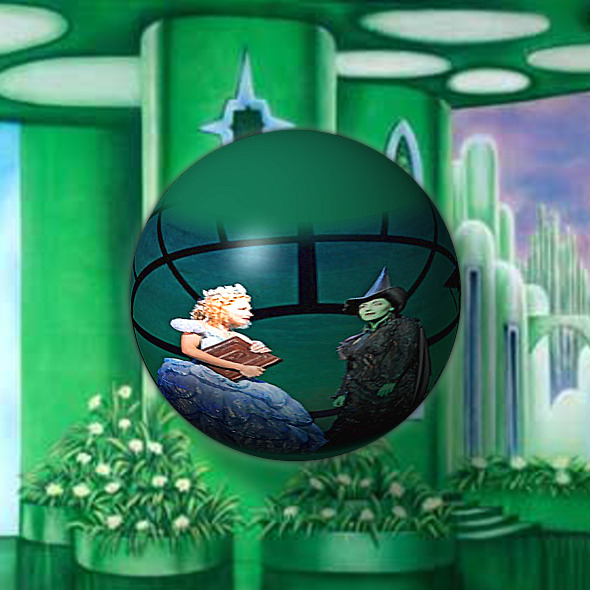
Of course, dinner had to wait because I HAD to try it. It sort of works…I made a very large background and added the small pic with people in the center, then globed it. Not so bad. Obviously I didn't clean out the pics, just threw a couple things together quickly.

Image


Top
 Post subject: Re: Manhattan City
PostPosted: Sun Mar 09, 2014 6:07 pm  (#54) 
Offline
GimpChat Member
User avatar

Joined: Aug 16, 2012
Posts: 4271
Location: Göteborg, Sweden
2-ton: that looks good :). i hope you make a more elaborate version of it, because i really liked the green shades and the oz witches.

_________________


Top
 Post subject: Re: Manhattan City
PostPosted: Sun Mar 09, 2014 6:19 pm  (#55) 
Offline
GimpChat Member
User avatar

Joined: Mar 23, 2012
Posts: 7388
Location: Göteborg at last!
Lovely work 2-ton.


Top
 Post subject: Re: Manhattan City
PostPosted: Sun Mar 09, 2014 7:11 pm  (#56) 
Offline
GimpChat Member
User avatar

Joined: Apr 07, 2010
Posts: 14182
Beautiful 2-ton... love the greens.
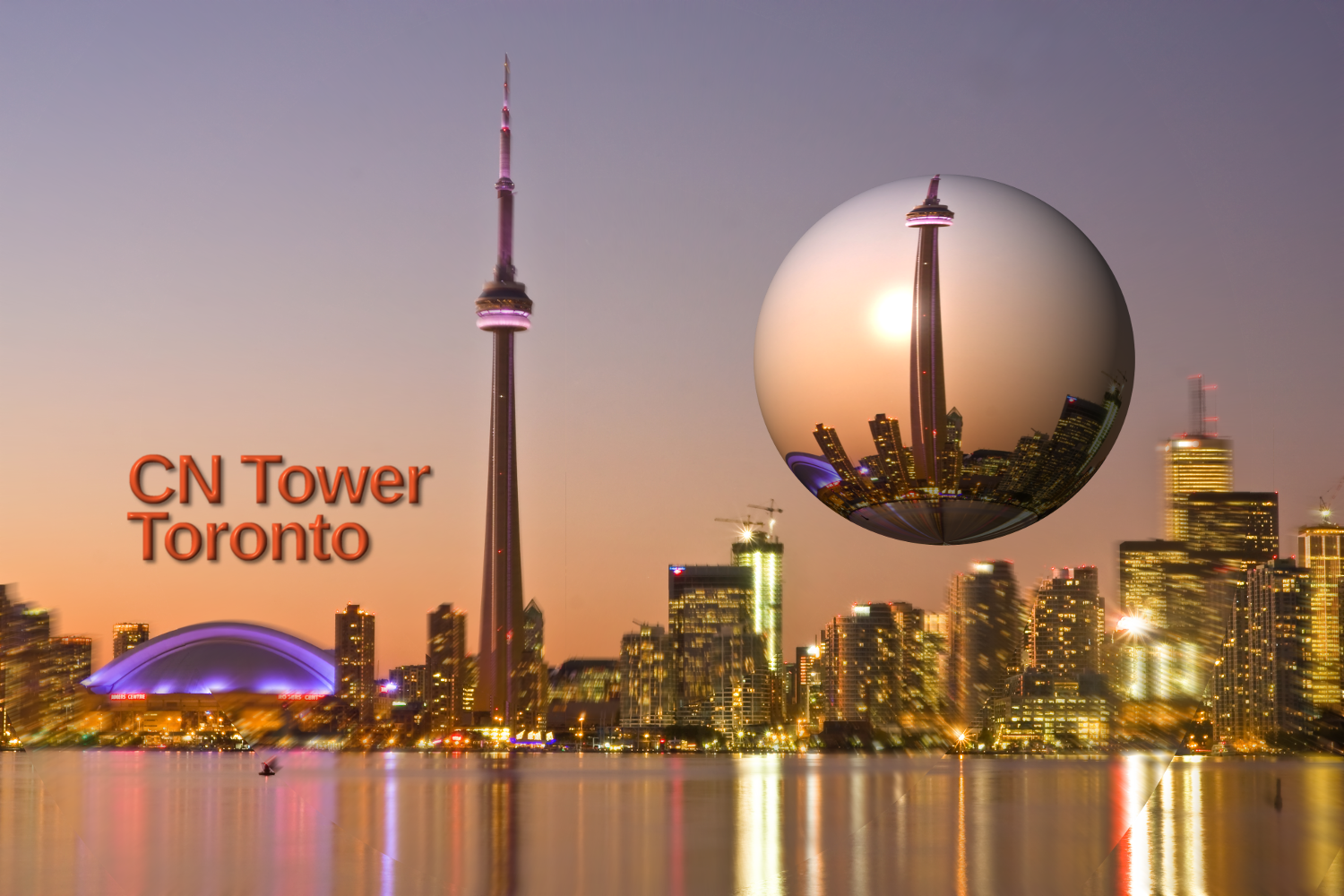
Here is my first try, I had to leave the globe up in the sky so I wouldn't cover the landmarks. The blue dome is the Rogers Center where the Toronto Blue Jays play, It used to be called the Skydome until Rogers that owns all the satellites and cable companies plus the Blue Jays etc. bought it
Image

_________________
Image


Top
 Post subject: Re: Manhattan City
PostPosted: Sun Mar 09, 2014 7:18 pm  (#57) 
Offline
GimpChat Member
User avatar

Joined: Apr 07, 2010
Posts: 14182
2-ton wrote:
I am thinking that perhaps a super huge layer with a very small person in the middle might work, then the circle can be cropped down to the size wanted. Maybe I will try that tomorrow.

@2-ton, Maybe instead of making the sphere, you could put your person on a layer, then on a transparent layer above you could use a nice semi-transparent bubble brush., might work.
If you don't have bubble brushes, I could post you some.
My contribution on post above this one.

_________________
Image


Top
 Post subject: Re: Manhattan City
PostPosted: Sun Mar 09, 2014 7:19 pm  (#58) 
Offline
GimpChat Member
User avatar

Joined: Aug 16, 2012
Posts: 4271
Location: Göteborg, Sweden
molly: beautiful work! glad you got the filter working :).

_________________


Top
 Post subject: Re: Manhattan City
PostPosted: Sun Mar 09, 2014 7:24 pm  (#59) 
Offline
GimpChat Member
User avatar

Joined: Mar 23, 2012
Posts: 7388
Location: Göteborg at last!
Nice image Molly!


Top
 Post subject: Re: Manhattan City
PostPosted: Sun Mar 09, 2014 7:25 pm  (#60) 
Offline
GimpChat Member
User avatar

Joined: Apr 07, 2010
Posts: 14182
Thank you Mrs Tea and Mr Coffee. :teeth

_________________
Image


Top
Post new topic Reply to topic  [ 90 posts ]  Go to page Previous  1, 2, 3, 4, 5  Next

All times are UTC - 5 hours [ DST ]


* Login  


Powered by phpBB3 © phpBB Group