It is currently Mon Aug 17, 2026 3:21 pm


All times are UTC - 5 hours [ DST ]


Post new topic Reply to topic  [ 68 posts ]  Go to page Previous  1, 2, 3, 4  Next
Author Message
 Post subject: Re: Looking for a script or plugin
PostPosted: Thu May 15, 2014 1:40 am  (#21) 
Offline
GimpChat Member
User avatar

Joined: Jul 06, 2013
Posts: 2662
Location: California
paynekj wrote:
As you're still not explaining what effect you think you're seeing in that image, let's continue this guessing game:

Attachment:
sonnyolivia.png


Kevin


I was never great at explaining things. But it's not the text effect. It's the last 5 options put together all at once. Does that make sense?


Top
 Post subject: Re: Looking for a script or plugin
PostPosted: Thu May 15, 2014 3:16 am  (#22) 
Offline
GimpChat Member
User avatar

Joined: Feb 25, 2013
Posts: 95
Location: Missouri
I can tell you right now. It's a feature in photoshop.
It's a blending mode with pictures. You have to create layers with different photo effects.
Place them all together to make a blend.


Top
 Post subject: Re: Looking for a script or plugin
PostPosted: Thu May 15, 2014 3:18 am  (#23) 
Offline
GimpChat Member
User avatar

Joined: Jul 06, 2013
Posts: 2662
Location: California
spunkygurl80 wrote:
I can tell you right now. It's a feature in photoshop.
It's a blending mode with pictures. You have to create layers with different photo effects.
Place them all together to make a blend.


Really? I could have sworn it was a script or plugin for gimp.


Top
 Post subject: Re: Looking for a script or plugin
PostPosted: Thu May 15, 2014 3:22 am  (#24) 
Offline
GimpChat Member
User avatar

Joined: Feb 25, 2013
Posts: 95
Location: Missouri
mackenzieh wrote:
spunkygurl80 wrote:
I can tell you right now. It's a feature in photoshop.
It's a blending mode with pictures. You have to create layers with different photo effects.
Place them all together to make a blend.


Really? I could have sworn it was a script or plugin for gimp.


You probably created it in photoshop. They have a lot of blending mode options.


Top
 Post subject: Re: Looking for a script or plugin
PostPosted: Thu May 15, 2014 3:23 am  (#25) 
Offline
GimpChat Member

Joined: Mar 04, 2011
Posts: 2612
I always like a challenge, but that defeated me. A good look around and I did not find a Gimp plug-in for the effect. I think the best suggestion is a PS macro.

As my earlier post, not difficult to recreate from scratch using standard Gimp tools. Takes 4 minutes, probably 3 minutes 30 secs longer than a script but it will be all your own work.

a clip from the middle

Image


Last edited by rich2005 on Tue Jun 10, 2014 5:39 am, edited 1 time in total.

Top
 Post subject: Re: Looking for a script or plugin
PostPosted: Thu May 15, 2014 12:04 pm  (#26) 
Offline
GimpChat Member
User avatar

Joined: Jul 06, 2013
Posts: 2662
Location: California
spunkygurl80 wrote:
mackenzieh wrote:
spunkygurl80 wrote:
I can tell you right now. It's a feature in photoshop.
It's a blending mode with pictures. You have to create layers with different photo effects.
Place them all together to make a blend.


Really? I could have sworn it was a script or plugin for gimp.


You probably created it in photoshop. They have a lot of blending mode options.


I didn't create it and I don't own photoshop. I just liked the effect. I was sure hoping there was script or plugin.


Top
 Post subject: Re: Looking for a script or plugin
PostPosted: Fri May 23, 2014 2:25 am  (#27) 
Offline
Script Coder
User avatar

Joined: Feb 18, 2011
Posts: 4826
Location: Bendigo Vic. Australia
Progress is slow (house is full of relatives who have come give my youngest son there best as he goes into the Army in a week)
To date image looks like this
Image

_________________
Image
No matter how much you push the envelope, it'll still be stationery.


Top
 Post subject: Re: Looking for a script or plugin
PostPosted: Mon Jun 02, 2014 2:47 am  (#28) 
Offline
Script Coder
User avatar

Joined: Feb 18, 2011
Posts: 4826
Location: Bendigo Vic. Australia
Well I guess it's now a script the output is below↓
Image

_________________
Image
No matter how much you push the envelope, it'll still be stationery.


Top
 Post subject: Re: Looking for a script or plugin
PostPosted: Mon Jun 02, 2014 9:46 pm  (#29) 
Offline
Script Coder
User avatar

Joined: Feb 18, 2011
Posts: 4826
Location: Bendigo Vic. Australia
:bump

_________________
Image
No matter how much you push the envelope, it'll still be stationery.


Top
 Post subject: Re: Looking for a script or plugin
PostPosted: Mon Jun 02, 2014 10:09 pm  (#30) 
Offline
GimpChat Founder
User avatar

Joined: May 22, 2008
Posts: 5241
Location: Gimpville
Where's the script, Graechan?

I'm not sure exactly what this is supposed to do, but I'd try it, if I only had the script. :hehe

_________________
“If you reach for the stars, you just might land on a decently sized hill.” - Stuart Hill


Top
 Post subject: Re: Looking for a script or plugin
PostPosted: Mon Jun 02, 2014 10:26 pm  (#31) 
Offline
Script Coder
User avatar

Joined: Feb 18, 2011
Posts: 4826
Location: Bendigo Vic. Australia
I believe it's supposed to create a background for text
To use place 5 equally sized images into a directory then select that directory when you open the Menu
Menu Location is Script-Fu/Effects/Filmstrip Combine

Attachment:
Filmstrip Combine.scm [9.9 KiB]
Downloaded 209 times

_________________
Image
No matter how much you push the envelope, it'll still be stationery.


Top
 Post subject: Re: Looking for a script or plugin
PostPosted: Mon Jun 02, 2014 10:59 pm  (#32) 
Offline
Script Coder
User avatar

Joined: May 07, 2014
Posts: 4527
Location: Canada
script works flawlessly :bigthup
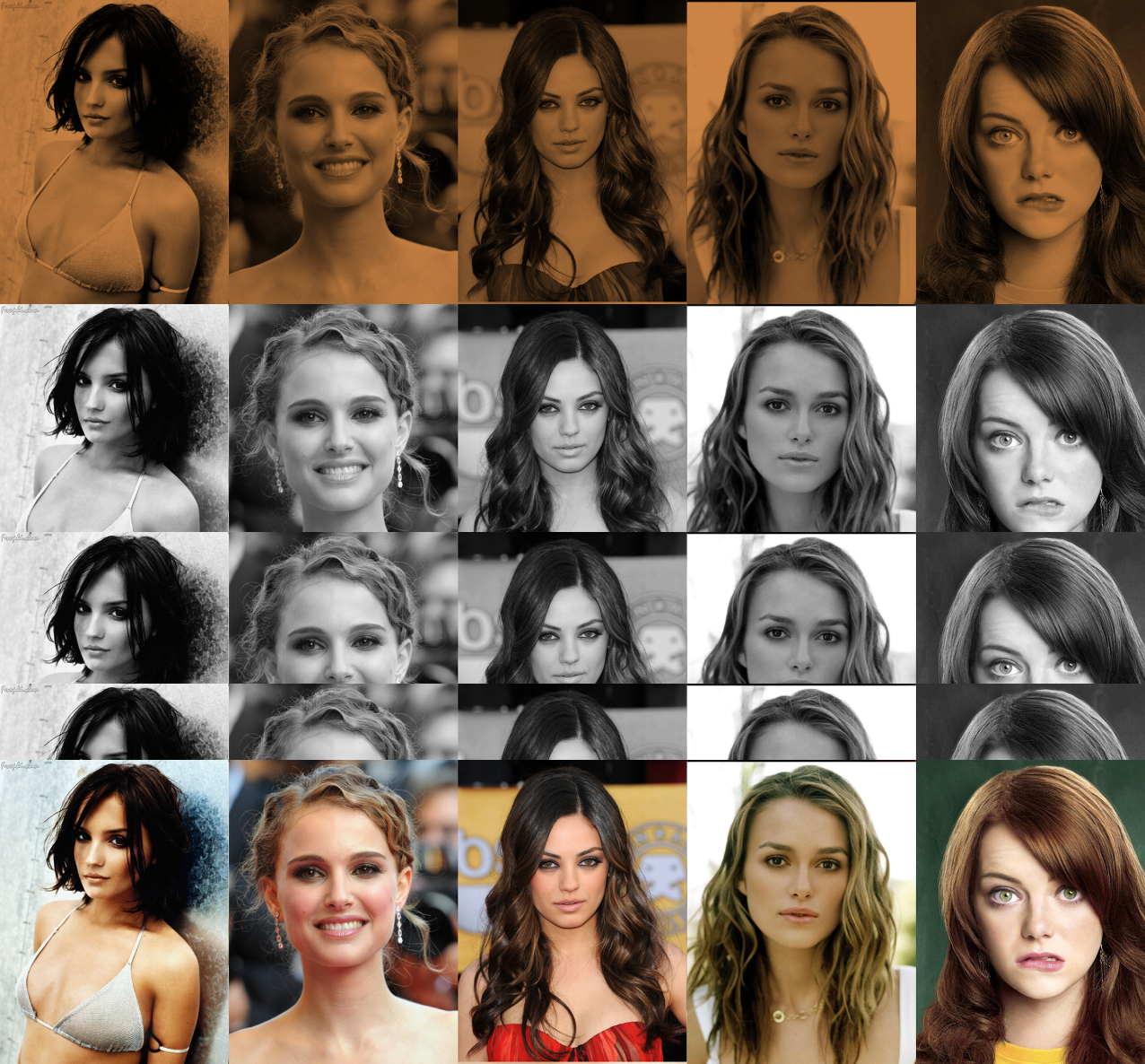
Rachael Leigh Cook, Natalie Portman, Mila Kunis, Keira Knightley, Emma Stone <-- internet promotion purposes.
Image
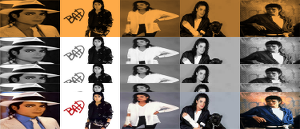
Will Smith, Tom Welling, Tom Cruise, Mark Wahlberg, Brad Pitt <-- for the gals, sorry about the low res I wasn't thinking when i grab these images.
Image

_________________
TinT


Top
 Post subject: Re: Looking for a script or plugin
PostPosted: Tue Jun 03, 2014 1:37 am  (#33) 
Offline
GimpChat Member
User avatar

Joined: Jul 06, 2013
Posts: 2662
Location: California
Here's my attempt:

Image

My original images were sized to 300 x 187 The final produced image shrunk to 300 x 129, Why is that? I really do like this plugin.


Top
 Post subject: Re: Looking for a script or plugin
PostPosted: Tue Jun 03, 2014 2:25 am  (#34) 
Offline
Script Coder
User avatar

Joined: Feb 18, 2011
Posts: 4826
Location: Bendigo Vic. Australia
the final width = the layers width, and the final height is proportional

_________________
Image
No matter how much you push the envelope, it'll still be stationery.


Last edited by Graechan on Tue Jun 03, 2014 6:45 pm, edited 1 time in total.

Top
 Post subject: Re: Looking for a script or plugin
PostPosted: Tue Jun 03, 2014 2:50 am  (#35) 
Offline
GimpChat Member
User avatar

Joined: Jul 06, 2013
Posts: 2662
Location: California
Oh, okay that's good to know. :)


Top
 Post subject: Re: Filmstrip Combine
PostPosted: Tue Jun 03, 2014 10:30 am  (#36) 
Offline
GimpChat Member
User avatar

Joined: Mar 10, 2014
Posts: 845
my test
Image


Top
 Post subject: Re: Looking for a script or plugin
PostPosted: Tue Jun 03, 2014 4:32 pm  (#37) 
Offline
Script Coder
User avatar

Joined: May 07, 2014
Posts: 4527
Location: Canada
Graechan wrote:
the final width = the layers width, and the final height should be 3.5 X the layers height

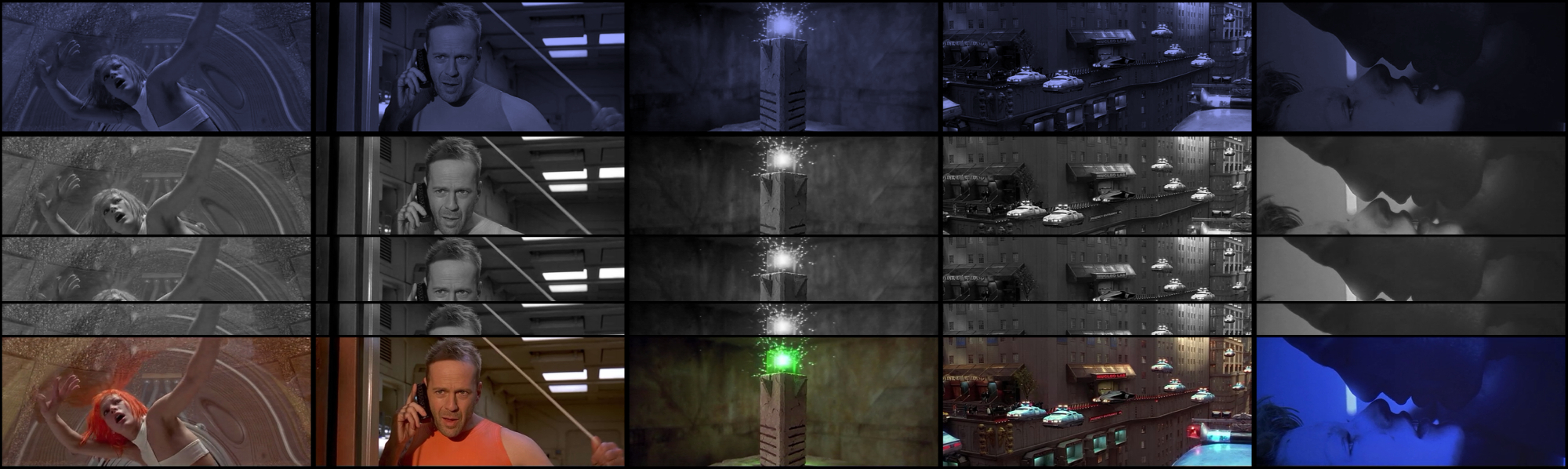
Oh that makes sense, that's why my male actors came out low-res. This is great to know. I just have to scale up my images to my liking.

Fifth Element (the movie)
Image

_________________
TinT


Top
 Post subject: Re: Filmstrip Combine
PostPosted: Wed Aug 06, 2014 6:37 pm  (#38) 
Offline
GimpChat Member
User avatar

Joined: Jul 06, 2013
Posts: 2662
Location: California
Graechan, is it possible to make an update to this script?

Something like this:
Image

Image

Image

Image

or this:
Image
(this one is just 6 images sliced & colorized.. icon is 343 x 343)

The images you see in the 4 banners are just one photo being made into a filmstrip after it's placed on a canvas of 500 x 220 or the photo itself is resized to 500 x 220 (not sure which) and then colorized and then sliced diagonally. Is it possible to make such an update to the script to where the script can do both options as well as the one that's already available?


Top
 Post subject: Re: Filmstrip Combine
PostPosted: Wed Aug 06, 2014 9:14 pm  (#39) 
Offline
Script Coder
User avatar

Joined: Feb 18, 2011
Posts: 4826
Location: Bendigo Vic. Australia
The script does what it does, to rotate 45 degrees just use the rotate tool and crop to a rectangular image will reduce size by half
if you require i have a script that crops an image to a rectangle after it is rotated

_________________
Image
No matter how much you push the envelope, it'll still be stationery.


Top
 Post subject: Re: Filmstrip Combine
PostPosted: Wed Aug 06, 2014 9:50 pm  (#40) 
Offline
GimpChat Member
User avatar

Joined: Jul 06, 2013
Posts: 2662
Location: California
Graechan wrote:
The script does what it does, to rotate 45 degrees just use the rotate tool and crop to a rectangular image will reduce size by half
if you require i have a script that crops an image to a rectangle after it is rotated


Oh, okay, just thought I'd ask if it would be possible to update the script. What's your script called?


Top
Post new topic Reply to topic  [ 68 posts ]  Go to page Previous  1, 2, 3, 4  Next

All times are UTC - 5 hours [ DST ]


* Login  


Powered by phpBB3 © phpBB Group