It is currently Fri Aug 14, 2026 10:50 am


All times are UTC - 5 hours [ DST ]


Post new topic Reply to topic  [ 22 posts ]  Go to page 1, 2  Next
Author Message
 Post subject: Handling translucency is tough [challenge]
PostPosted: Thu Jul 10, 2014 1:11 am  (#1) 
Offline
GimpChat Member
User avatar

Joined: Sep 22, 2012
Posts: 2089
Location: US
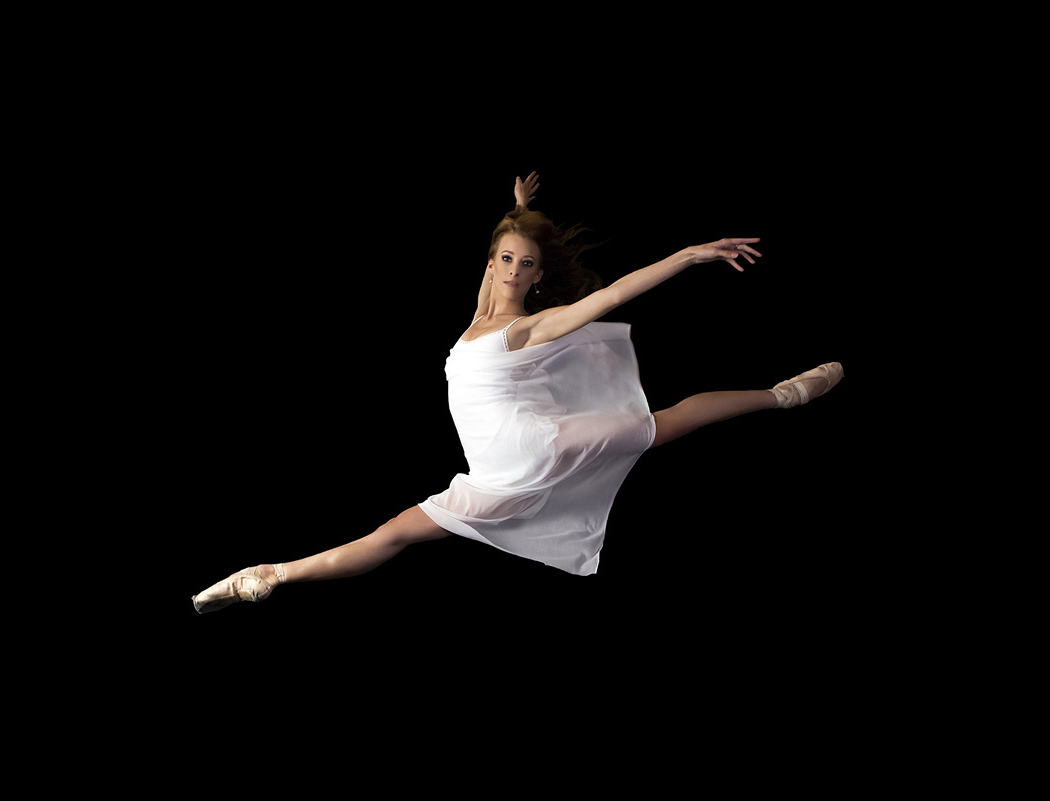
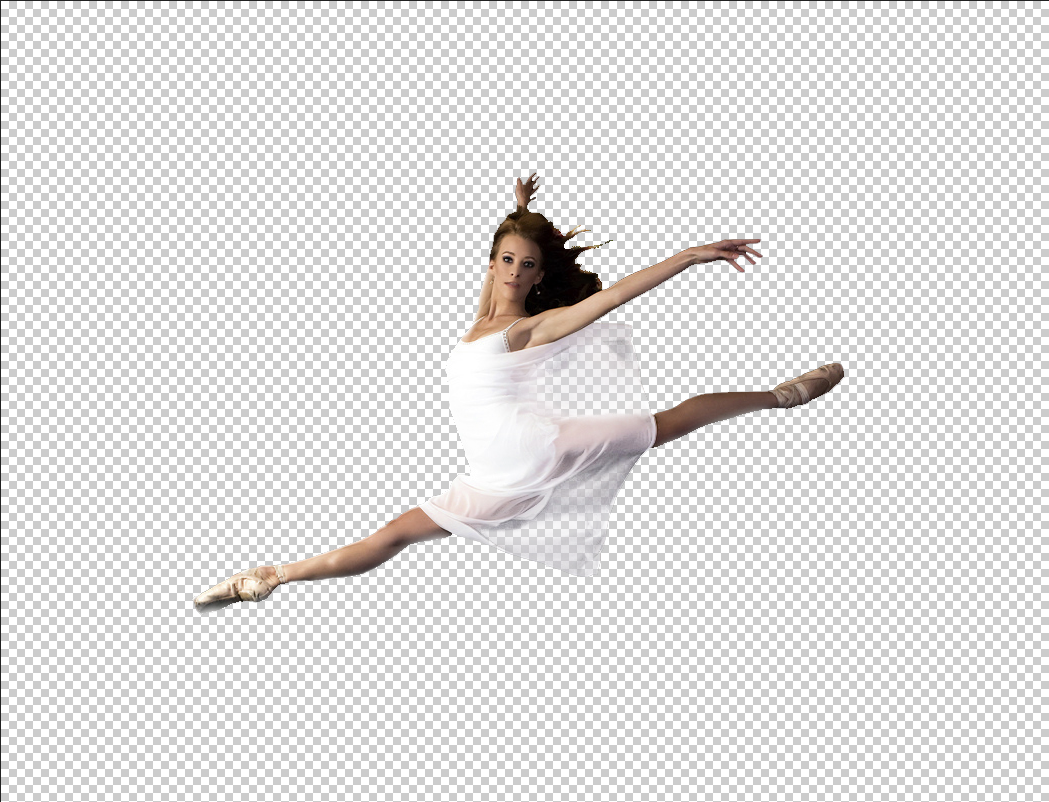
Change the black background color of the image below to white.

Image

Don't say it's a piece of cake yet. The hardest part is to change the midtones 'behind'
ballerina's translucent chiffon tulle skirt without destroying the image and most importantly your computer :crash

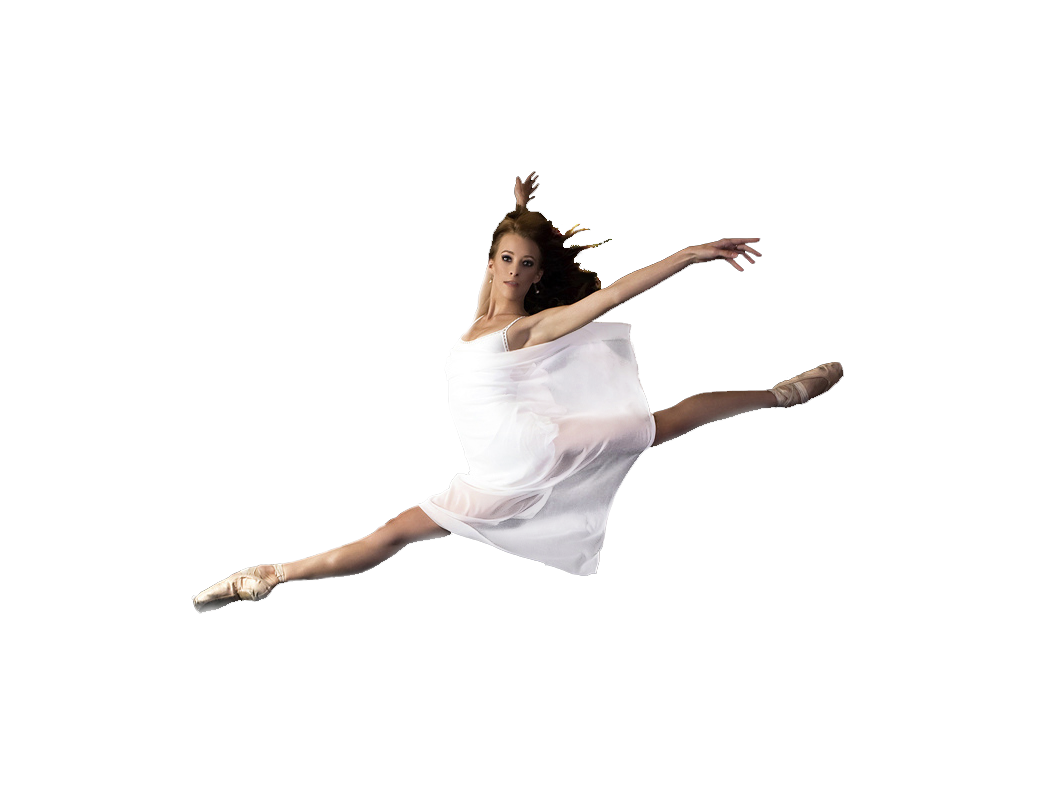
I've done a 30-40 minutes work trying different approaches (color to alpha, messing with channels, gmic filters, color substitution, etc.)
The best I could come up with so far is this

Image


If you have a recipe for doing such a task in the most efficient way in GIMP, please, come out and share your wisdom with us ;)
Good luck!

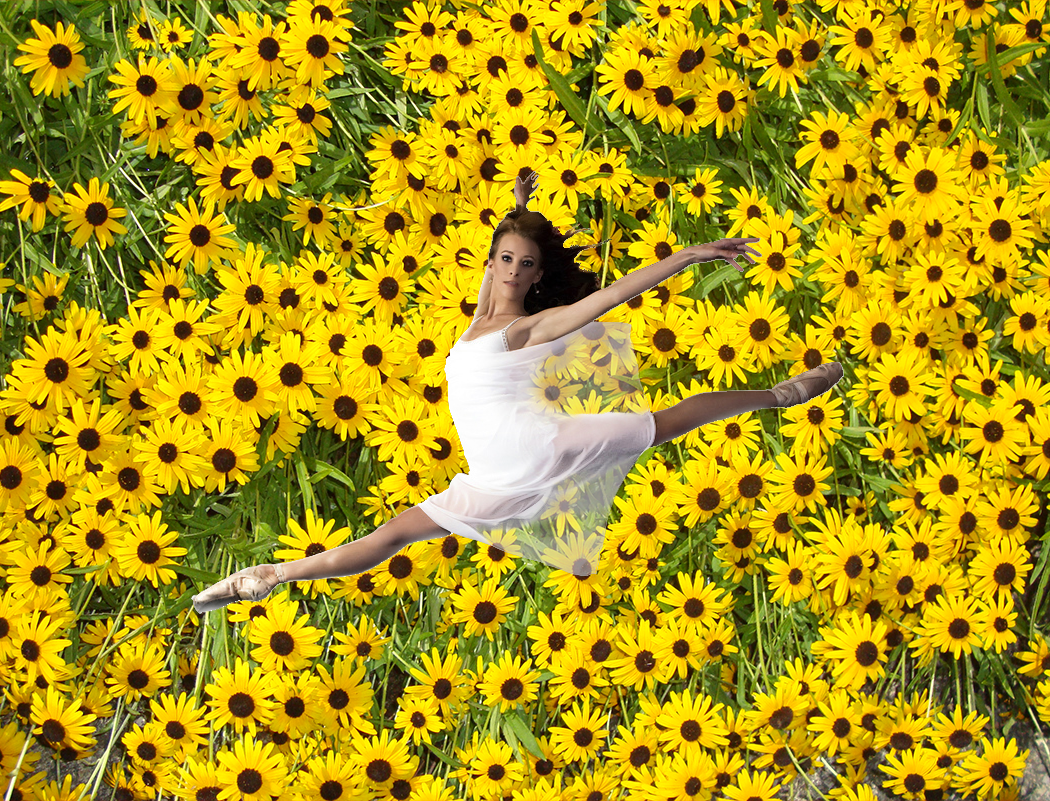
P.S. To convince us there is indeed a translucency place an object of distinct color (e.g. blue) behind the skirt :bigthup
P.S.S. To track image integrity and changed BG behind the skirt open both images as layers in gimp


Share on Facebook Share on Twitter Share on Orkut Share on Digg Share on MySpace Share on Delicious Share on Technorati
Top
 Post subject: Re: Handling translucency is tough [challenge]
PostPosted: Thu Jul 10, 2014 3:12 am  (#2) 
Offline
GimpChat Member

Joined: Jan 20, 2014
Posts: 66
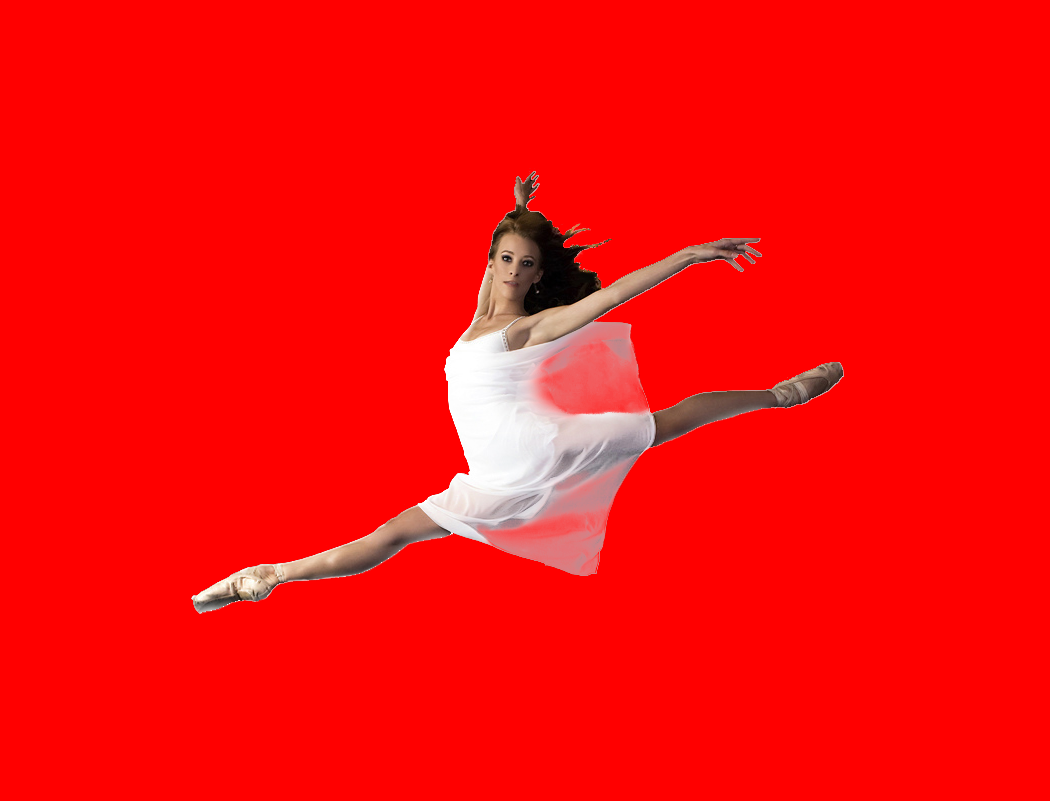
This is what I tried
separate the background, filled with required color
separate the translucent area, filled with required color and overlay with lower opacity

Attachment:
2204_Ballerina_jump_red.png
2204_Ballerina_jump_red.png [ 151.6 KiB | Viewed 5639 times ]


Top
 Post subject: Re: Handling translucency is tough [challenge]
PostPosted: Thu Jul 10, 2014 7:03 am  (#3) 
Offline
GimpChat Member
User avatar

Joined: Jan 10, 2013
Posts: 863
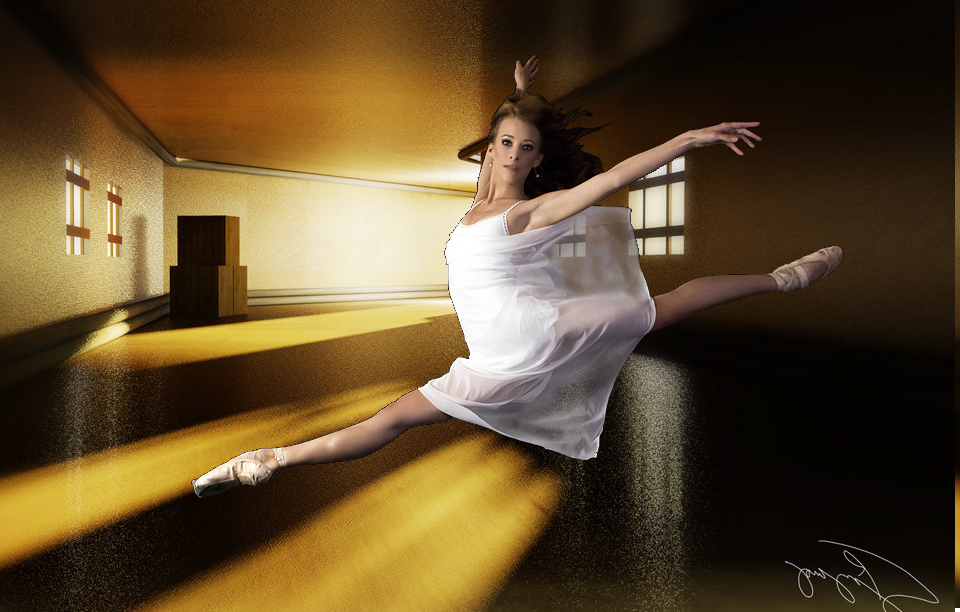
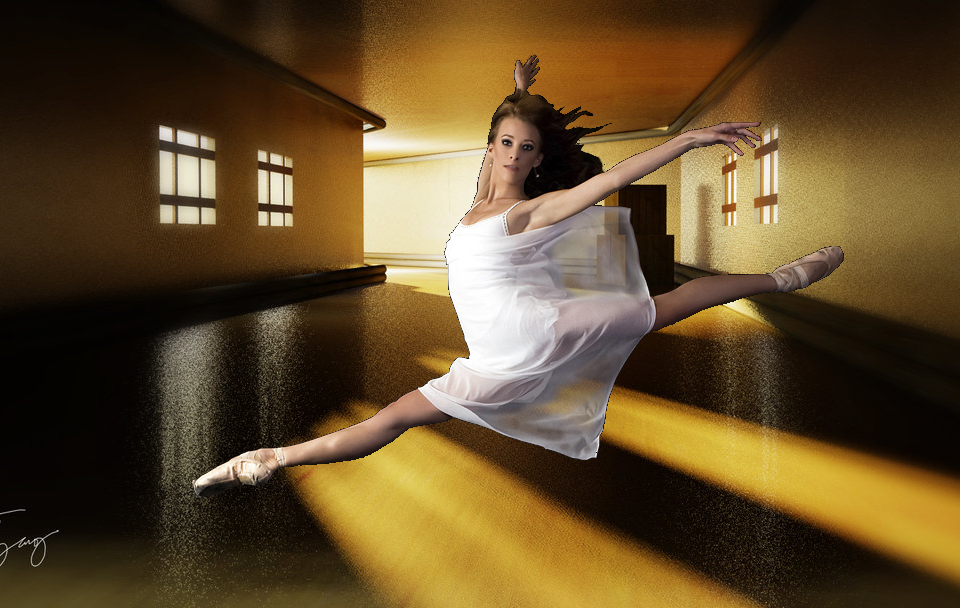
My attempt.
Masks, curves, and lots of patience
ImageImage

_________________
bbbbbbbbbbbImage
bbbbbbbbbbb Be patient, English is not my language.


Top
 Post subject: Re: Handling translucency is tough [challenge]
PostPosted: Thu Jul 10, 2014 7:39 am  (#4) 
Offline
GimpChat Member
User avatar

Joined: Mar 01, 2014
Posts: 14128
Location: Spain, Aragón
Akros, you got it! I love the atmosphere created and the translucent through the dress, great! :coolthup :clap

_________________
Image

Gimp 2.10.30(samj) portable _ OS Windows 10 Home_ 64bits
Don’t be afraid to start over. It’s a new chance to rebuild what you want.


Top
 Post subject: Re: Handling translucency is tough [challenge]
PostPosted: Thu Jul 10, 2014 8:24 am  (#5) 
Offline
Global Moderator
User avatar

Joined: Apr 01, 2012
Posts: 8457
Location: On the other side of your screen
Well done Akros.

_________________
Image
Free Fun Photo Editing & resources
Poems from the Lord
Gimp Newby
Gimp version 3.2.4 and GMIC-Qt 4.0.2 OS :- Windows 10 Home 64


Top
 Post subject: Re: Handling translucency is tough [challenge]
PostPosted: Thu Jul 10, 2014 9:20 am  (#6) 
Offline
GimpChat Member
User avatar

Joined: Jan 20, 2013
Posts: 14831
Location: roma, italy
big success on the transparency side, Akros, congrats!
the remained problem if the black outline around the dancer (I did a try, but I've given up for this reason)

_________________
"Where am I ?"


Top
 Post subject: Re: Handling translucency is tough [challenge]
PostPosted: Thu Jul 10, 2014 9:50 am  (#7) 
Offline
GimpChat Member
User avatar

Joined: Jan 20, 2013
Posts: 14831
Location: roma, italy
just not to give it up completely, here is my trial
used primarily the white original, to avoid the black contour

Attachment:
2204_01_Ballerina_DN1.png
2204_01_Ballerina_DN1.png [ 1.36 MiB | Viewed 5561 times ]

_________________
"Where am I ?"


Top
 Post subject: Re: Handling translucency is tough [challenge]
PostPosted: Thu Jul 10, 2014 11:49 am  (#8) 
Offline
GimpChat Member
User avatar

Joined: Sep 22, 2012
Posts: 2089
Location: US
Impressive results so far!
A few remarks.
@Akros Brilliant job on translucency! You nailed it! I have to agree with dinnaset though about black outline but it's just a matter of patience here.
Also great idea to use curves - I haven't thought about this!
@okyl168 good results, however, overlaying with color-filled layer may work sometimes but it colors the fabric of a skirt rather than the
background; imagine now that you have a customer who wants you to make a foreground selection so he can put any image on the background
that would show through the translucent areas of the skirt. Real translucency is a must in such cases. (images below)
@dinnaset nicely done, the only critique is that the selection of the background obviously grown 1-2 pxls to get rid of the black outline also shrank ballerina's fingers.

My attempts aren't perfect either so I just keep trying.

Real translucency [screenshot]

Image

so that the BG can be easily replaced


Image

Image


Top
 Post subject: Re: Handling translucency is tough [challenge]
PostPosted: Thu Jul 10, 2014 12:08 pm  (#9) 
Offline
GimpChat Member
User avatar

Joined: Sep 22, 2012
Posts: 2089
Location: US
Just an afterword.

In Photoshop this task is easy to achieve by selecting luminosity pixels by CTRL_clicking on RGB thumb in channels palette
then inverting the selection, cutting unwanted areas, copying luminosity pixels to a new layer and duplicating it several times
until the desired effect is achieved. Takes about 1 minute. No need for masks, fg or color selection and such.

I thought something similar was possible to do in GIMP. So far I haven't found the solution, and I was hoping someone would
come up with an idea. The final result can be achieved in GIMP but not quite that easy. :(


Top
 Post subject: Re: Handling translucency is tough [challenge]
PostPosted: Thu Jul 10, 2014 1:54 pm  (#10) 
Offline
GimpChat Member
User avatar

Joined: Jan 10, 2013
Posts: 863
K1TesseraEna wrote:
My attempts aren't perfect either so I just keep trying.
Real translucency [screenshot]

K1t :wow !
Excellent workmanship! :clap :jumpclap :coolthup
Besides the necessary technical, you have plenty of patience! :bigthup

I tried a little polish black borders, but had lazy again. :gaah :tantrum
Image

K1TesseraEna wrote:
Just an afterword.

In Photoshop this task is easy to achieve by selecting luminosity pixels (...) The final result can be achieved in GIMP but not quite that easy. :(

I do not have Photoshop nor know tinkering with this software. But these times, seeing these features, gives a curiosity to test.
It was a good challenge, thanks for the suggestion! :hi5 :tyspin

_________________
bbbbbbbbbbbImage
bbbbbbbbbbb Be patient, English is not my language.


Top
 Post subject: Re: Handling translucency is tough [challenge]
PostPosted: Thu Jul 10, 2014 2:06 pm  (#11) 
Offline
GimpChat Member
User avatar

Joined: Jan 20, 2013
Posts: 14831
Location: roma, italy
to stay on the game, w/o Photoshop
(c'est à dire: for my pleasure...)

Attachment:
2204_Ballerina_DN-2.png
2204_Ballerina_DN-2.png [ 1.21 MiB | Viewed 2702 times ]

_________________
"Where am I ?"


Top
 Post subject: Re: Handling translucency is tough [challenge]
PostPosted: Thu Jul 10, 2014 3:26 pm  (#12) 
Offline
Script Coder
User avatar

Joined: Jul 14, 2010
Posts: 697
It would be easier if the original was converted from a jpeg, as there are some nasty artifacts in the areas around the dancer preventing a clean luminosity separation.

Here is the best I could do:


Attachments:
RMA_Ballerina_jump.png
RMA_Ballerina_jump.png [ 224.18 KiB | Viewed 2695 times ]

_________________
Image
Fantasy Cartography and Mapping by RobA
Top
 Post subject: Re: Handling translucency is tough [challenge]
PostPosted: Thu Jul 10, 2014 4:05 pm  (#13) 
Offline
GimpChat Member
User avatar

Joined: Sep 22, 2012
Posts: 2089
Location: US
@Akros Now you're talking! Sorry if I made you sweat ;) Although it was not necessary because
you've done the hardest part just fine. P.S. I think patience is a skill too :lol
@dinnaset right on, excellente
@RobA you're right, :hehe I spent a lot of time trying to find a good image for this exercise and it was not perfect.
My bad I should have cleaned the edges before posting :mrgreen:
Nice results, Rob. Must have been an easy ride for you.


I don't have photoshop, just happened to watch a video describing that technique and somehow it stayed on my mind for some time.
Finally got free tome to check things out in gimp.

A hint: I used gmic's Colors>Detect Skin filter as the base for further manipulations. This filter comes as close to PS luminosity
separation as any other filter (from the ones I tried)


Top
 Post subject: Re: Handling translucency is tough [challenge]
PostPosted: Fri Jul 11, 2014 5:17 am  (#14) 
Offline
GimpChat Member
User avatar

Joined: Jan 20, 2013
Posts: 14831
Location: roma, italy
playing again
this challenge is exciting...

Attachment:
2204_01_Ballerina_DN2.png
2204_01_Ballerina_DN2.png [ 1.45 MiB | Viewed 2675 times ]

_________________
"Where am I ?"


Top
 Post subject: Re: Handling translucency is tough [challenge]
PostPosted: Fri Jul 11, 2014 8:25 am  (#15) 
Offline
GimpChat Member
User avatar

Joined: Mar 01, 2014
Posts: 14128
Location: Spain, Aragón
I agree with you K1TesseraEna, it has been a hard challenge for the best ones, here in the forum. All of their outcomes have been excellent. :jumpclap
Dinasset, I like your last one as you created a wonderful atmosphere. :)

_________________
Image

Gimp 2.10.30(samj) portable _ OS Windows 10 Home_ 64bits
Don’t be afraid to start over. It’s a new chance to rebuild what you want.


Top
 Post subject: Re: Handling translucency is tough [challenge]
PostPosted: Fri Jul 11, 2014 10:57 pm  (#16) 
Offline
Script Coder
User avatar

Joined: May 07, 2014
Posts: 4527
Location: Canada
This is difficult.
Here's my try using mask.
I just copied the dancer and pasted as a mask.
Then i used a brush and paint in full white to reveal the dancer, and use about 10% opacity white and paint over the translucent part many times until it look somewhat acceptable.
Image
Image
here's my .xcf
Attachment:
dancer_jumping.xcf [308.95 KiB]
Downloaded 149 times

_________________
TinT


Last edited by trandoductin on Sat Jul 12, 2014 12:06 am, edited 1 time in total.

Top
 Post subject: Re: Handling translucency is tough [challenge]
PostPosted: Fri Jul 11, 2014 11:56 pm  (#17) 
Offline
GimpChat Member
User avatar

Joined: Jun 24, 2010
Posts: 504
Location: Western Vic Australia
trandoductin wrote:
This is difficult.
Here's my try using mask.
I just copied the dancer and pasted as a mask.
Then i used a brush and paint in full white to reveal the dancer, and use about 10% opacity white and paint over the translucent part many times until it look somewhat acceptable.
[ Image ]
here's my .xcf
Attachment:
dancer_jumping.xcf

probably the best outcome and the the simplest method. Nice

_________________
Image


Top
 Post subject: Re: Handling translucency is tough [challenge]
PostPosted: Fri Jul 11, 2014 11:57 pm  (#18) 
Offline
Script Coder
User avatar

Joined: May 07, 2014
Posts: 4527
Location: Canada
thanks wbool!

_________________
TinT


Top
 Post subject: Re: Handling translucency is tough [challenge]
PostPosted: Sat Jul 12, 2014 2:53 am  (#19) 
Offline
GimpChat Member
User avatar

Joined: Jan 10, 2013
Posts: 863
Tin
Very nice!
You did a great job! :clap :hi5

_________________
bbbbbbbbbbbImage
bbbbbbbbbbb Be patient, English is not my language.


Top
 Post subject: Re: Handling translucency is tough [challenge]
PostPosted: Sat Jul 12, 2014 3:01 am  (#20) 
Offline
GimpChat Member
User avatar

Joined: Mar 01, 2014
Posts: 14128
Location: Spain, Aragón
Congratulations Tin. :clap :clap :clap

_________________
Image

Gimp 2.10.30(samj) portable _ OS Windows 10 Home_ 64bits
Don’t be afraid to start over. It’s a new chance to rebuild what you want.


Top
Post new topic Reply to topic  [ 22 posts ]  Go to page 1, 2  Next

All times are UTC - 5 hours [ DST ]


* Login  


Powered by phpBB3 © phpBB Group