It is currently Sat Aug 15, 2026 5:02 am


All times are UTC - 5 hours [ DST ]


Post new topic Reply to topic  [ 83 posts ]  Go to page Previous  1, 2, 3, 4, 5  Next
Author Message
 Post subject: Re: Sharing outcomes - black&white
PostPosted: Tue Jul 15, 2014 8:51 am  (#61) 
Offline
GimpChat Member
User avatar

Joined: Dec 08, 2013
Posts: 1088
Akros wrote:
SysTemX wrote:
I think Akros used coffee stain script, maybe the older version?

Yah,
I would love the Gimp could record the steps and settings used.
After seeing the outcome of systemx, I just applied some filters to the image that I was already editing.
From what I could remember: Decor (old photo, coffee stain), g'mic-old photograph


A desktop recorder is useful but time consuming. I wonder if key logging would work?

_________________
Image


Top
 Post subject: Re: Sharing outcomes - black&white
PostPosted: Tue Jul 15, 2014 8:54 am  (#62) 
Offline
GimpChat Member
User avatar

Joined: Dec 08, 2013
Posts: 1088
Issabella wrote:
Sallyanne, Akros, SysTemX, all of you have done fantastic outcomes. :coolthup :tyspin :clap


:mrgreen: Issabella "The Patron Saint of WELL DONE!" :) Thankyou

_________________
Image


Top
 Post subject: Re: Sharing outcomes - black&white
PostPosted: Tue Jul 15, 2014 11:48 am  (#63) 
Offline
GimpChat Member
User avatar

Joined: Nov 16, 2011
Posts: 5127
Location: Metro Vancouver, BC
Akros wrote:
Although the original posted is not really an image in black and white, it was interesting to play with her.
Every image is a shade of black and white, some just need preparation. :)
Converting Color Images to B&W
or
True PseudoGrey in GIMP

_________________
Image
Gimp 2.8.18, Linux, median user
Gimp Chat Tutorials Index
Spirit Bear (Kermode)


Top
 Post subject: Re: Sharing outcomes - black&white
PostPosted: Tue Jul 15, 2014 1:51 pm  (#64) 
Offline
GimpChat Member
User avatar

Joined: Mar 01, 2014
Posts: 14128
Location: Spain, Aragón
Thank you Odin, the links are going to be very useful for me. :tyspin
SysTemX, don't laugh at me :hehe, all of you help me to improve and I'm happy for that . :)

_________________
Image

Gimp 2.10.30(samj) portable _ OS Windows 10 Home_ 64bits
Don’t be afraid to start over. It’s a new chance to rebuild what you want.


Top
 Post subject: Re: Sharing outcomes - black&white
PostPosted: Tue Jul 15, 2014 6:46 pm  (#65) 
Offline
GimpChat Member
User avatar

Joined: Dec 08, 2013
Posts: 1088
Issabella wrote:
Thank you so much Dinasset. :tyspin

:( Issabella I was not laughing, It was a compliment :)
You do some very nice work on your GIMP :bigthup

_________________
Image


Top
 Post subject: Re: Sharing outcomes - black&white
PostPosted: Wed Jul 16, 2014 2:22 am  (#66) 
Offline
GimpChat Member
User avatar

Joined: Mar 01, 2014
Posts: 14128
Location: Spain, Aragón
Thank you SystemX, I'm happy here in the forum as all of you are so kind. :)

_________________
Image

Gimp 2.10.30(samj) portable _ OS Windows 10 Home_ 64bits
Don’t be afraid to start over. It’s a new chance to rebuild what you want.


Top
 Post subject: Re: Sharing outcomes - black&white
PostPosted: Wed Jul 16, 2014 10:55 am  (#67) 
Offline
GimpChat Member
User avatar

Joined: Mar 01, 2014
Posts: 14128
Location: Spain, Aragón
Here my try in a pic in colour converted in Black and White. I've tried different means to do that but this one is better in my opinion.
Filters - Colours - Components - Channel Mixer. Click on Preview, and Preserve luminosity. Playing around.


Attachments:
2144_Photo(6)inBlack&White.jpg
2144_Photo(6)inBlack&White.jpg [ 267.68 KiB | Viewed 2623 times ]

_________________
Image

Gimp 2.10.30(samj) portable _ OS Windows 10 Home_ 64bits
Don’t be afraid to start over. It’s a new chance to rebuild what you want.
Top
 Post subject: Re: Sharing outcomes - black&white
PostPosted: Wed Jul 16, 2014 1:18 pm  (#68) 
Offline
GimpChat Member
User avatar

Joined: Jan 20, 2013
Posts: 14831
Location: roma, italy
very nice, Issabella.
Just to have something to compare with:
-pseudogrey
-duplicated layer
-overlay 33%

Attachment:
2144_Photo(6)inBlack&White-PG.jpg
2144_Photo(6)inBlack&White-PG.jpg [ 342.49 KiB | Viewed 2613 times ]

_________________
"Where am I ?"


Top
 Post subject: Re: Sharing outcomes - black&white
PostPosted: Wed Jul 16, 2014 1:59 pm  (#69) 
Offline
GimpChat Member
User avatar

Joined: Mar 01, 2014
Posts: 14128
Location: Spain, Aragón
Thank you Dinasset, You are right I didn't insert anything to compare. I'm afraid I'll have to learn about pseudogrey. :) :tyspin

_________________
Image

Gimp 2.10.30(samj) portable _ OS Windows 10 Home_ 64bits
Don’t be afraid to start over. It’s a new chance to rebuild what you want.


Top
 Post subject: Re: Sharing outcomes - black&white
PostPosted: Thu Jul 17, 2014 6:01 am  (#70) 
Offline
GimpChat Member
User avatar

Joined: Mar 01, 2014
Posts: 14128
Location: Spain, Aragón
I've studied about pseudogrey. I've already practised this method of conversion several times. I check about as a pic gets much more grey tones in it using pseudogrey. But my eye can't tell the difference, although I look it very close. Can you see the difference?
I applied pseudogrey to the original, then duplicated the layer and set layer mode to overlay lowing the opacity. As Dinasset taught me. :)


Attachments:
IMG_3754-original.jpg
IMG_3754-original.jpg [ 463.45 KiB | Viewed 2598 times ]
IMG_3754-pseudogrey+overlay.png
IMG_3754-pseudogrey+overlay.png [ 1.7 MiB | Viewed 2598 times ]

_________________
Image

Gimp 2.10.30(samj) portable _ OS Windows 10 Home_ 64bits
Don’t be afraid to start over. It’s a new chance to rebuild what you want.
Top
 Post subject: Re: Sharing outcomes - black&white
PostPosted: Fri Jul 18, 2014 3:24 pm  (#71) 
Offline
GimpChat Member
User avatar

Joined: Mar 01, 2014
Posts: 14128
Location: Spain, Aragón
More tries with B&W images. This one is free from Internet "drums_Wallpaper_m9sulhttpwww.scenicreflections.comdownload411931drums_Wallpaper"The first one on the left is desaturated from the original one (256 colours). On the right is pseudogrey (1780 colours) Then I've doubled the layer and set the upper layer at overlay Mode and opacity about 80%. :)


Attachments:
PseudogreyOnTheRight.PNG
PseudogreyOnTheRight.PNG [ 1.18 MiB | Viewed 2828 times ]

_________________
Image

Gimp 2.10.30(samj) portable _ OS Windows 10 Home_ 64bits
Don’t be afraid to start over. It’s a new chance to rebuild what you want.
Top
 Post subject: Re: Sharing outcomes - black&white
PostPosted: Tue Jul 22, 2014 8:40 am  (#72) 
Offline
GimpChat Member
User avatar

Joined: Dec 08, 2013
Posts: 1088
:) Comments Issabella :roll: :hexer :hexer


Attachments:
TRP-0011.jpg
TRP-0011.jpg [ 1.15 MiB | Viewed 2811 times ]

_________________
Image
Top
 Post subject: Re: Sharing outcomes - black&white
PostPosted: Tue Jul 22, 2014 9:06 am  (#73) 
Offline
GimpChat Member
User avatar

Joined: Mar 01, 2014
Posts: 14128
Location: Spain, Aragón
The photo is lovely. You have got 12450 tones! my eyes can't distinguish so many tones, only a few in gradients. How could you get so many different tones? Do the tones depend on the different renders because they add up? Systemx my opinion is invalid as I am in the process of learning, but I love and it looks great. :) :coolthup

I'm going to miss you all as I'm being on holidays in short time. :)

_________________
Image

Gimp 2.10.30(samj) portable _ OS Windows 10 Home_ 64bits
Don’t be afraid to start over. It’s a new chance to rebuild what you want.


Top
 Post subject: Re: Sharing outcomes - black&white
PostPosted: Tue Jul 22, 2014 4:00 pm  (#74) 
Offline
GimpChat Member
User avatar

Joined: Dec 08, 2013
Posts: 1088
:hi5 Issabella: The tones come from the individual cut out (using paths of course) and the hand painted background.
I used MAKE BLACK AND WHITE and added a soft grey layer in overlay mode at 25%.
Enjoy your holiday ;) :fishing :party :sglasses

_________________
Image


Top
 Post subject: Re: Sharing outcomes - black&white
PostPosted: Thu Jul 31, 2014 8:27 am  (#75) 
Offline
Global Moderator
User avatar

Joined: Apr 01, 2012
Posts: 8457
Location: On the other side of your screen
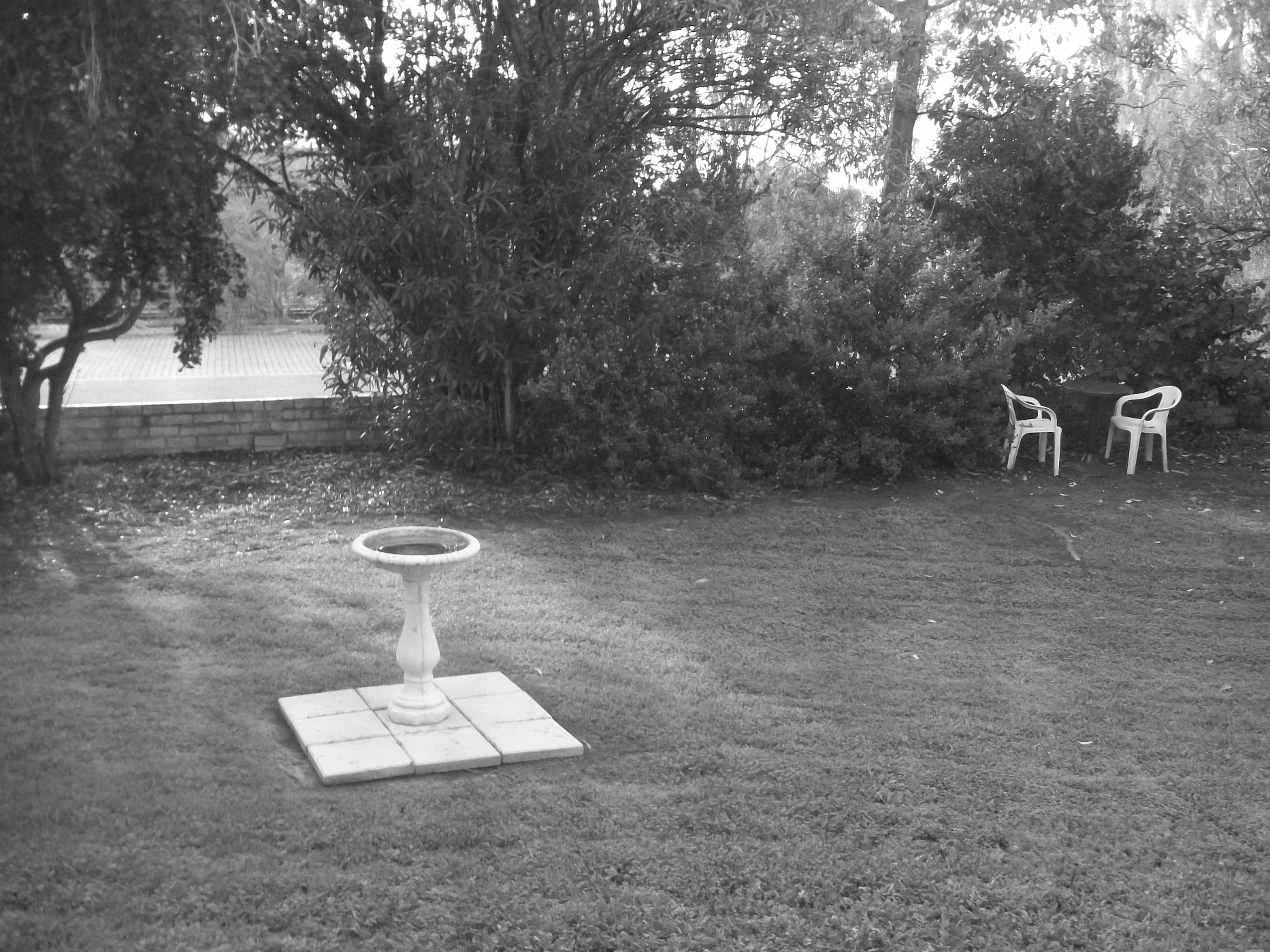
Another Black and White Photo to play with.
Image
Dont worry, the only copyright would be mine, and I don't have any on it any how.
It is about lunch time in May, the last month of our Autumn in 2010

_________________
Image
Free Fun Photo Editing & resources
Poems from the Lord
Gimp Newby
Gimp version 3.2.4 and GMIC-Qt 4.0.2 OS :- Windows 10 Home 64


Top
 Post subject: Re: Sharing outcomes - black&white
PostPosted: Thu Jul 31, 2014 8:43 am  (#76) 
Offline
Global Moderator
User avatar

Joined: Apr 01, 2012
Posts: 8457
Location: On the other side of your screen
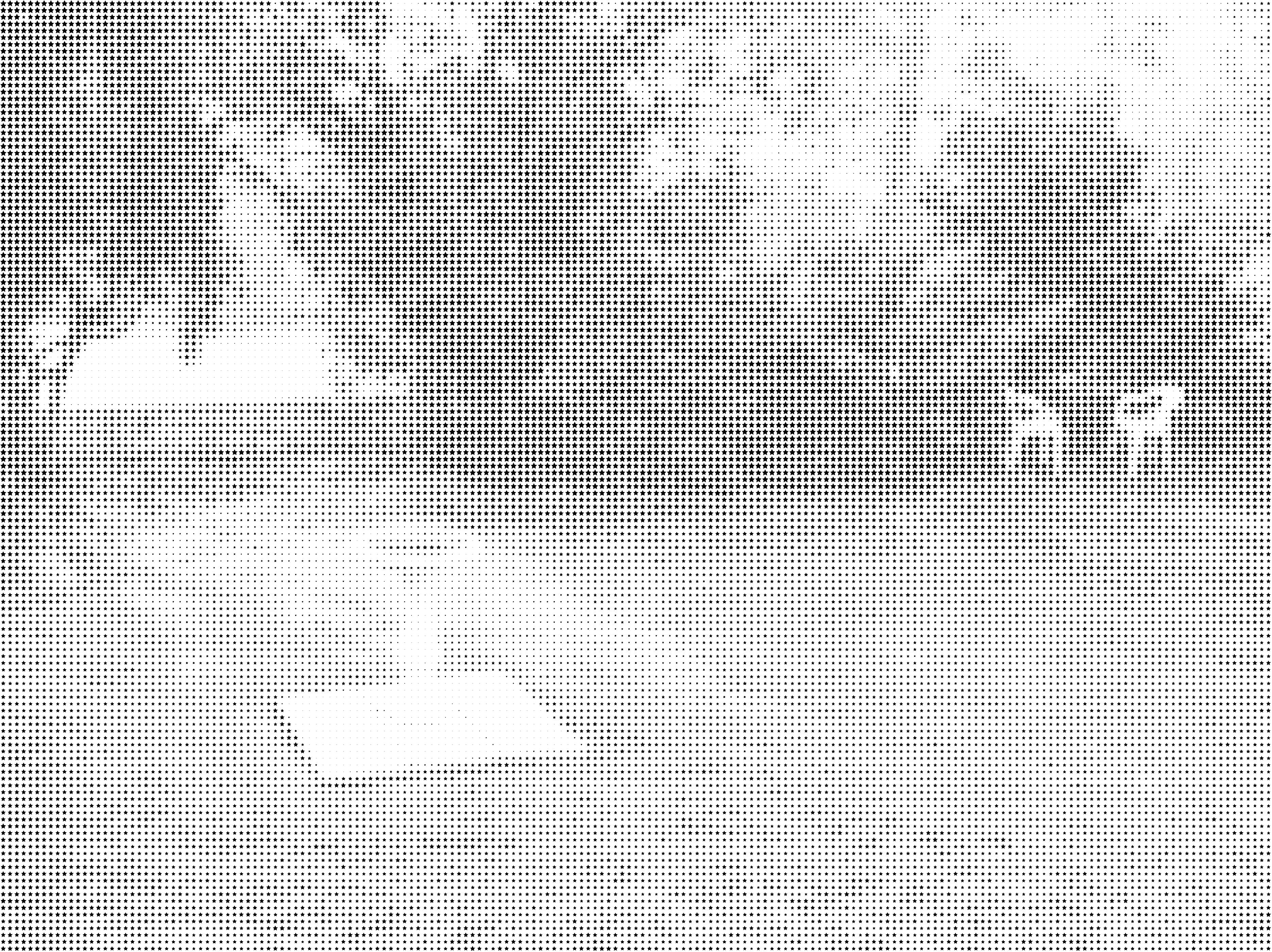
Image
G'MIC op art (stars)

_________________
Image
Free Fun Photo Editing & resources
Poems from the Lord
Gimp Newby
Gimp version 3.2.4 and GMIC-Qt 4.0.2 OS :- Windows 10 Home 64


Top
 Post subject: Re: Sharing outcomes - black&white
PostPosted: Thu Jul 31, 2014 10:59 am  (#77) 
Offline
GimpChat Member
User avatar

Joined: Jan 20, 2013
Posts: 14831
Location: roma, italy
joking
(used two additional layers mapped to two different palettes, multiplied each others; retinex on the B&W layer)

Attachment:
1831_May_mapped-to-palettes.png
1831_May_mapped-to-palettes.png [ 4.81 MiB | Viewed 2744 times ]

_________________
"Where am I ?"


Top
 Post subject: Re: Sharing outcomes - black&white
PostPosted: Thu Jul 31, 2014 11:15 am  (#78) 
Offline
Global Moderator
User avatar

Joined: Apr 01, 2012
Posts: 8457
Location: On the other side of your screen
Thats a very green outcome :)

_________________
Image
Free Fun Photo Editing & resources
Poems from the Lord
Gimp Newby
Gimp version 3.2.4 and GMIC-Qt 4.0.2 OS :- Windows 10 Home 64


Top
 Post subject: Re: Sharing outcomes - black&white
PostPosted: Thu Jul 31, 2014 11:24 am  (#79) 
Offline
GimpChat Member
User avatar

Joined: Jan 20, 2013
Posts: 14831
Location: roma, italy
no doubts!!!

_________________
"Where am I ?"


Top
 Post subject: Re: Sharing outcomes - black&white
PostPosted: Thu Jul 31, 2014 11:35 am  (#80) 
Offline
Global Moderator
User avatar

Joined: Apr 01, 2012
Posts: 8457
Location: On the other side of your screen
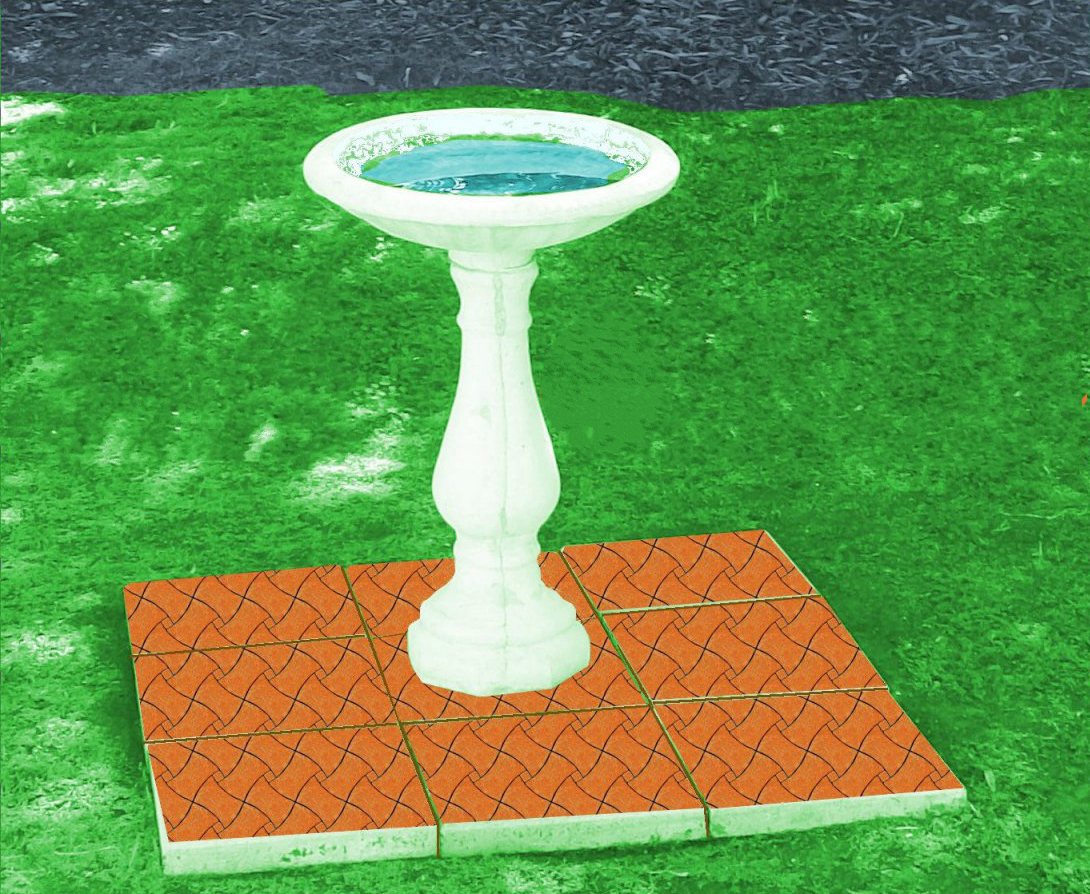
One of the first things I did in Gimp, with colourizing is this. I did it all green then the indiviadul parts were done in different colours except the top of the tiles. I did them with a pattern.
Image

You can tell it is early on because I didn't add a shadow.

_________________
Image
Free Fun Photo Editing & resources
Poems from the Lord
Gimp Newby
Gimp version 3.2.4 and GMIC-Qt 4.0.2 OS :- Windows 10 Home 64


Top
Post new topic Reply to topic  [ 83 posts ]  Go to page Previous  1, 2, 3, 4, 5  Next

All times are UTC - 5 hours [ DST ]


* Login  


Powered by phpBB3 © phpBB Group