It is currently Fri Aug 14, 2026 6:48 pm


All times are UTC - 5 hours [ DST ]


Post new topic Reply to topic  [ 32 posts ]  Go to page 1, 2  Next
Author Message
 Post subject: Some new G'MIC filters
PostPosted: Mon Jan 19, 2015 3:34 pm  (#1) 
Offline
GimpChat Member
User avatar

Joined: Jan 03, 2011
Posts: 1656
Hello friends,

I've been working hard these last days on G'MIC, and I'm happy to announce I've added three new filters in the G'MIC plug-in for GIMP. So, let me show you what they are. As usual, they are available after you refresh your filters in the G'MIC plug-in, by clicking on the Update filters button !

I would be very interested to see what you can do with them ! So do not hesitate to post your results here.

1. Filter Arrays & tiles / Grid [hexagonal]

This is the most simple of the three. It transforms your image into an hexagonal grid where each cell is filled by a corresponding color taken from the image.
Here is an example of what you can do with it :

Attachment:
gmic_all_hexagonal.jpg
gmic_all_hexagonal.jpg [ 301.8 KiB | Viewed 8132 times ]


2. Filter Patterns / Crystal

I must admit I particularly like this one. It is quite hard to describe its effect, so let me just describe the algorithm instead. What I do here is select same random points, preferably located on the image edges. Then, from this random point cloud, I try to reconstruct the whole image, by using some iterative linear interpolation. As I have only few points, of course, it fails :) But at least it creates some interesting artistic effects.
The result of the filter itself is not particularly impressive, but when combined with other effects, you can get very creative results. I show some of them below. If I remember well, I've applied filters Details / Freaky details and Light & shadows / Relief light on the raw result from Pattern / Crystal to achieve the effects.

Attachment:
gmic_all_crystal.jpg
gmic_all_crystal.jpg [ 340.48 KiB | Viewed 8132 times ]


3. Filter Artistic / Polygonize [delaunay]

And the last one I'd like to present, is an alternative to the previous Polygonize filter that has been added one year ago, and discussed on this thread. This one uses a different algorithm to create the mesh (a Delaunay triangulation to be precise). I've added quite a lot of options so you can render very different things, from the more abstract to the more precise.
Here is an example of use below :

Attachment:
gmic_all_delaunay.jpg
gmic_all_delaunay.jpg [ 300 KiB | Viewed 8132 times ]


Here again, I've played with Freaky details and Light relief to enhance the result obtained by this filter.

So, what do you think ? Have you some ideas to play further with these new filters ?
Let me know !


Share on Facebook Share on Twitter Share on Orkut Share on Digg Share on MySpace Share on Delicious Share on Technorati
Top
 Post subject: Re: Some new G'MIC filters
PostPosted: Mon Jan 19, 2015 3:52 pm  (#2) 
Offline
GimpChat Member
User avatar

Joined: Sep 24, 2010
Posts: 12831
Wow; been wanting a way to create Delaunay renders (to create 3D truss sculptures) for longer then you would want to know David. Thanks a heap. :)

_________________
Lyle

Psalm 109:8

Image


Top
 Post subject: Re: Some new G'MIC filters
PostPosted: Mon Jan 19, 2015 4:09 pm  (#3) 
Offline
Administrator
User avatar

Joined: Aug 10, 2012
Posts: 14155
Location: Native to NYC living in Arizona, Gimp 2.8 - 3.0, Win 11 PC.
Nice One! :jumpclap

_________________
Image
"A wise man learns more from a foolish question than a fool can learn from a wise answer"
Image


Top
 Post subject: Re: Some new G'MIC filters
PostPosted: Mon Jan 19, 2015 4:44 pm  (#4) 
Offline
GimpChat Member
User avatar

Joined: Mar 10, 2014
Posts: 845
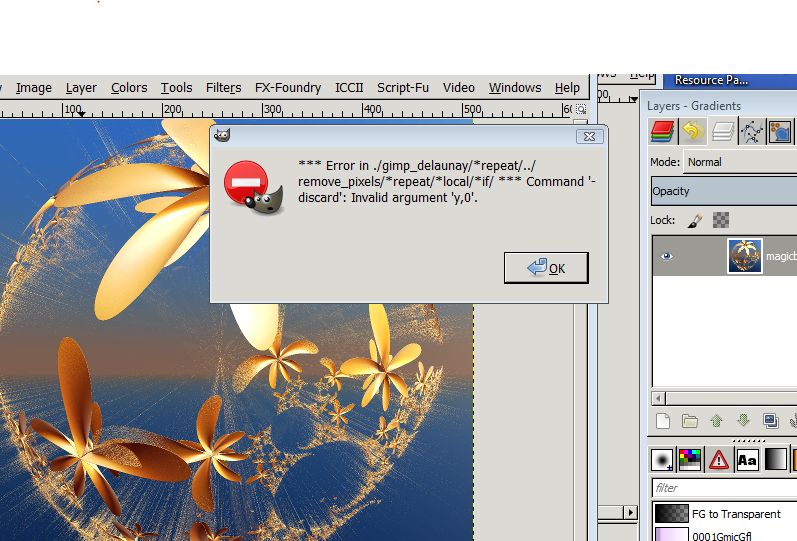
what I made wrong? gmic 1.6.0.1 windows 32
Image


Last edited by Marcello on Mon Jan 19, 2015 4:50 pm, edited 1 time in total.

Top
 Post subject: Re: Some new G'MIC filters
PostPosted: Mon Jan 19, 2015 4:50 pm  (#5) 
Offline
GimpChat Member
User avatar

Joined: Jan 03, 2011
Posts: 1656
Marcello, I think you need a more recent version, maybe 1.6.0.3.


Top
 Post subject: Re: Some new G'MIC filters
PostPosted: Mon Jan 19, 2015 5:18 pm  (#6) 
Offline
GimpChat Member
User avatar

Joined: Mar 10, 2014
Posts: 845
Ronounours wrote:
Marcello, I think you need a more recent version, maybe 1.6.0.3.


You was right, now is working well
thank you for your splendid work


Top
 Post subject: Re: Some new G'MIC filters
PostPosted: Mon Jan 19, 2015 5:41 pm  (#7) 
Offline
Global Moderator
User avatar

Joined: Apr 01, 2012
Posts: 8457
Location: On the other side of your screen
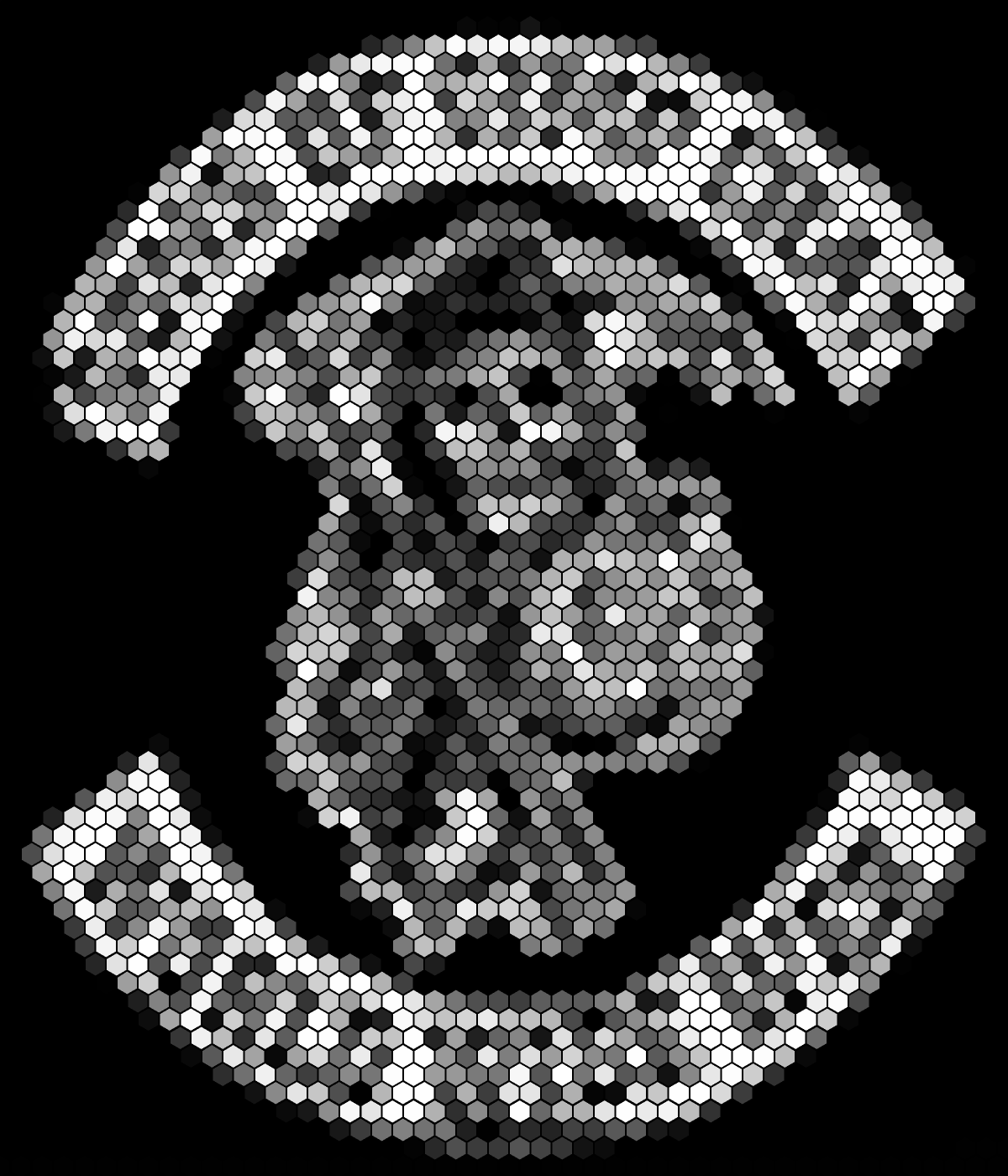
:( 1.6.0.2 is same error in crystal and delauney
Image
hexagonal

_________________
Image
Free Fun Photo Editing & resources
Poems from the Lord
Gimp Newby
Gimp version 3.2.4 and GMIC-Qt 4.0.2 OS :- Windows 10 Home 64


Top
 Post subject: Re: Some new G'MIC filters
PostPosted: Mon Jan 19, 2015 5:54 pm  (#8) 
Offline
Global Moderator
User avatar

Joined: Apr 01, 2012
Posts: 8457
Location: On the other side of your screen
Latest version on sourceforge says 0.0.0.0. Is that right?
Apparently updated a couple hours ago

_________________
Image
Free Fun Photo Editing & resources
Poems from the Lord
Gimp Newby
Gimp version 3.2.4 and GMIC-Qt 4.0.2 OS :- Windows 10 Home 64


Last edited by sallyanne on Mon Jan 19, 2015 6:54 pm, edited 1 time in total.

Top
 Post subject: Re: Some new G'MIC filters
PostPosted: Mon Jan 19, 2015 6:07 pm  (#9) 
Offline
GimpChat Member
User avatar

Joined: Apr 09, 2011
Posts: 1764
I can only ever get 400 filters...shrugs...I feel with that many I should not complain. I can click the refresh button and reload till I am blue in the face. Is there a new way of adding them that I am not aware of?


Top
 Post subject: Re: Some new G'MIC filters
PostPosted: Mon Jan 19, 2015 6:28 pm  (#10) 
Offline
Global Moderator
User avatar

Joined: Oct 02, 2014
Posts: 5017
Location: Sydney Australia
I just refreshed and all these new filters downloaded - brilliant as up to now I have always received an error message when attempting to refresh GMIC. Now to try them out!

Thanks for the great effort Ronounours!

_________________
Image

Respect should be offered freely but hard earned


Top
 Post subject: Re: Some new G'MIC filters
PostPosted: Mon Jan 19, 2015 6:52 pm  (#11) 
Offline
Global Moderator
User avatar

Joined: Apr 01, 2012
Posts: 8457
Location: On the other side of your screen
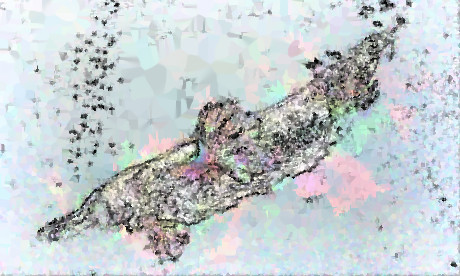
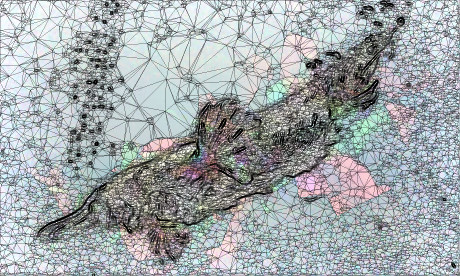
installed after downloading twice. says 1.6.0.3 after installing. I have 415 filters and could use the other two now.
Image
Crystal
Image
watercolour then crystal
Image
delauney
Image
watercolour then delauney

_________________
Image
Free Fun Photo Editing & resources
Poems from the Lord
Gimp Newby
Gimp version 3.2.4 and GMIC-Qt 4.0.2 OS :- Windows 10 Home 64


Top
 Post subject: Re: Some new G'MIC filters
PostPosted: Mon Jan 19, 2015 6:54 pm  (#12) 
Offline
GimpChat Member
User avatar

Joined: Sep 24, 2010
Posts: 12831
Still wish there was an option to display edges only. Anyway, used Delauney on the front and Mosaic in the rear for this one. :)

ref: http://www.fontplay.com/freephotos/fift ... 906-57.jpg


Attachments:
fp081906-57.jpg
fp081906-57.jpg [ 368.94 KiB | Viewed 3562 times ]

_________________
Lyle

Psalm 109:8

Image
Top
 Post subject: Re: Some new G'MIC filters
PostPosted: Mon Jan 19, 2015 7:50 pm  (#13) 
Offline
Global Moderator
User avatar

Joined: Oct 02, 2014
Posts: 5017
Location: Sydney Australia
Was playing with spiro paths so tried out just the Delauney first on that ...

Image

... and then a quick portrait with Delauney, dream smoothing and Samj texture!

Image

Love your platypus Sallyanne!

_________________
Image

Respect should be offered freely but hard earned


Top
 Post subject: Re: Some new G'MIC filters
PostPosted: Mon Jan 19, 2015 8:08 pm  (#14) 
Offline
Global Moderator
User avatar

Joined: Apr 01, 2012
Posts: 8457
Location: On the other side of your screen
oldmangrumpy wrote:
Was playing with spiro paths so tried out just the Delauney first on that ...

[ Image ]

... and then a quick portrait with Delauney, dream smoothing and Samj texture!

[ Image ]

Love your platypus Sallyanne!


Cool pictures.
I am glad someone knew what it was.

_________________
Image
Free Fun Photo Editing & resources
Poems from the Lord
Gimp Newby
Gimp version 3.2.4 and GMIC-Qt 4.0.2 OS :- Windows 10 Home 64


Top
 Post subject: Re: Some new G'MIC filters
PostPosted: Mon Jan 19, 2015 8:39 pm  (#15) 
Offline
GimpChat Member

Joined: Jan 09, 2015
Posts: 22
lylejk wrote:
Anyway, used Delauney on the front and Mosaic in the rear for this one. :)

That is so cool. :shock:


Top
 Post subject: Re: Some new G'MIC filters
PostPosted: Mon Jan 19, 2015 9:16 pm  (#16) 
Offline
GimpChat Member
User avatar

Joined: Sep 24, 2010
Posts: 12831
Clouds wrote:
lylejk wrote:
Anyway, used Delauney on the front and Mosaic in the rear for this one. :)

That is so cool. :shock:


Thanks; still not a true wireframe, but Delauney's better the just using Mosaic. :)

_________________
Lyle

Psalm 109:8

Image


Top
 Post subject: Re: Some new G'MIC filters
PostPosted: Mon Jan 19, 2015 9:38 pm  (#17) 
Offline
GimpChat Member
User avatar

Joined: Sep 24, 2010
Posts: 12831
Didn't realize that you can choose background colors as an option. Makes isolating just the edges much easier. Only used a single pass for this truss result (wireframe). :)

ref: http://www.fontplay.com/freephotos/seve ... 407-20.jpg


Attachments:
fp030407-20trs.jpg
fp030407-20trs.jpg [ 760.7 KiB | Viewed 3549 times ]

_________________
Lyle

Psalm 109:8

Image
Top
 Post subject: Re: Some new G'MIC filters
PostPosted: Tue Jan 20, 2015 3:17 am  (#18) 
Offline
GimpChat Member
User avatar

Joined: Jan 20, 2013
Posts: 14831
Location: roma, italy
many thanks, David!
your "creations" are always interesting
playing just a little

original can be found here: megancoffey-deviartart

crystals
Attachment:
by_rachelle_vance_by_megancoffey-d5dh6n9_GMICcrystal2.jpg
by_rachelle_vance_by_megancoffey-d5dh6n9_GMICcrystal2.jpg [ 87.61 KiB | Viewed 3532 times ]


hexagons
Attachment:
by_rachelle_vance_by_megancoffey-d5dh6n9_GMIChexagon.jpg
by_rachelle_vance_by_megancoffey-d5dh6n9_GMIChexagon.jpg [ 139.64 KiB | Viewed 3532 times ]


polygonize
Attachment:
by_rachelle_vance_by_megancoffey-d5dh6n9_GMICpolyg2.jpg
by_rachelle_vance_by_megancoffey-d5dh6n9_GMICpolyg2.jpg [ 200.74 KiB | Viewed 3532 times ]

_________________
"Where am I ?"


Top
 Post subject: Re: Some new G'MIC filters
PostPosted: Tue Jan 20, 2015 7:13 am  (#19) 
Offline
Global Moderator
User avatar

Joined: May 16, 2010
Posts: 16158
Really awesome additions to G'MIC David! Thanks a bunch. :)

Image

Love this one. The further you get back the better it comes into focus. :bigthup
Image

_________________
Image


Top
 Post subject: Re: Some new G'MIC filters
PostPosted: Tue Jan 20, 2015 8:03 am  (#20) 
Offline
GimpChat Member
User avatar

Joined: Jan 03, 2011
Posts: 1656
I love what the Delaunay filter does on image sequences.
Here is an example :

Attachment:
gmic_delaunay.gif
gmic_delaunay.gif [ 1.79 MiB | Viewed 3516 times ]


Top
Post new topic Reply to topic  [ 32 posts ]  Go to page 1, 2  Next

All times are UTC - 5 hours [ DST ]


* Login  


Powered by phpBB3 © phpBB Group