It is currently Wed Oct 07, 2026 4:13 pm


All times are UTC - 5 hours [ DST ]


Post new topic Reply to topic  [ 39 posts ]  Go to page Previous  1, 2
Author Message
 Post subject: Re: Ice Parrot
PostPosted: Thu Apr 07, 2016 8:24 pm  (#21) 
Offline
GimpChat Member
User avatar

Joined: Dec 10, 2013
Posts: 1004
Thank you for the nice comments Pat and lylejk. It really wasn't hard at all. I really like OMG's glass tutorial and alc59's tutorial allows for some of the original subject to show through. I'm calling it the frosted effect

:geek

_________________
Image
Macbook Air - MacOS Sierra 10.12
McGimp 2.8.14
G'mic 1.6.5


Top
 Post subject: Re: Ice Parrot
PostPosted: Fri Apr 08, 2016 12:55 am  (#22) 
Offline
GimpChat Member
User avatar

Joined: Mar 01, 2014
Posts: 14202
Location: Spain, Aragón
Dalia, you got a very nice result. I have to try this tut too. I've just seen it thanks to you. :coolthup :)

_________________
Image

Gimp 2.10.36 (samj) portable _ OS Windows 10 Home_ 64bits
Don’t be afraid to start over. It’s a new chance to rebuild what you want.


Top
 Post subject: Re: Ice Parrot
PostPosted: Fri Apr 08, 2016 2:00 am  (#23) 
Offline
Global Moderator
User avatar

Joined: Oct 02, 2014
Posts: 5063
Location: Sydney Australia
Dalia - beautiful result so I thought I would check this tut out, so I downloased it, but now I am feeling somewhat 'sheepish' :oops:

Despite all the references in this thread, I cannot find a 'Selective Color' filter/tool anywhere and it seems to be the key to doing this tut.

Anybody want to help the old guy ouit ...?

_________________
Image

Respect should be offered freely but hard earned


Top
 Post subject: Re: Ice Parrot
PostPosted: Fri Apr 08, 2016 2:11 am  (#24) 
Offline
Administrator
User avatar

Joined: Aug 10, 2012
Posts: 14236
Location: Native to NYC living in Arizona, Gimp 2.8 - 3.0, Win 11 PC.
oldmangrumpy wrote:
Despite all the references in this thread,
I cannot find a
'Selective Color'
filter/tool anywhere and it seems to be the key to doing this tut.

Anybody want to help the old guy ouit ...?

Have a look here,
viewtopic.php?f=23&t=5573&start=10#p69869
Maybe this will answer your question.

_________________
Image
"A wise man learns more from a foolish question than a fool can learn from a wise answer"
Image


Top
 Post subject: Re: Ice Parrot
PostPosted: Fri Apr 08, 2016 2:20 am  (#25) 
Offline
Global Moderator
User avatar

Joined: Oct 02, 2014
Posts: 5063
Location: Sydney Australia
Wallace - thanks but I have already been there and the link goes to a Select By Color tutorial... cannot see a 'Selective Color' tool there.

_________________
Image

Respect should be offered freely but hard earned


Top
 Post subject: Re: Ice Parrot
PostPosted: Fri Apr 08, 2016 2:42 am  (#26) 
Offline
Administrator
User avatar

Joined: Aug 10, 2012
Posts: 14236
Location: Native to NYC living in Arizona, Gimp 2.8 - 3.0, Win 11 PC.
oldmangrumpy wrote:
Wallace - thanks but I have already been there and the link goes to a Select By Color tutorial... cannot see a 'Selective Color' tool there.

I see what you're saying.
However,
Gimp doesn't have this tool.
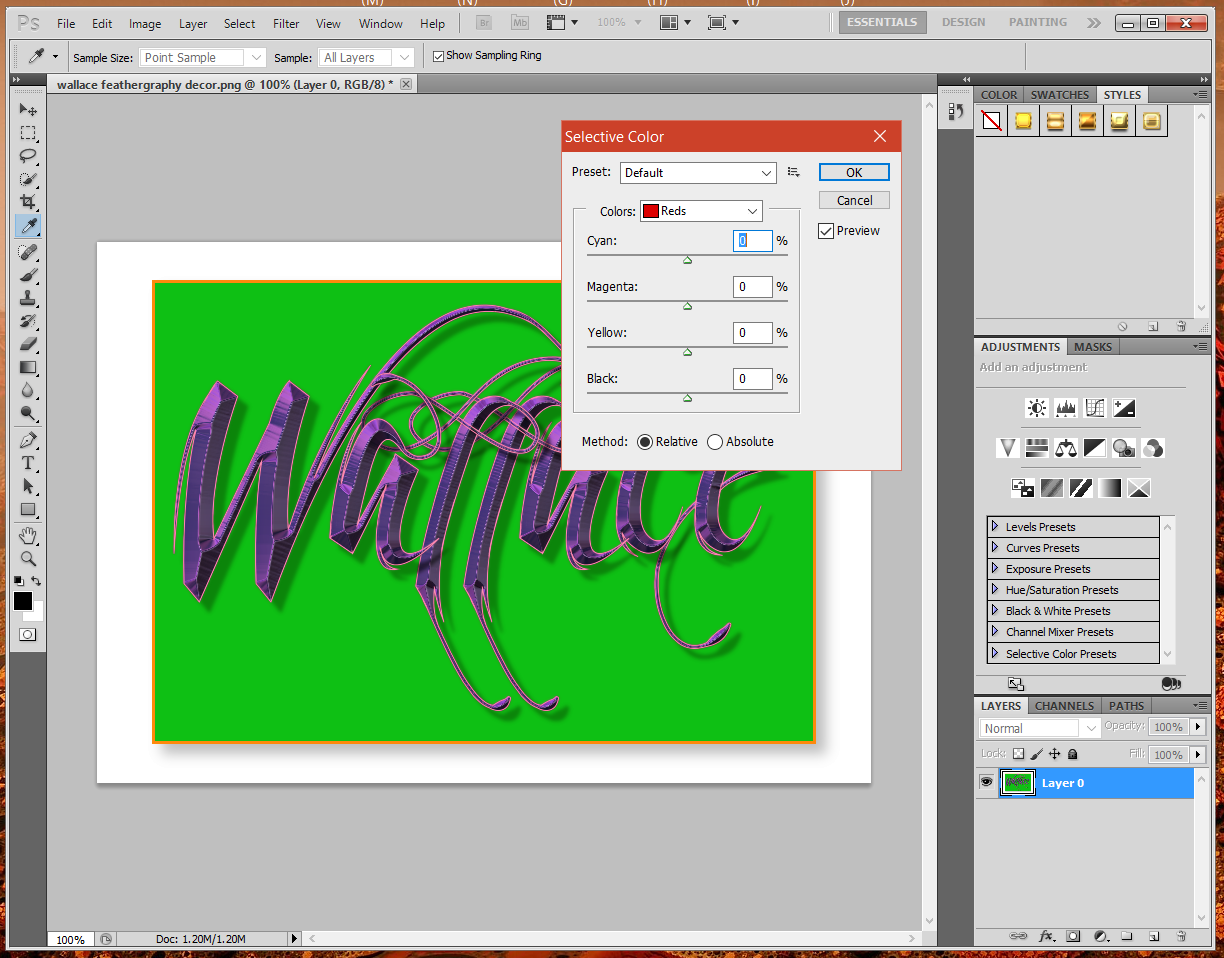
This is a Photoshop tool.
Image
I think you would need to use the Select by Color Tool and then use Hue and Saturation.
I also might be wrong about this.

_________________
Image
"A wise man learns more from a foolish question than a fool can learn from a wise answer"
Image


Top
 Post subject: Re: Ice Parrot
PostPosted: Fri Apr 08, 2016 11:29 am  (#27) 
Offline
GimpChat Member
User avatar

Joined: Dec 10, 2013
Posts: 1004
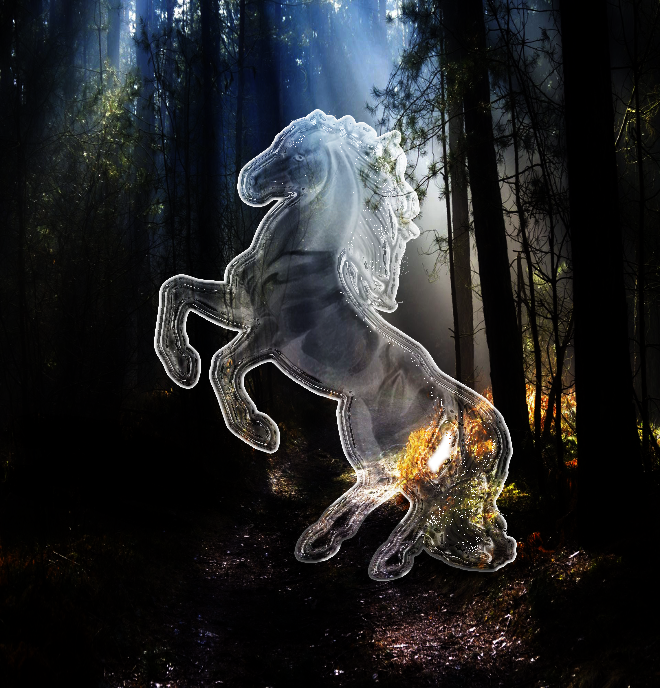
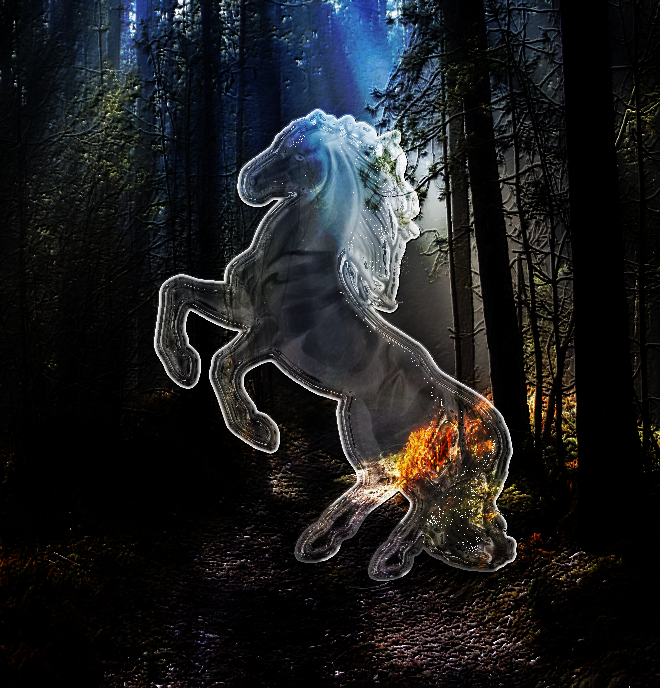
OMG, I was perplexed too and Wallace, you're right, I did the "selection by color" (something I learned from OMG with the Glass tutorial) and then was stumped with the "Selective Color" values. Finally I just looked at the images and tried to emulate the results - I used "brightness and contrast" and curves. Then it was just playing with opacity, blend modes.

Last night I played with another filter on the original. I used FX Foundry, Photo, Effects, Make Wonderful. The first is the original and the second is the FX Foundry; change is subtle but I liked it.

Image Image

_________________
Image
Macbook Air - MacOS Sierra 10.12
McGimp 2.8.14
G'mic 1.6.5


Top
 Post subject: Re: Ice Parrot
PostPosted: Fri Apr 08, 2016 11:35 am  (#28) 
Offline
GimpChat Member
User avatar

Joined: Mar 01, 2014
Posts: 14202
Location: Spain, Aragón
Dalia, you got a very close result at final target. I did my try too but it's impossible without the right tool. You have to guess where it is the ice object. :hehe


Attachments:
IMG_0689-ice_eagle.JPG
IMG_0689-ice_eagle.JPG [ 701.96 KiB | Viewed 2921 times ]

_________________
Image

Gimp 2.10.36 (samj) portable _ OS Windows 10 Home_ 64bits
Don’t be afraid to start over. It’s a new chance to rebuild what you want.
Top
 Post subject: Re: Ice Parrot
PostPosted: Fri Apr 08, 2016 11:53 am  (#29) 
Offline
GimpChat Member
User avatar

Joined: Dec 10, 2013
Posts: 1004
I see it - I like it Issabella. I bet if you duplicate the eagle layer and fudge with the blend modes, darken your background a bit, your eagle will subtely come to life! Remember, I used a combination of OMG's tutorial (outline, highlights, burn blend mode on one layer) and alc59's.

_________________
Image
Macbook Air - MacOS Sierra 10.12
McGimp 2.8.14
G'mic 1.6.5


Top
 Post subject: Re: Ice Parrot
PostPosted: Sat Apr 09, 2016 12:03 am  (#30) 
Offline
Global Moderator
User avatar

Joined: Oct 02, 2014
Posts: 5063
Location: Sydney Australia
Dalia - thank you for your help; I tried to do a similar GIMP job on a kookaburra ... and failed miserably. I may try again another day.

_________________
Image

Respect should be offered freely but hard earned


Top
 Post subject: Re: Ice Parrot
PostPosted: Sat Apr 09, 2016 1:50 pm  (#31) 
Offline
GimpChat Member

Joined: May 12, 2015
Posts: 4693
Dalia and Issabella, I love your images. You both did a real nice job!


Top
 Post subject: Re: Ice Parrot
PostPosted: Sat Apr 09, 2016 3:11 pm  (#32) 
Offline
GimpChat Member
User avatar

Joined: May 17, 2014
Posts: 1572
Dalia and Issabella :kpix
I need more pratice.

_________________
Ella's gallery - YouTube


Top
 Post subject: Re: Ice Parrot
PostPosted: Sat Apr 09, 2016 3:23 pm  (#33) 
Offline
GimpChat Member
User avatar

Joined: Mar 01, 2014
Posts: 14202
Location: Spain, Aragón
Thank you Dalia, yes I could have but I threw away the file. Next time I will do it. :) :bigthup
Thank you Pat and Ella. I appreciate your words but I didn't get a nice result. :)

_________________
Image

Gimp 2.10.36 (samj) portable _ OS Windows 10 Home_ 64bits
Don’t be afraid to start over. It’s a new chance to rebuild what you want.


Top
 Post subject: Re: Ice Parrot
PostPosted: Sat Apr 09, 2016 9:01 pm  (#34) 
Offline
GimpChat Member
User avatar

Joined: Dec 10, 2013
Posts: 1004
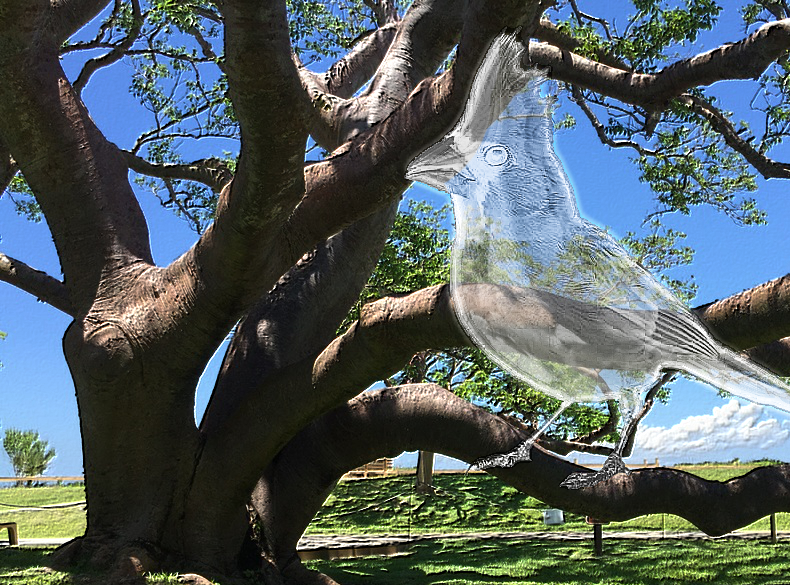
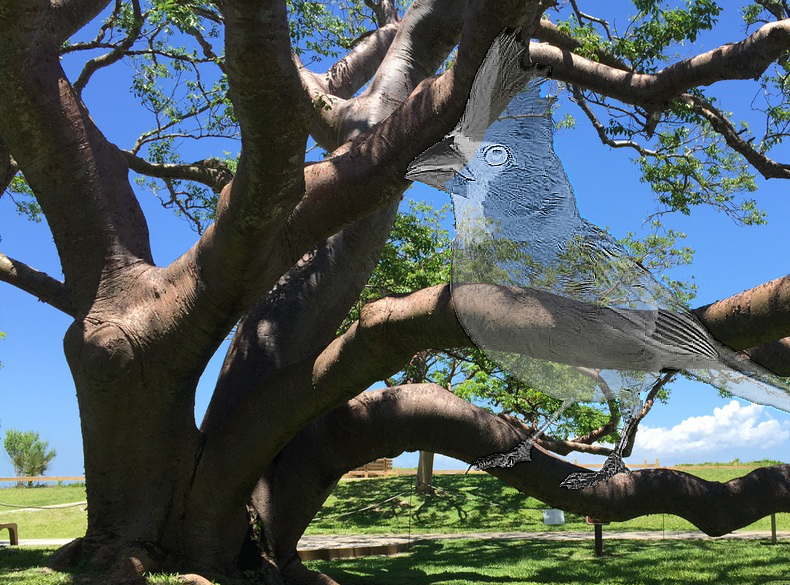
Wanted to try this again to make sure it wasn't a fluke. Didn't follow the "select color" changes and really OMG, this is more your tutorial than alc's. The only changes are to the original in desaturating, inverting color and playing with brightness and contrast that achieves the little detail of the subject that shows through to make it look like...sculptured ice? The second image is what it looked like when I was done desaturating, inverting colors, adjusting brightness and contrast. The third was the original little cardinal.

A giant cardinal :oops:

Image

.

Image

.

Image

_________________
Image
Macbook Air - MacOS Sierra 10.12
McGimp 2.8.14
G'mic 1.6.5


Top
 Post subject: Re: Ice Parrot
PostPosted: Sat Apr 09, 2016 9:30 pm  (#35) 
Offline
GimpChat Member
User avatar

Joined: Jun 22, 2015
Posts: 234
molly wrote:
Esper wrote:
where is the Selective Color Filter/Tool ?


This may help Esper...http://graphicssoft.about.com/od/gimptu ... t-tool.htm

:colsel select by color tool also, under colors, you will see the color balance dialogue.

A good reason to come to GimpChat

I didnt know you could do that with the color select tool. I use it a lot but I didnt know you could do all of that with it :hi5


Top
 Post subject: Re: Ice Parrot
PostPosted: Sun Apr 10, 2016 2:05 am  (#36) 
Offline
GimpChat Member

Joined: May 12, 2015
Posts: 4693
Dalia, You really have this nailed. Beautiful job on the cardinal!


Top
 Post subject: Re: Ice Parrot
PostPosted: Sun Apr 10, 2016 1:36 pm  (#37) 
Offline
GimpChat Member
User avatar

Joined: Dec 10, 2013
Posts: 1004
I'm not so sure I have it nailed - without the same "tools" it's a lot of fidgeting to get it to look like the tutorial. Thank you so much Pat for your encouraging comment. :hugme

_________________
Image
Macbook Air - MacOS Sierra 10.12
McGimp 2.8.14
G'mic 1.6.5


Top
 Post subject: Re: Ice Parrot
PostPosted: Mon Apr 11, 2016 3:03 pm  (#38) 
Offline
GimpChat Member
User avatar

Joined: Mar 01, 2014
Posts: 14202
Location: Spain, Aragón
Dalia, I love your "little" cardinal. You are the one who has got the best ice effect. :clap

_________________
Image

Gimp 2.10.36 (samj) portable _ OS Windows 10 Home_ 64bits
Don’t be afraid to start over. It’s a new chance to rebuild what you want.


Top
 Post subject: Re: Ice Parrot
PostPosted: Tue Apr 12, 2016 3:23 pm  (#39) 
Offline
GimpChat Member
User avatar

Joined: Dec 10, 2013
Posts: 1004
Thank you Issabella - really like revisiting the tutorials I've missed. Perfect timing, because I probably would not have been able to do any in the beginning.

_________________
Image
Macbook Air - MacOS Sierra 10.12
McGimp 2.8.14
G'mic 1.6.5


Top
Post new topic Reply to topic  [ 39 posts ]  Go to page Previous  1, 2

All times are UTC - 5 hours [ DST ]


* Login  


Powered by phpBB3 © phpBB Group