It is currently Sat Oct 10, 2026 1:54 pm


All times are UTC - 5 hours [ DST ]


Post new topic Reply to topic  [ 874 posts ]  Go to page Previous  1 ... 11, 12, 13, 14, 15, 16, 17 ... 44  Next
Author Message
 Post subject: Re: Creating Landscapes and Shapes
PostPosted: Fri Sep 05, 2025 1:39 am  (#261) 
Offline
GimpChat Member
User avatar

Joined: Mar 01, 2014
Posts: 14208
Location: Spain, Aragón
:paint


Attachments:
Ring-Berries-Issa.7z [1.22 MiB]
Downloaded 31 times
Ring-Berries-Issa.jpg
Ring-Berries-Issa.jpg [ 1.96 MiB | Viewed 1384 times ]

_________________
Image

Gimp 2.10.36 (samj) portable _ OS Windows 10 Home_ 64bits
Don’t be afraid to start over. It’s a new chance to rebuild what you want.
Top
 Post subject: Re: Creating Landscapes and Shapes
PostPosted: Sat Sep 06, 2025 1:26 am  (#262) 
Offline
GimpChat Member
User avatar

Joined: Mar 01, 2014
Posts: 14208
Location: Spain, Aragón
:)


Attachments:
flower-Boho-Style-Issa.jpg
flower-Boho-Style-Issa.jpg [ 379.64 KiB | Viewed 1366 times ]

_________________
Image

Gimp 2.10.36 (samj) portable _ OS Windows 10 Home_ 64bits
Don’t be afraid to start over. It’s a new chance to rebuild what you want.
Top
 Post subject: Re: Creating Landscapes and Shapes
PostPosted: Sat Sep 06, 2025 1:27 am  (#263) 
Offline
GimpChat Member
User avatar

Joined: Mar 01, 2014
Posts: 14208
Location: Spain, Aragón
:paint


Attachments:
peonia-boho-Issa.xcf [4.32 MiB]
Downloaded 29 times
peonia-boho-Issa.jpg
peonia-boho-Issa.jpg [ 547.36 KiB | Viewed 1366 times ]

_________________
Image

Gimp 2.10.36 (samj) portable _ OS Windows 10 Home_ 64bits
Don’t be afraid to start over. It’s a new chance to rebuild what you want.
Top
 Post subject: Re: Creating Landscapes and Shapes
PostPosted: Sun Sep 07, 2025 1:37 am  (#264) 
Offline
GimpChat Member
User avatar

Joined: Mar 01, 2014
Posts: 14208
Location: Spain, Aragón
:paint
You can get it in transparency inside the zip. :hi5


Attachments:
floral-Frame-Boho_Issa.7z [3.88 MiB]
Downloaded 31 times
floral-Frame-Boho_Issa.jpg
floral-Frame-Boho_Issa.jpg [ 1.71 MiB | Viewed 1348 times ]

_________________
Image

Gimp 2.10.36 (samj) portable _ OS Windows 10 Home_ 64bits
Don’t be afraid to start over. It’s a new chance to rebuild what you want.
Top
 Post subject: Re: Creating Landscapes and Shapes
PostPosted: Sun Sep 07, 2025 1:40 am  (#265) 
Offline
GimpChat Member
User avatar

Joined: Mar 01, 2014
Posts: 14208
Location: Spain, Aragón
:)


Attachments:
shapes-Boho_Gimp_Issa.jpg
shapes-Boho_Gimp_Issa.jpg [ 557.83 KiB | Viewed 1348 times ]

_________________
Image

Gimp 2.10.36 (samj) portable _ OS Windows 10 Home_ 64bits
Don’t be afraid to start over. It’s a new chance to rebuild what you want.
Top
 Post subject: Re: Creating Landscapes and Shapes
PostPosted: Mon Sep 08, 2025 1:53 am  (#266) 
Offline
GimpChat Member
User avatar

Joined: Mar 01, 2014
Posts: 14208
Location: Spain, Aragón
:paint


Attachments:
lines-boho-grunge-look-Issa.jpg
lines-boho-grunge-look-Issa.jpg [ 206.49 KiB | Viewed 1323 times ]

_________________
Image

Gimp 2.10.36 (samj) portable _ OS Windows 10 Home_ 64bits
Don’t be afraid to start over. It’s a new chance to rebuild what you want.
Top
 Post subject: Re: Creating Landscapes and Shapes
PostPosted: Mon Sep 08, 2025 1:54 am  (#267) 
Offline
GimpChat Member
User avatar

Joined: Mar 01, 2014
Posts: 14208
Location: Spain, Aragón
:paint


Attachments:
Botanical-Boho_Image_Issa.7z [1.19 MiB]
Downloaded 33 times
Botanical-Boho_Image_Issa.jpg
Botanical-Boho_Image_Issa.jpg [ 646.96 KiB | Viewed 1323 times ]

_________________
Image

Gimp 2.10.36 (samj) portable _ OS Windows 10 Home_ 64bits
Don’t be afraid to start over. It’s a new chance to rebuild what you want.
Top
 Post subject: Re: Creating Landscapes and Shapes
PostPosted: Tue Sep 09, 2025 2:06 am  (#268) 
Offline
GimpChat Member
User avatar

Joined: Mar 01, 2014
Posts: 14208
Location: Spain, Aragón
:paint


Attachments:
flowers-leaves-ilustration-Boho_Issa.JPG
flowers-leaves-ilustration-Boho_Issa.JPG [ 888.27 KiB | Viewed 1301 times ]

_________________
Image

Gimp 2.10.36 (samj) portable _ OS Windows 10 Home_ 64bits
Don’t be afraid to start over. It’s a new chance to rebuild what you want.
Top
 Post subject: Re: Creating Landscapes and Shapes
PostPosted: Tue Sep 09, 2025 2:09 am  (#269) 
Offline
GimpChat Member
User avatar

Joined: Mar 01, 2014
Posts: 14208
Location: Spain, Aragón
:paint
In this illustration I used Generated Intermediated Paths by Ofnuts. (thanks) :bigthup


Attachments:
flowers-Boho-Creation-Issa.xcf [5.81 MiB]
Downloaded 33 times
flowers-Boho-Creation-Issa.jpg
flowers-Boho-Creation-Issa.jpg [ 499.32 KiB | Viewed 1301 times ]

_________________
Image

Gimp 2.10.36 (samj) portable _ OS Windows 10 Home_ 64bits
Don’t be afraid to start over. It’s a new chance to rebuild what you want.
Top
 Post subject: Re: Creating Landscapes and Shapes
PostPosted: Tue Sep 09, 2025 2:11 am  (#270) 
Offline
GimpChat Member
User avatar

Joined: May 17, 2014
Posts: 1572
Issabella, you never cease to amaze me with your beautiful designs. Congrats :paint


I have a question. How do you create the arches in post #203#?
I've already tried in Gimp and Inkscape, but I can't find the right method to draw all the arches with the same width and distance between them.

_________________
Ella's gallery - YouTube


Top
 Post subject: Re: Creating Landscapes and Shapes
PostPosted: Tue Sep 09, 2025 2:25 am  (#271) 
Offline
GimpChat Member
User avatar

Joined: Mar 01, 2014
Posts: 14208
Location: Spain, Aragón
Ella wrote:
Issabella, you never cease to amaze me with your beautiful designs. Congrats :paint

I have a question. How do you create the arches in post #203#?
I've already tried in Gimp and Inkscape, but I can't find the right method to draw all the arches with the same width and distance between them.


Ella, thanks a lot.
That question is precisely my "workhorse." If you look closely, the arches are very imperfect at the junction.
I did that by distributing the straight lines. Then I made the circles, adjusting the diagonals with the lines. Once adjusted as much as possible, I transferred them to paths.
Everything was very manual, and that's why it's so imperfect. :oops:
something like this: (see the shot)


Attachments:
paths.jpg
paths.jpg [ 107.24 KiB | Viewed 1295 times ]

_________________
Image

Gimp 2.10.36 (samj) portable _ OS Windows 10 Home_ 64bits
Don’t be afraid to start over. It’s a new chance to rebuild what you want.
Top
 Post subject: Re: Creating Landscapes and Shapes
PostPosted: Tue Sep 09, 2025 4:30 am  (#272) 
Offline
GimpChat Member
User avatar

Joined: Mar 01, 2014
Posts: 14208
Location: Spain, Aragón
:paint
no perfect either.


Attachments:
abstract-creation-arches-Issa.xcf [4.31 MiB]
Downloaded 26 times
abstract-creation-arches-Issa.jpg
abstract-creation-arches-Issa.jpg [ 211.76 KiB | Viewed 1293 times ]

_________________
Image

Gimp 2.10.36 (samj) portable _ OS Windows 10 Home_ 64bits
Don’t be afraid to start over. It’s a new chance to rebuild what you want.
Top
 Post subject: Re: Creating Landscapes and Shapes
PostPosted: Tue Sep 09, 2025 7:15 am  (#273) 
Offline
GimpChat Member
User avatar

Joined: May 17, 2014
Posts: 1572
Issabella wrote:

Ella, thanks a lot.
That question is precisely my "workhorse." If you look closely, the arches are very imperfect at the junction.
I did that by distributing the straight lines. Then I made the circles, adjusting the diagonals with the lines. Once adjusted as much as possible, I transferred them to paths.
Everything was very manual, and that's why it's so imperfect. :oops:
something like this: (see the shot)


Thanks for the explanation, Issabella. That's how I tried it too, but with less success ;)

_________________
Ella's gallery - YouTube


Top
 Post subject: Re: Creating Landscapes and Shapes
PostPosted: Tue Sep 09, 2025 2:29 pm  (#274) 
Offline
GimpChat Member
User avatar

Joined: May 17, 2014
Posts: 1572
A new attempt...

Attachment:
Boho.arch.test.png
Boho.arch.test.png [ 1.08 MiB | Viewed 1229 times ]

_________________
Ella's gallery - YouTube


Top
 Post subject: Re: Creating Landscapes and Shapes
PostPosted: Tue Sep 09, 2025 2:42 pm  (#275) 
Offline
GimpChat Member
User avatar

Joined: May 17, 2014
Posts: 1572
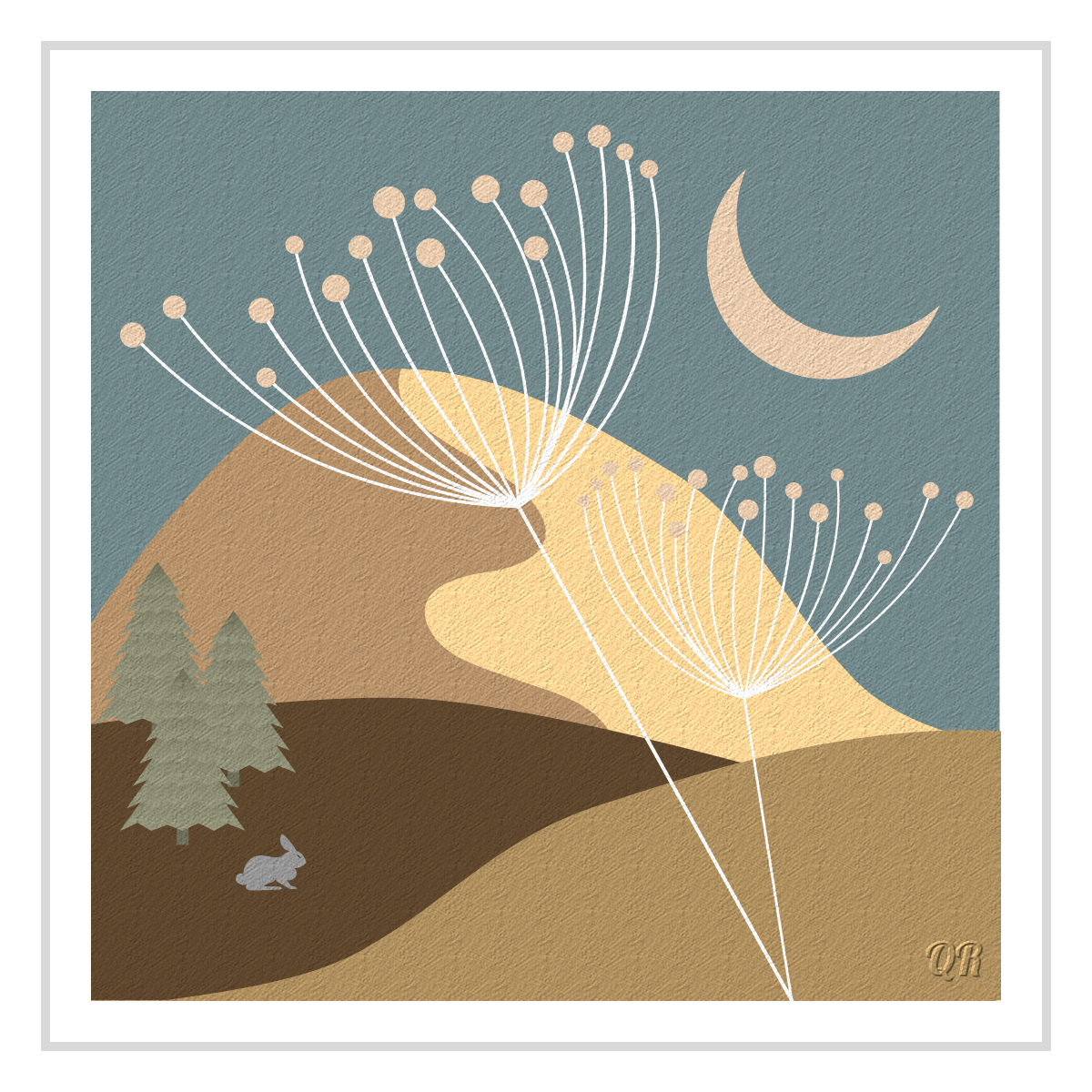
quietreader wrote:
Image

(rabbit borrowed from font Animals2)


Quietreader, how do you upload your work as thumbnail?
BTW, I like your outcome very much :coolthup

_________________
Ella's gallery - YouTube


Top
 Post subject: Re: Creating Landscapes and Shapes
PostPosted: Wed Sep 10, 2025 1:26 am  (#276) 
Offline
GimpChat Member
User avatar

Joined: Mar 01, 2014
Posts: 14208
Location: Spain, Aragón
Ella, you got it so perfect. How? :clap
quietreader, a wonderful creation :clap

_________________
Image

Gimp 2.10.36 (samj) portable _ OS Windows 10 Home_ 64bits
Don’t be afraid to start over. It’s a new chance to rebuild what you want.


Top
 Post subject: Re: Creating Landscapes and Shapes
PostPosted: Wed Sep 10, 2025 1:29 am  (#277) 
Offline
GimpChat Member
User avatar

Joined: Mar 01, 2014
Posts: 14208
Location: Spain, Aragón
:paint


Attachments:
Botanical-decoration-boho-Issa.xcf [4.66 MiB]
Downloaded 28 times
Botanical-decoration-boho-Issa.jpg
Botanical-decoration-boho-Issa.jpg [ 451.97 KiB | Viewed 1208 times ]

_________________
Image

Gimp 2.10.36 (samj) portable _ OS Windows 10 Home_ 64bits
Don’t be afraid to start over. It’s a new chance to rebuild what you want.
Top
 Post subject: Re: Creating Landscapes and Shapes
PostPosted: Wed Sep 10, 2025 1:36 am  (#278) 
Offline
GimpChat Member

Joined: Apr 11, 2024
Posts: 316
@Ella,
I upload the image via the 5th last button, remove image tags and add the 3rd last button thumbnail tags instead.
Attachment:
2025-09-10_001.png
2025-09-10_001.png [ 19.36 KiB | Viewed 1205 times ]


Top
 Post subject: Re: Creating Landscapes and Shapes
PostPosted: Wed Sep 10, 2025 6:05 am  (#279) 
Offline
GimpChat Member
User avatar

Joined: May 17, 2014
Posts: 1572
@quietreader, thank you for the information :tyspin

@Issabella

On a new page 1600x2000 pixels, I placed a grid 50x50 pixels.
On this grid, I drew 9 circles measuring 900, 800, 700 ... down to 100 pixels. (1)
I made a path for each circle, each one I stroked with 1 pixel.
Then I removed the bottom half of the circles.
I placed a vertical guide line at 450 pixels, then 8 more, each 50 pixels wider. (2)
Using the path tool, I drew 9 vertical lines, each one I stroked 1 pixel. (3)

Attachment:
Arch.01.JPG
Arch.01.JPG [ 123.83 KiB | Viewed 1192 times ]


Attachment:
Arch.02.JPG
Arch.02.JPG [ 147.43 KiB | Viewed 1192 times ]


Attachment:
Arch.03.JPG
Arch.03.JPG [ 56.16 KiB | Viewed 1192 times ]

_________________
Ella's gallery - YouTube


Top
 Post subject: Re: Creating Landscapes and Shapes
PostPosted: Wed Sep 10, 2025 6:08 am  (#280) 
Offline
GimpChat Member
User avatar

Joined: May 17, 2014
Posts: 1572
I merged the lines into one layer, which I duplicated and mirrored horizontally.
This gave me a complete arc. (4)
I merged all the layers, then 'alpha to selection' in the layer window and converted that selection into a path. (5)
You can then stroke the path with as many pixels as you like.

Attachment:
Arch.04.JPG
Arch.04.JPG [ 68.29 KiB | Viewed 1192 times ]


Attachment:
Arch.05.JPG
Arch.05.JPG [ 120.45 KiB | Viewed 1192 times ]

_________________
Ella's gallery - YouTube


Top
Post new topic Reply to topic  [ 874 posts ]  Go to page Previous  1 ... 11, 12, 13, 14, 15, 16, 17 ... 44  Next

All times are UTC - 5 hours [ DST ]


* Login  


Powered by phpBB3 © phpBB Group