It is currently Sat Aug 08, 2026 11:34 am


All times are UTC - 5 hours [ DST ]


Post new topic Reply to topic  [ 22 posts ]  Go to page 1, 2  Next
Author Message
 Post subject: Neon-Blue theme
PostPosted: Sat Sep 10, 2011 2:15 pm  (#1) 
Offline
Global Moderator
User avatar

Joined: May 16, 2010
Posts: 16152
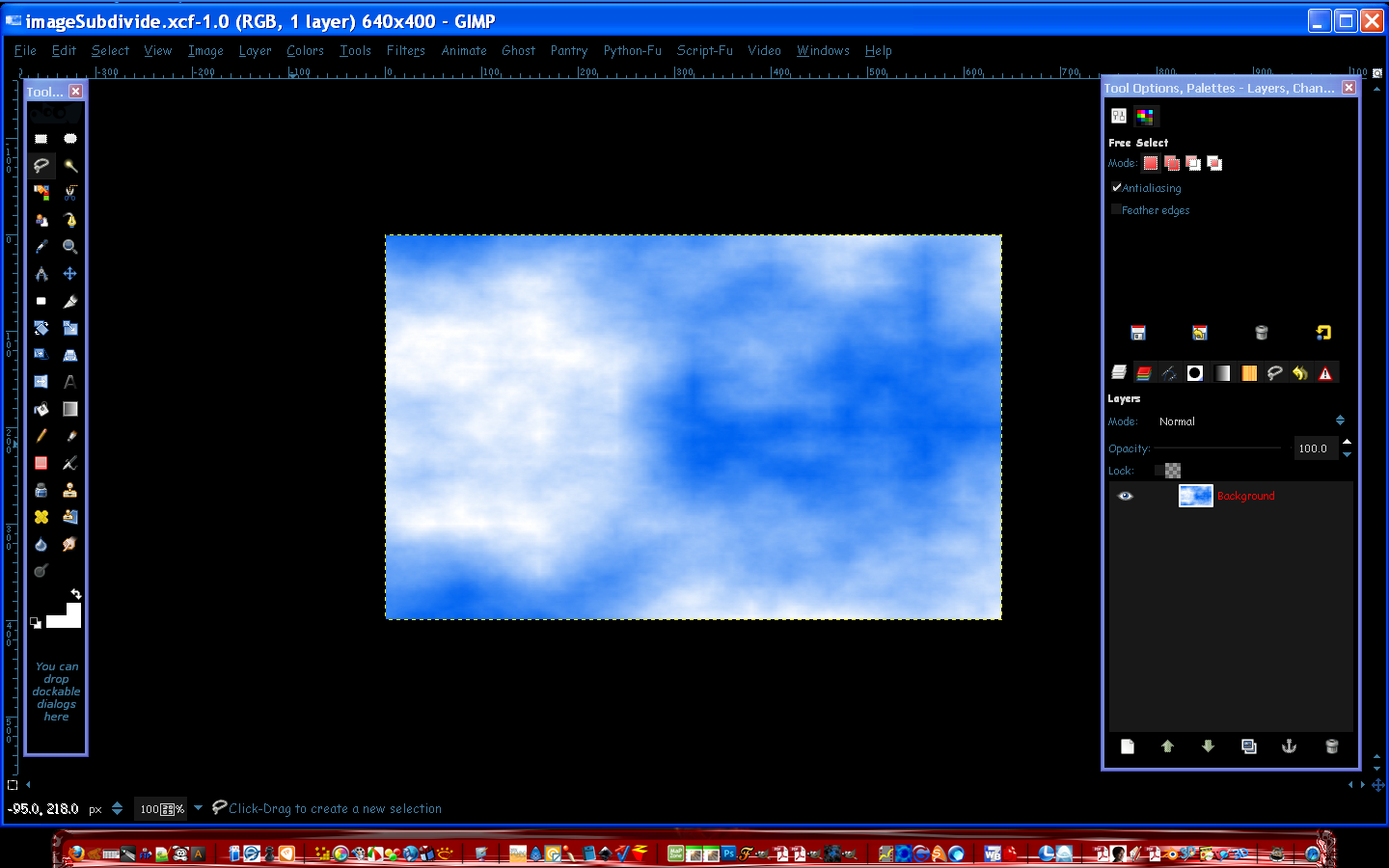
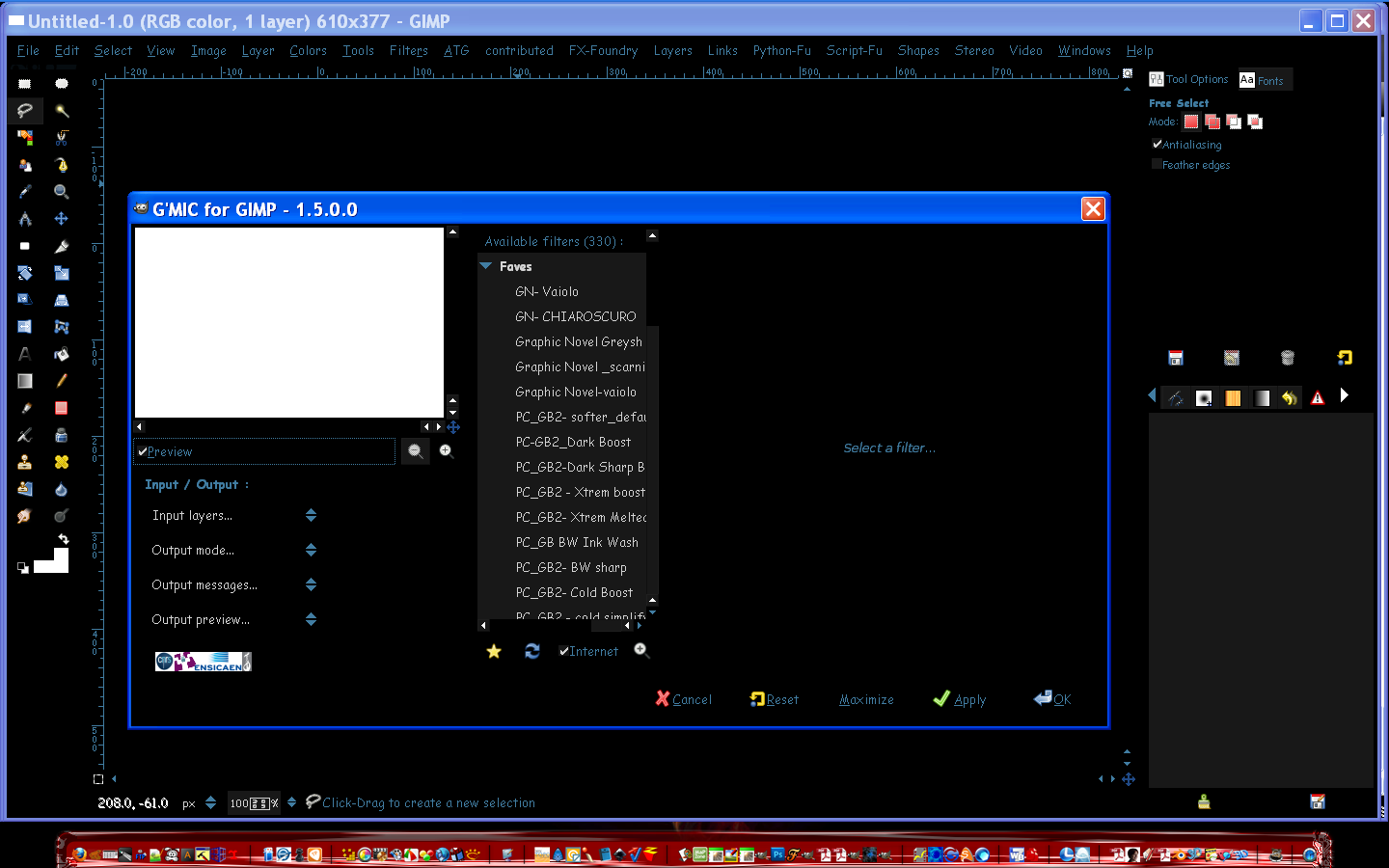
I thought i would show what the theme looks like in each version of Gimp.

Gimp-2.6.11

Image

Gimp-2.7.3

Image

_________________
Image


Share on Facebook Share on Twitter Share on Orkut Share on Digg Share on MySpace Share on Delicious Share on Technorati
Top
 Post subject: Re: Neon-Blue theme
PostPosted: Sat Sep 10, 2011 4:22 pm  (#2) 
Offline
GimpChat Member

Joined: Apr 12, 2010
Posts: 5870
cool

_________________
My 3D Gallery on Deviantart http://photocomix2.deviantart.com/
Main gallery http://www.flickriver.com/photos/photocomix-mandala/
Mandala and simmetry http://www.flickriver.com/photos/photocomix_mandala/

Image

Mrs Wilbress


Top
 Post subject: Re: Neon-Blue theme
PostPosted: Sat Sep 10, 2011 8:05 pm  (#3) 
Offline
GimpChat Member
User avatar

Joined: Sep 06, 2011
Posts: 368
Location: US, Ohio
I have seen countless screenshots of your workspace and still have no idea what OS you're running lol. I'm guessing a modded version of XP?


Top
 Post subject: Re: Neon-Blue theme
PostPosted: Sat Sep 10, 2011 8:17 pm  (#4) 
Offline
Global Moderator
User avatar

Joined: May 16, 2010
Posts: 16152
tstandiford wrote:
I have seen countless screenshots of your workspace and still have no idea what OS you're running lol. I'm guessing a modded version of XP?

You would be correct XP is my operating system. :hehe

_________________
Image


Top
 Post subject: Re: Neon-Blue theme
PostPosted: Sat Sep 10, 2011 9:18 pm  (#5) 
Offline
GimpChat Founder
User avatar

Joined: May 22, 2008
Posts: 5241
Location: Gimpville
Staring dark on light background for long periods sometimes bothers my eyes but I've never really found a light on dark theme that suits me. I'm guessing that if I'd try a light on dark theme for awhile, I might get used to it. You think?

_________________
“If you reach for the stars, you just might land on a decently sized hill.” - Stuart Hill


Top
 Post subject: Re: Neon-Blue theme
PostPosted: Sat Sep 10, 2011 10:37 pm  (#6) 
Offline
Global Moderator
User avatar

Joined: May 16, 2010
Posts: 16152
GnuTux wrote:
Staring dark on light background for long periods sometimes bothers my eyes but I've never really found a light on dark theme that suits me. I'm guessing that if I'd try a light on dark theme for awhile, I might get used to it. You think?

I have always liked light font over a dark background.It does seem easier on my eyes also. :)

_________________
Image


Top
 Post subject: Re: Neon-Blue theme
PostPosted: Sat Sep 10, 2011 11:16 pm  (#7) 
Offline
GimpChat Member
User avatar

Joined: Apr 08, 2010
Posts: 5420
Location: Northwest Ohio
While I like dark text on light background...white actually. These old eyes need all the light they can get. I suppose I will bet cataract surgery one of these days and then I will want the opposite.


Top
 Post subject: Re: Neon-Blue theme
PostPosted: Sun Sep 11, 2011 7:27 am  (#8) 
Offline
GimpChat Member
User avatar

Joined: Aug 24, 2011
Posts: 1785
Location: Dallas, TX
I like the neon blue. where can I get it? While we are on the subject of themes, I currently use Aurora Midnight but I like th buttons and sliders in the OSX theme. I noticed several folders for these in the OSX but could not find anything that corresponds in the Aurora Midnight. Is there any way to combine these or replace th buttons only?

_________________
Image


Top
 Post subject: Re: Neon-Blue theme
PostPosted: Sun Sep 11, 2011 10:23 am  (#9) 
Offline
Global Moderator
User avatar

Joined: May 16, 2010
Posts: 16152
The buttons are created within the gtkrc files.
I have yet to figure those out.Most likely angles for the corners.Or possibly a button widget is called.
Once i figure out the rounded corners i will add it to this theme.
Aurora doesn't play nice with Gimp-2.7's interface.It hides the dialog images for some reason.
Possibly using the aurora and cleanice combined may prove worthwhile though.
That would mean creating a new dll file.

The Neon Blue theme can be found here along with the README inside please be sure to read it first before installing. :)
viewtopic.php?f=9&t=2513&p=32507&hilit=neon+blue#p32507

_________________
Image


Top
 Post subject: Re: Neon-Blue theme
PostPosted: Sun Sep 11, 2011 4:30 pm  (#10) 
Offline
GimpChat Member

Joined: Apr 12, 2010
Posts: 5870
hy Rod could you explain how to install on partha gimp 2,7,3 portable ? the problem is that i can't find neither the gtk or the engine folder

_________________
My 3D Gallery on Deviantart http://photocomix2.deviantart.com/
Main gallery http://www.flickriver.com/photos/photocomix-mandala/
Mandala and simmetry http://www.flickriver.com/photos/photocomix_mandala/

Image

Mrs Wilbress


Top
 Post subject: Re: Neon-Blue theme
PostPosted: Sun Sep 11, 2011 5:17 pm  (#11) 
Offline
Global Moderator
User avatar

Joined: May 16, 2010
Posts: 16152
Just to warn you PC this theme doesn't play well with portable as the white bg text in the open, save as, and GMIC layers output areas remains black.And with a #181818 bg area that doesn't show the text too well.I have spent about the last 3 hours trying to fix it.I will get it give me time. :)
That was for Portable-2.6 though.It may work for portable 2.7

The libcleanice.dll file would go here
\GIMP-2.7\lib\gtk-2.0\2.10.0\engines

The gtkrc here
\GIMP-2.7\settings
Be sure and rename the one in here
\GIMP-2.7\etc\gtk-2.0 ... to gtkrc-backup or something like that.
I tested it and it seems to work fine

Image

Image

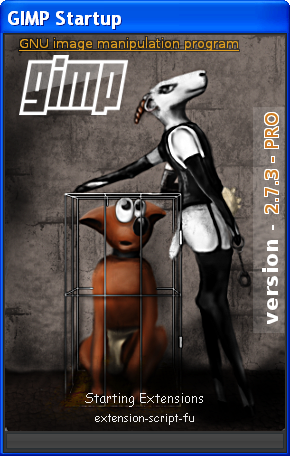
Here is my new 2.7.3 splash image. :)

Image

Any problems let me know.

_________________
Image


Top
 Post subject: Re: Neon-Blue theme
PostPosted: Sun Sep 11, 2011 5:20 pm  (#12) 
Offline
Global Moderator
User avatar

Joined: May 16, 2010
Posts: 16152
I still do not know why it won't work in Portable 2.6 hrmmmmmmm....

_________________
Image


Top
 Post subject: Re: Neon-Blue theme
PostPosted: Sun Sep 11, 2011 6:41 pm  (#13) 
Offline
GimpChat Member

Joined: Apr 12, 2010
Posts: 5870
Huu ...Humm..i was sure in partha 2.7 was not a ...lib/gtk (there is lib of course but maybe gtk is somehow merged)
Well this by memory i am going to go back to check the real thing.

BTW you know if one of the various gimp theme switcher (or gtk_pref.exe or similar ) works on 2.7 ?

_________________
My 3D Gallery on Deviantart http://photocomix2.deviantart.com/
Main gallery http://www.flickriver.com/photos/photocomix-mandala/
Mandala and simmetry http://www.flickriver.com/photos/photocomix_mandala/

Image

Mrs Wilbress


Top
 Post subject: Re: Neon-Blue theme
PostPosted: Sun Sep 11, 2011 8:08 pm  (#14) 
Offline
GimpChat Member

Joined: Apr 12, 2010
Posts: 5870
I should ask to Partha,i check again expanding most of the folders to look in all subfolders , i did find a gtk-doc folder but no any gtk folder

_________________
My 3D Gallery on Deviantart http://photocomix2.deviantart.com/
Main gallery http://www.flickriver.com/photos/photocomix-mandala/
Mandala and simmetry http://www.flickriver.com/photos/photocomix_mandala/

Image

Mrs Wilbress


Top
 Post subject: Re: Neon-Blue theme
PostPosted: Sun Sep 11, 2011 8:15 pm  (#15) 
Offline
Global Moderator
User avatar

Joined: May 16, 2010
Posts: 16152
Hey PC i was testing the wrong gimp-2.7 portable that was JamesH's version. :)
I re-tested with Parthas version and it doesn't look correct.
You just need to place the gtkrc file here in Parthas version
Place it in this folder...
\gimp-2.7.3\.gimp-2.7

Restart Gimp-2.7.3 there is no need for the dll file with Parthas version.
But it works the same as Gimp-2.6.11 portable...dark text that makes some dialogs very hard to read.
You can make it white so you can read it by editing this line in the gtkrc file
  base[NORMAL]          = "#181818"     # list item background


Change that color to #ffffff instead or any other color you like.
Here is what it will look like
Image

Image

Image

You can edit any color in the gtkrc and play around with it.
Just change a color and reload Gimp to see what it looks like.Mind you i would test one color at a time. ;)


Sorry it doesn't work correctly though.

On a side note though James H version works well with it.No idea what the dif is.maybe the working dll file?

_________________
Image


Top
 Post subject: Re: Neon-Blue theme
PostPosted: Sun Sep 11, 2011 8:35 pm  (#16) 
Offline
GimpChat Member

Joined: Aug 05, 2011
Posts: 606
Location: limestone,ny
I might have to try a dark theme, trying a gray one now

Image


Top
 Post subject: Re: Neon-Blue theme
PostPosted: Sun Sep 11, 2011 8:56 pm  (#17) 
Offline
GimpChat Member

Joined: Apr 12, 2010
Posts: 5870
thank Rod i will try with white text...

BTW a bit unrelated also FF dark theme has the same problem something (some link on flickr, the spell checker ) just become totally invisible ( i may still use them because i remember well where they should be, but are really invisible )

But as now i may use painlessy the computer only with dark themes and gimp was one of the few problem left (the other is notepad ,both the MS notepad and Notepad ++ )

_________________
My 3D Gallery on Deviantart http://photocomix2.deviantart.com/
Main gallery http://www.flickriver.com/photos/photocomix-mandala/
Mandala and simmetry http://www.flickriver.com/photos/photocomix_mandala/

Image

Mrs Wilbress


Top
 Post subject: Re: Neon-Blue theme
PostPosted: Tue Sep 13, 2011 9:01 am  (#18) 
Offline
GimpChat Member
User avatar

Joined: Aug 24, 2011
Posts: 1785
Location: Dallas, TX
Rod,

A little hand holding please. I'm finding way too many gtkrc files in mythemes folder. Could you show me the exact path where to put the Neon Blue gtkrc file please? I use the same OS and gimp version you do.

_________________
Image


Top
 Post subject: Re: Neon-Blue theme
PostPosted: Tue Sep 13, 2011 9:31 am  (#19) 
Offline
GimpChat Member

Joined: Apr 12, 2010
Posts: 5870
Each file is a theme may be as much you like, just if you have more then 1 you should point from Gimp preferences which is to be used

_________________
My 3D Gallery on Deviantart http://photocomix2.deviantart.com/
Main gallery http://www.flickriver.com/photos/photocomix-mandala/
Mandala and simmetry http://www.flickriver.com/photos/photocomix_mandala/

Image

Mrs Wilbress


Top
 Post subject: Re: Neon-Blue theme
PostPosted: Tue Sep 13, 2011 10:16 am  (#20) 
Offline
Global Moderator
User avatar

Joined: May 16, 2010
Posts: 16152
Draconian wrote:
Rod,

A little hand holding please. I'm finding way too many gtkrc files in mythemes folder. Could you show me the exact path where to put the Neon Blue gtkrc file please? I use the same OS and gimp version you do.


In Gimp-2.6.11 & Gimp-2.7.3 Parthas install version and development versions it (the gtkrc file) ,will go in the
C:\Documents and Settings\YourUserFolder\.gimp-2.6 OR .gimp-2.7 folder
Be sure and make a backup copy of the old gtkrc file in there in case you want to use it again.
the libcleanice.dll file goes here
Gimp-2.6.11 - C:\Program Files\GIMP-2.0\lib\gtk-2.0\2.10.0\engines
Gimp-2.7.3 - C:\Program Files\Gimp-2.7.3\lib\gtk-2.0\2.10.0\engines

You will have to create that directory in Gimp-2.7.3 (gtk-2.0\2.10.0\engines)
Restart Gimp in both cases.

On the Gimp-2.6 and Parthas Gimp-2.7 portable versions you will have to use the other theme i corrected in the other post here viewtopic.php?f=12&t=2545#p32718
Follow that posts instructions for installing the theme.

_________________
Image


Top
Post new topic Reply to topic  [ 22 posts ]  Go to page 1, 2  Next

All times are UTC - 5 hours [ DST ]


* Login  


Powered by phpBB3 © phpBB Group