It is currently Sat Aug 08, 2026 5:54 pm


All times are UTC - 5 hours [ DST ]


Post new topic Reply to topic  [ 11 posts ] 
Author Message
 Post subject: 3D script or filter request
PostPosted: Thu Aug 05, 2010 4:15 am  (#1) 
Offline
Global Moderator
User avatar

Joined: May 16, 2010
Posts: 16152
Is it possible to take this tutorial
viewtopic.php?p=2356#p2356
And turn it into a script (SCM) for Gimp?

Seems like the hardest part would be choosing a perspective.

_________________
Image


Share on Facebook Share on Twitter Share on Orkut Share on Digg Share on MySpace Share on Delicious Share on Technorati
Top
 Post subject: Re: 3D script or filter request
PostPosted: Sat Aug 07, 2010 1:34 am  (#2) 
Offline
Script Coder
User avatar

Joined: Apr 23, 2010
Posts: 1553
Location: not from Guildford after all
Personally, I think a script detracts from the elegance of Youssef's technique. Nonetheless, here is one with which to play.


Attachments:
File comment: Updated script
sg-3d-ify.scm [2.57 KiB]
Downloaded 779 times

_________________
Any sufficiently primitive technology is indistinguishable from a rock.


Last edited by saulgoode on Sun Aug 08, 2010 3:21 am, edited 1 time in total.
Top
 Post subject: Re: 3D script or filter request
PostPosted: Sat Aug 07, 2010 2:22 am  (#3) 
Offline
Global Moderator
User avatar

Joined: May 16, 2010
Posts: 16152
Thanks saulgoode! =)
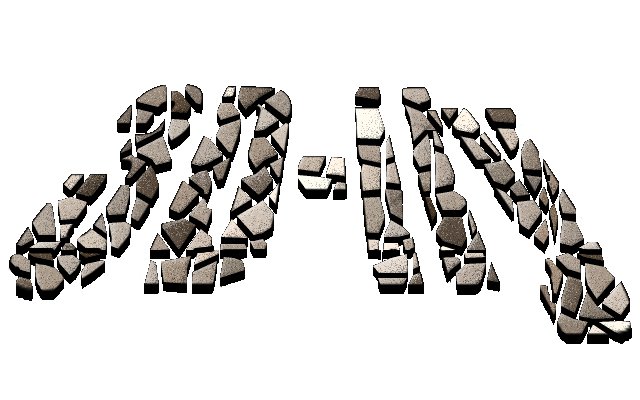
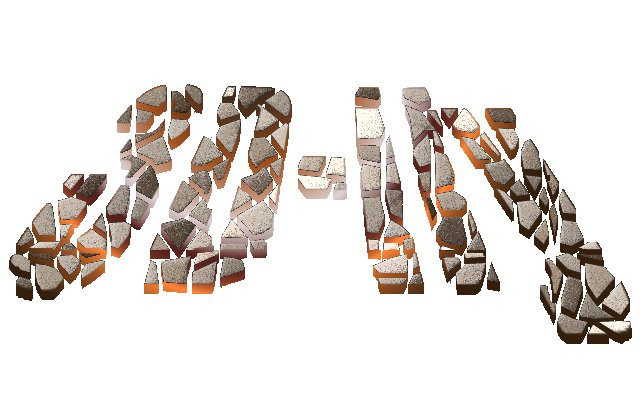
Here are some results from your script. (can be found in Filters/Misc/3D-ify after install)

without perspective
Image

with perspective
Image

with gradient
Image

I think it adds to the functionality myself. =)
Nice script saulgoode, very well done.I like the way you have each layer added separately so you can alpha to select the 3D layer to add gradients or patterns.

_________________
Image


Top
 Post subject: Re: 3D script or filter request
PostPosted: Sat Aug 07, 2010 3:28 am  (#4) 
Offline
Global Moderator
User avatar

Joined: May 16, 2010
Posts: 16152
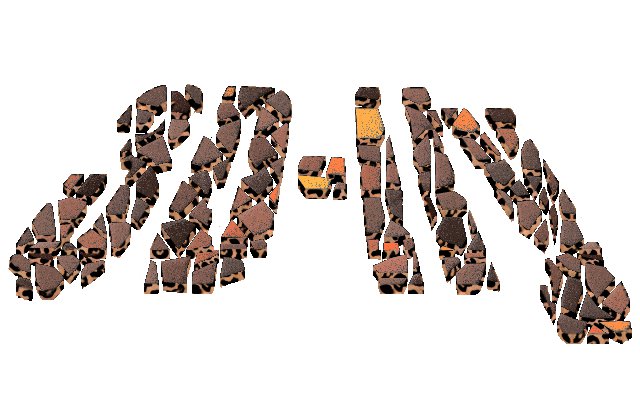
Here it is at -90 degrees =)
Sweeet!
Image

-90 with gradient.
Image

with pattern at -90
Image

_________________
Image


Top
 Post subject: Re: 3D script or filter request
PostPosted: Sat Aug 07, 2010 11:13 am  (#5) 
Offline
Retired Staff
User avatar

Joined: May 22, 2008
Posts: 6946
Location: Somewhere in GIMP
Here's mine using the script.

Image

_________________
Image
World War IV will be fought with sticks and stones. - Albert Einstein


Top
 Post subject: Re: 3D script or filter request
PostPosted: Sat Aug 07, 2010 10:21 pm  (#6) 
Offline
GimpChat Member
User avatar

Joined: Apr 08, 2010
Posts: 5420
Location: Northwest Ohio
Oh boy, I hope I have time to play with the script tomorrow!!!


Top
 Post subject: Re: 3D script or filter request
PostPosted: Sat Aug 07, 2010 10:38 pm  (#7) 
Offline
Retired Staff
User avatar

Joined: May 22, 2008
Posts: 6946
Location: Somewhere in GIMP
It's a nice script.

Tried my sig with it. The perspective tool on it just made it look squashed. One letter just doesn't do perspective well.

Image

_________________
Image
World War IV will be fought with sticks and stones. - Albert Einstein


Top
 Post subject: Re: 3D script or filter request
PostPosted: Sun Aug 08, 2010 1:32 am  (#8) 
Offline
GimpChat Member
User avatar

Joined: Jul 04, 2010
Posts: 2253
Location: Retired Moderator Slowly Returning to the Living.
Excellent script! It works for more than text too! I tried it on brush drawings and it works beautifully!

_________________
Artists aren't crazy! We're eccentric! ~G.M. Ross

Image

My Sigs = My Photos
Check out my work at http://www.flickr.com/photos/photomastergreg.


Top
 Post subject: Re: 3D script or filter request
PostPosted: Sun Aug 08, 2010 3:25 am  (#9) 
Offline
Script Coder
User avatar

Joined: Apr 23, 2010
Posts: 1553
Location: not from Guildford after all
I have had to update the script (attached to this post) because of a minor problem with the positioning of the added "shadow" layer in the layerstack.

_________________
Any sufficiently primitive technology is indistinguishable from a rock.


Top
 Post subject: Re: 3D script or filter request
PostPosted: Sun Aug 08, 2010 10:59 am  (#10) 
Offline
Retired Staff
User avatar

Joined: May 22, 2008
Posts: 6946
Location: Somewhere in GIMP
Thanks, saulgoode. Got the update. On the two demos I did I had moved the shadow down 2px and to the right 2px to line it up.

Not quite there yet. I moved the shadow down and to the right 1px each in the right O, left O is script result untouched.

Image

_________________
Image
World War IV will be fought with sticks and stones. - Albert Einstein


Top
 Post subject: Re: 3D script or filter request
PostPosted: Sun Aug 08, 2010 1:11 pm  (#11) 
Offline
Global Moderator
User avatar

Joined: May 16, 2010
Posts: 16152
Thanks for the update saulgoode! =)

_________________
Image


Top
Post new topic Reply to topic  [ 11 posts ] 

All times are UTC - 5 hours [ DST ]


* Login  


Powered by phpBB3 © phpBB Group