It is currently Fri Aug 14, 2026 12:41 pm


All times are UTC - 5 hours [ DST ]


Post new topic Reply to topic  [ 24 posts ]  Go to page 1, 2  Next
Author Message
 Post subject: Toon-inator : a cartoon effect script
PostPosted: Sun Oct 02, 2011 12:48 pm  (#1) 
Offline
Script Coder
User avatar

Joined: Apr 23, 2010
Posts: 1553
Location: not from Guildford after all
There are several cartoon effect scripts available for GIMP, nonetheless I felt compelled to write my own. The one that ships with GIMP ("Filters->Artistic->Cartoon") is rather dismal, and while there are some improved ones provided by third parties, I feel the one I've written offers some advantages and produces results that GIMPers might find useful.

The script is available from my GIMP Script-fu repository and, once installed to your scripts folder, will provide the command Toon-inator under the "Filters->Artistic" sub-menu (I'm not thrilled with the name either, but all the good ones were taken :) ).

The command does not require any parameters and your original layer is left unmodified. The script will add two layers above the original: one which adjusts the colors and another which provides some black outlines to the image. The idea behind this approach is that you are free to adjust the separate layers if running the script does not produce exactly what you want.

Here is a sample image.

Attachment:
File comment: Original image
bonita-orig.jpg
bonita-orig.jpg [ 83.98 KiB | Viewed 8206 times ]


Attachment:
File comment: Toon-inated
bonita-toon-inated.jpg
bonita-toon-inated.jpg [ 138.54 KiB | Viewed 8206 times ]

_________________
Any sufficiently primitive technology is indistinguishable from a rock.


Last edited by saulgoode on Sun Oct 02, 2011 12:51 pm, edited 1 time in total.

Share on Facebook Share on Twitter Share on Orkut Share on Digg Share on MySpace Share on Delicious Share on Technorati
Top
 Post subject: Re: Toon-inator : a cartoon effect script
PostPosted: Sun Oct 02, 2011 12:49 pm  (#2) 
Offline
GimpChat Member
User avatar

Joined: Sep 24, 2010
Posts: 12831
Like the pinup like result you got with it Saul. Will check it out later. Thanks. :)

_________________
Lyle

Psalm 109:8

Image


Top
 Post subject: Re: Toon-inator : a cartoon effect script
PostPosted: Sun Oct 02, 2011 12:58 pm  (#3) 
Offline
Script Coder
User avatar

Joined: Apr 23, 2010
Posts: 1553
Location: not from Guildford after all
For what it's worth, the bulk of the filter effect is accomplished by duplicating the layer, setting the duplicate's layermode to Value, then running Retinex with a Scale of "16" and a Dynamic of "0.1". I am not entirely sure why this works, but it seems to handle all manner of colors (even B&W).

_________________
Any sufficiently primitive technology is indistinguishable from a rock.


Top
 Post subject: Re: Toon-inator : a cartoon effect script
PostPosted: Sun Oct 02, 2011 1:04 pm  (#4) 
Offline
GimpChat Member
User avatar

Joined: Sep 24, 2010
Posts: 12831
Just tried to download it and it popped up with an error with something like cache not available. I just copied the text file on that site and saving it that way, but wanted to let you know. :)

edit: well originally it said cache something, but now it just said file not available (just read the error message I got when I revisted; lol). :)


Attachments:
error.png
error.png [ 6.53 KiB | Viewed 8197 times ]

_________________
Lyle

Psalm 109:8

Image
Top
 Post subject: Re: Toon-inator : a cartoon effect script
PostPosted: Sun Oct 02, 2011 1:10 pm  (#5) 
Offline
Script Coder
User avatar

Joined: Apr 23, 2010
Posts: 1553
Location: not from Guildford after all
Would you mind trying the link now (it is the same link but without the https: connection):

http://chiselapp.com/user/saulgoode/rep ... acd7d151ab

_________________
Any sufficiently primitive technology is indistinguishable from a rock.


Top
 Post subject: Re: Toon-inator : a cartoon effect script
PostPosted: Sun Oct 02, 2011 1:23 pm  (#6) 
Offline
GimpChat Member
User avatar

Joined: Apr 07, 2010
Posts: 14182
Thanks Saul, downloaded and installed

_________________
Image


Top
 Post subject: Re: Toon-inator : a cartoon effect script
PostPosted: Sun Oct 02, 2011 1:52 pm  (#7) 
Offline
Retired Staff
User avatar

Joined: May 22, 2008
Posts: 6946
Location: Somewhere in GIMP
That is the absolute perfect picture for your script, saulgoode. Very cool script. Thanks!

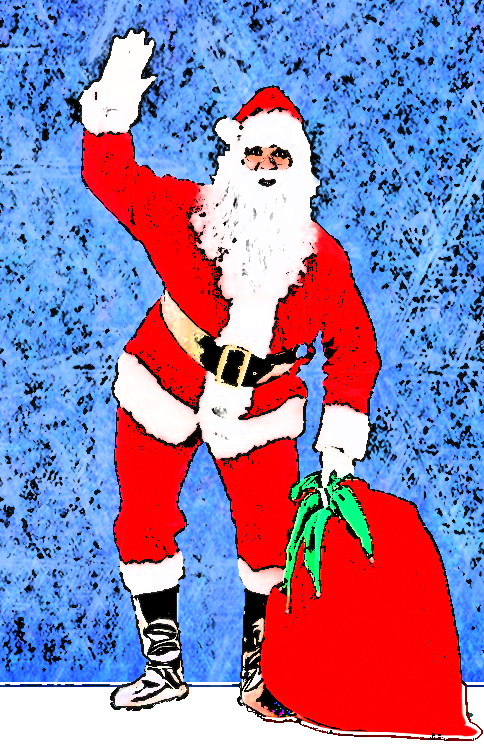
Argh!!! I ran the wrong script for the Santa. The one below is not the result of saulgood's tooninator script. - O :oops:

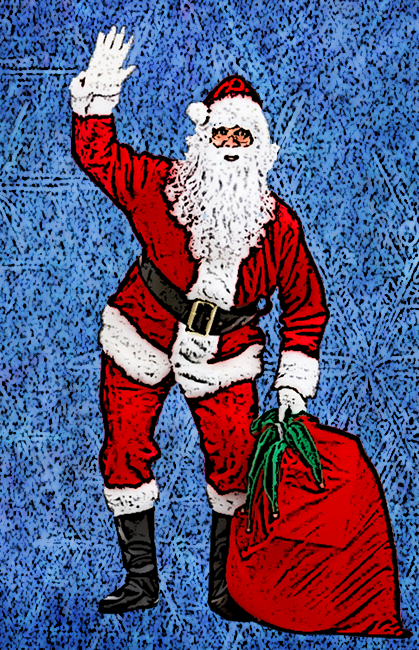
I got a Santa image and a background image from stock exchange. These are thumbnails of the actual images. After I ran the cartoon script, I cleaned out the white bg.
Image.....Image


Disclaimer: This image is NOT a result of using saulgoode's tooninator script.
Image


Top
 Post subject: Re: Toon-inator : a cartoon effect script
PostPosted: Sun Oct 02, 2011 2:49 pm  (#8) 
Offline
Retired Staff
User avatar

Joined: May 22, 2008
Posts: 6946
Location: Somewhere in GIMP
Result of saulgoode's real tooninator script and I like it much better. Thanks saulgoode.

:coolthup

Image

_________________
Image
World War IV will be fought with sticks and stones. - Albert Einstein


Top
 Post subject: Re: Toon-inator : a cartoon effect script
PostPosted: Sun Oct 02, 2011 5:12 pm  (#9) 
Offline
GimpChat Member
User avatar

Joined: Sep 24, 2010
Posts: 12831
saulgoode wrote:
Would you mind trying the link now (it is the same link but without the https: connection):

http://chiselapp.com/user/saulgoode/rep ... acd7d151ab


I had already copied the text and pasted into a .scm and it worked find, but I did try your link and it works now too. Played with it some and do like the result but that was before I had a concert to play in. Squeak I did but I got throught alright for the most part. lol

:)

_________________
Lyle

Psalm 109:8

Image


Top
 Post subject: Re: Toon-inator : a cartoon effect script
PostPosted: Sun Oct 02, 2011 6:19 pm  (#10) 
Offline
Retired Staff
User avatar

Joined: May 22, 2008
Posts: 6946
Location: Somewhere in GIMP
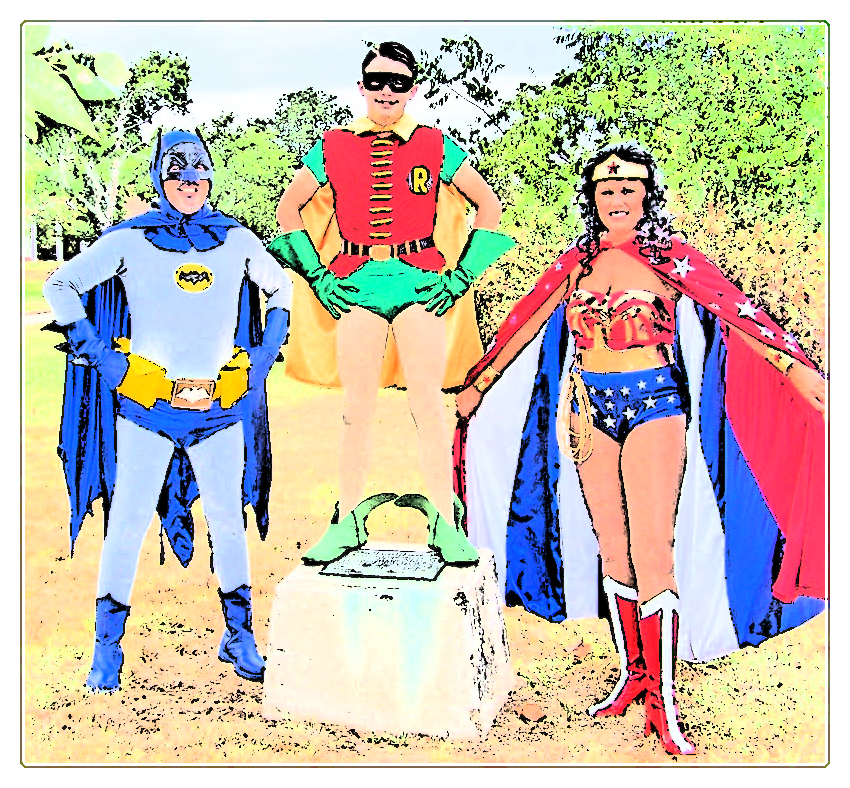
I like the resulting border when you add an alpha channel to the image, add some canvas and then run the script.

Image

Image

Links to original images:
http://blog.costumecraze.com/gallery2/d/1276-2/dc_1.jpg
http://www.lolcostume.com/pictures/Mermaid_Costume.jpg

_________________
Image
World War IV will be fought with sticks and stones. - Albert Einstein


Top
 Post subject: Re: Toon-inator : a cartoon effect script
PostPosted: Sun Oct 02, 2011 6:40 pm  (#11) 
Offline
GimpChat Member
User avatar

Joined: Apr 18, 2011
Posts: 620
Location: New York
I have this image of the fabulous Helen Mirren....so I made a matte around her, blurred and darkened the people behind her and then ran the toon-inator script. Merged the layers and ran that Rodilius filter (numbers way down). it added a bit of glow to her. she has plenty of internal glow anyway.


Attachment:
Helen Mirren.png
Helen Mirren.png [ 557.31 KiB | Viewed 3255 times ]

_________________
Ubuntu 24.04.1, Kernel i686, 6.8.0-52-generic
python3 v3.12.3 ----- GIMP - ver 2.10.38


Top
 Post subject: Re: Toon-inator : a cartoon effect script
PostPosted: Mon Oct 03, 2011 5:25 am  (#12) 
Offline
Global Moderator
User avatar

Joined: May 16, 2010
Posts: 16158
Nice script Saulgoode!
Took me a couple minutes to find it (was looking for Cartooninater) not toon-inator :)

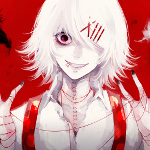
Here is my go at it with a PSP file. :)

Image

Original
Image

_________________
Image


Top
 Post subject: Re: Toon-inator : a cartoon effect script
PostPosted: Mon Oct 03, 2011 9:31 pm  (#13) 
Offline
GimpChat Member
User avatar

Joined: Apr 08, 2010
Posts: 5420
Location: Northwest Ohio
best cartoon script I have run across! Wondering if there are any hints to prepare a pic to be cartooned that can tweak the results either to be more or less colorful, or have more or less black lines?


Top
 Post subject: Re: Toon-inator : a cartoon effect script
PostPosted: Tue Oct 04, 2011 5:11 am  (#14) 
Offline
Script Coder
User avatar

Joined: Apr 23, 2010
Posts: 1553
Location: not from Guildford after all
2-ton wrote:
best cartoon script I have run across! Wondering if there are any hints to prepare a pic to be cartooned that can tweak the results either to be more or less colorful, or have more or less black lines?

One of things I've noticed is that the amount of black is inversely proportional to the amount of saturation in the starting image. This can be effectively used by running the filter on a duplicate layer that has been desaturated to obtain more black shadows and lines, and then hiding/deleting the duplicated layer.
Attachment:
bonita-moreblack.jpg
bonita-moreblack.jpg [ 126.88 KiB | Viewed 3210 times ]

Or conversely, increase the saturation of the duplicate to reduce the amount of black.
Attachment:
bonita-lessblack.jpg
bonita-lessblack.jpg [ 124.55 KiB | Viewed 3210 times ]

You can use the Value Propagate filter set to "Make more opaque" to increase the thickness of the black edges a little (it can get ugly if done to excess).

As far as changing colors, most any color adjustments made to the original layer after running the filter will adjust things as expected. In the following image, I adjusted the hue and saturation a bit with the Hue-Sat filter and also used my Quantize filter to smooth out the colors even more.
Attachment:
bonita-quantized.jpg
bonita-quantized.jpg [ 109.1 KiB | Viewed 3207 times ]

_________________
Any sufficiently primitive technology is indistinguishable from a rock.


Top
 Post subject: Re: Toon-inator : a cartoon effect script
PostPosted: Wed Oct 05, 2011 12:24 pm  (#15) 
Offline
GimpChat Member
User avatar

Joined: Jun 04, 2011
Posts: 254
cool script, love The little Mermaid O.

_________________
Image


Top
 Post subject: Re: Toon-inator : a cartoon effect script
PostPosted: Thu Oct 06, 2011 1:53 pm  (#16) 
Offline
GimpChat Member

Joined: Aug 05, 2011
Posts: 606
Location: limestone,ny
error when running the script in 2.7.4
Image


Top
 Post subject: Re: Toon-inator : a cartoon effect script
PostPosted: Thu Oct 06, 2011 2:09 pm  (#17) 
Offline
Global Moderator
User avatar

Joined: May 16, 2010
Posts: 16158
It works it just gets a deprecation error.
You can open the error dialog Windows/Dockable dialogs
And keep the error window dialog open (i keep it tabbed)
This way all the errors will go into it instead of popping up all the time. :)

_________________
Image


Top
 Post subject: Re: Toon-inator : a cartoon effect script
PostPosted: Sun Jun 23, 2013 9:32 pm  (#18) 
Offline
GimpChat Member
User avatar

Joined: Feb 25, 2013
Posts: 95
Location: Missouri
Awesome Script.
Is there any possible way this could be converted into a file to download?


Top
 Post subject: Re: Toon-inator : a cartoon effect script
PostPosted: Sun Jun 23, 2013 9:47 pm  (#19) 
Offline
Global Moderator
User avatar

Joined: May 16, 2010
Posts: 16158
spunkygurl80 wrote:
Awesome Script.
Is there any possible way this could be converted into a file to download?


It is available as a scm download. Here is a direct link to the script file. :)
http://chiselapp.com/user/saulgoode/rep ... acd7d151ab

_________________
Image


Top
 Post subject: Re: Toon-inator : a cartoon effect script
PostPosted: Sun Jun 23, 2013 10:28 pm  (#20) 
Offline
Administrator
User avatar

Joined: Aug 10, 2012
Posts: 14155
Location: Native to NYC living in Arizona, Gimp 2.8 - 3.0, Win 11 PC.
Here's the results I got using this filter... I'm not that impressed, but the photo wasn't in the best of shape.
Image

_________________
Image
"A wise man learns more from a foolish question than a fool can learn from a wise answer"
Image


Top
Post new topic Reply to topic  [ 24 posts ]  Go to page 1, 2  Next

All times are UTC - 5 hours [ DST ]


* Login  


Powered by phpBB3 © phpBB Group