It is currently Thu Oct 15, 2026 9:37 am


All times are UTC - 5 hours [ DST ]


Post new topic Reply to topic  [ 24 posts ]  Go to page Previous  1, 2
Author Message
 Post subject: Re: Metal Wurx - Part II
PostPosted: Sat Feb 25, 2012 11:36 am  (#21) 
Offline
GimpChat Member

Joined: Mar 29, 2011
Posts: 346
Location: Wisconsin
Molly:
That second bump map really pops the colors. :bigthup

Draconian:
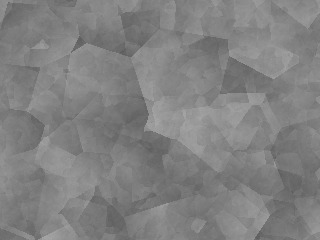
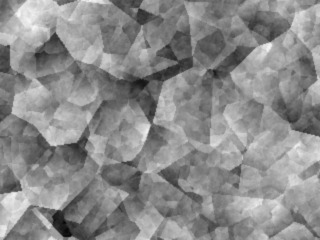
Filters>Render>Felimage>Noise...

This is the "Galvanized" preset using the brush colors (Black and White). Looks better after Normalizing.

Image Image

_________________
Image


Top
 Post subject: Re: Metal Wurx - Part II
PostPosted: Sat Feb 25, 2012 12:25 pm  (#22) 
Offline
GimpChat Member
User avatar

Joined: Aug 24, 2011
Posts: 1785
Location: Dallas, TX
Thanks bkh for telling this old blind man where it is.

I think the first one is actually closer to the real deal. Take a look at a side by side. I'm gonna try working with the Felimage this afternoon. I like the results you got.


Attachments:
example.jpg
example.jpg [ 75.07 KiB | Viewed 2163 times ]

_________________
Image
Top
 Post subject: Re: Metal Wurx - Part II
PostPosted: Sun May 18, 2014 12:37 pm  (#23) 
Offline
New Member
User avatar

Joined: May 17, 2014
Posts: 4
I've read & re-read this (and other) tutorial and am guessing that the missing pieces (patterns,scm) to the puzzle have been removed?
Can anyone help?
I've explored other tut's in the series with the same thing, missing pieces.
Thanks in advance,
C


Top
 Post subject: Re: Metal Wurx - Part II
PostPosted: Sun May 18, 2014 1:09 pm  (#24) 
Offline
GimpChat Member
User avatar

Joined: Apr 07, 2010
Posts: 14182
Are you looking for the script or the patterns? or both


Attachments:
Metal Patterns.7z [642.26 KiB]
Downloaded 165 times
scale_pattern.scm [2.88 KiB]
Downloaded 132 times

_________________
Image
Top
Post new topic Reply to topic  [ 24 posts ]  Go to page Previous  1, 2

All times are UTC - 5 hours [ DST ]


* Login  


Powered by phpBB3 © phpBB Group