It is currently Mon Oct 05, 2026 2:36 pm


All times are UTC - 5 hours [ DST ]


Post new topic Reply to topic  [ 28 posts ]  Go to page 1, 2  Next
Author Message
 Post subject: Taprats.
PostPosted: Fri Jun 01, 2012 2:21 pm  (#1) 
Offline
GimpChat Member
User avatar

Joined: Sep 24, 2010
Posts: 12850
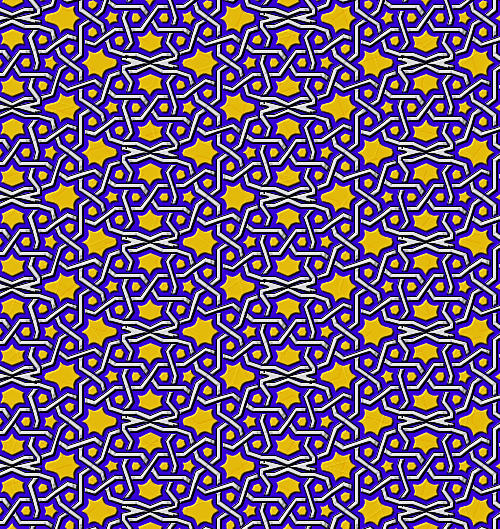
Mentioned this one before but don't believe I or anyone else started a thread about this cool program that creats Islamic tiles. Noticed an update at Sourceforge today and decided to start this thread now. Used the result to create a seamless texture from and commenced to droste (it's what I do; lol). :)

Because of malware being found in SourceForge downloads, this link has been removed.


tile from taprats result:

Attachment:
tr_usa.png
tr_usa.png [ 20.94 KiB | Viewed 5645 times ]


Attachments:
tr_usa-droste.png
tr_usa-droste.png [ 1.35 MiB | Viewed 5645 times ]

_________________
Lyle

Psalm 109:8

Image
Share on Facebook Share on Twitter Share on Orkut Share on Digg Share on MySpace Share on Delicious Share on Technorati
Top
 Post subject: Re: Taprats.
PostPosted: Fri Jun 01, 2012 2:22 pm  (#2) 
Offline
GimpChat Member
User avatar

Joined: Mar 23, 2012
Posts: 7388
Location: Göteborg at last!
Lyle - you're a diamond. Nice results too.


Top
 Post subject: Re: Taprats.
PostPosted: Fri Jun 01, 2012 5:40 pm  (#3) 
Offline
Global Moderator
User avatar

Joined: May 16, 2010
Posts: 16197
Thanks Lyle!
I set up a Shellout bat file if anyone wants to call the program with Gimp.Just like Ghost you will have to save the image and reopen it in Gimp but it works. :)

Bat file
@echo off
echo *** Do Not Close this Window ***
echo Temp File: %1
C:\jre7\bin\java.exe -jar c:\JavaJars\taprats.jar %1


And Shellout
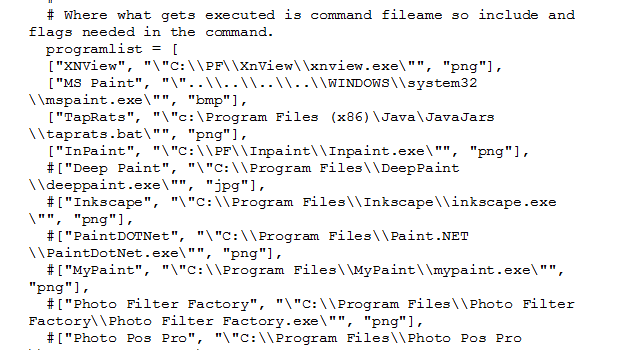
  ["TapRats", "\"c:\JavaJars\\taprats.bat\"", "png"],


Image
Image


Top
 Post subject: Re: Taprats.
PostPosted: Sat Dec 20, 2014 10:43 am  (#4) 
Offline
Global Moderator
User avatar

Joined: May 16, 2010
Posts: 16197
New update available for this program. :)


Top
 Post subject: Re: Taprats.
PostPosted: Sat Dec 20, 2014 2:33 pm  (#5) 
Offline
GimpChat Member
User avatar

Joined: Jan 20, 2013
Posts: 14835
Location: roma, italy
Rod,
just seen your ability to call this pgm thru a .bat file
is a similar way available for the other two pgms with which Lyle is playing during these days? (mosaic.jar and voronoi.exe)?
(still awaiting Garry and/or David taking up the challenge of writing an original G'MIC filter)

_________________
"Where am I ?"


Top
 Post subject: Re: Taprats.
PostPosted: Sat Dec 20, 2014 3:04 pm  (#6) 
Offline
GimpChat Member
User avatar

Joined: Sep 24, 2010
Posts: 12850
It's been a while since I last played with Taprats. Might install it again (it is a Java based program as you figured out Dinasset) soon now that I can get my XP VM to use GPU acceleration (wasn't able to do so on my old system due to Flash player issues; not an issue now). Actually typing this in my Win7 VM, but I'm just checking a few things since it's been a few days (looks like there was another IE11 out of gamut update; just installed it). Not very happy with it since it's such a system hog. lol

Soon, I'll be back in XP VM world. :)

_________________
Lyle

Psalm 109:8

Image


Top
 Post subject: Re: Taprats.
PostPosted: Sat Dec 20, 2014 5:45 pm  (#7) 
Offline
Global Moderator
User avatar

Joined: May 16, 2010
Posts: 16197
dinasset wrote:
Rod,
just seen your ability to call this pgm thru a .bat file
is a similar way available for the other two pgms with which Lyle is playing during these days? (mosaic.jar and voronoi.exe)?
(still awaiting Garry and/or David taking up the challenge of writing an original G'MIC filter)

Mosaic.jar i am still working on as a viable bat file. I can't remember if it calls the
java.exe
javaws.exe or the
javaw.exe for running the jar file.
I believe java.exe is for 32 bit only.
Voronoi.exe should be easily called through shellout. However i believe there is a voronoi plug-in for GMP available.

Here are a couple different ones.
http://registry.gimp.org/node/16679
viewtopic.php?f=9&t=6653&start=10#p83863

The voronoi plug-in in action.
Image


Top
 Post subject: Re: Taprats.
PostPosted: Sat Dec 20, 2014 5:51 pm  (#8) 
Offline
Global Moderator
User avatar

Joined: May 16, 2010
Posts: 16197
Another link.
http://www.saliences.com/projects/npr/s ... index.html


Top
 Post subject: Re: Taprats.
PostPosted: Sat Dec 20, 2014 7:19 pm  (#9) 
Offline
GimpChat Member
User avatar

Joined: Sep 24, 2010
Posts: 12850
I just created a shortcut to the mosaic jar file itself Rod. You can't auto-import the image data that I can tell. :)

_________________
Lyle

Psalm 109:8

Image


Top
 Post subject: Re: Taprats.
PostPosted: Sat Dec 20, 2014 8:09 pm  (#10) 
Offline
Global Moderator
User avatar

Joined: Oct 02, 2014
Posts: 5059
Location: Sydney Australia
Still trying to keep up with you 'gurus' so I followed the steps to download 'taprats' and 'shellout'. I then created the .bat file and added the extra line to shellout.

Shellout appears in my filters list and as a test I called MS-paint - AOK.

When I select 'TapRats' from the shellout menu and click OK, the green progress bar operates, but shellout disappears, the command window (I think) flashes before my eyes, a new 'visible' layer is created (as selected) but thats it, nothing else happens, no error message et al.

Here is a snap of each file I created.

Image
Image

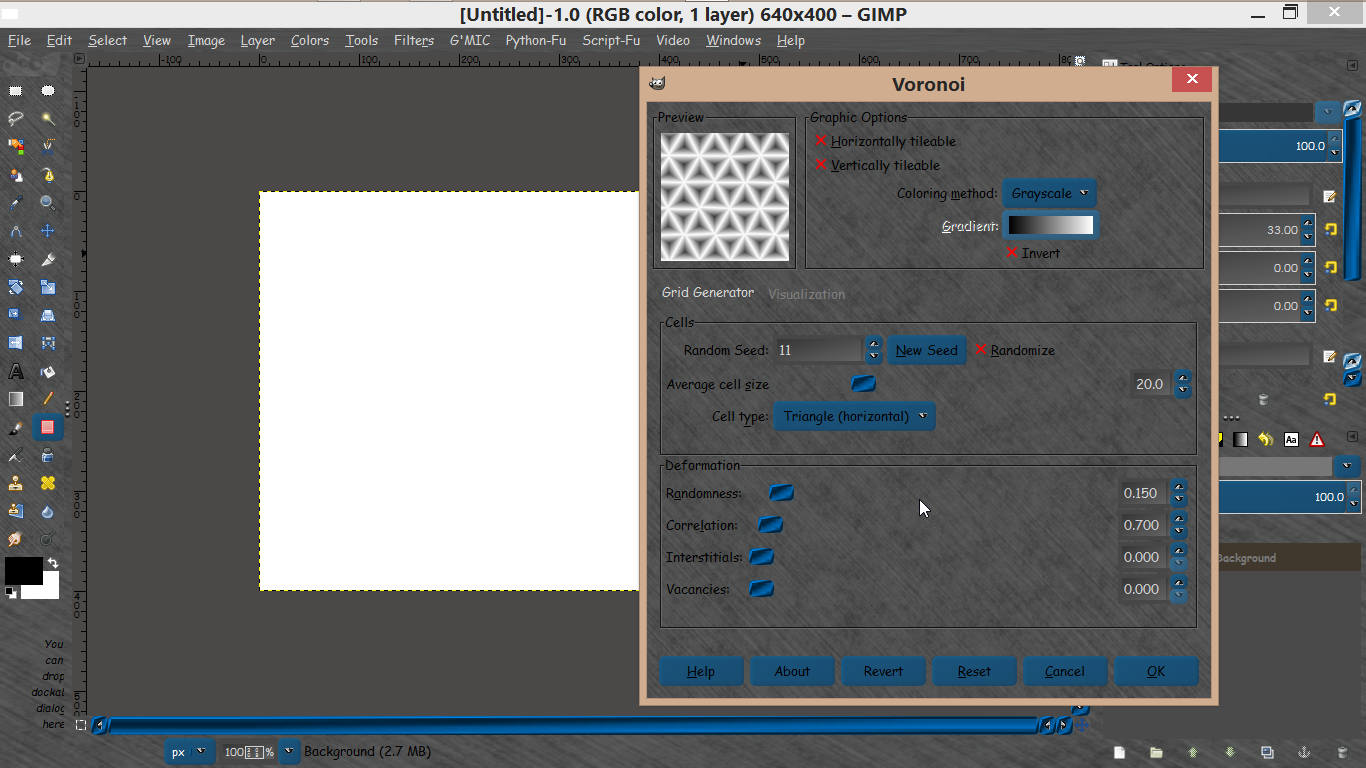
Is there anything obviously wrong or is there something else I should add or do first?. Thankyou.

_________________
Image

Respect should be offered freely but hard earned


Top
 Post subject: Re: Taprats.
PostPosted: Sun Dec 21, 2014 6:57 am  (#11) 
Offline
GimpChat Member
User avatar

Joined: Jan 20, 2013
Posts: 14835
Location: roma, italy
Rod wrote:

thanks Rod for all the infos...

_________________
"Where am I ?"


Top
 Post subject: Re: Taprats.
PostPosted: Mon Dec 22, 2014 9:49 pm  (#12) 
Offline
GimpChat Member
User avatar

Joined: Mar 10, 2014
Posts: 845
my first composition with Taprats.jar program and Gimp mirror
Image


Top
 Post subject: Re: Taprats.
PostPosted: Tue Dec 23, 2014 12:06 am  (#13) 
Offline
GimpChat Member
User avatar

Joined: Sep 24, 2010
Posts: 12850
Here's a creative crop making the result seamless. :)


Attachments:
taprats.png
taprats.png [ 646.29 KiB | Viewed 2592 times ]

_________________
Lyle

Psalm 109:8

Image
Top
 Post subject: Re: Taprats.
PostPosted: Tue Dec 23, 2014 12:18 am  (#14) 
Offline
GimpChat Member
User avatar

Joined: Sep 24, 2010
Posts: 12850
Just having fun with the texture. :)

https://www.flickr.com/photos/34520999@ ... 6/sizes/o/

Image

_________________
Lyle

Psalm 109:8

Image


Top
 Post subject: Re: Taprats.
PostPosted: Tue Dec 23, 2014 12:47 pm  (#15) 
Offline
Global Moderator
User avatar

Joined: May 16, 2010
Posts: 16197
oldmangrumpy wrote:
Still trying to keep up with you 'gurus' so I followed the steps to download 'taprats' and 'shellout'. I then created the .bat file and added the extra line to shellout.

Shellout appears in my filters list and as a test I called MS-paint - AOK.

When I select 'TapRats' from the shellout menu and click OK, the green progress bar operates, but shellout disappears, the command window (I think) flashes before my eyes, a new 'visible' layer is created (as selected) but thats it, nothing else happens, no error message et al.

Here is a snap of each file I created.

[ Image ]
[ Image ]

Is there anything obviously wrong or is there something else I should add or do first?. Thankyou.

I had to copy the java file to my portables folder as so.
@echo off
echo *** Do Not Close this Window ***
echo Temp File: %1
C:\Portables\Java\jre7\bin\java.exe -jar c:\Portables\taprats.jar %1


And Shellout
  ["TapRats", "\"C:\\Portables\\taprats.bat\"", "png"],

This causes a file not found error to pop up but closing it starts the program. Then just add a pattern. :)
Image

Unfortunately it will not draw though. :(
Image

Traceback error dialog code-
Traceback (most recent call last):
  File "C:\Program Files\GIMP 2\32\lib\gimp\2.0\python\gimpfu.py", line 735, in response
    dialog.res = run_script(params)
  File "C:\Program Files\GIMP 2\32\lib\gimp\2.0\python\gimpfu.py", line 361, in run_script
    return apply(function, params)
  File "C:\Users\Rod\.gimp-2.8\plug-ins\ShellOut.py", line 141, in plugin_main
    tempimage.add_layer(newlayer2,-1)
UnboundLocalError: local variable 'newlayer2' referenced before assignment


Top
 Post subject: Re: Taprats.
PostPosted: Tue Dec 23, 2014 1:19 pm  (#16) 
Offline
Global Moderator
User avatar

Joined: May 16, 2010
Posts: 16197
I changed the Shellout code to bmp because that is the extension taprats exports to.
  ["TapRats", "\"C:\\Portables\\taprats.bat\"", "bmp"],


Results were the same. :)


Top
 Post subject: Re: Taprats.
PostPosted: Tue Dec 23, 2014 7:38 pm  (#17) 
Offline
Global Moderator
User avatar

Joined: Oct 02, 2014
Posts: 5059
Location: Sydney Australia
Thankyou Rod - I made directory changes similar to your specs and now I have Taprats working - no idea what to do with it yet but that will come I'm sure.

_________________
Image

Respect should be offered freely but hard earned


Top
 Post subject: Re: Taprats.
PostPosted: Wed Dec 24, 2014 7:07 am  (#18) 
Offline
Global Moderator
User avatar

Joined: May 16, 2010
Posts: 16197
oldmangrumpy wrote:
Thankyou Rod - I made directory changes similar to your specs and now I have Taprats working - no idea what to do with it yet but that will come I'm sure.

You have taprats exporting and creating a layer? I would like to know how please. :)


Top
 Post subject: Re: Taprats.
PostPosted: Fri Dec 26, 2014 9:19 pm  (#19) 
Offline
GimpChat Member
User avatar

Joined: Mar 10, 2014
Posts: 845
Taprats plus Gimp
Image


Top
 Post subject: Re: Taprats.
PostPosted: Sat Dec 27, 2014 3:20 am  (#20) 
Offline
GimpChat Member
User avatar

Joined: Jan 13, 2011
Posts: 2648
Location: Poland
Rod wrote:
oldmangrumpy wrote:
Thankyou Rod - I made directory changes similar to your specs and now I have Taprats working - no idea what to do with it yet but that will come I'm sure.

You have taprats exporting and creating a layer? I would like to know how please. :)


Hi Rod.

For me it works.
It can change the code (no quotation marks "")?

@echo off
echo *** Do Not Close this Window ***
echo Temp File: %1
"C:\Portables\Java\jre7\bin\java.exe" -jar c:\Portables\taprats.jar %1


Attachments:
Taprats.png
Taprats.png [ 150.65 KiB | Viewed 2502 times ]

_________________
Image
Top
Post new topic Reply to topic  [ 28 posts ]  Go to page 1, 2  Next

All times are UTC - 5 hours [ DST ]


* Login  


Powered by phpBB3 © phpBB Group