It is currently Mon Sep 28, 2026 8:41 am


All times are UTC - 5 hours [ DST ]


Post new topic Reply to topic  [ 35 posts ]  Go to page 1, 2  Next
Author Message
 Post subject: What Can You Do With This Photo? (PT 2)
PostPosted: Thu Jul 11, 2013 1:28 pm  (#1) 
Offline
GimpChat Member
User avatar

Joined: Jun 02, 2013
Posts: 2090
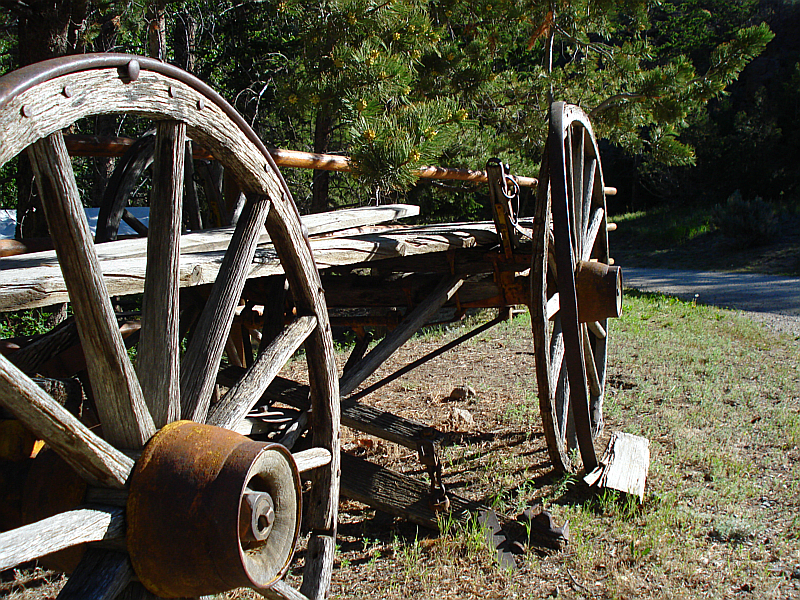
What about this photo? Took this one at Bill Cody Ranch Near Yellowstone:

Image

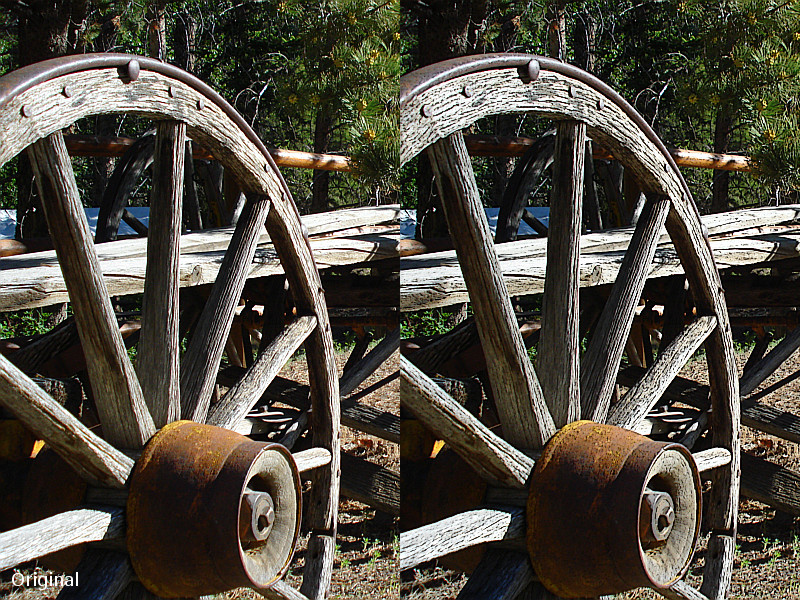
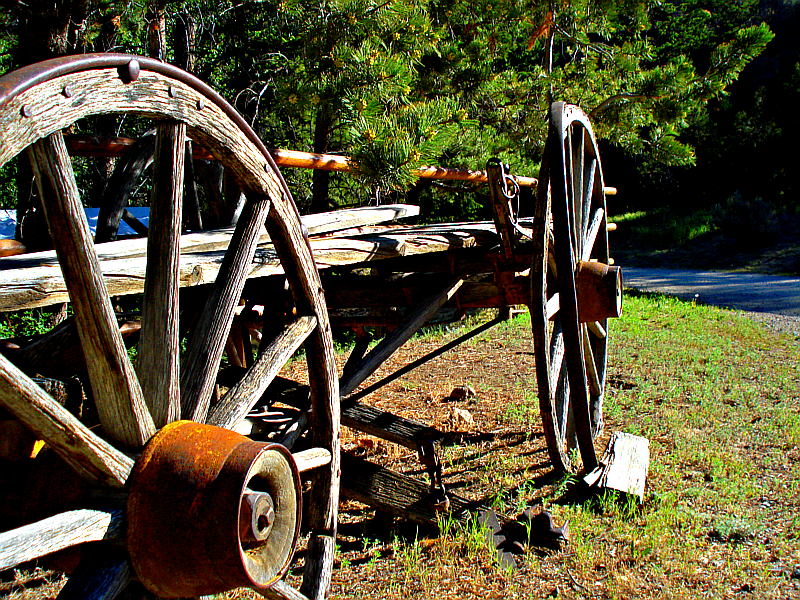
I did 3 manips, each using the same effects, but arranged, and modes set differently.

Duplicated, desaturated, soft glow, mode set to Value, over a layer that has been G'MIC>Black&White>Pencil Portrait:

Image

Normal Photo set to saturation over desaturated and soft glowed layer, set to hard light over G'MIC'd layer:

Image

Normal photo set to hue, over G'MIC'd layer set to grain merge, over desaturated and soft glowed layer:

Image

Thanks for looking.

_________________
Image


Share on Facebook Share on Twitter Share on Orkut Share on Digg Share on MySpace Share on Delicious Share on Technorati
Top
 Post subject: Re: What Can You Do With This Photo? (PT 2)
PostPosted: Thu Jul 11, 2013 1:40 pm  (#2) 
Offline
GimpChat Member
User avatar

Joined: Sep 24, 2010
Posts: 12849
Fake smudge. :)


Attachments:
2834_Vacation%206-25-10%20523.jpg
2834_Vacation%206-25-10%20523.jpg [ 601.22 KiB | Viewed 4962 times ]

_________________
Lyle

Psalm 109:8

Image
Top
 Post subject: Re: What Can You Do With This Photo? (PT 2)
PostPosted: Thu Jul 11, 2013 2:04 pm  (#3) 
Offline
GimpChat Member
User avatar

Joined: Jun 02, 2013
Posts: 2090
Looks awesome Lyle.

_________________
Image


Top
 Post subject: Re: What Can You Do With This Photo? (PT 2)
PostPosted: Thu Jul 11, 2013 4:46 pm  (#4) 
Offline
GimpChat Member
User avatar

Joined: Aug 30, 2012
Posts: 2174
Great photo, definitely be playing with this one when I get the chance.

_________________
Image


Top
 Post subject: Re: What Can You Do With This Photo? (PT 2)
PostPosted: Thu Jul 11, 2013 5:48 pm  (#5) 
Offline
GimpChat Member
User avatar

Joined: Jun 02, 2013
Posts: 2090
he4rty wrote:
Great photo, definitely be playing with this one when I get the chance.
Looking forward to it.

_________________
Image


Top
 Post subject: Re: What Can You Do With This Photo? (PT 2)
PostPosted: Thu Jul 11, 2013 6:49 pm  (#6) 
Offline
GimpChat Member
User avatar

Joined: Jun 02, 2013
Posts: 2090
D-dayed:

Image

_________________
Image


Top
 Post subject: Re: What Can You Do With This Photo? (PT 2)
PostPosted: Thu Jul 11, 2013 9:30 pm  (#7) 
Offline
GimpChat Member
User avatar

Joined: Nov 16, 2011
Posts: 5127
Location: Metro Vancouver, BC
The Warrior, I got a pleasant, unexpected result playing with Graechan's Pencil Shade script on a photograph. On a duplicate layer, I ran the script with defaults except, keep the layers. I kept the line layer and removed the shade layer. This leaves the original layer with the line layer above, normal mode and opacity. The grain in the wood on my result was so much better.

Here's an example using your photograph.
Image

_________________
Image
Gimp 2.8.18, Linux, median user
Gimp Chat Tutorials Index
Spirit Bear (Kermode)


Top
 Post subject: Re: What Can You Do With This Photo? (PT 2)
PostPosted: Thu Jul 11, 2013 9:37 pm  (#8) 
Offline
GimpChat Member
User avatar

Joined: Jun 02, 2013
Posts: 2090
Wow, that's awesome Odin.

_________________
Image


Top
 Post subject: Re: What Can You Do With This Photo? (PT 2)
PostPosted: Fri Jul 12, 2013 3:38 am  (#9) 
Offline
GimpChat Member
User avatar

Joined: Aug 30, 2012
Posts: 2174
Always wanted to try out this tutorial for faking a hdr image, this image seemed a good choice becasuse of the wood grain, Here is the result

Image

Then took that Image and G'MICS dream smoothing and created a Half fininshed painting.

Image

_________________
Image


Top
 Post subject: Re: What Can You Do With This Photo? (PT 2)
PostPosted: Fri Jul 12, 2013 8:23 am  (#10) 
Offline
Global Moderator
User avatar

Joined: Apr 01, 2012
Posts: 8473
Location: On the other side of your screen
Image
I just ran the embroidery stitcher script over it.

Love the extra texture odinbc

I did another - colourized it, on a duplicate layer I ran the pencil shade, embossed the black, colour to alpha then merged the layers.
Image

_________________
Image
Free Fun Photo Editing & resources
Poems from the Lord
Gimp Newby
Gimp version 3.2.4 and GMIC-Qt 4.0.2 OS :- Windows 10 Home 64


Top
 Post subject: Re: What Can You Do With This Photo? (PT 2)
PostPosted: Fri Jul 12, 2013 9:15 am  (#11) 
Offline
GimpChat Member
User avatar

Joined: Jun 02, 2013
Posts: 2090
Nice work everyone. I love seeing what all of ya's come up with.

_________________
Image


Top
 Post subject: Re: What Can You Do With This Photo? (PT 2)
PostPosted: Fri Jul 12, 2013 10:39 am  (#12) 
Offline
GimpChat Member
User avatar

Joined: Aug 30, 2012
Posts: 2174
So couldn't resist doing a psuedo bubble photograph.

Image

_________________
Image


Top
 Post subject: Re: What Can You Do With This Photo? (PT 2)
PostPosted: Fri Jul 12, 2013 10:55 am  (#13) 
Offline
GimpChat Member

Joined: Aug 05, 2011
Posts: 606
Location: limestone,ny
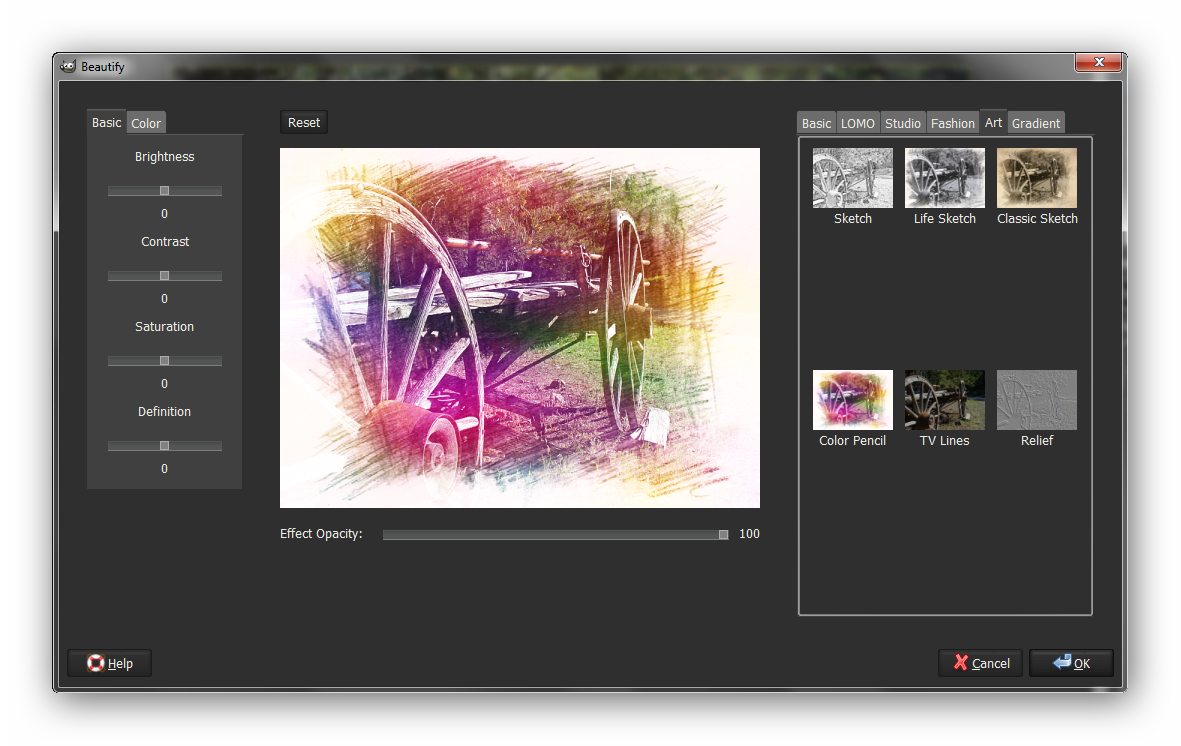
Beautify-art-color pencil

Image


Top
 Post subject: Re: What Can You Do With This Photo? (PT 2)
PostPosted: Fri Jul 12, 2013 10:59 am  (#14) 
Offline
GimpChat Member
User avatar

Joined: Aug 30, 2012
Posts: 2174
alc59 - Nice one, like how you have done the edge.

_________________
Image


Top
 Post subject: Re: What Can You Do With This Photo? (PT 2)
PostPosted: Fri Jul 12, 2013 11:03 am  (#15) 
Offline
GimpChat Member
User avatar

Joined: Jun 02, 2013
Posts: 2090
Nice work. I like that bubble, very cool.

_________________
Image


Top
 Post subject: Re: What Can You Do With This Photo? (PT 2)
PostPosted: Fri Jul 12, 2013 11:04 am  (#16) 
Offline
GimpChat Member
User avatar

Joined: Jun 02, 2013
Posts: 2090
he4rty wrote:
alc59 - Nice one, like how you have done the edge.

It automatically does the edge like that.

_________________
Image


Top
 Post subject: Re: What Can You Do With This Photo? (PT 2)
PostPosted: Fri Jul 12, 2013 11:48 am  (#17) 
Offline
GimpChat Member

Joined: Aug 05, 2011
Posts: 606
Location: limestone,ny
After running the plugin i used the fuzzy select tool and deleted the white BG
Image


Top
 Post subject: Re: What Can You Do With This Photo? (PT 2)
PostPosted: Fri Jul 12, 2013 12:09 pm  (#18) 
Offline
GimpChat Member
User avatar

Joined: Apr 07, 2010
Posts: 14182
alc, that is gorgeous.

_________________
Image


Top
 Post subject: Re: What Can You Do With This Photo? (PT 2)
PostPosted: Fri Jul 12, 2013 1:12 pm  (#19) 
Offline
GimpChat Member
User avatar

Joined: Aug 16, 2012
Posts: 4271
Location: Göteborg, Sweden
nice work everyone! i especially like he4rty's bubble and alc59:s coloured pencil drawing.

_________________


Top
 Post subject: Re: What Can You Do With This Photo? (PT 2)
PostPosted: Fri Jul 12, 2013 1:30 pm  (#20) 
Offline
Retired Staff
User avatar

Joined: May 22, 2008
Posts: 6946
Location: Somewhere in GIMP
All of the submissions are awesome. I find it really hard to choose a favorite. Great job everyone! :hi5

_________________
Image
World War IV will be fought with sticks and stones. - Albert Einstein


Top
Post new topic Reply to topic  [ 35 posts ]  Go to page 1, 2  Next

All times are UTC - 5 hours [ DST ]


* Login  


Powered by phpBB3 © phpBB Group