It is currently Wed Aug 12, 2026 5:08 pm


All times are UTC - 5 hours [ DST ]


Post new topic Reply to topic  [ 84 posts ]  Go to page 1, 2, 3, 4, 5  Next
Author Message
 Post subject: sharing outcomes - various themes
PostPosted: Mon Jun 23, 2014 9:31 am  (#1) 
Offline
GimpChat Member
User avatar

Joined: Jan 20, 2013
Posts: 14831
Location: roma, italy
Probably many of you already know that I'm interested in photo enhancement.
I'm wondering how many other in Gimp-chat members are.
A few?
A lot? (but in this case they aim to be very well "hidden")
I would like to initiate a series of postings sharing results who come out from personal trials, experimenting with gimp filters and/or gmic filters: they are so many...and so good...maybe people get confused, maybe seeing results from others let them better screen among the many possibilities.
Another great area of interest could be tutorials on photo enhancement, à la PatDavid, just to understand each other. Many could object: look directly into PatDavid blog; for sure, but to have some also on Gimpchat could be interesting, you don't think so?
Ok, stop wording feelings, I just wanted to throw "a rock in a pond" (if the translation is correct..)

To have at least one image to initiate with, I post here the result of a test made of the G'mic filter "dynamic range increase".

Attachment:
forests4-DRI.jpg
forests4-DRI.jpg [ 671.7 KiB | Viewed 7522 times ]


the original you know already from a previous post, but for lazy people (I'm a friend of lazy people...), here it is again:

Attachment:
forests4.jpg
forests4.jpg [ 394.11 KiB | Viewed 7522 times ]

_________________
"Where am I ?"


Last edited by dinasset on Thu Jun 26, 2014 11:19 pm, edited 1 time in total.

Share on Facebook Share on Twitter Share on Orkut Share on Digg Share on MySpace Share on Delicious Share on Technorati
Top
 Post subject: Re: sharing outcomes
PostPosted: Mon Jun 23, 2014 9:55 am  (#2) 
Offline
Script Coder
User avatar

Joined: Jun 22, 2010
Posts: 1171
Location: Here and there
I certainly like the idea of more photography here, so I'll try and make an effort to join in.

I'm going to start by asking you a few questions though.

What to you mean by "enhancement"? - To me it means to make better, but as "better" is entirely subjective, I'm not sure that is achievable.

In the spirit of the ongoing Critique thread, I feel I should ask you if you are looking for a critique of your work?

And if you are looking for opinions, I feel you need to tell us what you were trying to achieve with your work.

I will thank you for starting this thread and for posting sensibly-sized images.

Kevin


Top
 Post subject: Re: sharing outcomes
PostPosted: Mon Jun 23, 2014 10:22 am  (#3) 
Offline
GimpChat Member
User avatar

Joined: Jan 20, 2013
Posts: 14831
Location: roma, italy
Thanks Paynekj!
Here my replies:
1- enhancement ; you're right, it's subjective, but the "objective" is: I show you what I consider an enhancement, if you do it too, you may be prone to test/utilise that(those) filter(s)
2 - any critique is definitely accepted (this must be true for everyone who posts his/her experiments)
3 - well, maybe yes, maybe not, I mean: if you make some experiment on an image to find out whether it can look "better" (subjectively - point1), maybe you get a nice result even without having in advance a specific technical goal; in other case, you're right, let me make this example: someone initiate a series to find out the best filter(s) to get a "glamour" image from a woman portrait he/she has on his portfolio, ok, that goal is to be specified, because if noise is left in, the result is certainly not (yet) good, at least must be improved.
My only image posted to initiate is the (first) result of finding alternatives to other filters already tested in the area of retinex, tone mapping, etc (I'm just coming out from other posts concerning those filters).
Thanks for partecipating

_________________
"Where am I ?"


Top
 Post subject: Re: sharing outcomes
PostPosted: Mon Jun 23, 2014 11:07 am  (#4) 
Offline
Global Moderator
User avatar

Joined: Apr 01, 2012
Posts: 8457
Location: On the other side of your screen
paynekj wrote:
I certainly like the idea of more photography here, so I'll try and make an effort to join in.

I'm going to start by asking you a few questions though.

What to you mean by "enhancement"? - To me it means to make better, but as "better" is entirely subjective, I'm not sure that is achievable.

In the spirit of the ongoing Critique thread, I feel I should ask you if you are looking for a critique of your work?

And if you are looking for opinions, I feel you need to tell us what you were trying to achieve with your work.

I will thank you for starting this thread and for posting sensibly-sized images.

Kevin


Should I put my \result from a G'mic filter in here then? I can and delete the other one

_________________
Image
Free Fun Photo Editing & resources
Poems from the Lord
Gimp Newby
Gimp version 3.2.4 and GMIC-Qt 4.0.2 OS :- Windows 10 Home 64


Top
 Post subject: Re: sharing outcomes
PostPosted: Mon Jun 23, 2014 11:12 am  (#5) 
Offline
Global Moderator
User avatar

Joined: Apr 01, 2012
Posts: 8457
Location: On the other side of your screen
Got to share a result I got from this filter defaults using 6 pictures.
Was given permission to play with the photos from here http://www.dpreview.com/forums/post/53879965
Image

I didn't expect the result at all and got quite a :hehe out of it.
I don't take many photos myself but don't mind touching them up.

_________________
Image
Free Fun Photo Editing & resources
Poems from the Lord
Gimp Newby
Gimp version 3.2.4 and GMIC-Qt 4.0.2 OS :- Windows 10 Home 64


Top
 Post subject: Re: sharing outcomes
PostPosted: Mon Jun 23, 2014 11:19 am  (#6) 
Offline
GimpChat Member
User avatar

Joined: Nov 16, 2011
Posts: 5127
Location: Metro Vancouver, BC
Colors | Levels | Three eyedroppers (black & white point only on this image)

Image
unsplash photo by Caleb George Morris

Example on duplicate layer, using 3 eyedroppers (white, black & mid point), layer mode: grain merge.
Image

Cool effect on this type of image, but not as lifelike. Adjusting opacity would give a more natural look.

_________________
Image
Gimp 2.8.18, Linux, median user
Gimp Chat Tutorials Index
Spirit Bear (Kermode)


Top
 Post subject: Re: sharing outcomes
PostPosted: Mon Jun 23, 2014 11:21 am  (#7) 
Offline
Global Moderator
User avatar

Joined: Apr 01, 2012
Posts: 8457
Location: On the other side of your screen
Cool Odin
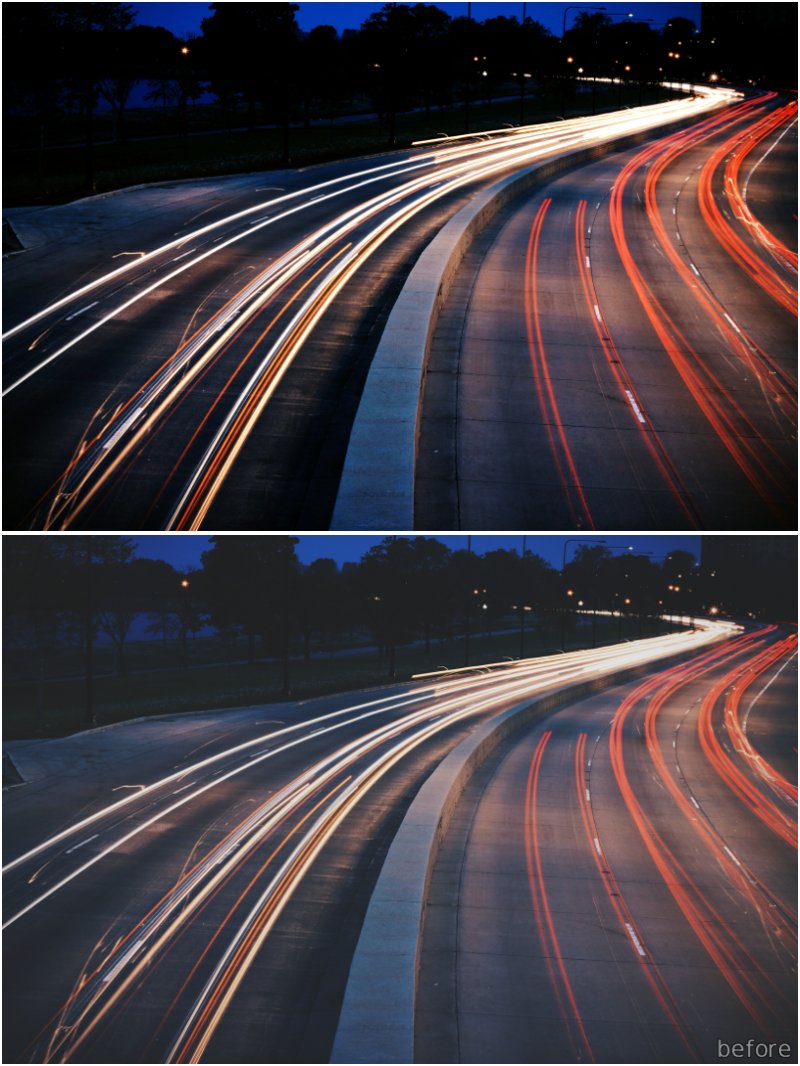
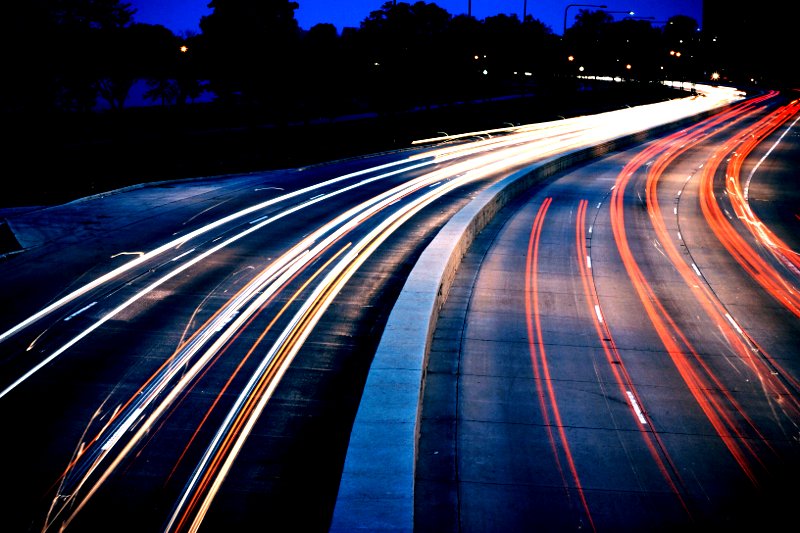
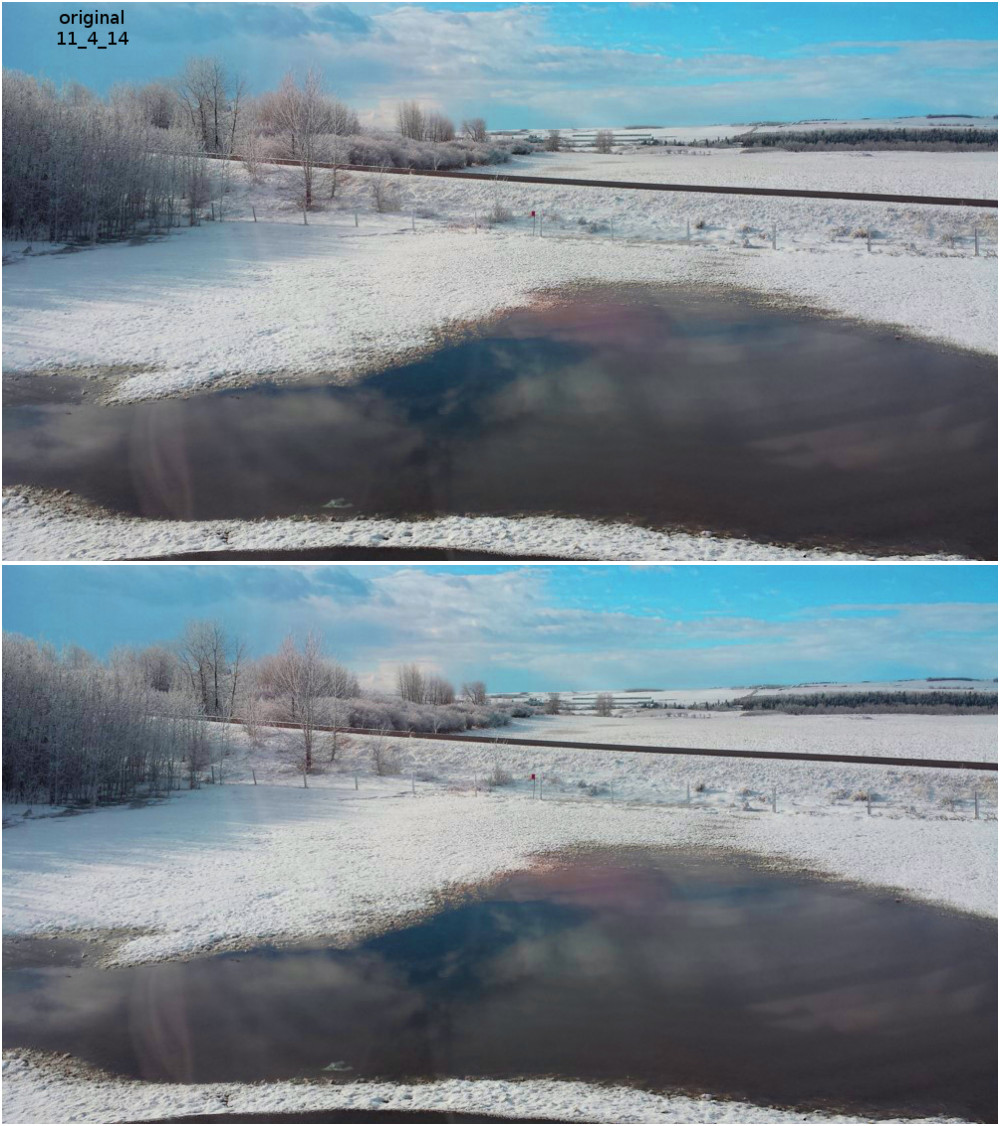
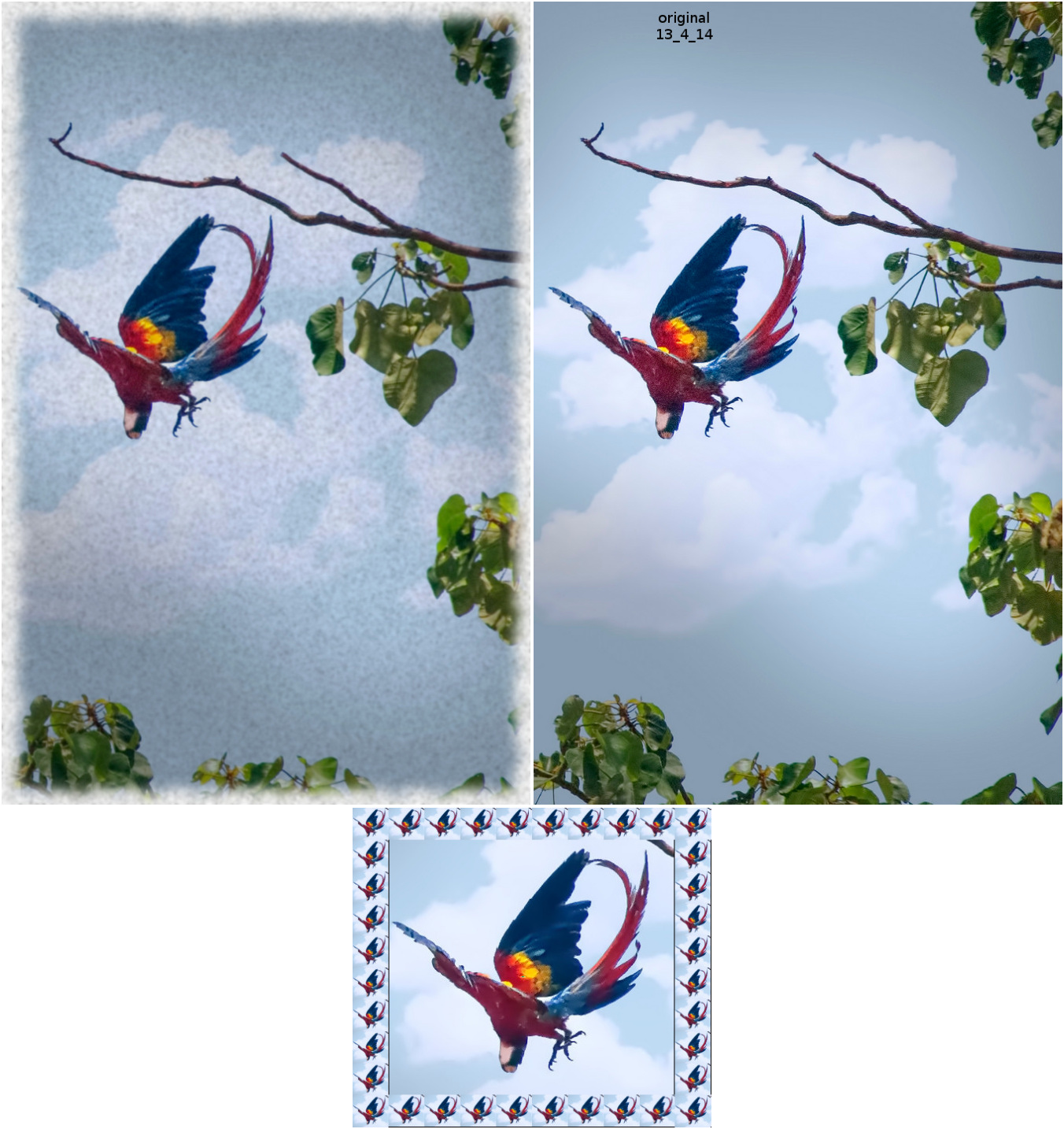
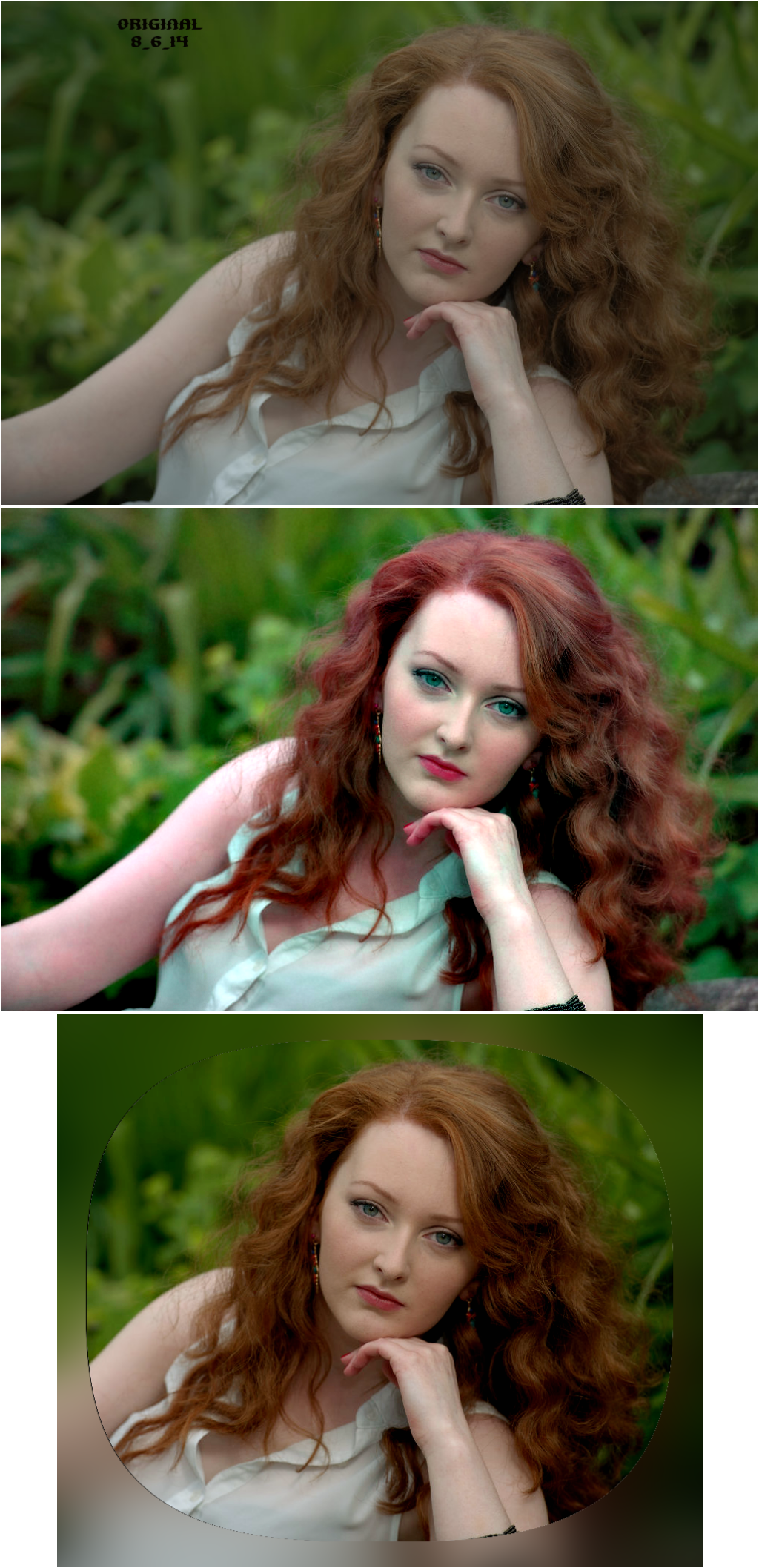
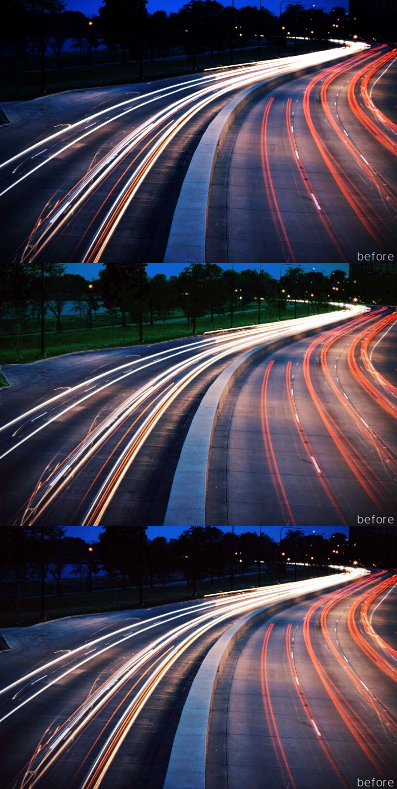
I have a coupleof montages of before and after photos.
Used Rodilus here Image
Image Cant remember what I did here.
Image
Imagetop one is the original.
Image
After fixing this one I used beautifier texture border. Another border as well.
Image

_________________
Image
Free Fun Photo Editing & resources
Poems from the Lord
Gimp Newby
Gimp version 3.2.4 and GMIC-Qt 4.0.2 OS :- Windows 10 Home 64


Top
 Post subject: Re: sharing outcomes
PostPosted: Mon Jun 23, 2014 1:04 pm  (#8) 
Offline
GimpChat Member
User avatar

Joined: Jan 20, 2013
Posts: 14831
Location: roma, italy
Wow, wow, wow ! ! !
It seems a volcano of repressed ideas exploded!
So, there are funs of photo enhancement, excellent news!

A general question: I assume that any picture used here can be re-used by someone else.
Is it true? I'm interested in some of SallyAnne's pictures and would like to use them myself for my experiments, may I?

_________________
"Where am I ?"


Top
 Post subject: Re: sharing outcomes
PostPosted: Mon Jun 23, 2014 6:54 pm  (#9) 
Offline
GimpChat Member
User avatar

Joined: Jan 10, 2013
Posts: 863
Odin you chose a great image for this topic! :coolthup
Looking at your outcomes, which were very good, had the false impression that it would be easy to get the same results.

With automatic adjustment the result is good.
But finding the B&W points this image manually was a good challenge.

My first results were sad. But I insisted and got good results manually.
Thanks for the picture, it was a good challenge. :tyspin

Sally your results are very good. :bigthup
I think you yourself could have edited that your photo of the 70s (or was it the issabela - always get confused :roll: )

dinasset,
This was great. :bump
I had already tested this filter and given up on him.
This shows that choosing the right filter makes much difference. But the same filter may not work well on some images.

The Retinex for example, in some pictures it "pops" much contrast. In other images, gives an amazing touch.
Thank you for opening this topic, it was a good idea! :tyspin

_________________
bbbbbbbbbbbImage
bbbbbbbbbbb Be patient, English is not my language.


Top
 Post subject: Re: sharing outcomes
PostPosted: Mon Jun 23, 2014 9:55 pm  (#10) 
Offline
Script Coder
User avatar

Joined: May 07, 2014
Posts: 4527
Location: Canada
interesting topic.
I tried using levels on dinasset's forest photo and so far no luck at making the image look better.

_________________
TinT


Top
 Post subject: Re: sharing outcomes
PostPosted: Mon Jun 23, 2014 10:05 pm  (#11) 
Offline
GimpChat Member
User avatar

Joined: Jan 10, 2013
Posts: 863
trandoductin
This is a miniature of what I got:

Top - Colors | Levels | Two eyedroppers (black & white only point on this image)
Mid - Using luminosity mask on the outcome of the image in bottom
Bottom - Color Cast Adjustment
Image

_________________
bbbbbbbbbbbImage
bbbbbbbbbbb Be patient, English is not my language.


Top
 Post subject: Re: sharing outcomes
PostPosted: Mon Jun 23, 2014 11:02 pm  (#12) 
Offline
Script Coder
User avatar

Joined: May 07, 2014
Posts: 4527
Location: Canada
Akros, i like the middle one because i can see the green and it looks like it's about to turn dark

_________________
TinT


Top
 Post subject: Re: sharing outcomes
PostPosted: Mon Jun 23, 2014 11:42 pm  (#13) 
Offline
Global Moderator
User avatar

Joined: Apr 01, 2012
Posts: 8457
Location: On the other side of your screen
Akros - I usually try to make images better before asking others. I knew the 70's one was pretty bad and there were much more clever people in here.

dinasset - About re-using the photos you probably could...I am not sure. I have sent emails to the forum concerned asking if once I had downloaded and changed photos (with permission from the photographers) could they be classed as my property? But alas I have had no reply.
However I try to leave a link wherever I post them.

_________________
Image
Free Fun Photo Editing & resources
Poems from the Lord
Gimp Newby
Gimp version 3.2.4 and GMIC-Qt 4.0.2 OS :- Windows 10 Home 64


Top
 Post subject: Re: sharing outcomes
PostPosted: Tue Jun 24, 2014 3:14 am  (#14) 
Offline
GimpChat Member
User avatar

Joined: Jan 20, 2013
Posts: 14831
Location: roma, italy
Let's assume we can re-post SallyAnne's images.
One of those -imo- could be a nice challenge for photo enhancement.
I'm talking of this one (original)

Attachment:
1831_E~2893360-original.jpg
1831_E~2893360-original.jpg [ 230.3 KiB | Viewed 2468 times ]


Why I'm saying it's a challenge?
Because the skin on the face looks more like plastic than like skin.
How can we restore a good skin texture?
One way -an easy way, a too easy way- to change the overall look, could be to simulate a printing on canvas.
Here is my experiment, using G'mic, Patterns, Canvas texture + duplicate + overlay

Attachment:
1831_E~2893360-canvas.jpg
1831_E~2893360-canvas.jpg [ 599.75 KiB | Viewed 2468 times ]


But I hope other chatters will try in a better way to restore the skin look, without bypassing the problem -like I did- with the canvas texture!

_________________
"Where am I ?"


Top
 Post subject: Re: sharing outcomes
PostPosted: Tue Jun 24, 2014 5:13 am  (#15) 
Offline
Global Moderator
User avatar

Joined: Apr 01, 2012
Posts: 8457
Location: On the other side of your screen
:bigthup might give it another go now

_________________
Image
Free Fun Photo Editing & resources
Poems from the Lord
Gimp Newby
Gimp version 3.2.4 and GMIC-Qt 4.0.2 OS :- Windows 10 Home 64


Top
 Post subject: Re: sharing outcomes
PostPosted: Tue Jun 24, 2014 5:19 am  (#16) 
Offline
GimpChat Member
User avatar

Joined: Jan 10, 2013
Posts: 863
Sally I really love it when you have some image that we can improve. Even when the desired result is beyond my capabilities, always left me learning and entertainment for trying.
But your results surprised me positively. ;)
paynekj wrote:
What to you mean by "enhancement"? - To me it means to make better, but as "better" is entirely subjective, I'm not sure that is achievable. Kevin

I think the observation of Kelvin has the agreement of all. Quality is fitness for use, for a request. So "enhancement" is also due to a request of a preference.
dinasset wrote:
Why I'm saying it's a challenge?
Because the skin on the face looks more like plastic than like skin.
How can we restore a good skin texture?

Dinasset with that you created a goal, a clear purpose. Thus the "enhancement" is not so subjective, and enables a more objective view on how to treat and evaluate the improvements on the original image.

I would say that difference in tone between her right arm and body (tanning) was another important aspect to be improved in the picture.

_________________
bbbbbbbbbbbImage
bbbbbbbbbbb Be patient, English is not my language.


Top
 Post subject: Re: sharing outcomes
PostPosted: Tue Jun 24, 2014 5:31 am  (#17) 
Offline
GimpChat Member
User avatar

Joined: Jan 10, 2013
Posts: 863
trandoductin wrote:
Akros, i like the middle one because i can see the green and it looks like it's about to turn dark

Thx trandoductin,
In the middle image I applied luminosity mask on the bottom image so I used curves to rescue (simulate) a bit of enlightenment that area.
It was a bit surreal, but gave interesting contrast.

_________________
bbbbbbbbbbbImage
bbbbbbbbbbb Be patient, English is not my language.


Top
 Post subject: Re: sharing outcomes
PostPosted: Tue Jun 24, 2014 6:05 am  (#18) 
Offline
GimpChat Member
User avatar

Joined: Jan 20, 2013
Posts: 14831
Location: roma, italy
Akros wrote:
...
Dinasset with that you created a goal, a clear purpose. Thus the "enhancement" is not so subjective, and enables a more objective view on how to treat and evaluate the improvements on the original image.

I would say that difference in tone between her right arm and body (tanning) was another important aspect to be improved in the picture.


yes, in this case I followed Kevin's suggestion:
"..And if you are looking for opinions, I feel you need to tell us what you were trying to achieve with your work..."

_________________
"Where am I ?"


Top
 Post subject: Re: sharing outcomes
PostPosted: Tue Jun 24, 2014 7:05 am  (#19) 
Offline
GimpChat Member
User avatar

Joined: Jun 24, 2010
Posts: 504
Location: Western Vic Australia
I, too, love photo enhancement and photo manipulation. To me they are the same. I try to enhance/manipulate to get an image that has "wow" factor. Sometimes this could be as simple as a crop and sharpen and other times, it may be ten layers to try and get the light just right or the application of a grunge layer to give mood. It is this playing around with tools that gives me the joy.
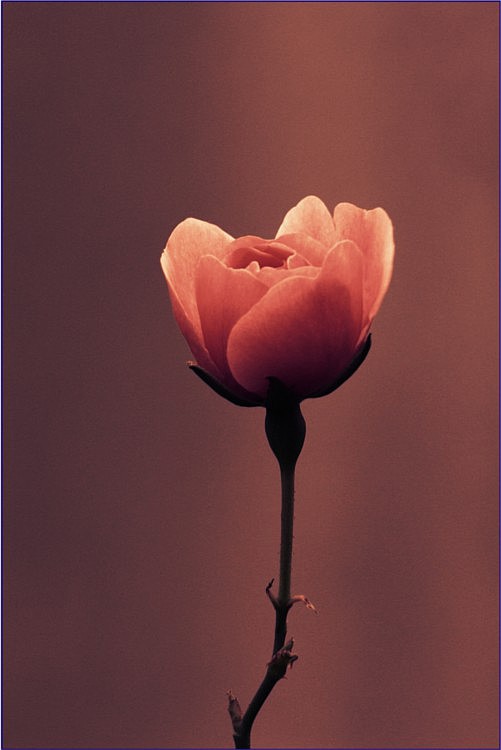
The original photo is of a little rose with a concrete water tank as the backdrop. The darker photo is a crop, a desaturation and two colours applied with masks (tritone). Images have reduced from size 4272X 2848 (originals)

Image

Image


Top
 Post subject: Re: sharing outcomes
PostPosted: Tue Jun 24, 2014 7:26 am  (#20) 
Offline
GimpChat Member
User avatar

Joined: Jan 20, 2013
Posts: 14831
Location: roma, italy
the group is increasing, good news!
thanks wbool63...

_________________
"Where am I ?"


Top
Post new topic Reply to topic  [ 84 posts ]  Go to page 1, 2, 3, 4, 5  Next

All times are UTC - 5 hours [ DST ]


* Login  


Powered by phpBB3 © phpBB Group